Procédure
What does Managed Services mean?
The outsourcing service we offer allows any customer to request priority technical intervention on their server.
Under Managed Services, the LWS technical team takes remote control of the customer's server and carries out the actions requested by the customer, provided that they are eligible for the service.
Our support team can also refer you to outsourcing, as the resolution of your problem goes beyond the scope of support.
If I opt for outsourcing, what tasks can you carry out?
The tasks are many and varied. Here are a few examples of what we do on a regular basis.
- Website migration
- Installation of CMS or other scripts
- Intensive search for malicious scripts in the event of attacks.
- Setting up an external relay for your emails.
- etc.
The above list are examples only, you can always ask support if this can be carried out by our teams.
What happens when I order outsourcing?
As soon as you have opted for outsourcing, a technician will call you back within the hour.
He will then agree the details of the project with you.
Once your request has been properly defined with our technical teams, they will work on it immediately.
As soon as our teams have completed your request, we will call you back to indicate the end of the outsourcing.
An email is also sent to you, indicating the operations that have been carried out.
How do I activate outsourcing?
11. Log in to the LWS Panel customer area
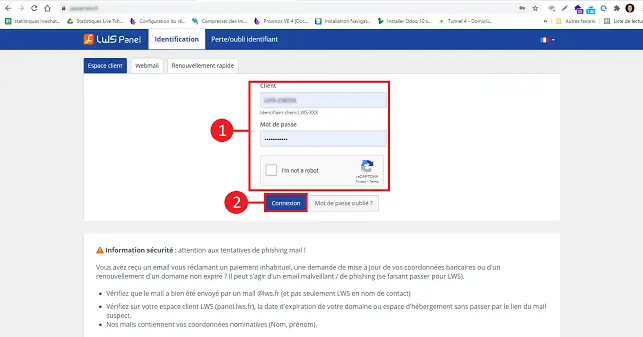
22. Click on the following link: https: //panel.lws.fr/idlws_infogerance.php
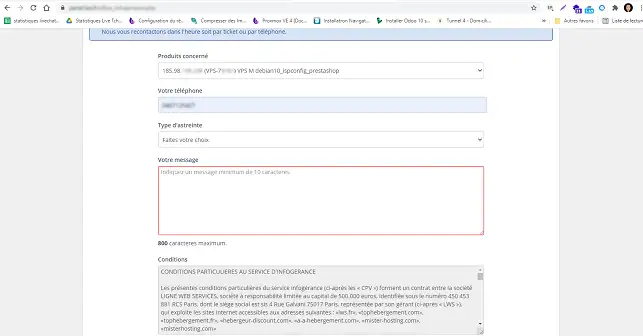
33. Choose the VPS server concerned from the drop-down list.
Enter your telephone number and describe the problem in detail.
Tick the 3 boxes and confirm. Pay the quote that appears on the screen by credit card only.
A technician will call you back within the hour (working hours Monday to Friday, 8am to 6pm).
Conclusion
You can now request facilities management for your dedicated VPS server via your customer area andactivate the SSH port provided for this purpose. Activating facilities management will allow LWS to perform various tasks on your server.
Don't hesitate to share your comments and questions!



 Yes
Yes No
No About
About 