
Online help
The web host accessible to all
Procédure
The size limit per MySql table is 100MB. This limit applies to all LWS shared web hosting packages.
If you have a database that exceeds this size, this tutorial explains how to import it into your hosting package
To import the database, you need to download a script that will perform this operation.
Go to the following page: https: //www.ozerov.de/bigdump/

on the far right of the screen, click on the BigDump script link to download the script archive to your computer.
Then unzip the archive on your PC and open the bigdump.php file using your favourite text editor.

Add your phpMyAdmin access details from line 41 to line 44. If you have forgotten these details, you can go to this page to retrieve them.
Save the php file, then open FileZilla and connect to your FTP
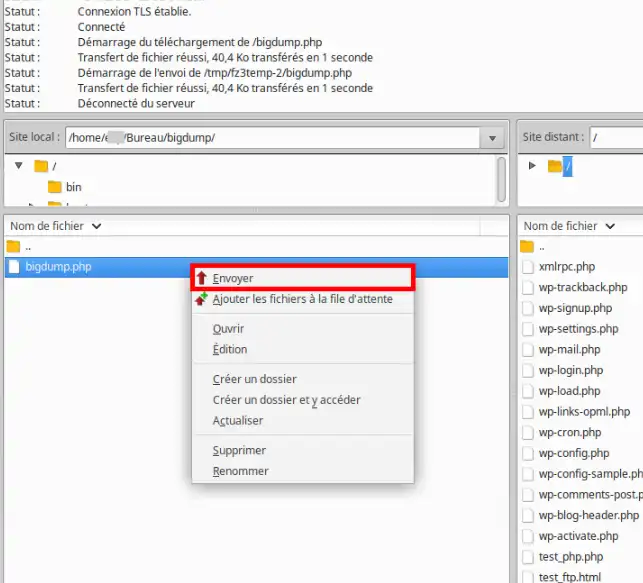
Select the bigdump.php file and right-click on it, then Send to publish the file to your FTP.
The script is now published to the root of your FTP next to the database to be imported
Navigate to your domain and add bigdump.php to the end of your url. For example, if your domain is mon-domaine-lws.fr, the url would be: http: //mon-domaine-lws.fr/bigdump.php
The following window will appear:
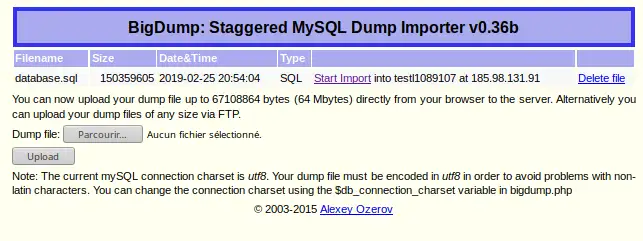
The script automatically detects the database located in the same directory and displays the information in a column
In our case, the database is database.sql and is approximately 150MB in size.
Click on the Start import link to begin importing
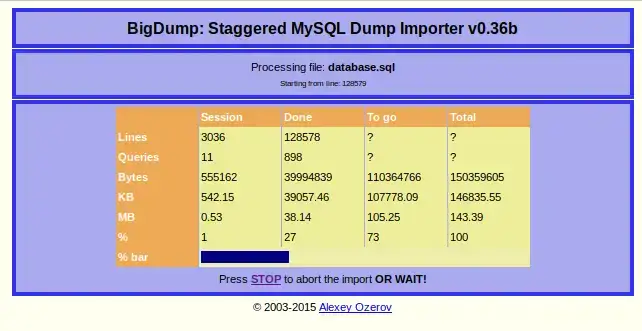
The script will import the database, and you can view the progress of the operation, such as the number of requests processed and the size in MB....
If the import is successful, you will see the following window:
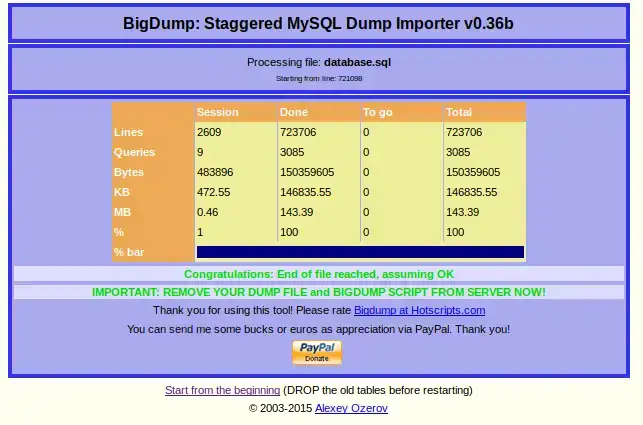
The green message indicates that the import was successful and that you should delete the script and the database from your FTP.
You are now able to import a database that exceeds 100MB into shared hosting with LWS. This allows you to put your database online with complete freedom.
Don't hesitate to share your comments and questions!
Ask the LWS team and the community. Answers are published after moderation.
 About LWS :
LWS is a 100% French web hosting company that focuses on quality and innovation and offers a responsive and competent technical service at affordable prices.
About LWS :
LWS is a 100% French web hosting company that focuses on quality and innovation and offers a responsive and competent technical service at affordable prices.



 Yes
Yes No
No