
Online help
The web host accessible to all
Procédure
PHPpgAdmin is a web application for PostgreSQL database management systems. You are strongly advised to know how it works before modifying your tables, as uppercase and lowercase characters are taken into account when you make changes. If you add an upper or lower case letter, remember to also change it in the variable that includes your table. You can edit your databases, create tables, modify fields, delete, import and export tables.
Step 1: Log in to your web hosting administration space
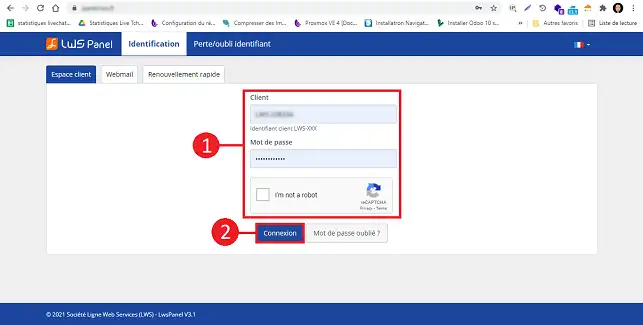
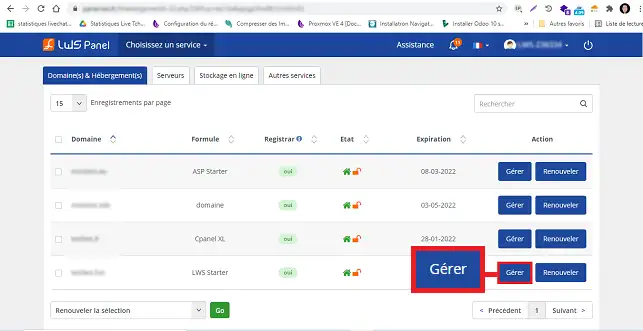
Step 2: Click on the"Manage" button behind the plan for which you want to access PhPpgAdmin.
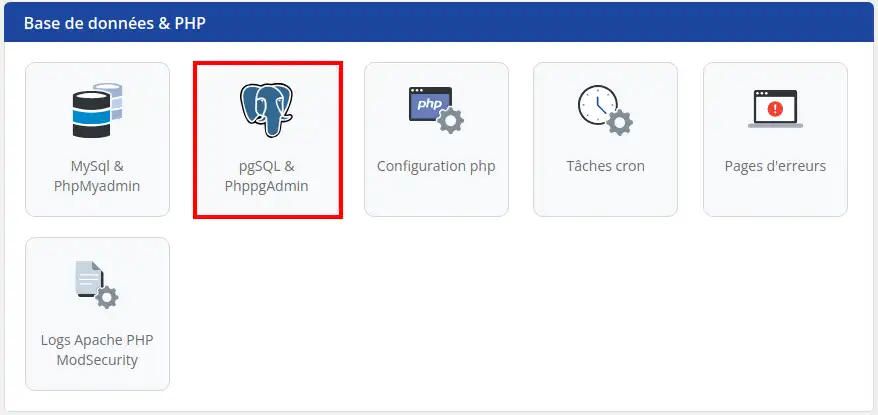
Step 3: Click on"PostgreSQL & PhPpgAdmin" found in the "Database & PHP" section. (You must create a database before you can access it)
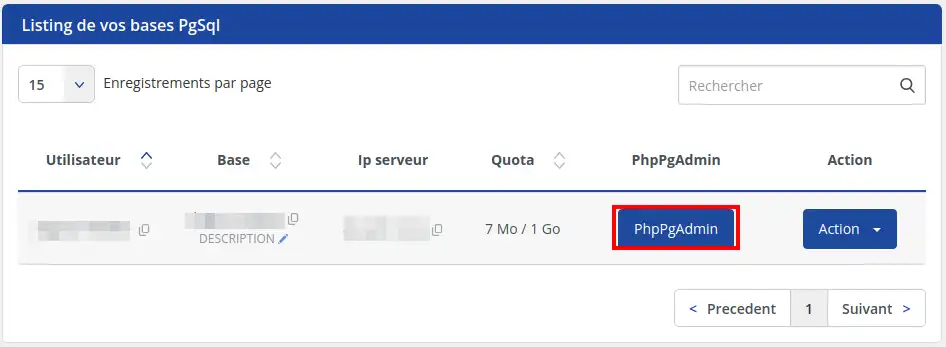
Step 4: Click on the"PhPpgAdmin" button behind the database you wish to connect to.
Step 5: Once on the Connection page, fill in the User and Password fields (you received the information on the email associated with your customer account) then click Run to access it.
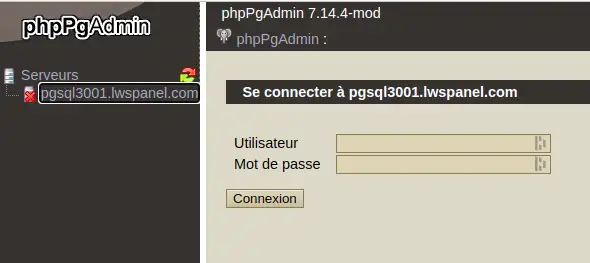
Step 6: This will take you to the PhPpgAdmin page for managing your database.
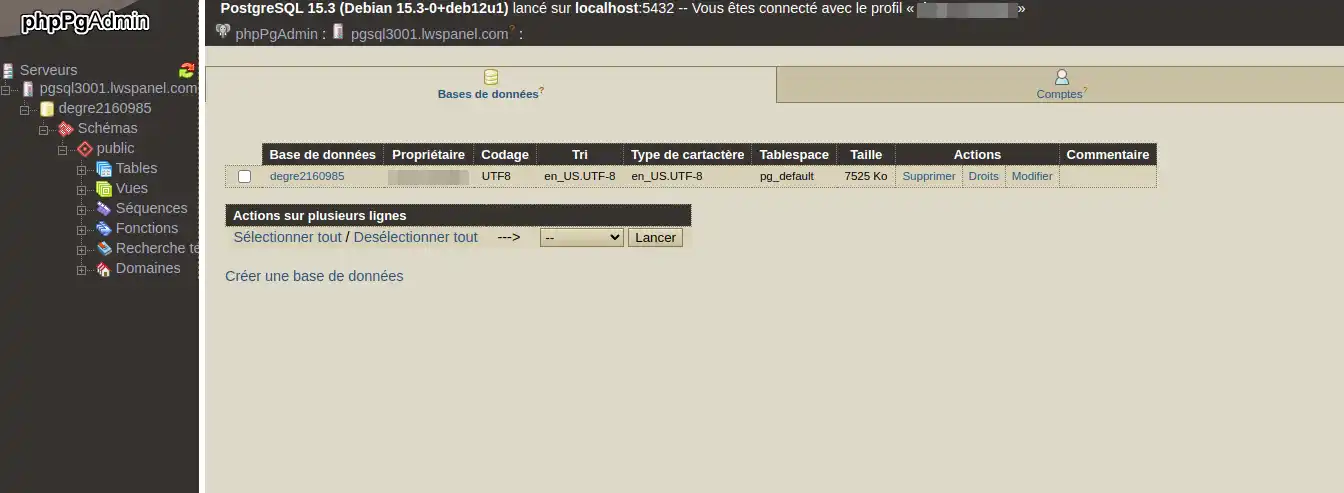
You are now able to access your PostgreSQL databases with PgPpgAdmin on your shared hosting with LWS. PhPpgAdmin is a tool that allows you to access your databases via a web interface.
Don't hesitate to share your comments and questions!
Ask the LWS team and the community. Answers are published after moderation.
 About LWS :
LWS is a 100% French web hosting company that focuses on quality and innovation and offers a responsive and competent technical service at affordable prices.
About LWS :
LWS is a 100% French web hosting company that focuses on quality and innovation and offers a responsive and competent technical service at affordable prices.



 Yes
Yes No
No