
Online help
The web host accessible to all
Procédure
The RSA key is used to encrypt personal data. This system surrounds us without us even knowing it. It exists in our bank cards, our transactions, our email systems and in many of the software programmes we use.
There are two types of key in the RSA key system:
1. Download the PUTTY Key Generator software and open it.
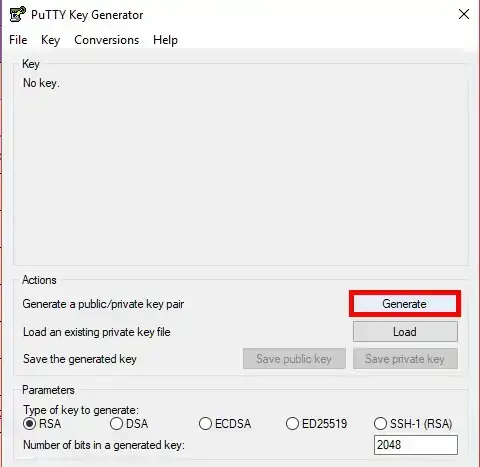
2. Click on the"Generate" button in the"Actions" section of your software.
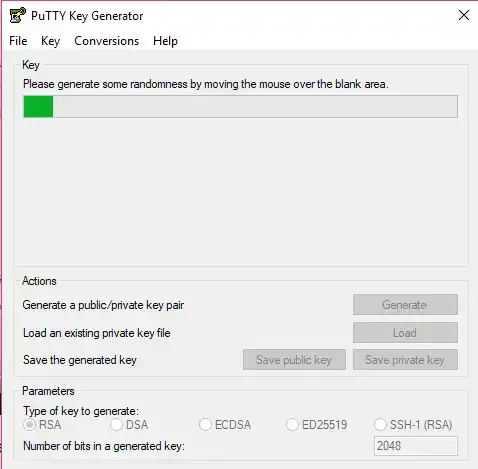
3. To generate the RSA key, move the mouse from right to left until the end of the process.
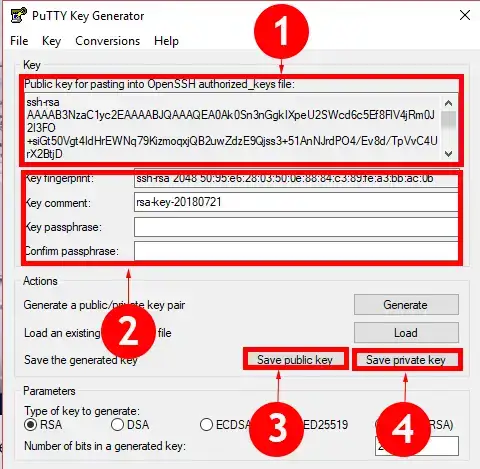
3. Two keys have normally been generated: the public key (1) and the private key (2). It is advisable to save both keys by clicking on the"Save public key" and"Save private key" buttons.
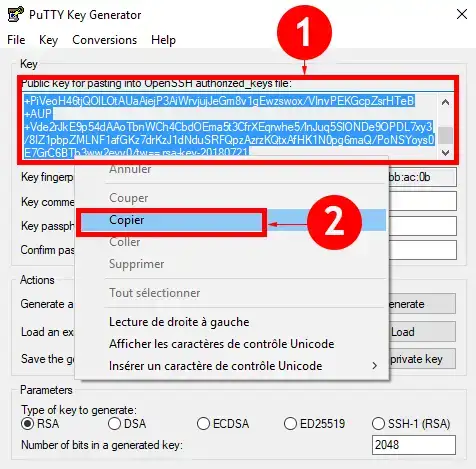
1. Select the key, right click on your mouse and then on the"Copy" tab of your menu.
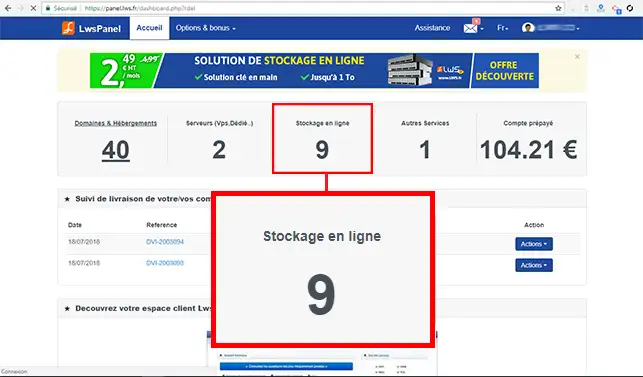
2. Log in to your customer area and click on"Online Storage".
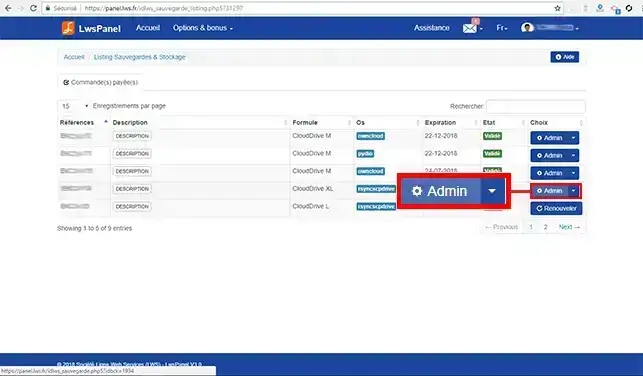
3. Click on the"Admin" button behind the storage service you want to configure.
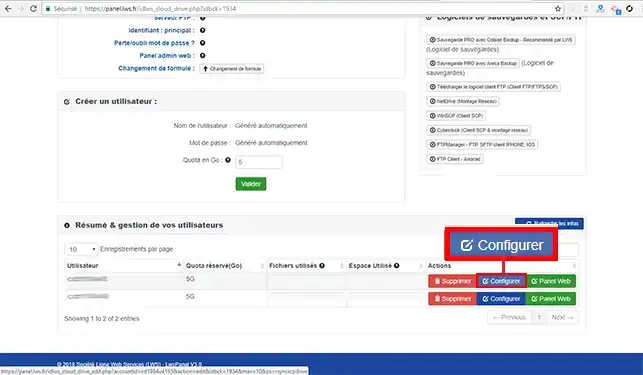
4. Click on the"Configure" button behind the user for whom you want to configure the key.
5. Click on the"SSH/Rsync key" tab, add the key you have copied and click on"Validate" to save your request.
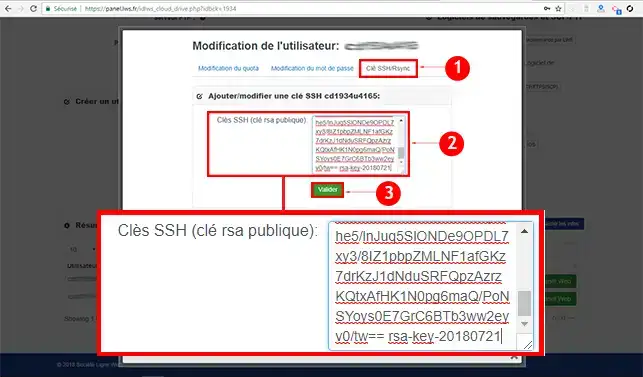
The SSH/RSync key will be operational within 15 minutes of validation.
You can now add an RSync key to your online storage space with LWS.
Ask the LWS team and the community. Answers are published after moderation.
 About LWS :
LWS is a 100% French web hosting company that focuses on quality and innovation and offers a responsive and competent technical service at affordable prices.
About LWS :
LWS is a 100% French web hosting company that focuses on quality and innovation and offers a responsive and competent technical service at affordable prices.



 Yes
Yes No
No