


How do I change the PHP version of my cPanel hosting?

Procédure

What are the different PHP versions available on cPanel?

cPanel allows you to choose between different PHP versions for each of the domain names you are going to host on your web space.

The versions currently available are as follows

  • PHP 5.6
  • PHP 7.0
  • PHP 7.1
  • PHP 7.2
  • PHP 7.3
  • PHP 7.4
  • PHP 8.0
  • PHP 8.1
  • PHP 8.2
  • PHP 8.3
  • PHP 8.4
  • PHP 8.5

For each PHP version, you canactivate and/or deactivate PHP extensions.

How do you change PHP version on your cPanel hosting?

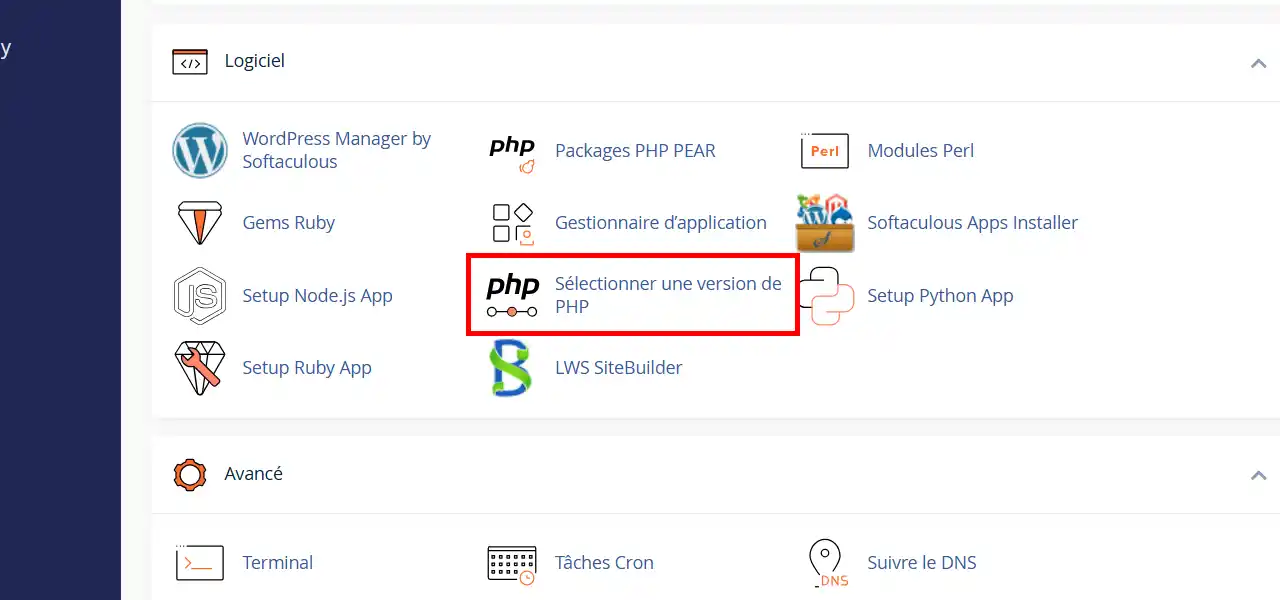
1. Connect to your cPanel hosting space, go to the"Software" section and click on"Select a PHP version".

How do I change the PHP version of my cPanel hosting?

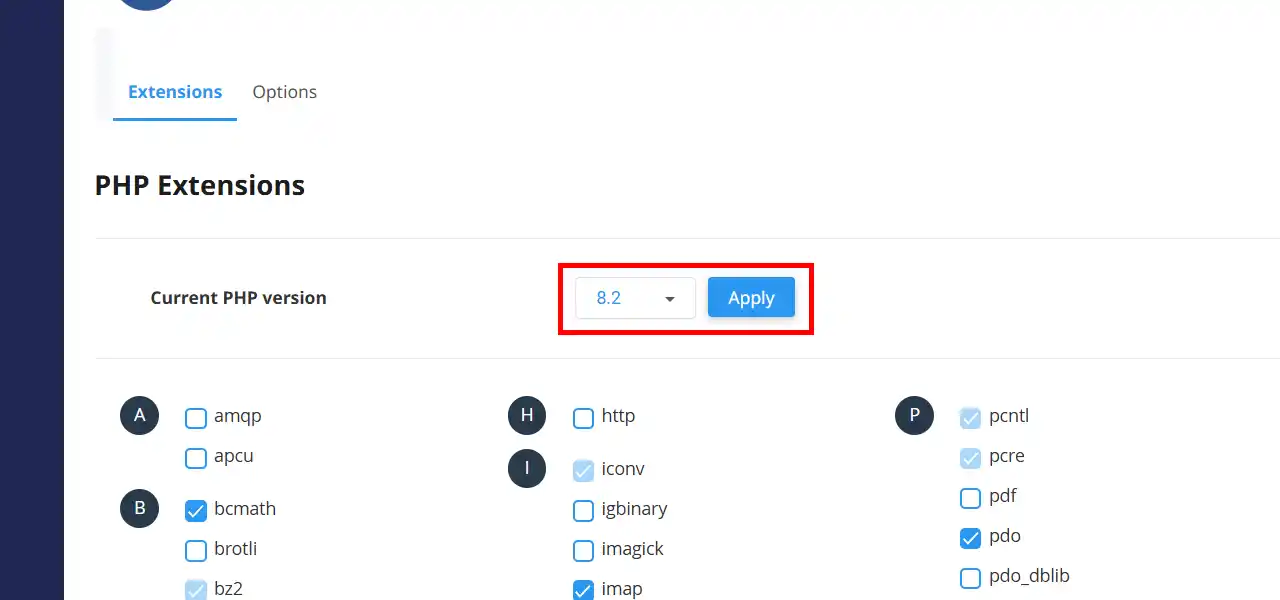
2. In the drop-down menu, choose the PHP version you want for your sites from the drop-down list and then click on the"Apply" button. You can also enable or disable PHP extensions for the selected version by checking/unchecking them on the list displayed.

How do I change the PHP version of my cPanel hosting?

Conclusion

You are now able to change the PHP version on your cPanel web hosting with LWS. Be careful, if you change PHP version when you already have a website in production, it may no longer display.

Don't hesitate to share your comments or questions!

help.lws.net/a/1003
Was this article helpful?

Yes

No

Read 38 299 times

Thank you! Feel free to ask questions about our documentation if you would like more information, and help us improve it.

Similar articles

Questions about the article 1

Ask a question
Franck
1 Aug 2023
Comment changer la version de php pour chaque sous domaine crée ??
Aurelien-LWS Official answer
2 Aug 2023

Bonjour,

Je vous remercie pour votre message.

Vous pouvez retrouver la procédure pour configurer une version PHP différente sur chaque sous-domaine ou domaine compagnons configurés sur votre formule cPanel en suivant cette documentation : https://aide.lws.fr/a/1281

Cordialement, L'équipe LWS

Was this answer helpful?

A question about this article?

Ask the LWS team and the community. Answers are published after moderation.

Ask the LWS team and its community a question

GDPR: Controller: LWS-Ligne Web Services. Purpose: moderation and public publication of your question, possible notification of an answer. Legal basis: consent (Art. 6(1)(a) GDPR). Email retention: 90 days after notification, 12 months maximum without an answer. To exercise your rights, see the GDPR section of our Terms and Conditions.