
Online help
The web host accessible to all
Procédure
In principle, a blog is a type of website that focuses primarily on written content. There are many reasons why it might be worth creating a blog on your site. However, the main reason is to interact with your visitors in order to attract the attention of potential consumers.
The more frequent and high-quality your blog posts, the more likely your website will be to be visited by Internet users. Add a button for a contact form or shop to your blog and your traffic can be converted into quality leads.
1. Go to your SiteBuilder Pro interface
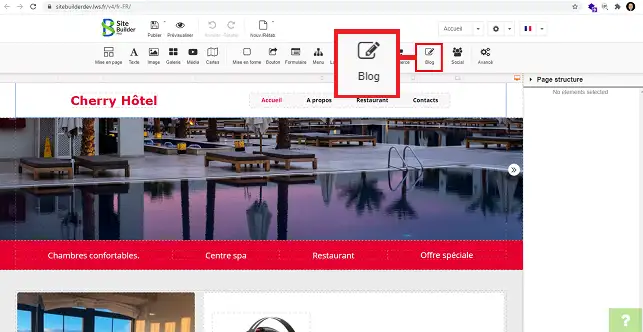
2. Click on the"Blog" tool in the toolbar at the top of the page.
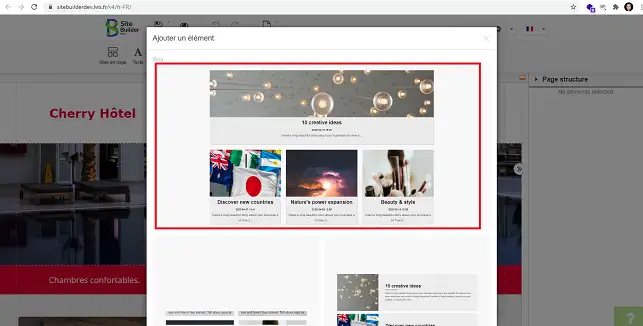
2. Choose the desired Blog style and click on it to select it.
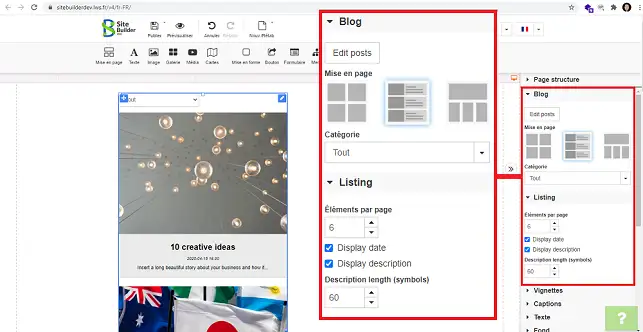
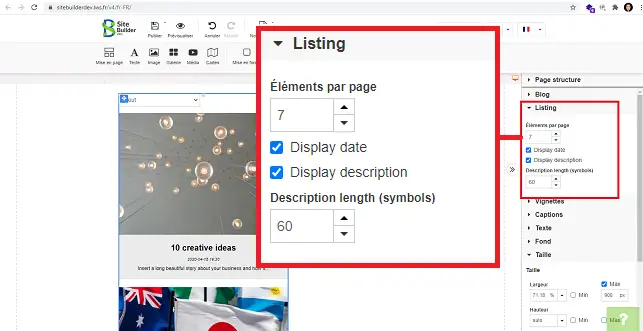
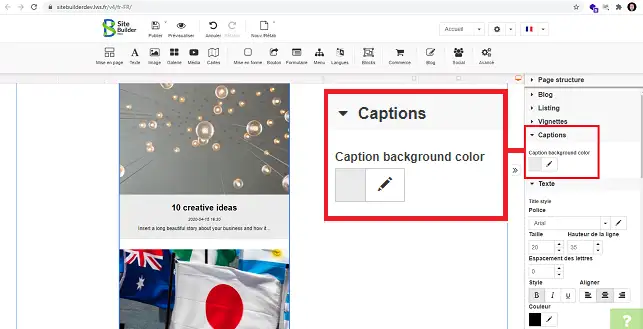
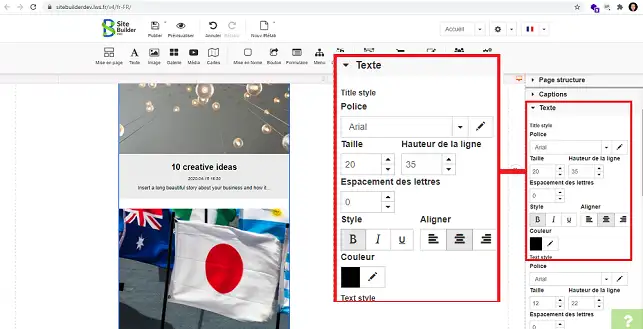
In the right-hand column of SiteBuilder Pro, you can configure your blog according to different criteria.
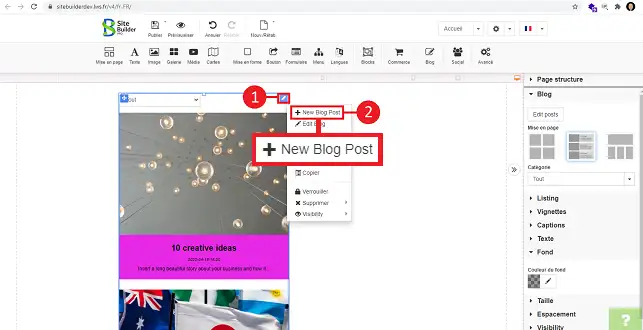
1. Click on the stylus at the top right of your item and click on"New Blog Post".
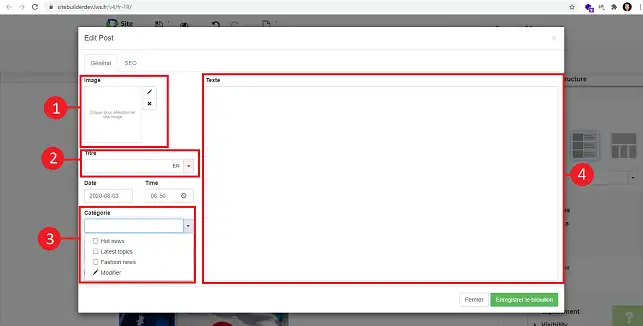
2. Choose an image for your blog post, give it a title and a category. You can modify a category by scrolling down the"Category" drop-down window and clicking"Modify". Then add your "Text".
3. Click on the"SEO" tab.
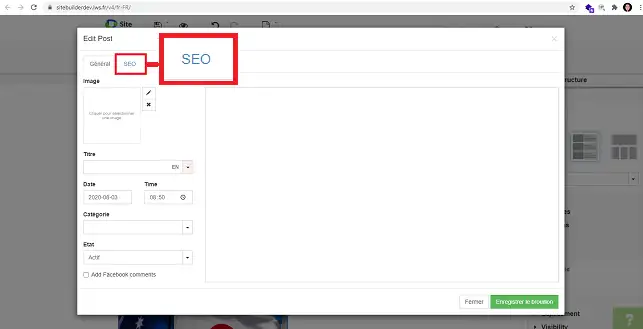
4. The"SEO" section allows you to add a title, a description and modify the URL of your article for a more user-friendly URL. Once you've made your changes, click on"Save draft" to save your article.
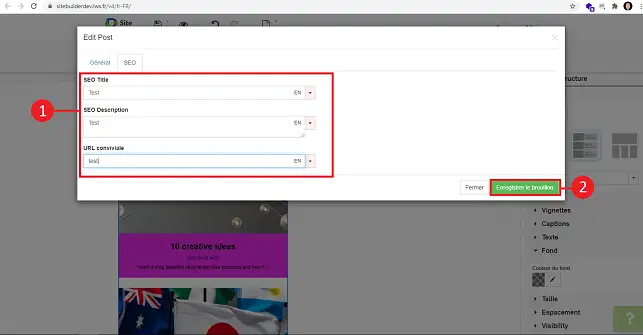
5. Don't forget to republish your site so that your blog post is posted on your website.
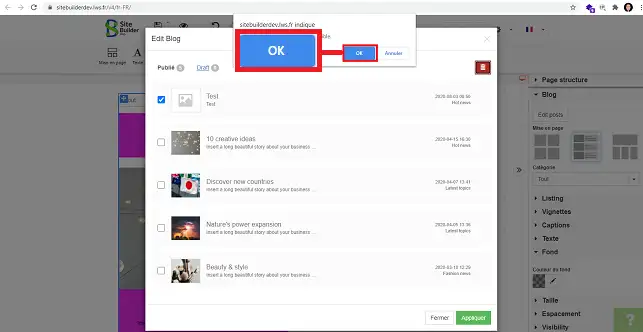
1. In the"Blog" section in the right-hand column of SiteBuilder, click on"Edit Posts".
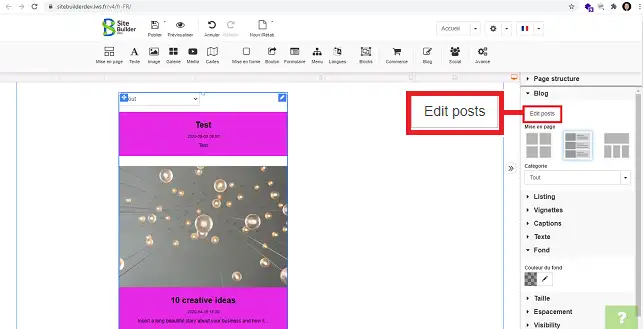
2. Tick the post you want to delete and click on the"Trash" icon.
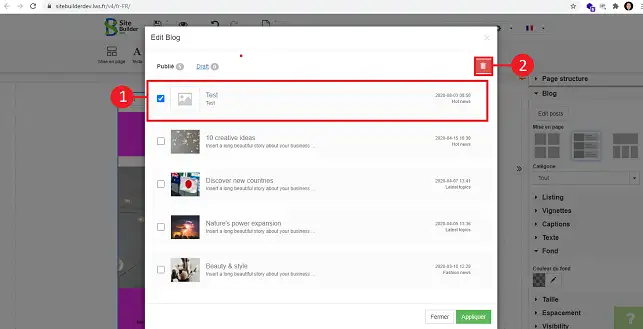
3. A new window will open telling you that the action is irreversible. Click on"Ok" to confirm your request.
You are now able to create, configure and add Blog posts to your site created on your Web hosting with SiteBuilder Pro. A blog post can be interesting and allows interaction with your visitors.
Don't hesitate to share your comments and questions!
Ask the LWS team and the community. Answers are published after moderation.
 About LWS :
LWS is a 100% French web hosting company that focuses on quality and innovation and offers a responsive and competent technical service at affordable prices.
About LWS :
LWS is a 100% French web hosting company that focuses on quality and innovation and offers a responsive and competent technical service at affordable prices.



 Yes
Yes No
No