
Online help
The web host accessible to all
Procédure
Mailing lists allow you to send emails to several recipients at once.
This feature is very useful when you need to send a newsletter or send emails to a group of people.
This tutorial shows you how to create a mailing list on your cPanel hosting.
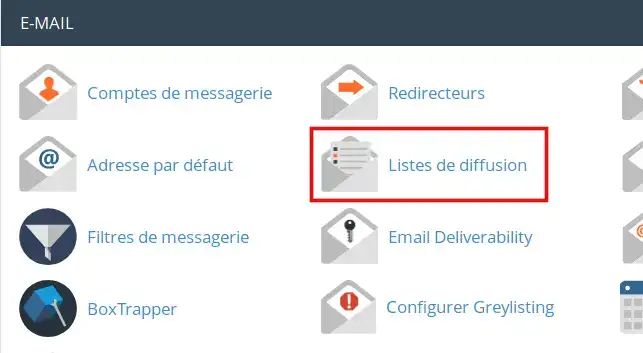
To create a mailing list, connect to your cPanel, go to the Email section and then click on the "Mailing lists" icon.
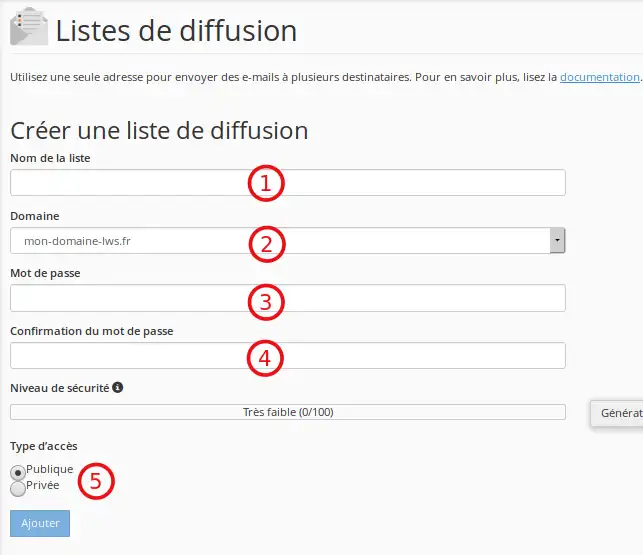
On the next page, we'll configure our mailing list:
All the mailing lists you have created will be listed in the Current lists section:
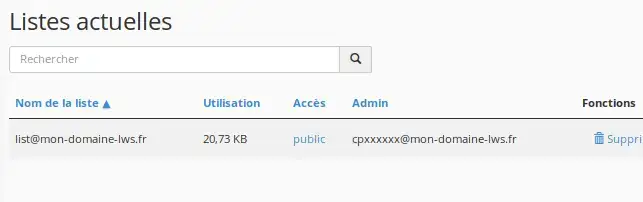
The list contains the following options:
Delete: deletes the mailing list
Change password: allows you to change the mailing list password.
For a mass subscription: click on Membership Management then on Mass Subscription:
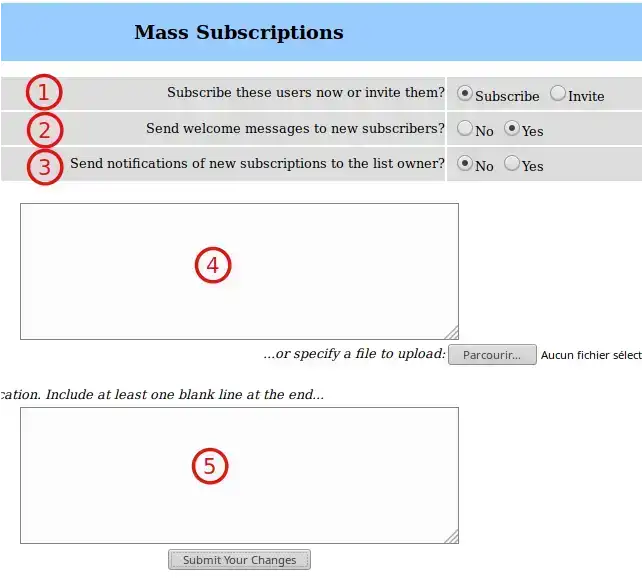
Once you have finished, click Submit Your Changes to save your changes.
Other options available for the mailing list to be managed:
Mass removal: the option removes users from your mailing list
Privacy options: Privacy options
Subscription rules: this section allows you to configure the exposure policy for subscriptions and members.
Sender filter Filtres de l'expéditeur: this section contains commands for moderating publications by members and non-members.
Recipient filter Filtres de destinataire: this section allows you to configure different filters depending on the recipient of the message.
Anti-spam filters: this section allows you to configure different anti-spam publication filters, which can help reduce the amount of spam your list members end up receiving.
Delegation: assigns administrative rights to available users.
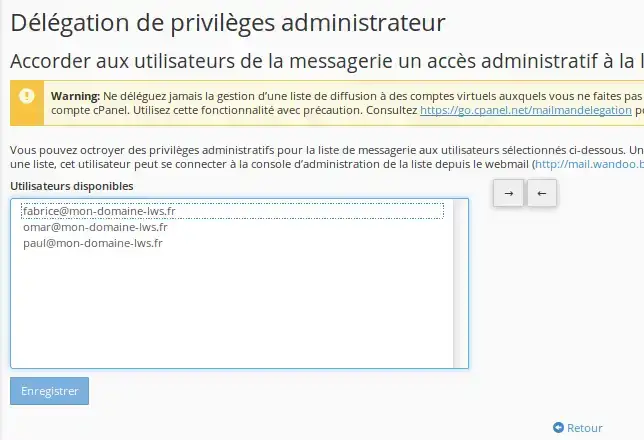
Use the arrows to add/exclude selected users from the list of administrators and click Save.
You are now able to add and manage a mailing list on your cPanel shared hosting with LWS.
Don't hesitate to contact our technical support team via a trouble ticket if you have any questions.
Ask the LWS team and the community. Answers are published after moderation.
 About LWS :
LWS is a 100% French web hosting company that focuses on quality and innovation and offers a responsive and competent technical service at affordable prices.
About LWS :
LWS is a 100% French web hosting company that focuses on quality and innovation and offers a responsive and competent technical service at affordable prices.



 Yes
Yes No
No