Procédure
What is Google Analytics used for?
Google Analytics is a free web analysis service that provides statistics and analytical tools for SEO purposes.
This tutorial will explain how to activate Google Analytics on your website, based on Wordpress, Prestashop or SiteBuilderPro.
How to activate Google Analytics on Wordpress/SiteBuilderPro/Prestashop
To activate Google Analytics on your website, you will need to retrieve your Google Analytics ID from your Google account. If you have not already done so, you can follow this procedure.
How to activate Google Analytics on Wordpress:
GA Google Analytics is a plugin that activates Google Analytics in your WordPress site. It is Lightweight, fast and packed with features.
You can install it directly from your WordPress dashboard by going to Extensions → Add new :
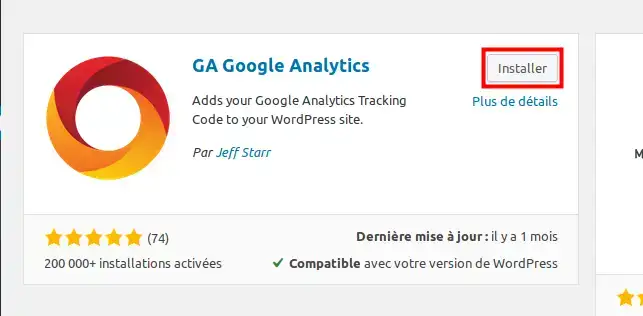
Then click on the Install button and Activate .
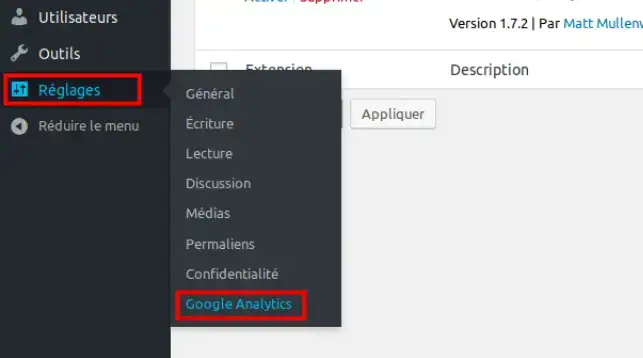
To access the plugin options, from the Settings menu click on Google Analytics
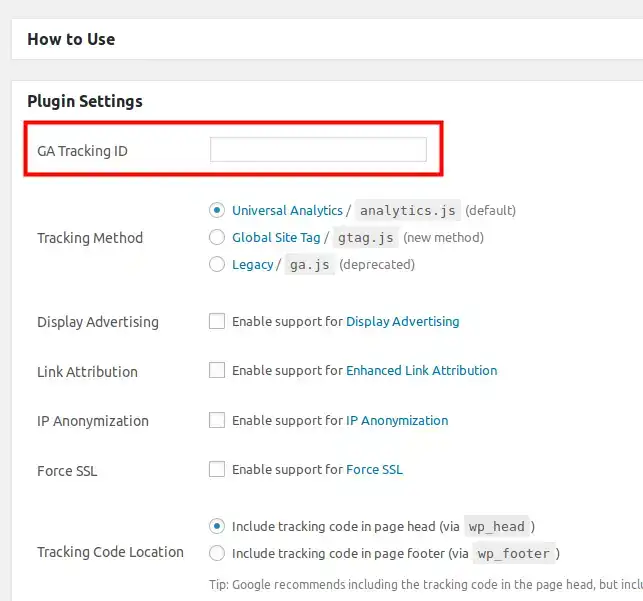
Enter your Google Analitycs tracking ID in the coreesponding to GA Tacking ID field and press the Save Changes button below.
How to activate Google Analytics on Sitebuilder Pro:
To activate Google Analytics in Sitebuilder Pro, open your Sitebuilder editor and click on the gear icon in the toolbar:
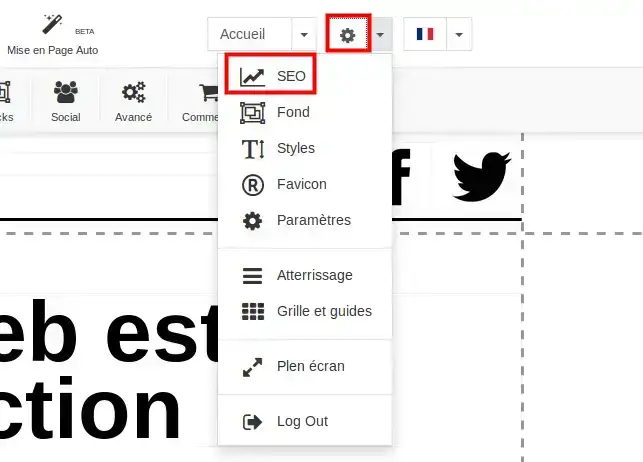
Then select the SEO menu, and then the Analytics tab
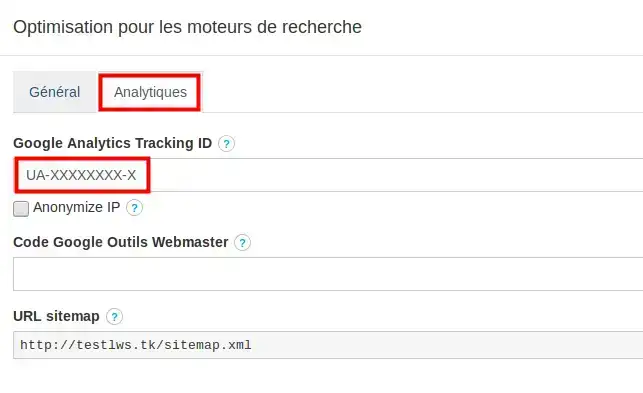
Enter your tracking code in the field corresponding to Google Analytics Tracking ID and press the Apply button to save.
How to activate Google Analytics on PrestaShop:
To activate Google Analytics in your PrestaShop shop, connect to your back office:
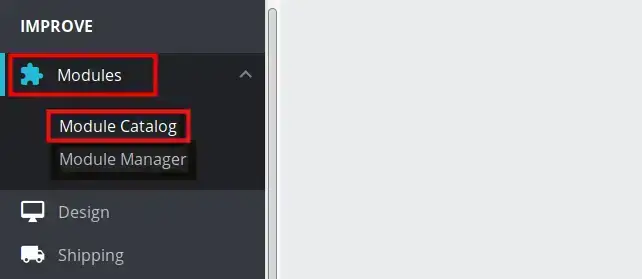
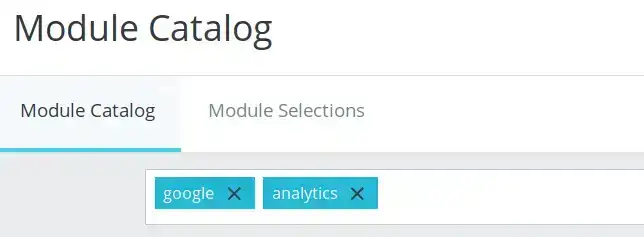
Then from the Modules menu click on Module Catalog, and enter Google analytics as the search term.
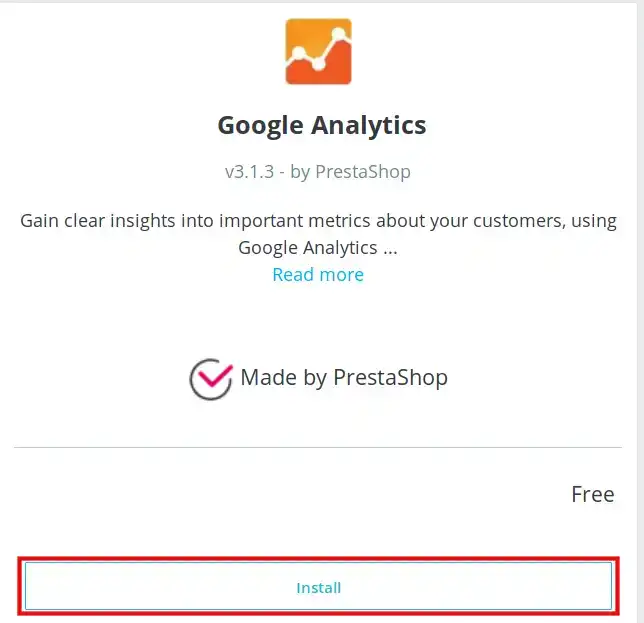
Install the corresponding module by clicking on the Install button.
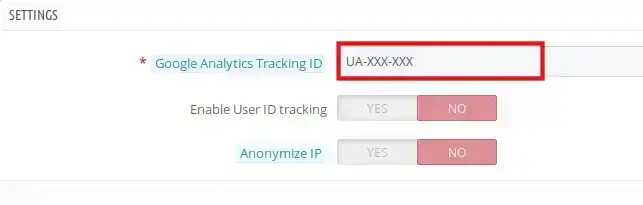
From the Plugin settings menu, enter your tracking code in the corresponding field, then on the Apply button to save the changes.
Conclusion:
You are now ready to activate Google Analytics on your website.
Google Analytics is a simple, user-friendly tool that lets you measure how users interact with your website.
If you have any questions, please do nothesitate to contact our technical department via an incident ticket.



 Yes
Yes No
No About
About 