
Online help
The web host accessible to all
Procédure
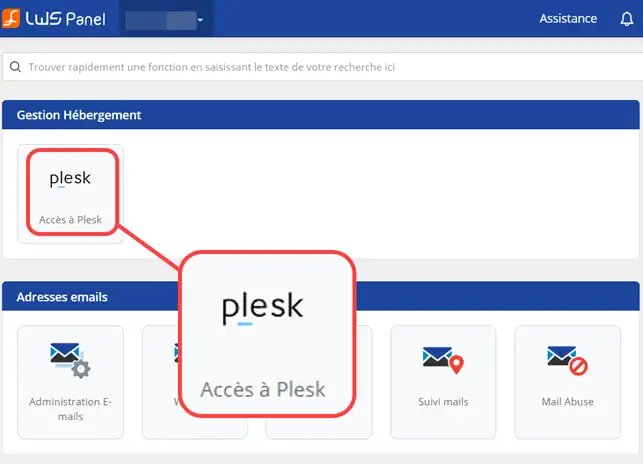
1. Log in to the administration area of your web hosting then go to Plesk administration.
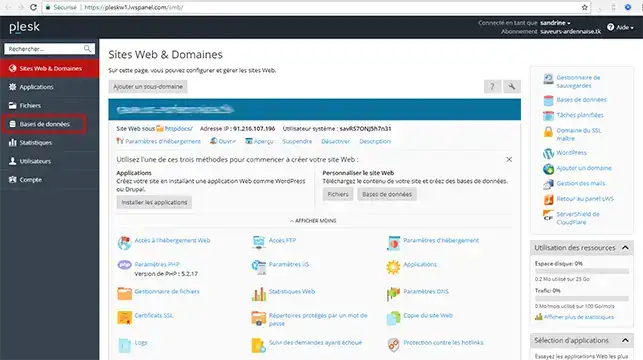
2. Click on"Databases".
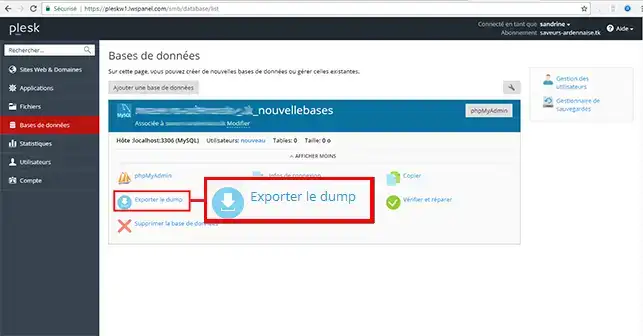
3. Click on the"Export Dump" button.
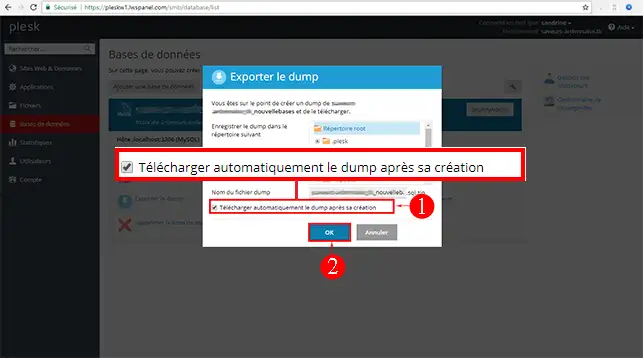
4. Tick the"Automatically download the Dump after it has been created" box and click the"Ok" button to start exporting your database.
Ask the LWS team and the community. Answers are published after moderation.
 About LWS :
LWS is a 100% French web hosting company that focuses on quality and innovation and offers a responsive and competent technical service at affordable prices.
About LWS :
LWS is a 100% French web hosting company that focuses on quality and innovation and offers a responsive and competent technical service at affordable prices.



 Yes
Yes No
No