
Online help
The web host accessible to all
Procédure
1. You will need to download the myLittleAdmin archive from this address, then unzip it using software such as WinRAR for example:
http://mylittlebackup.com/mlb/en/download.aspx
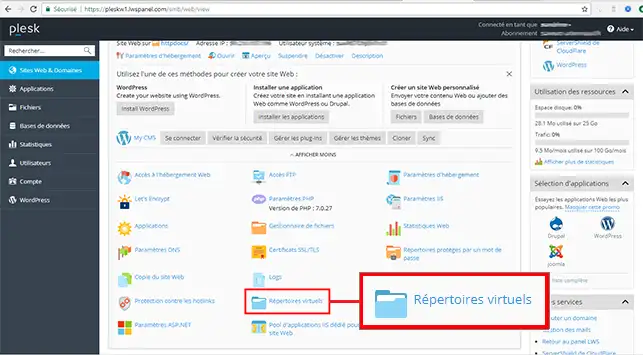
2. Create a directory by clicking on "Virtual Directories".
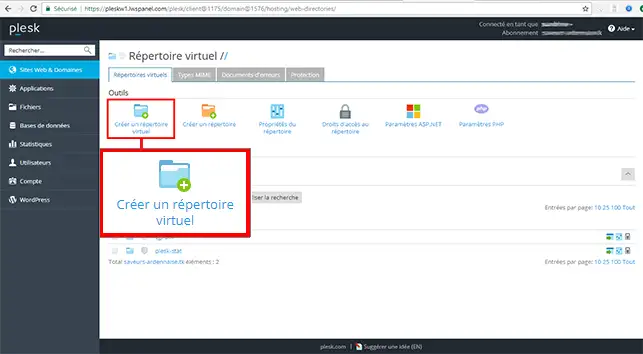
3. Then click on "Create a virtual directory".
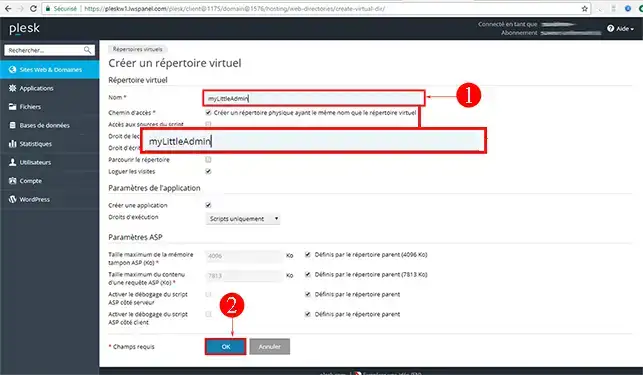
4. Enter the name of your choice (which in my case will be myLittleAdmin) and click on "Ok".
5. Transfer all the files you extracted via FTP, then transfer them to the new folder you just created in step 4.
6. Go to your file manager:
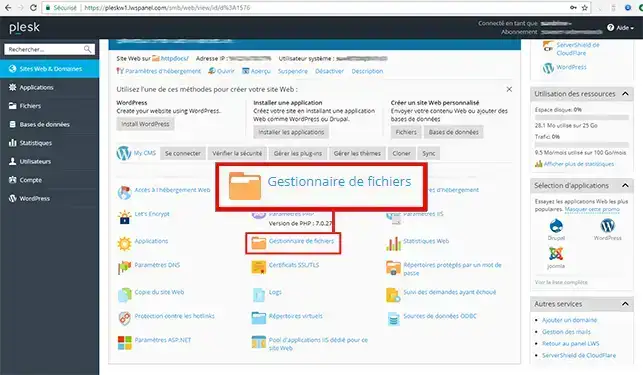
7. Go to the folder you just created (in this case, it is called "myLittleAdmin"):
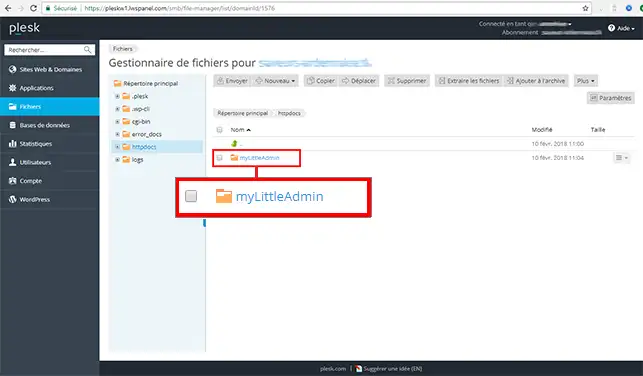
8. Go to your folder named bin:
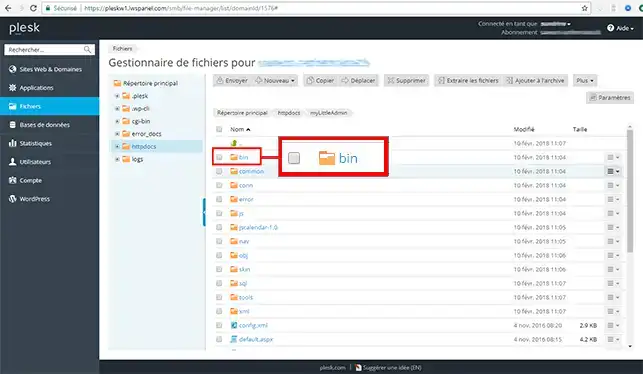
9. Select all the files then click on "Copy":
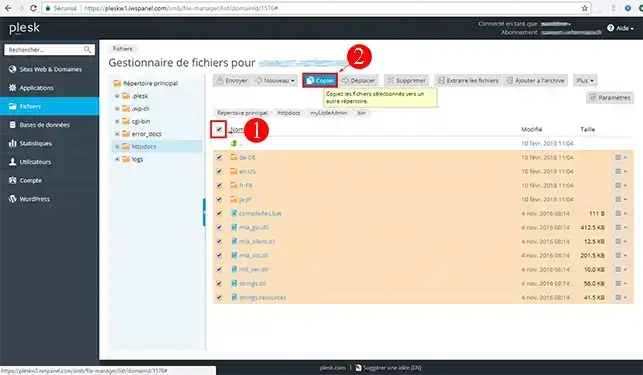
10. Copy all the selected files into the "cgi-bin" folder then click on "Ok".
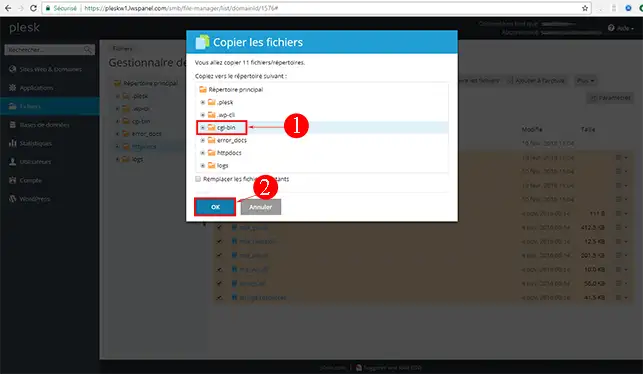
11. You can then connect to myLittleAdmin via this type of URL: http://votreNomDeDomaine.fr/myLittleAdmin (the URL must be adapted according to your domain name and the virtual directory you created).
All the differences between these two versions are available in this article: MyLittleAdmin Features
Ask the LWS team and the community. Answers are published after moderation.
 About LWS :
LWS is a 100% French web hosting company that focuses on quality and innovation and offers a responsive and competent technical service at affordable prices.
About LWS :
LWS is a 100% French web hosting company that focuses on quality and innovation and offers a responsive and competent technical service at affordable prices.



 Yes
Yes No
No