
Online help
The web host accessible to all
Procédure
When you subscribe to a VPS server, you can choose from 3 support options:
This option can be removed from your server at any time.
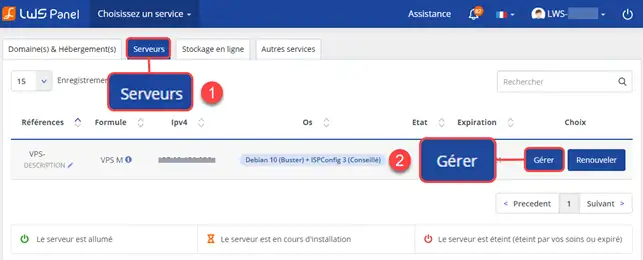
1. Log in to your customer area and click on the"Servers" tab, then on the "Manage" button.
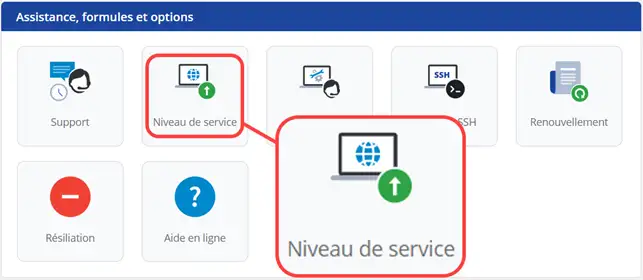
3. Click on the"Service Level" button.
4. Click on the bin icon to delete the option.
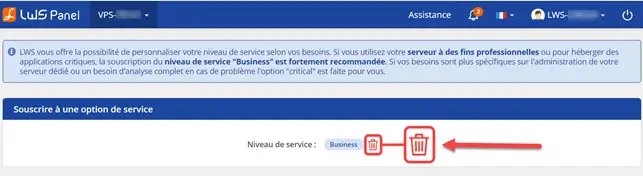
You are now able to remove a support option on your VPS server with LWS. LWS allows you to customize the level of support for your VPS server in order to benefit from customized managed services.
Don't hesitate to share your comments and questions!
Ask the LWS team and the community. Answers are published after moderation.
 About LWS :
LWS is a 100% French web hosting company that focuses on quality and innovation and offers a responsive and competent technical service at affordable prices.
About LWS :
LWS is a 100% French web hosting company that focuses on quality and innovation and offers a responsive and competent technical service at affordable prices.



 Yes
Yes No
No