
Online help
The web host accessible to all
Procédure
Sedo is a marketplace for selling domain names. It brings together domain name sellers and buyers. Based in the United States and Germany, it currently has over 16 million domains for sale, making it the largest marketplace in this field.
1. Go to the SEDO website and click on"Register" to create your account.
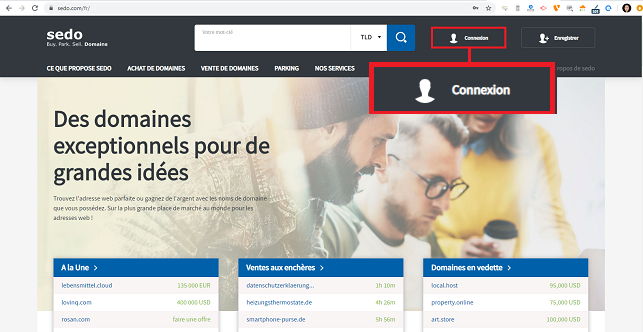
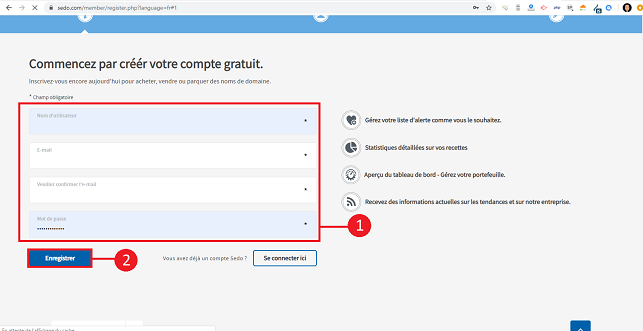
2.Enter your user name, email address and password and click on "Register".
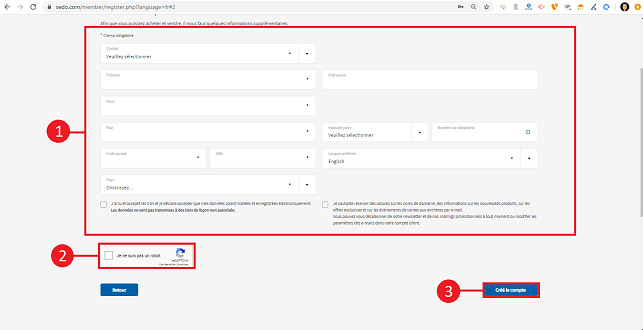
3. Fill in your personal details such as your address and telephone number and click on"Create account" to create your SEDO customer account. When the account is created, a validation email will be sent to you.
4. Once the SEDO account has been created, connect to it, click on your first name and then on"My SEDO" in the menu.
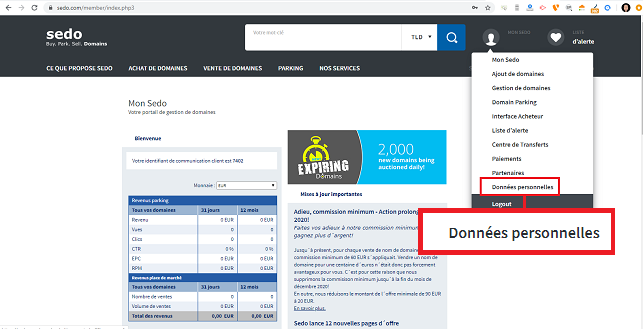
5. Click on the"Personal settings" tab.
6. In the "Identification number for ownership verification" section, click on"Create an identification number" to create a key that will allow you to manage the domain name from your LWS space.
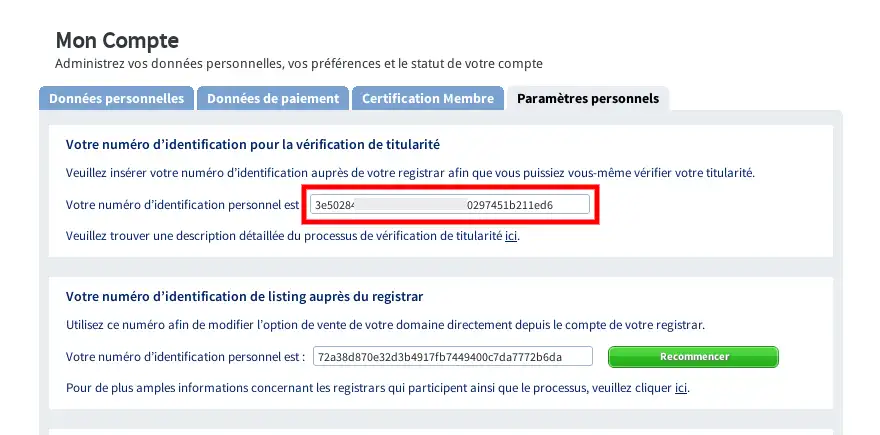
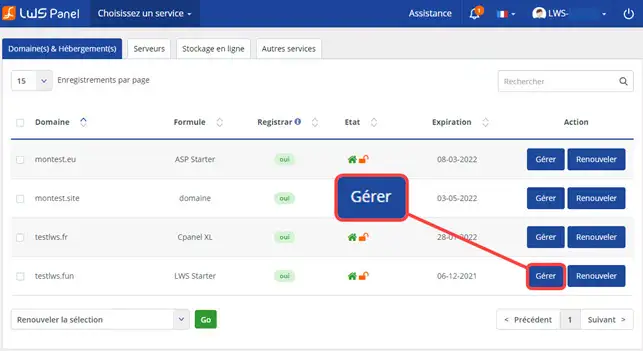
7. Log in to your LWS customer area and click on"Manage the domain name you wish to sell.
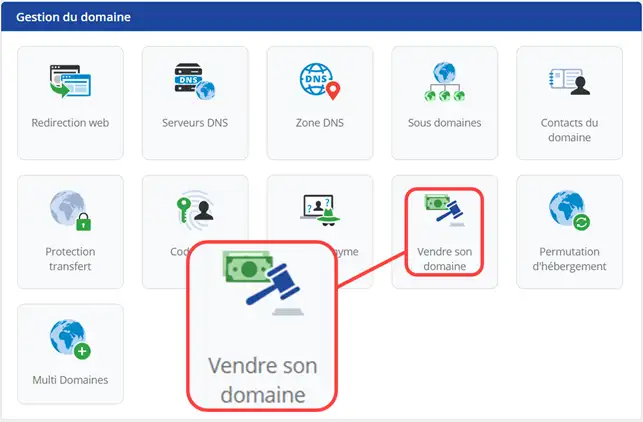
8. Click on the"Sell your domain" button.
11. To link your SEDO account to your LWS client space, click on the"I continue, I have a SEDO account" button.
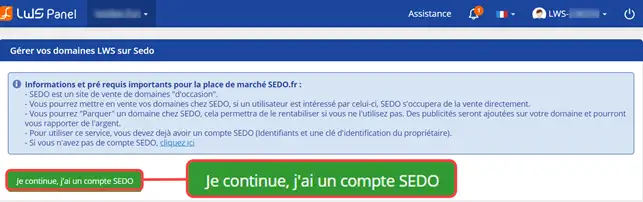
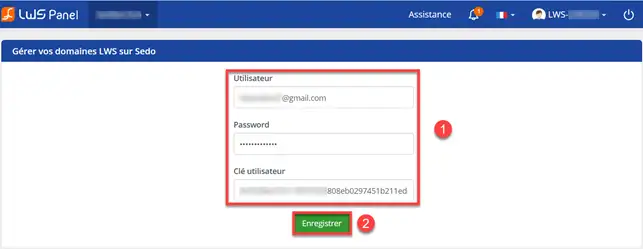
12. Enter your SEDO username and password, and the key/identifier you generated in step 6 of the procedure.
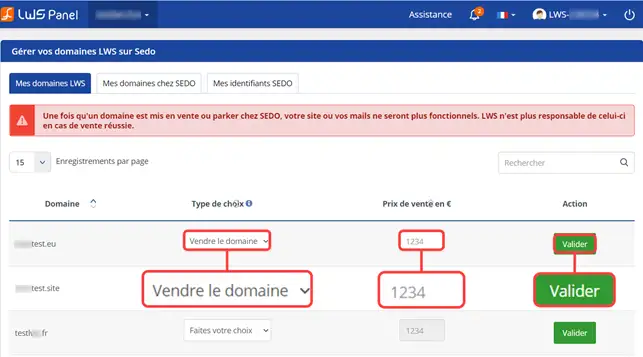
13. On the domain concerned, choose whether you wish to sell the domain or park it on SEDO. If you wish to sell the domain, you will be asked to specify a selling price. Click on"Validate" to save your request.
Please note
You cannot sell a domain that is not working.
You cannot sell a domain from the LWS customer account if it has already been put up for sale manually on SEDO.
You are now able to create a client account on the SEDO site and put your domain name up for sale on this marketplace.
Don't hesitate to share your comments and questions.
Ask the LWS team and the community. Answers are published after moderation.
 About LWS :
LWS is a 100% French web hosting company that focuses on quality and innovation and offers a responsive and competent technical service at affordable prices.
About LWS :
LWS is a 100% French web hosting company that focuses on quality and innovation and offers a responsive and competent technical service at affordable prices.



 Yes
Yes No
No