
Online help
The web host accessible to all
Procédure
It can be useful not to make your website public straight away in an emergency, to check the configuration of your site and make sure it is working properly.
1. Log in to your LWS Panel customer area
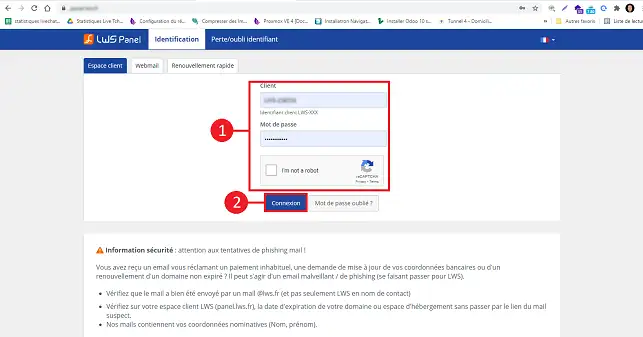
2. Click on the Server tab
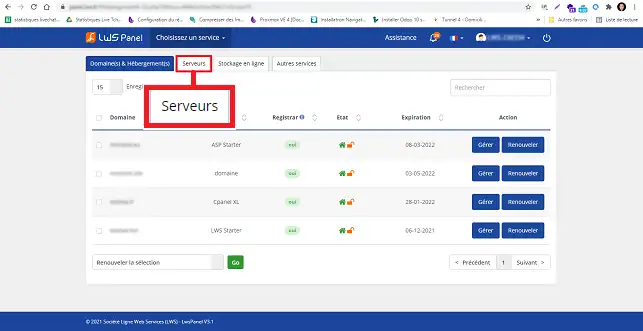
3. Click on the Manage button
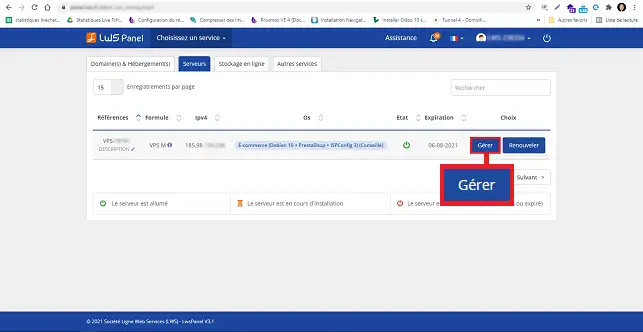
4. Click on the Administration Panel button
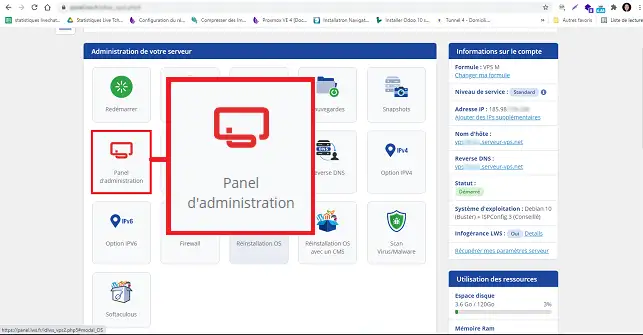
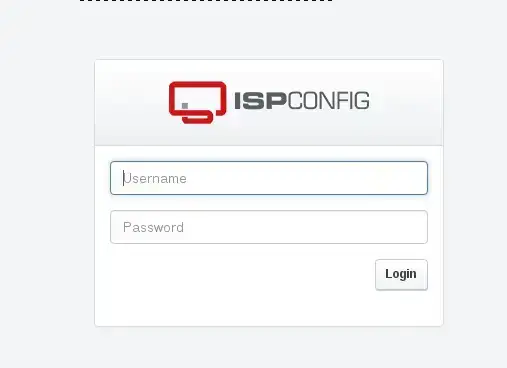
5. Enter the password and user ISPConfig
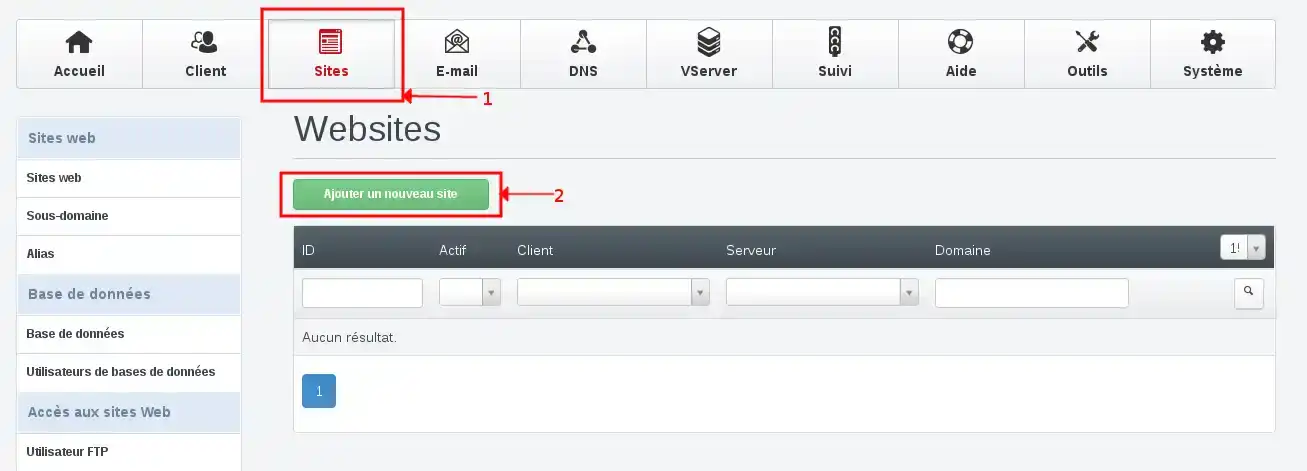
6. Click on Sites and then on Add a new site
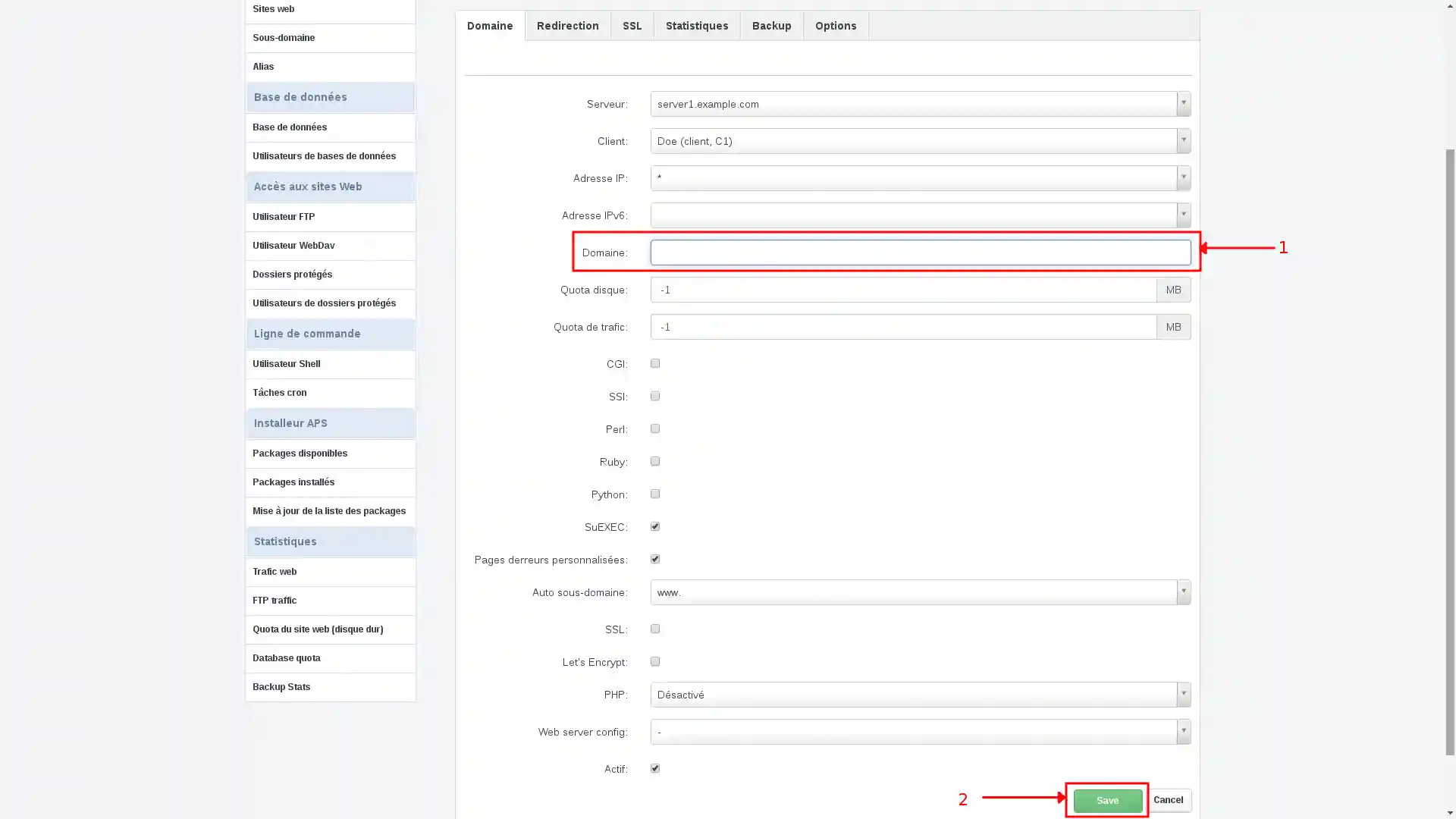
7. Enter your fictitious domain name then click on Save
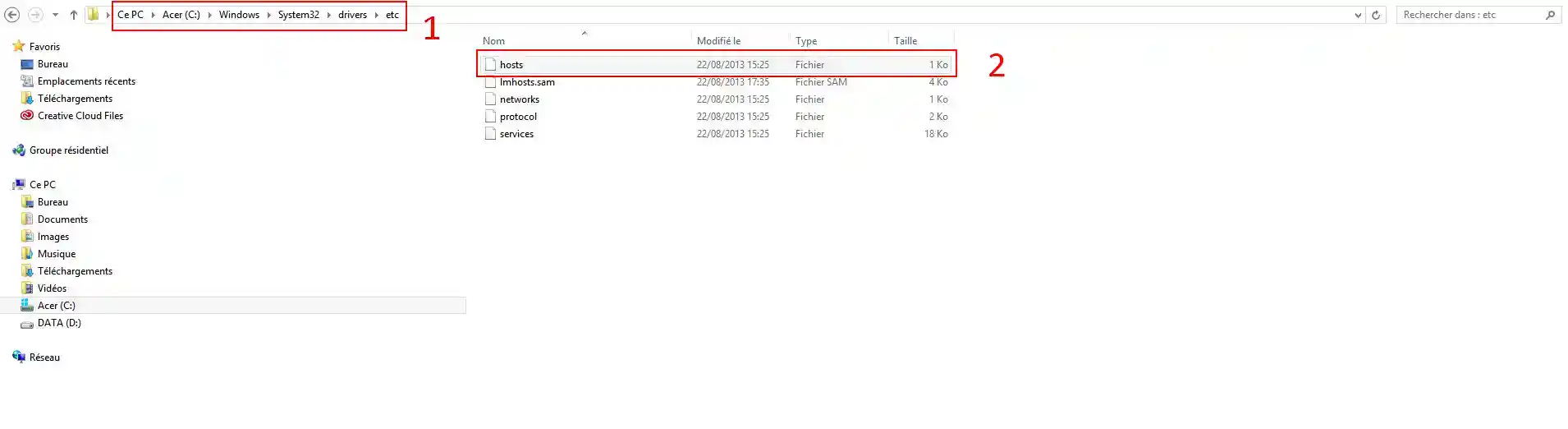
8. Then locate and edit the hosts file to make the fictitious domain name accessible from your computer.
On Windows, the original hosts file can be found here:C:\WINDOWS\system32\drivers\etc\hosts
9. Open the file (with Notepad or notepad):
Add a line at the bottom of the page, in the format :
12.123.12.123 mydomain.com www.mondomaine.com
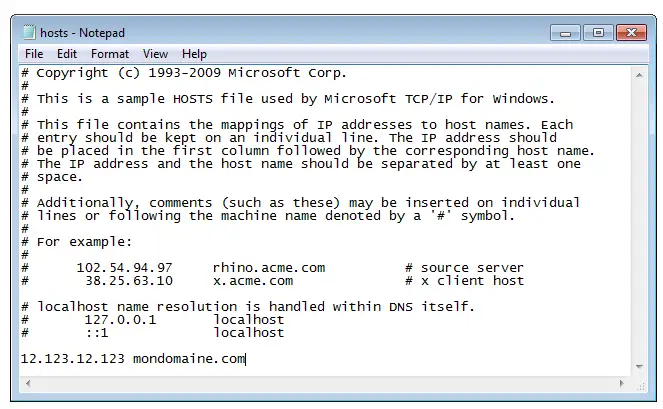
In this example, "12.123.12.123" is the IP of your server (to be replaced by yours), and "mydomain.com" is your domain name (to be replaced by the address you wish to consult).
Save the changes.
10. Your fictitious domain is instantly operational: you can now see it "online" via any web browser installed on your computer (it is not visible from the outside, on the Internet or from another computer).
To be visible on a search engine such as Google, you will need a domain name.
Ask the LWS team and the community. Answers are published after moderation.
 About LWS :
LWS is a 100% French web hosting company that focuses on quality and innovation and offers a responsive and competent technical service at affordable prices.
About LWS :
LWS is a 100% French web hosting company that focuses on quality and innovation and offers a responsive and competent technical service at affordable prices.



 Yes
Yes No
No