
Online help
The web host accessible to all
Procédure
After publishing your website, you may get an authentication request when you view it on your browser. This error is due to incorrect rights being applied to your folders. See how to resolve this problem below.
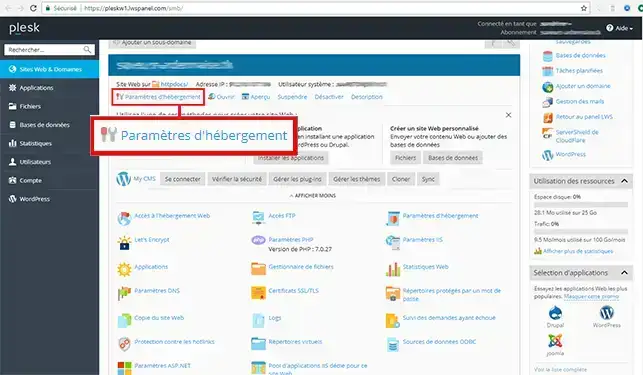
1. Connect to Plesk and click on your domain name then click on hosting settings
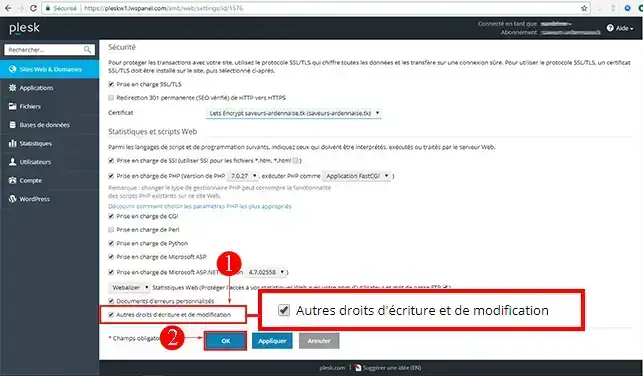
2. At the bottom of the page, tick the"Additional write and modify rights " field and then click OK.
Ask the LWS team and the community. Answers are published after moderation.
 About LWS :
LWS is a 100% French web hosting company that focuses on quality and innovation and offers a responsive and competent technical service at affordable prices.
About LWS :
LWS is a 100% French web hosting company that focuses on quality and innovation and offers a responsive and competent technical service at affordable prices.



 Yes
Yes No
No