Procédure
Objective of this article
Regularly, fake emails impersonating LWS circulate.
Their goal is to make you click on a fraudulent link or to get you to share sensitive information.
In this article, you will learn how to:
- recognize a fake email pretending to be LWS;
- check whether the received message is legitimate;
- know what to do depending on your situation;
- react quickly if you clicked, entered your password, or made a payment.
Services concerned
This documentation concerns all LWS customers using one of the following services:
- domain name
- web hosting
- mail service
- LWS customer account
- services requiring renewal or an action from the customer area
Prerequisites
Before following this procedure, you must:
- have access to the received email;
- be able to log in to your LWS customer area;
- not have deleted the message if you want it checked by support.
Context: why are you receiving this type of email?
Fraudsters regularly send emails that use the name, logo, or tone of LWS to sow doubt.
Their method is simple:
- create an alarming message;
- make you believe that a service will expire, be suspended, or be deleted;
- push you to click quickly on a link;
- then recover your login details or your banking information.
These fraudulent messages do not pass through LWS infrastructure.
It is important to note that no data breach has been detected at LWS.
Fraudsters mainly exploit:
- public information;
- email addresses found on the Internet;
- made-up scenarios to create a sense of urgency.
When these campaigns are reported, blocking requests are made to the relevant providers, even if they do not always succeed.
What types of fake emails have been identified?
The fake emails observed can take several forms.
For example, you may receive a message announcing:
- a fake service renewal notice;
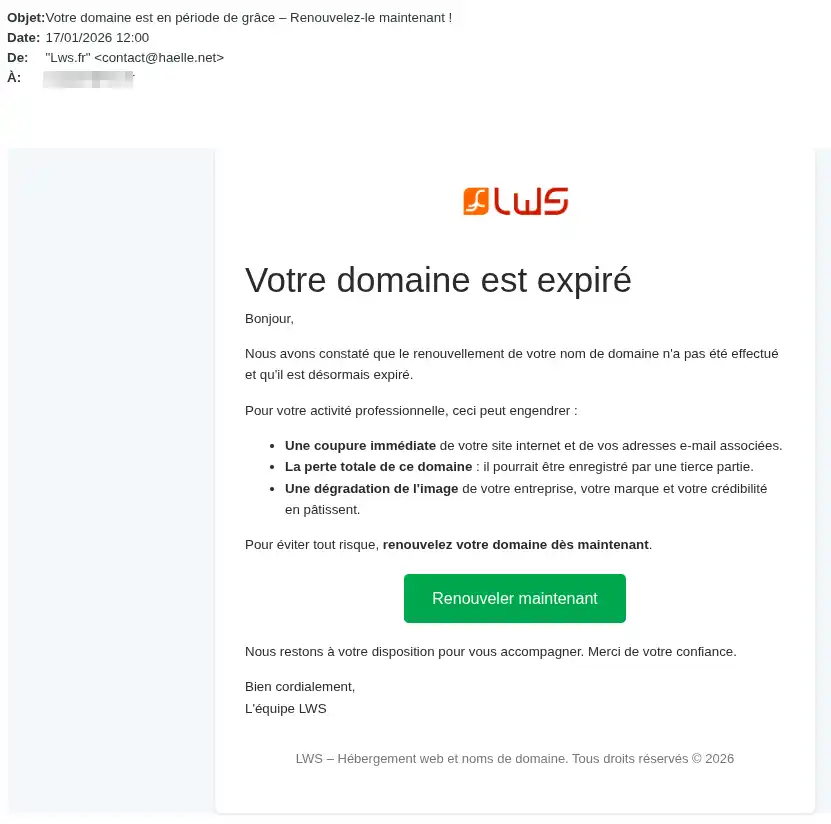
- a fake contract termination notice;
- a supposed deletion of your customer account;
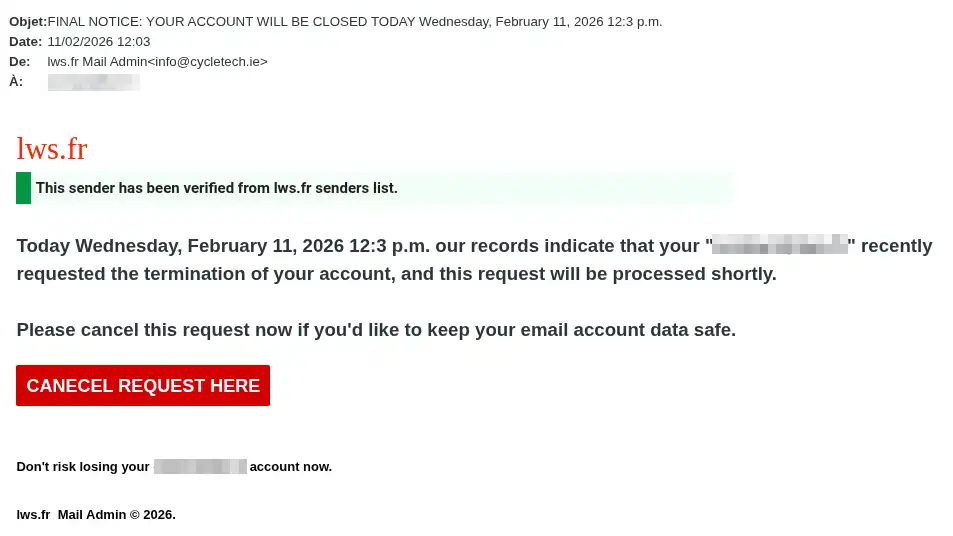
- a malfunction in your mail service;
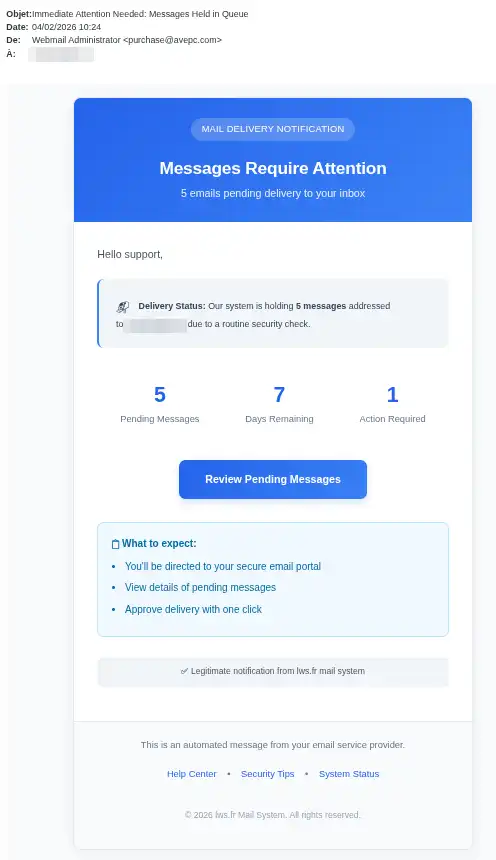
- an expired password for an email address;
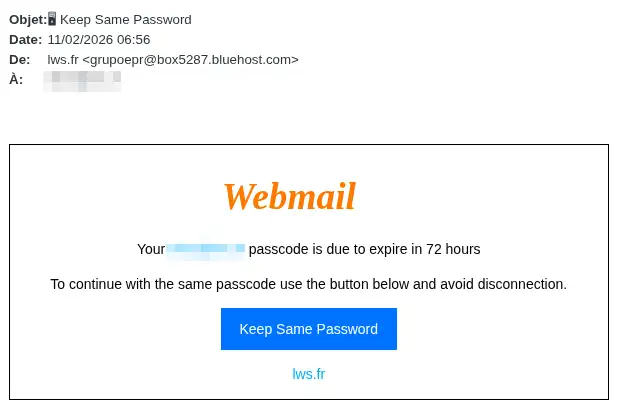
- an expired password for your customer account;
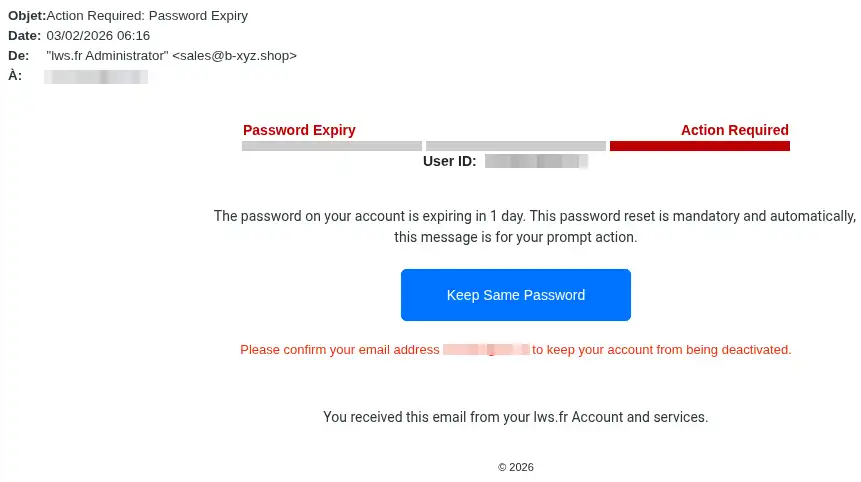
- an email address suspended;
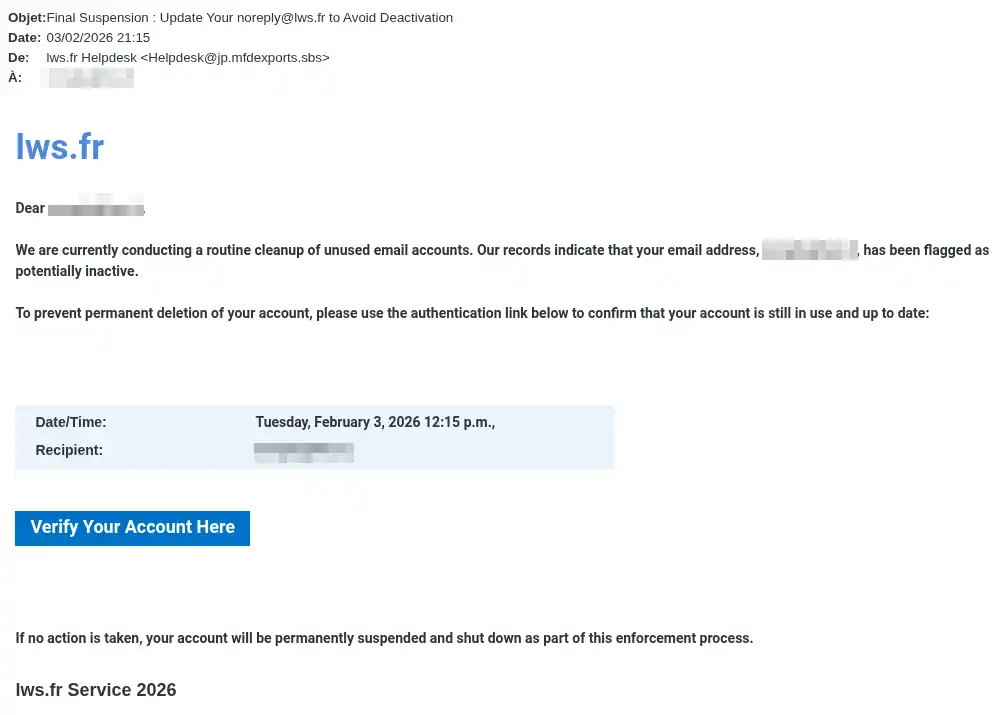
- an email address deleted;
- a mailbox that is almost full, for example at 95% or 98%;
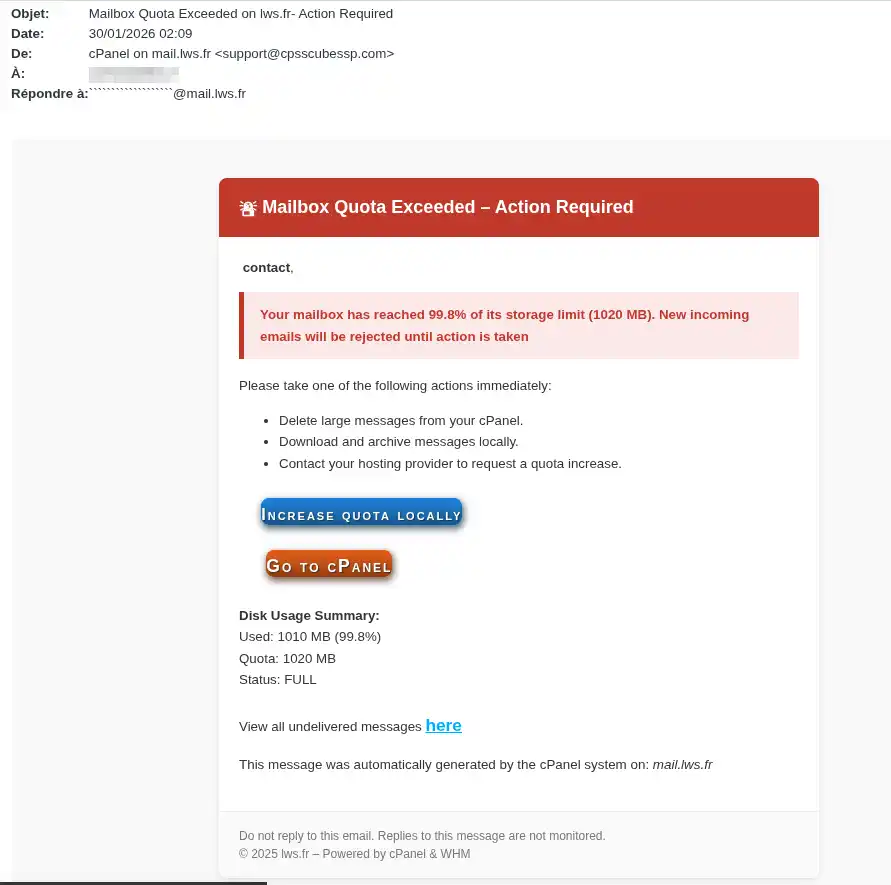
- a request to verify identity;
- confirmation of an email address after supposed maintenance;
- an urgent payment request to avoid a service interruption.
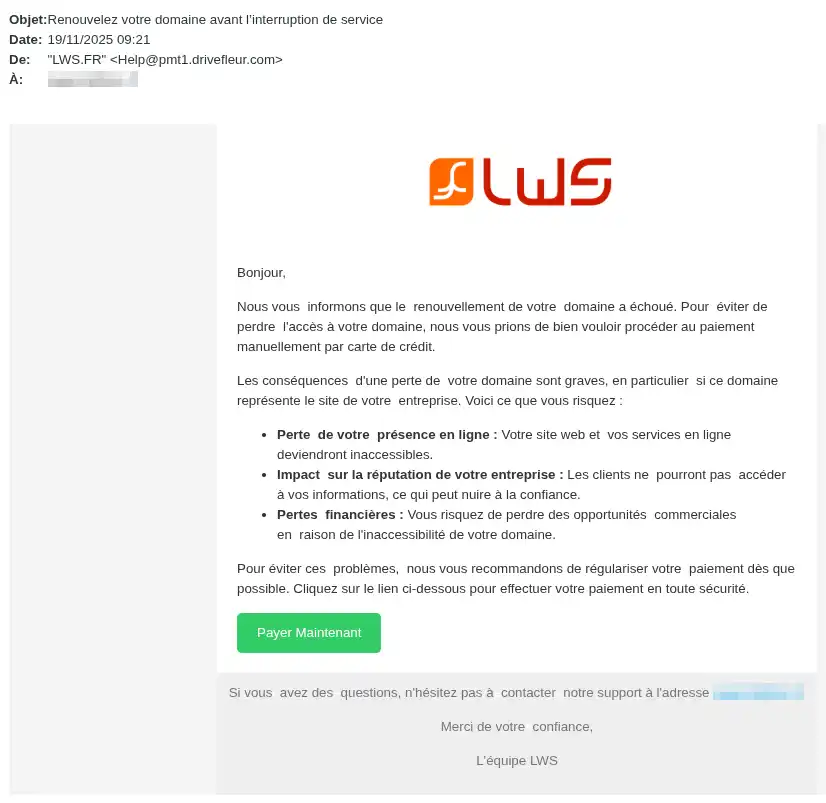
Even if the subject changes, the goal remains the same:
to make you click on a fraudulent link or enter personal information.
How can you recognize a fake LWS email?
Several elements should alert you.
The message does not contain your customer ID.
All emails sent by LWS contain your customer ID in the format:
LWS-XXX depending on the case.
If you receive a message that:
- asks you to click on a link;
- asks you to pay;
- asks you to verify your account;
- asks you to confirm your information;
but does not contain your customer ID, you must consider it fraudulent.
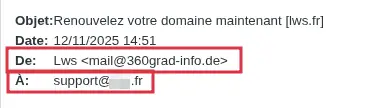
The sending address is not correct.
LWS communicates only:
- with the email address registered in your customer area;
- and sends its messages from noreply@lws.fr.
If the message comes from another address, it must be considered suspicious.
Example of a suspicious email:
The message tries to make you act urgently.
Fraudsters often use phrases such as:
- “Your service will be suspended today.”
- “Your account will be deleted.”
- “Your mailbox is almost full.”
- “Your password has expired.”
- “Final reminder before termination”
This alarming tone is used to push you to act without checking.
The message contains a link or a payment button.
An email that asks you to:
- pay an invoice;
- renew a service immediately;
- confirm your identity;
- reactivate an email address;
- update your password;
via a link contained in the message must be handled with caution.
If in doubt, never click the link and contact LWS support from your customer area.
The content is vague, unusual, or inconsistent
A fraudulent email may also include:
- unusual wording;
- spelling mistakes;
- requests that are too vague;
- exaggerated threats;
- an inconsistency between the announced problem and your actual services.
- an incorrect price
What to do immediately if you receive a potentially suspicious email
Follow this procedure in order.
Step 1: Do not click any links
Do not click:
- any button;
- any link;
- any attachment.
Even if the message seems credible, do not take any action from the email.
Step 2: Do not reply to the message
Do not reply to the sender.
The fact that a familiar name appears does not guarantee that the email is legitimate.
Step 3: Check the visible elements in the email
First of all, check:
- the presence of your customer ID;
- the sender’s real address;
- the type of request made;
- the urgent or threatening nature of the message.
Step 4: Log in directly to your LWS customer area
Open your browser yourself and access your LWS customer area without using the link contained in the email.
This makes it possible to check the situation from the official source.
Step 5: Check whether a real action is required
Once logged in to your customer area, check:
- your active services;
- your due dates;
- your pending requests;
- your notifications;
- the actions actually requested on your account.
If nothing matches the content of the email, it is very likely a fraudulent message.
Step 6: Contact support if in doubt
If you are not sure where the message came from, contact LWS support via the Assistance section of your customer area.
Do not request verification by replying to the received message.
Always use the official channel.
How can you check that an email is legitimate?
You can consider a message reliable only if several elements match.
Check the following points
The message must:
- contain your customer ID;
- come from noreply@lws.fr;
- concern a service that is actually present in your account;
- match an action visible in your customer area;
- not rely solely on a link contained in the email.
If the email asks you to take action but no equivalent request appears in your customer area, consider the message suspicious.
What should you do depending on your situation?
Case 1 — You received the email but did not click anything
In this case:
- do nothing from the email;
- check your account from the customer area;
- delete the message if the fraud is confirmed;
- contact support via the customer area if you want an additional check.
Case 2 — You clicked the link but entered nothing
In this case:
- close the opened page immediately;
- do not enter any information;
- log in to your LWS customer area to check that no real action is requested;
- monitor your account as a precaution.
Case 3 — You entered your password
If you entered the password for your customer account or an email address on a fraudulent site:
- change the relevant password immediately;
- choose a strong password different from the old one;
- check that your account contact details have not been changed;
- check that no unusual action has been carried out on your services.
Case 4 — You entered your bank details
In this case:
- contact your bank immediately;
- request a block if necessary;
- monitor your bank transactions;
- keep any useful evidence: received email, screenshot, time of payment, amount.
Case 5 — You made a payment
If you paid from a fraudulent link:
- contact your bank without delay;
- report the payment as suspicious;
- ask for the steps to follow depending on your card or payment method;
- then check your LWS customer area to confirm that no official payment was actually expected.
Common mistakes and solutions
“The message looks professional, so it’s probably true”
That is not a sufficient criterion.
Fraudsters know how to reproduce the appearance of an official email.
Good reflex: always check the customer ID, the sending address, and your customer area.
“The message talks about an urgent problem, I need to click quickly”
That is exactly what fraudsters are looking for.
Good reflex: never click under pressure from urgency.
“I saw LWS in the sender name”
The displayed name can be misleading.
Good reflex: check the real sending email address.
“I clicked, so my account has definitely been hacked”
Not necessarily.
The risk mainly depends on what you did afterwards.
Good reflex: if you entered nothing, close the page and check your account.
If you entered a password or paid, act immediately.
“I received an email talking about a full mailbox, so it’s probably real”
Not necessarily.
Good reflex: check from your customer area or your official tools, never from the link contained in the message.
“The message does not contain my customer ID but seems serious”
That is a major warning sign.
Good reflex: consider any message requesting action without a customer ID as fraudulent.
Expected result after verification
At the end of your check, you must be able to clearly determine one of these two situations.
Normal situation
You can be reassured if:
- no unusual action is requested in your customer area;
- the message does not correspond to any real need;
- you have not shared any sensitive information;
- no abnormal banking transaction appears.
Situation to handle immediately
You must act quickly if:
- you entered a password;
- you entered banking details;
- you made a payment;
- you notice an abnormal change on your account;
- you can no longer access your customer area or your services.
Deadlines and level of urgency
In this type of situation, certain actions must be carried out immediately.
To do immediately
- stop clicking on the message;
- change the password if you shared it;
- contact the bank if you entered banking details or paid;
- check the actual status of your services in the customer area.
What not to wait for
Do not wait several hours or several days if:
- you shared a password;
- you shared banking data;
- you see unusual activity.
The faster you react, the more you limit the risks.
Best practices to avoid phishing
To reduce the risks, keep these reflexes:
- never click on an email link if in doubt;
- always check for your customer ID;
- always check the sending address;
- log in directly to your customer area;
- never enter your banking information from a suspicious email;
- contact support only via the Assistance section of your customer area if you have any doubt.
Conclusion
Fake emails pretending to be LWS try to trigger a quick reaction by using fear, urgency, or doubt.
To protect yourself:
- never click on a suspicious link;
- always check for your customer ID;
- consider suspicious any message that does not come from noreply@lws.fr;
- always check the situation from your LWS customer area;
- contact support via the Assistance section of your customer area if in doubt.
If you shared a password or banking information, act immediately.



 Yes
Yes No
No About
About 