
Online help
The web host accessible to all
Procédure
BoxTrapper allows you to protect your various email addresses against Spam. Each time you send an email to one of your recipients, BoxTrapper sends them a link to check that the message is not considered spam.
As soon as the recipient has validated the verification email, the message is directly inserted into your inbox's white list.
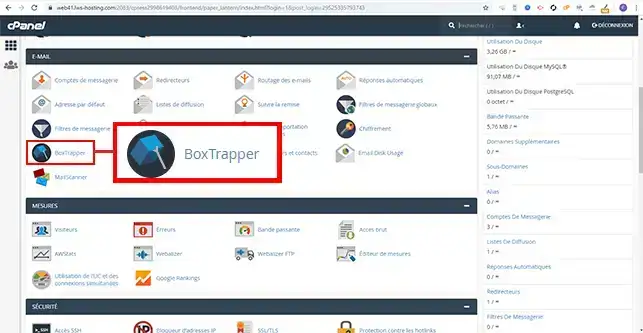
1. Connect to your cPanel interface, click on"BoxTrapper" in the"E-mail" section.
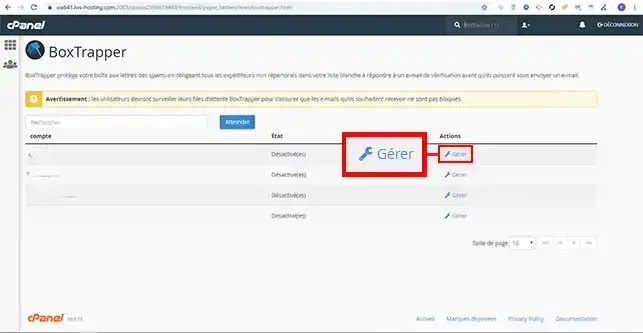
2. Click on the"Manage" tab behind the email address you wish to configure.
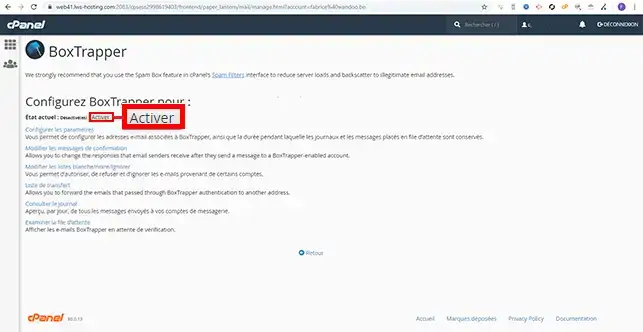
3. Click on the "Activate" button
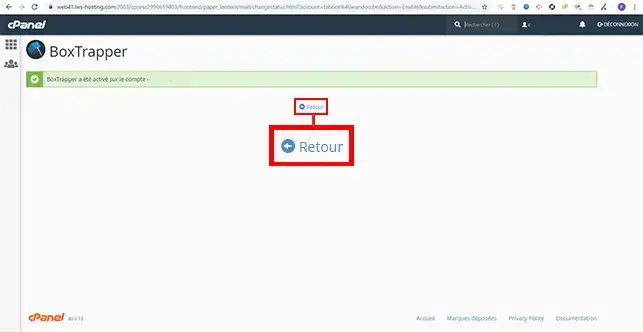
4. Click on the "Back" tab to move on to BoxTrapper configuration.
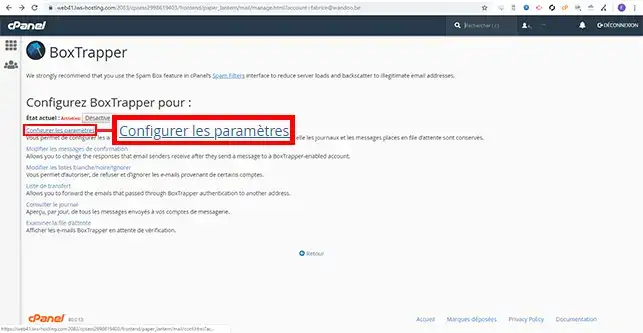
5. Go to"Configure settings".
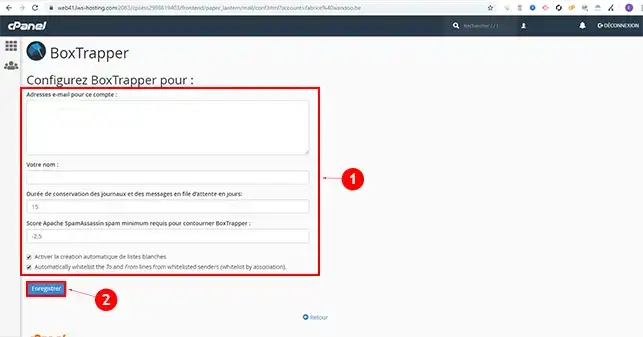
6. Fill in the form with a name. You can modify parameters such as the conversation time for logs and queued messages in days, but also modify the SpamAssassin score required to be able to bypass the BoxTrapper system. Click on the"Save" button once your configuration has been completed to save your request.
You are now able to activate and configure BoxTrapper on your cPanel shared hosting. You can deactivate BoxTrapper at any time if necessary.
Don't hesitate to share your comments and questions.
Ask the LWS team and the community. Answers are published after moderation.
 About LWS :
LWS is a 100% French web hosting company that focuses on quality and innovation and offers a responsive and competent technical service at affordable prices.
About LWS :
LWS is a 100% French web hosting company that focuses on quality and innovation and offers a responsive and competent technical service at affordable prices.



 Yes
Yes No
No