
Online help
The web host accessible to all
Procédure
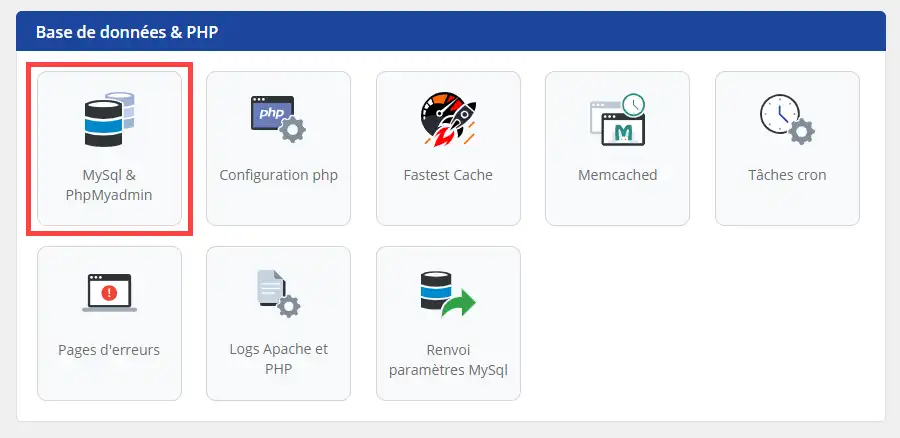
1. Connect to your hosting and click on"MySQL & PHPMyAdmin".
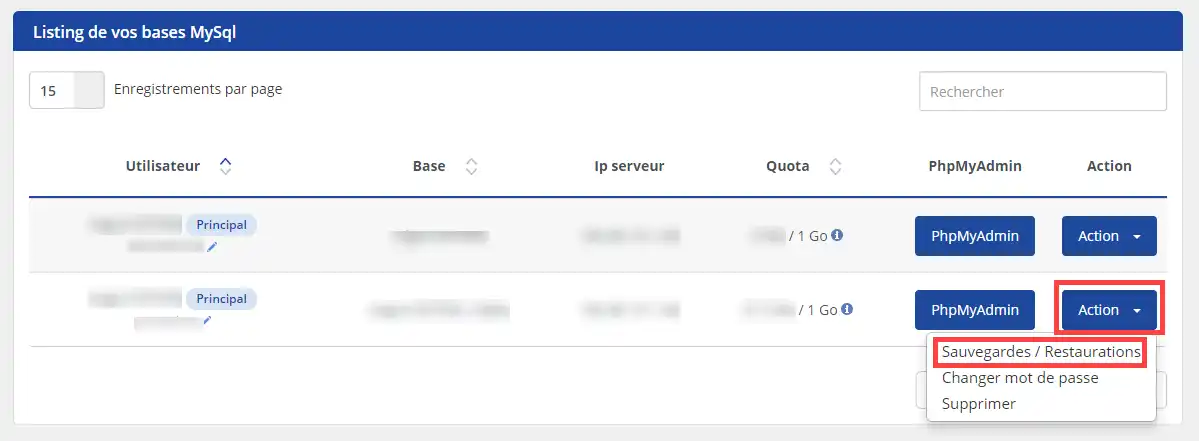
2. Click on the "Action " button corresponding to the database you wish to restore and then on "Backup / Restore".
Ask the LWS team and the community. Answers are published after moderation.
 About LWS :
LWS is a 100% French web hosting company that focuses on quality and innovation and offers a responsive and competent technical service at affordable prices.
About LWS :
LWS is a 100% French web hosting company that focuses on quality and innovation and offers a responsive and competent technical service at affordable prices.



 Yes
Yes No
No