
Online help
The web host accessible to all
Procédure
To change php.ini settings on HestiaCP, adjust the PHP-FPM version configuration linked to your site from the interface or via SSH, then restart the service. HestiaCP is an open-source hosting control panel that makes it easy to manage websites, databases, and server services. This procedure allows you to adapt your web applications' resources to their actual needs.
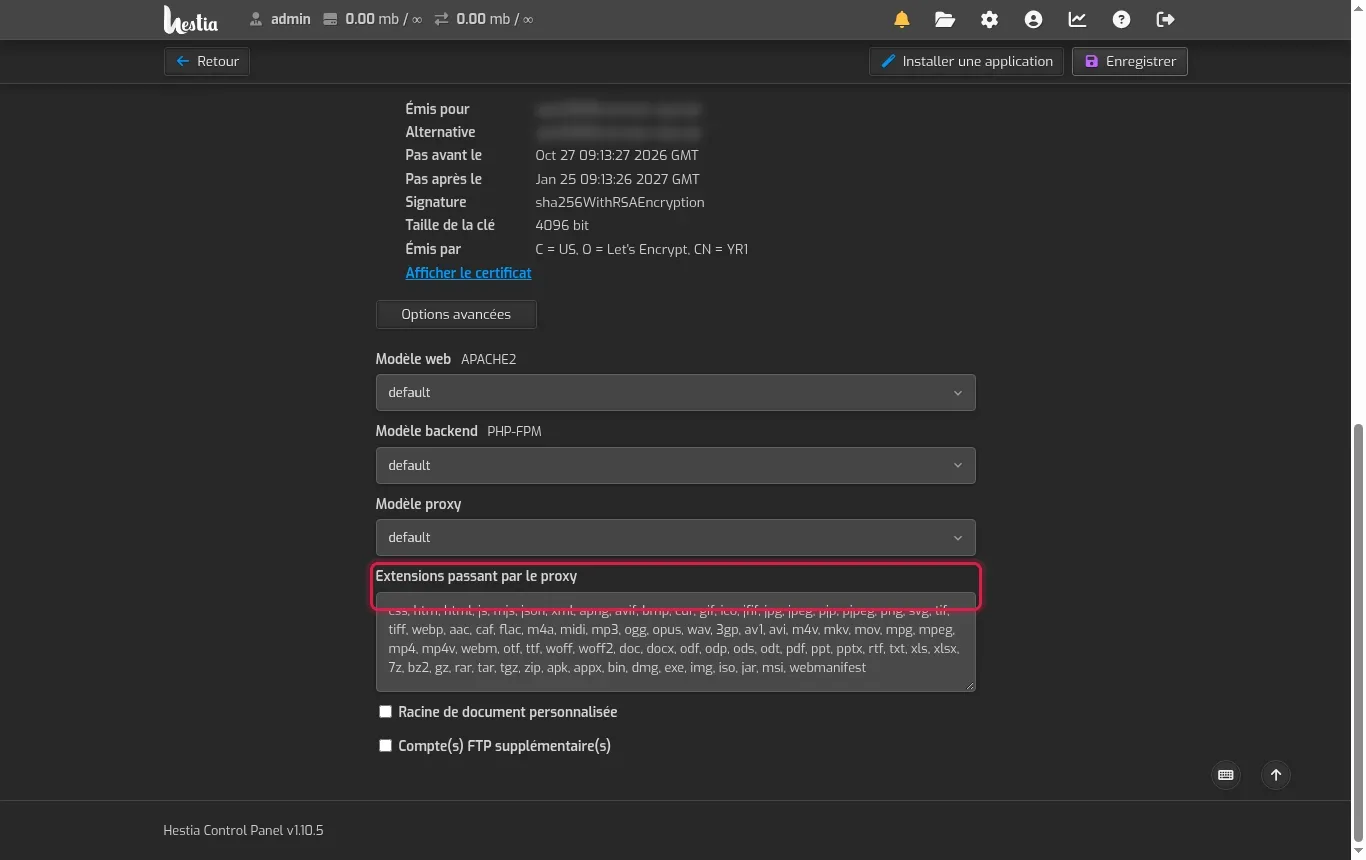
Log in to your HestiaCP panel, go to the WEB section, and click the domain to configure. Expand the Advanced options section to note the active version defined under the PHP-FPM backend template field (for example PHP-8_3 or the default value).
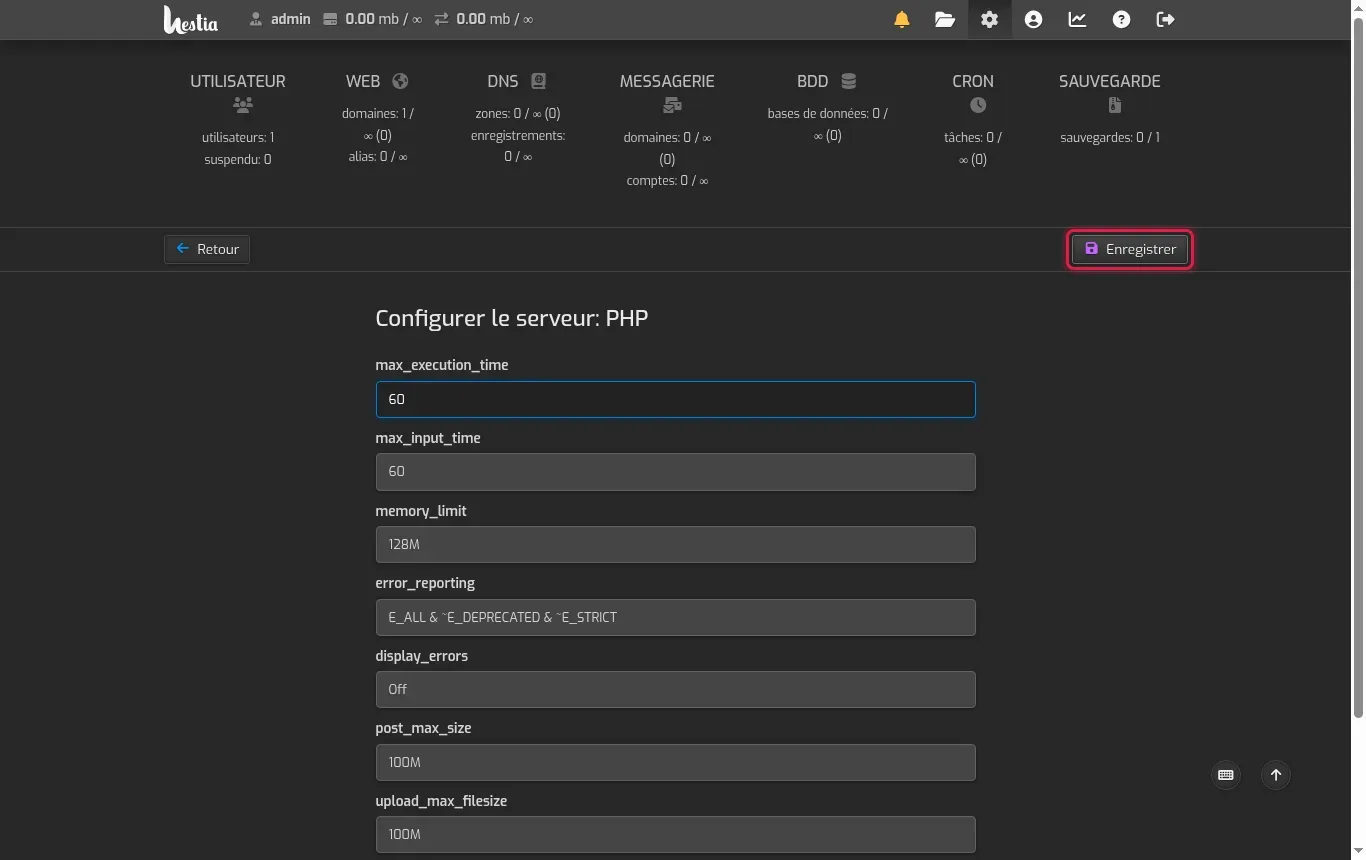
Click the server settings icon (the gear in the top right), scroll to the PHP-FPM service corresponding to your version, then open it. Change the desired fields, such as max_execution_time, memory_limit, post_max_size, or upload_max_filesize, then click Save.
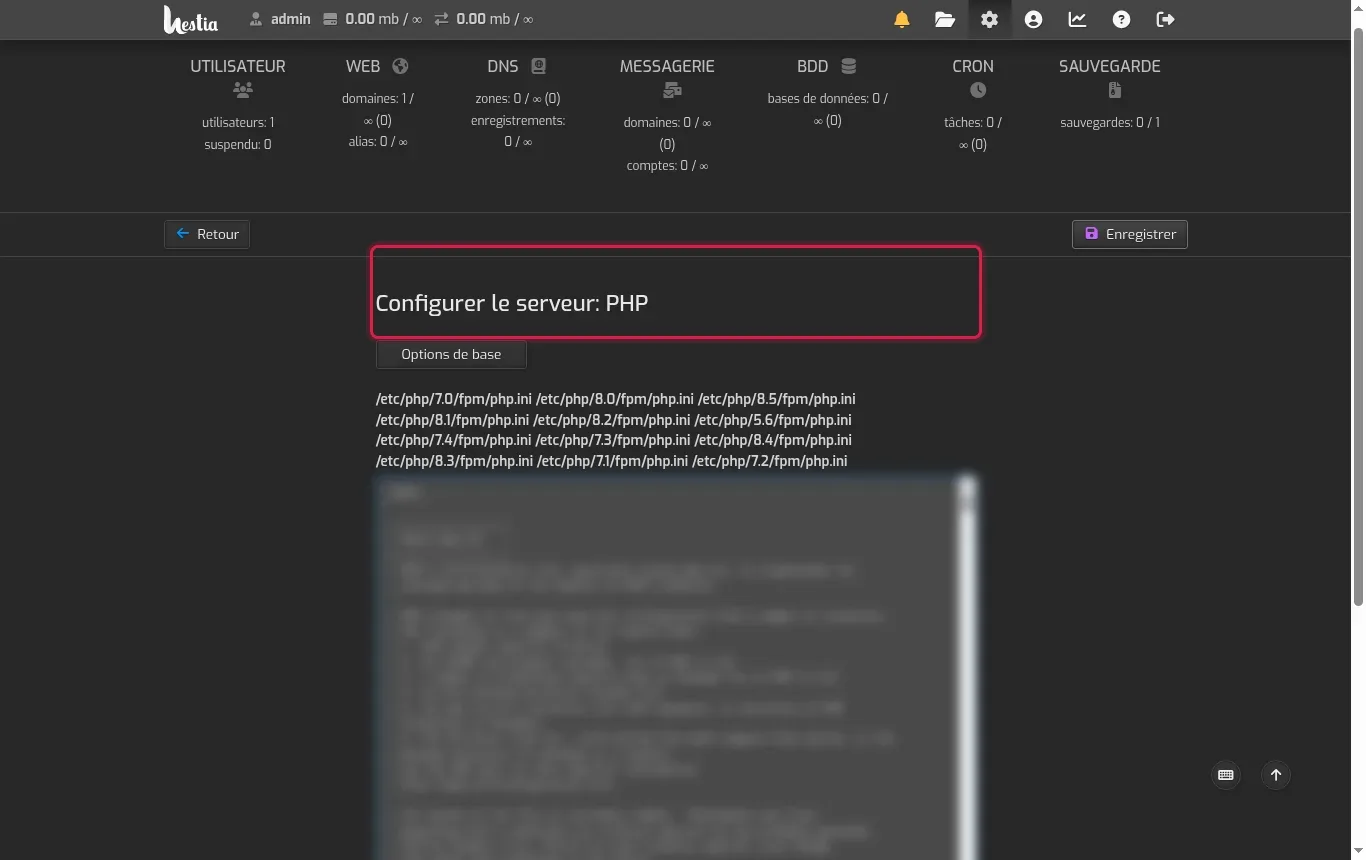
If you need to work from the command line or inspect the source file, view the paths shown in the PHP service configuration advanced options. The files are located on your server in the standardized tree (for example /etc/php/8.3/fpm/php.ini).
Connect to your server from the command line using the root account (for example ssh root@203.0.113.10). Before making any manual changes, create a backup copy of your configuration with the command cp /etc/php/8.3/fpm/php.ini /etc/php/8.3/fpm/php.ini.bak, adjusting the version number.
Open the configuration file with the text editor by running nano /etc/php/8.3/fpm/php.ini. Modify your settings, exit saving the changes with the Ctrl+X shortcut, then confirm with O, and finally check the file's integrity using the command php-fpm8.3 -t.
Apply your changes by restarting the service with systemctl restart php8.3-fpm. To make sure the changes are correctly taken into account, create a temporary file containing at the root of your website, view it in your browser, then delete it immediately after verification.
Here are the php.ini settings most often adjusted to meet the requirements of CMSs and web scripts.
Understanding the levels of customization in HestiaCP helps avoid conflicts and the unintentional loss of settings.
Check that you have modified the file corresponding to the PHP version used by your domain and that the appropriate PHP-FPM service has been restarted (e.g. systemctl restart php8.3-fpm).
The post_max_size directive must always be equal to or greater than upload_max_filesize, otherwise file upload requests larger than that are rejected.
Run php-fpm8.3 -t to identify the error line, or simply restore your backup with the command cp /etc/php/8.3/fpm/php.ini.bak /etc/php/8.3/fpm/php.ini before restarting the service.
The front web server (Nginx or Apache) has its own timeout directives (such as proxy_read_timeout or Timeout) that can interrupt the connection before PHP.
Yes, HestiaCP allows you to assign a distinct PHP-FPM backend template to each domain in its web profile's advanced options.
Ask the LWS team and the community. Answers are published after moderation.
 About LWS :
LWS is a 100% French web hosting company that focuses on quality and innovation and offers a responsive and competent technical service at affordable prices.
About LWS :
LWS is a 100% French web hosting company that focuses on quality and innovation and offers a responsive and competent technical service at affordable prices.



 Yes
Yes No
No