
Online help
The web host accessible to all
Procédure
The Plesk file manager lets you manage the files and folders in your web space. It allows you to edit, create and modify files and folders from a dedicated web interface available on your Plesk management interface. This tool lets you quickly modify a file without having to use an FTP client such as FileZilla.
The file manager also lets you change the CHMOD access rights to your files if you need to. This is very useful when you need to make small changes to your website.
1. Connect to the Plesk management interface.
2. Click on the"File Manager" button to access it.
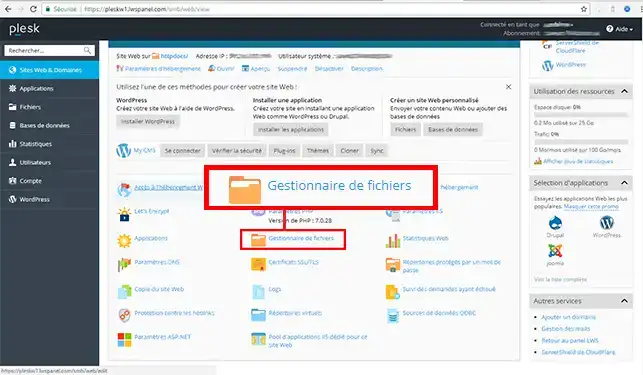
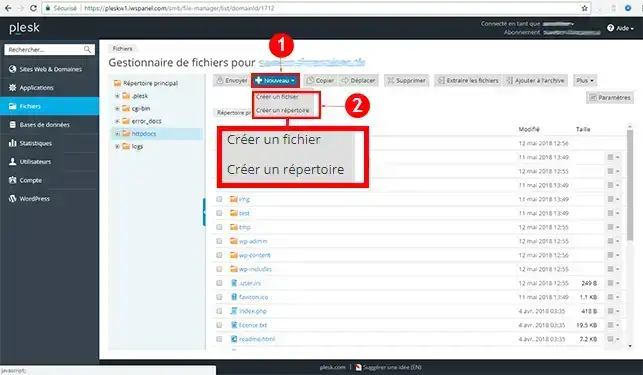
1. Click on the"New" button and then on"create a file" or"create a directory".
2. Enter the name of the file or directory you wish to create, then click on the"Ok" button.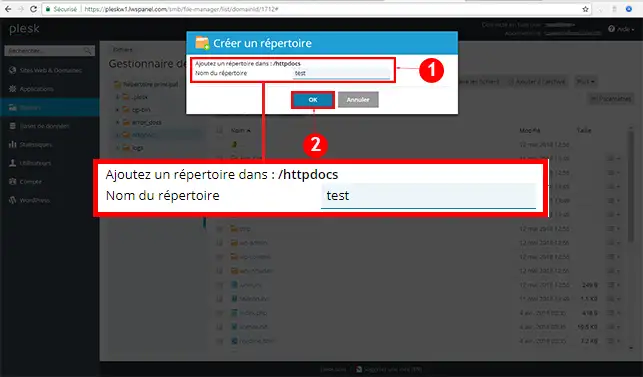
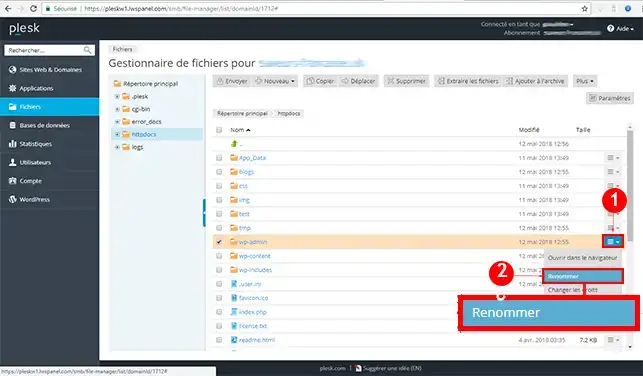
Click on the menu behind the folder or file you wish to modify and click on"Rename".
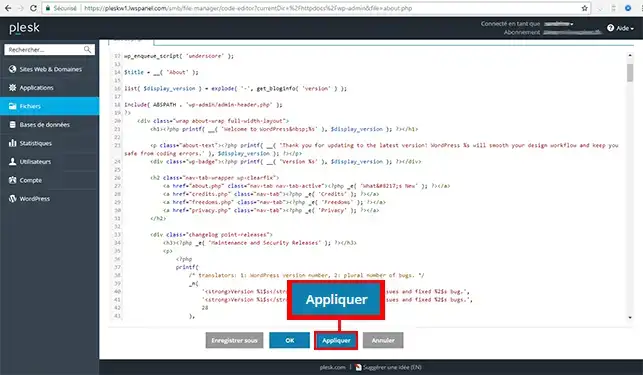
1. Click on the menu behind the file you wish to modify and then on"Edit in the code editor".
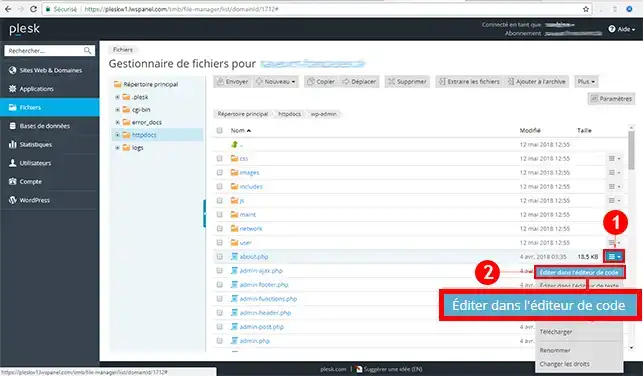
2. Once you have modified your file, you have two options: either click on the "Apply" button so that the changes are taken into account. The"Apply" button will allow you to remain in the code editor. If you click on the "Ok" button, this will apply the changes and allow you to return to the file manager.
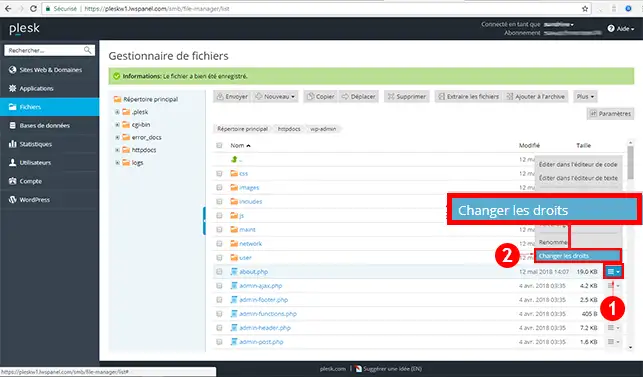
Click on the menu behind the file for which you want to change the CHMOD access rights and then click on the"Change rights" tab.
You are now able to use the file manager on your Plesk hosting with LWS. The file manager lets you modify your files and the access rights (CHMOD) on them.
Don't hesitate to share your comments and questions!
Ask the LWS team and the community. Answers are published after moderation.
 About LWS :
LWS is a 100% French web hosting company that focuses on quality and innovation and offers a responsive and competent technical service at affordable prices.
About LWS :
LWS is a 100% French web hosting company that focuses on quality and innovation and offers a responsive and competent technical service at affordable prices.



 Yes
Yes No
No