
Online help
The web host accessible to all
Procédure
The web application pool serves the web sites and applications hosted on your Plesk hosting. The
1. Log in to your Plesk hosting administration.
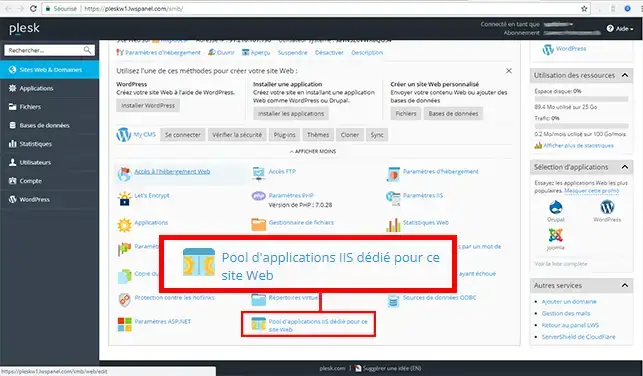
2. Click on the "Dedicated IIS application pool for this website" tab.
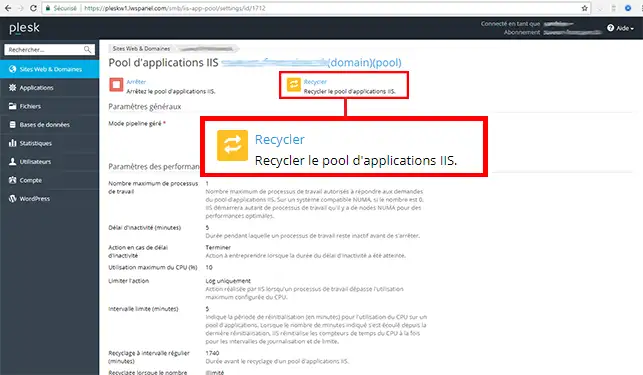
3. Click on the "Recycle" tab to restart the IIS Application Pool.
You are now able to resolve a 503 error on your Plesk hosting with LWS. Error 503 may be due to the installability of certain applications during heavy use.
Don't hesitate to share your comments and questions!
Ask the LWS team and the community. Answers are published after moderation.
 About LWS :
LWS is a 100% French web hosting company that focuses on quality and innovation and offers a responsive and competent technical service at affordable prices.
About LWS :
LWS is a 100% French web hosting company that focuses on quality and innovation and offers a responsive and competent technical service at affordable prices.



 Yes
Yes No
No