Procédure
Introduction
The efficient management of a website requires the use of a robust and easy-to-use control panel. LWS offers its customers access to one of the most renowned control panels on the market: Plesk. This control panel is only available with our Windows server hosting. In this article, we will explain how to access Plesk with LWS hosting.
What is Plesk?
Plesk is a website control panel that allows website administrators to easily manage their sites. It provides a set of tools for managing hosting, including installing software, configuring website files and much more.
How do I access the Plesk panel?
A. Method 1: Auto-login
Step 1: Log in to your customer area and access the desired hosting management .
Step 2: Once in the administration of your hosting package, click on Access to Plesk
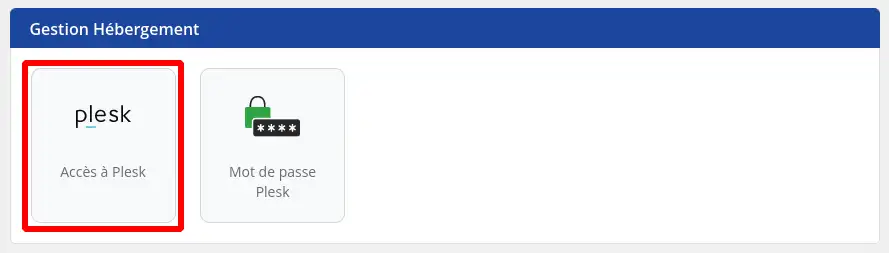
The use of this method, which uses auto-login, assumes that you have not changed your user password since the delivery of your hosting
.
B. Method 2: Plesk login page
If method 1 does not work, because you have changed your password since your hosting was delivered, then you will be redirected directly to the Plesk login page.
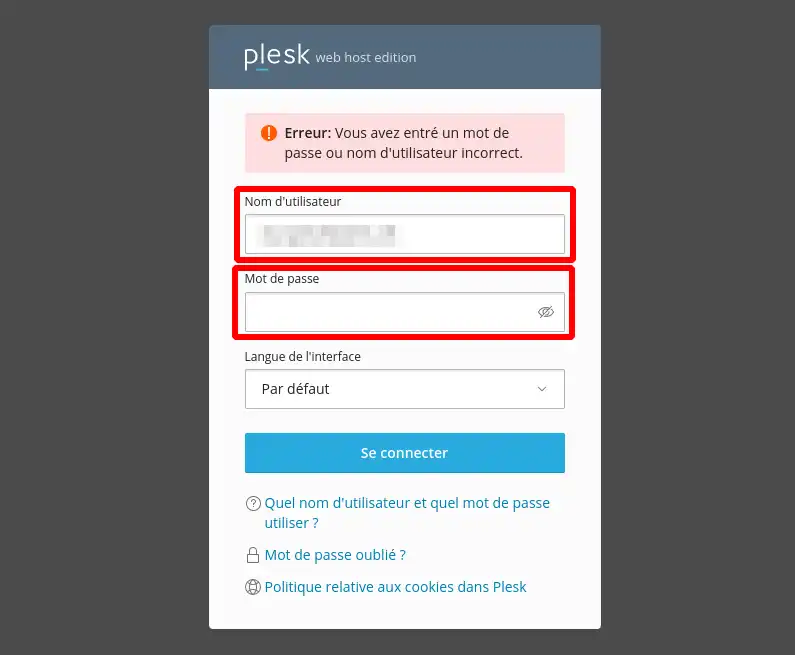
You must then enter the username and password that you have configured on the Plesk interface for your user.
Then click on the"Connect" button to access the Plesk control panel.
If you have forgotten your password for logging in to the Plesk Control Panel, you can change it from the LWS Panel
.
Conclusion
LWS makes website management a simple task with access to Plesk. By following these instructions, you can easily access Plesk and start managing your website.



 Yes
Yes No
No About
About 