
Online help
The web host accessible to all
Procédure
The A field for the MX value is used to redirect emails to another service such as the LWS Email Pro service. Once modified, you need towait a few hours for the field to propagate and for your emails to be accessible on the new mail server.
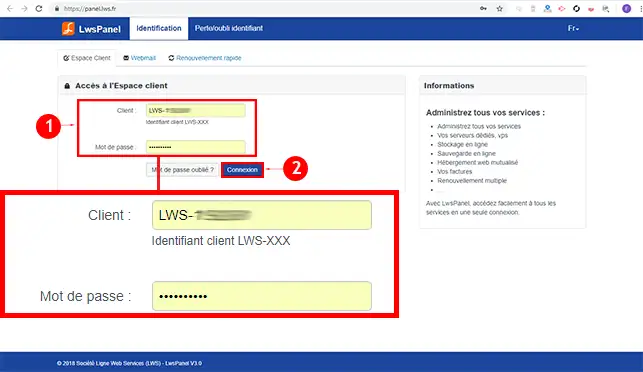
1. Log in to your LWS customer area.
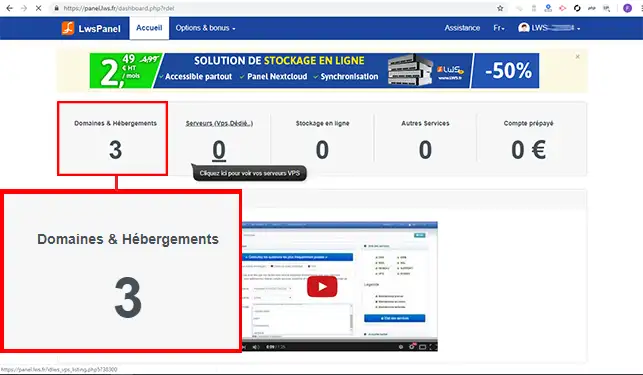
2. Click on"Domains and Hosting".
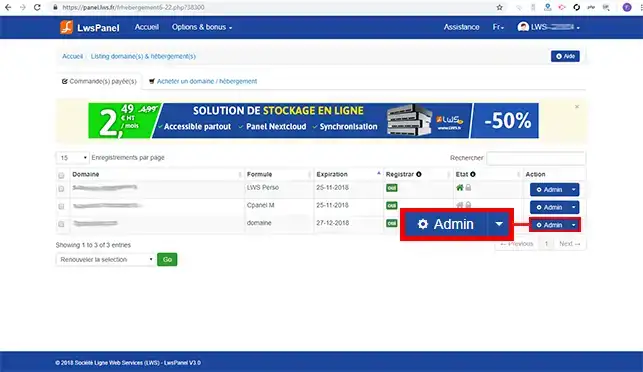
3. Click on the"Admin" button behind the domain name for which you want to change the A field to MX.
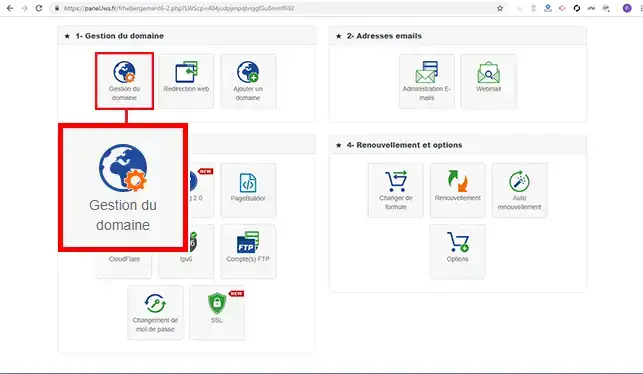
4. Click on the"Domain Management" button
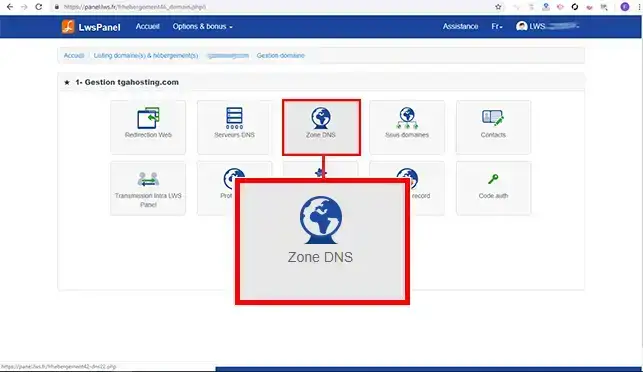
5. Click on the"DNS Zone" button toaccess all the DNS Zones for your domain name.
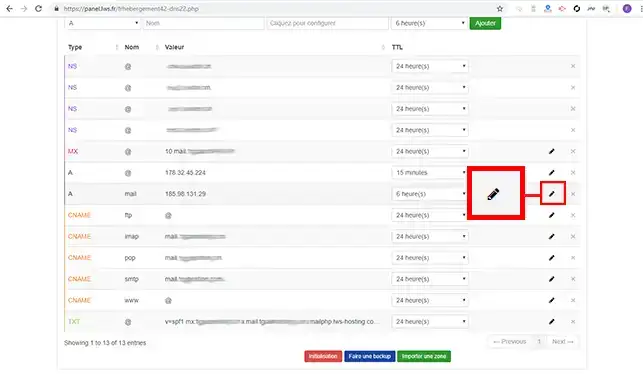
6. Click on the stylus behind the"Mail" Zone to change the IP address.
7. Change the IP address to the new address and click on the"Save" button to confirm your request.
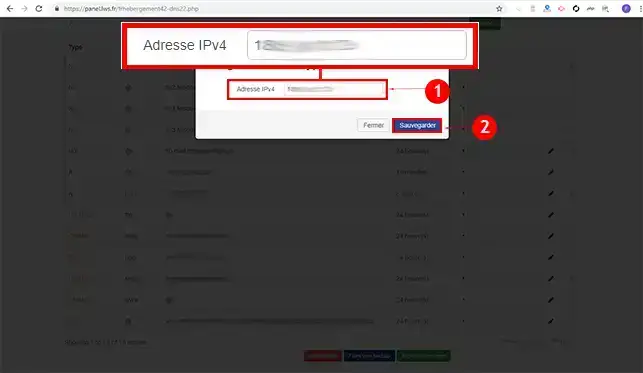
Once the IP address has been changed, you will need to wait up to 24 hours for the DNS Zone to propagate and become operational.
You now know what the Zone A MX value is used for and how to change this value in the DNS Zone for your domain name.
Don't hesitate to share your questions and comments.
Ask the LWS team and the community. Answers are published after moderation.
 About LWS :
LWS is a 100% French web hosting company that focuses on quality and innovation and offers a responsive and competent technical service at affordable prices.
About LWS :
LWS is a 100% French web hosting company that focuses on quality and innovation and offers a responsive and competent technical service at affordable prices.



 Yes
Yes No
No