
Online help
The web host accessible to all
Procédure
Prestashop is a feature-rich e-commerce solution. Used by thousands of online shops worldwide, it is currently available in 65 languages.
Prestashop is easy to use, has a highly responsive management interface and lets youactivate multistore mode so that you can manage several shops via the same administration interface.
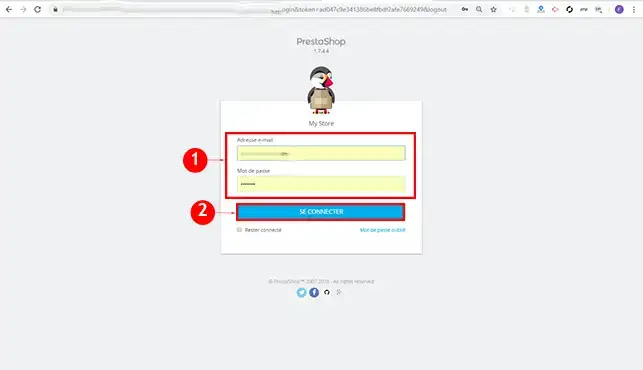
1. Connect to your Prestashop management interface.
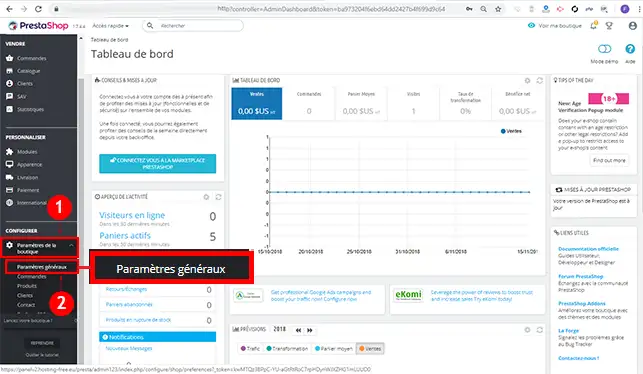
2. Click on the"General settings" tab in the"Shop settings" section of your management interface.
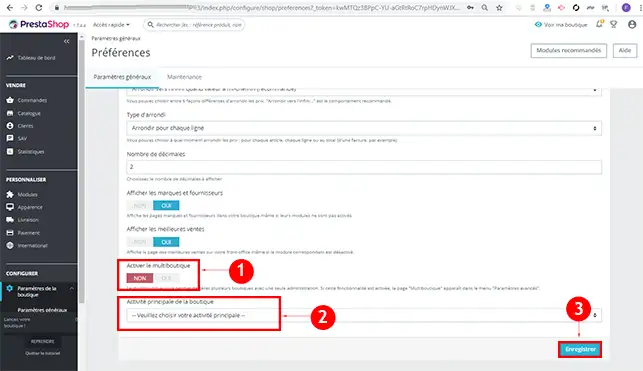
3. Activate Multistore mode by clicking"On". Select your online shop activity and save your request.
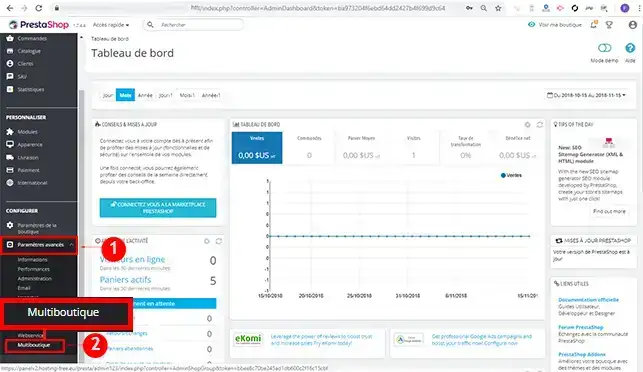
4. A new tab will appear in the"Advanced settings" section of your left-hand menu. Click on the"MultiBoutique" tab.
5. Click on the"Add a new shop" button.
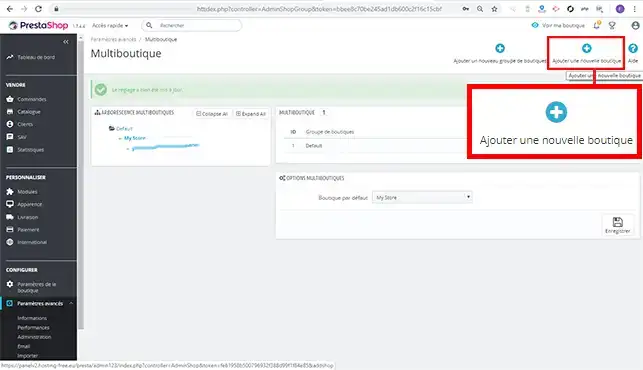
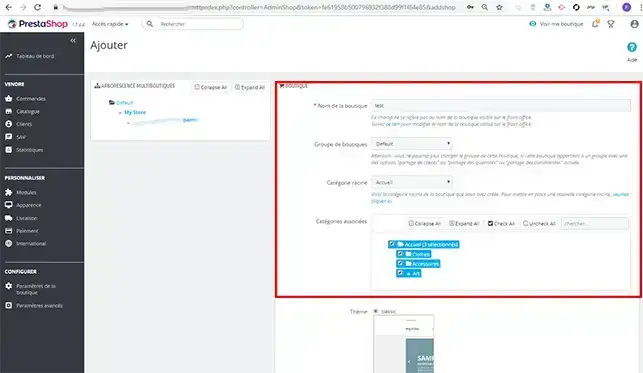
6. Fill in the required fields, such as the name of your new shop, the group to which your shop will belong and the theme you are going to use. Once you have completed the form, click on the"Save" button to save your new shop.
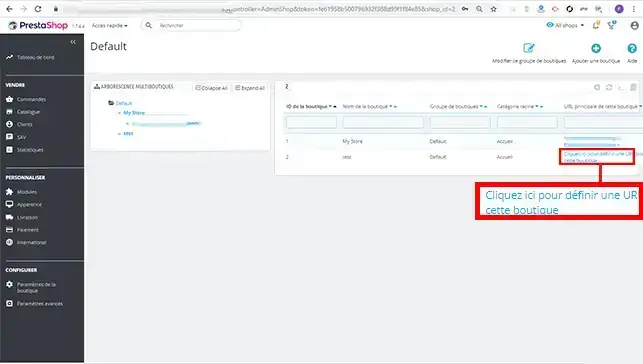
7. You will find the 2 shops, the default one and the one you have just created. Click on the"Click here to define a URL for this shop" tab so that you can modify the link.
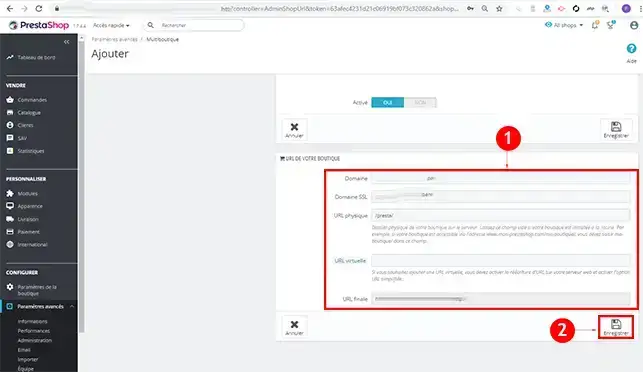
8. Fill in the required fields, such as the desired domain name and the physical URL (corresponding to the directory of your new shop). Once you have filled in the information, click on the"Save" button to save your request.
You are now able toactivate Multiboutique mode on your Prestashop online shop on your LWS web hosting. Multistore mode allows you to manage one or more shops with identical or completely different themes.
Don't hesitate to share your questions and comments!
Ask the LWS team and the community. Answers are published after moderation.
 About LWS :
LWS is a 100% French web hosting company that focuses on quality and innovation and offers a responsive and competent technical service at affordable prices.
About LWS :
LWS is a 100% French web hosting company that focuses on quality and innovation and offers a responsive and competent technical service at affordable prices.



 Yes
Yes No
No