
Online help
The web host accessible to all
Procédure
It's true that it's very easy to send images via the Media Manager on your Wordpress dashboard. However, if you have a large number of images to upload, it is certainly more interesting and quicker toupload everything via your FTP space and then retrieve them from your media manager.
The method is the same as when you publish a website using your FTP client, except that you need to find your site tree and go to the "Uploads" directory. To do this, once you have logged into your FTP space, go to"wp-content/uploads".
The tree structure in this folder is as follows: year folder > month folder.
It's best to keep this tree structure so that you can find your way around and so that the uploaded files are sorted by year and month in your media manager.
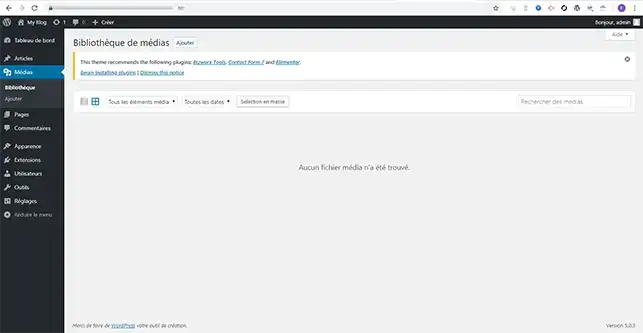
After uploading your files, if you go to the Media Manager, you won't find any files. You will need to re-import all the images.
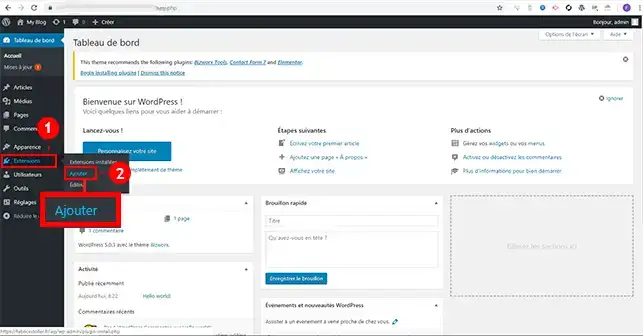
1. To process and import the uploaded images into the media manager, you'll need to install the"Add From Server" plugin. To do this, connect to your Wordpress Dashboard, click on"Extensions" and then on"Add".
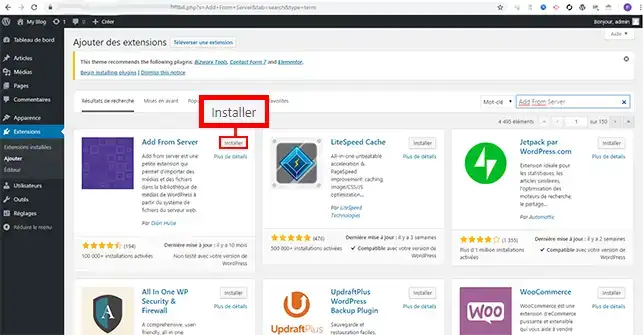
2. Use the search system in the top right-hand corner to find the plugin in question. Then click on"Install".
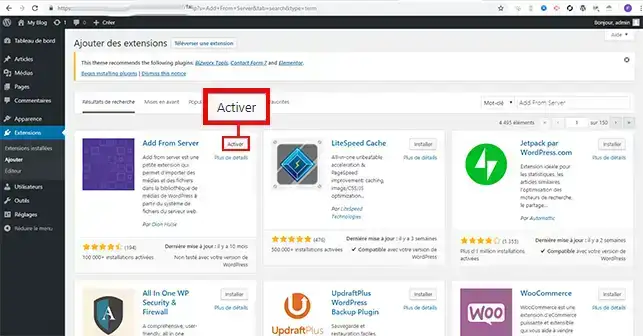
3. Activate the plugin by clicking on the"Activate" button.
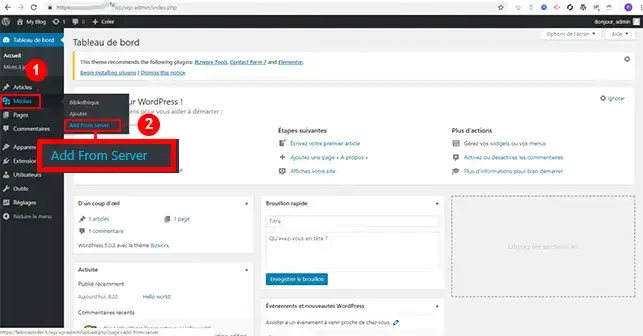
4. Once the plugin has been installed, go to"Media" and click on the new tab called"Add From Server".
5. Select the files you want to import and click on the"Import" button at the bottom of the page.
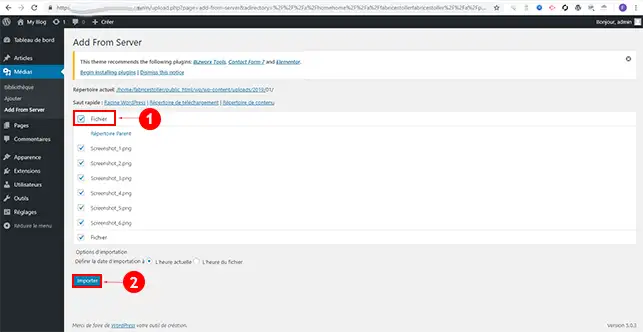
You are now able to import images uploaded via your FTP client onto yourWordpress hosting space. When you have a lot of images to import, it's quicker to transfer them via FTP and then retrieve them using this plugin.
Don't hesitate to share your comments and questions.
Ask the LWS team and the community. Answers are published after moderation.
 About LWS :
LWS is a 100% French web hosting company that focuses on quality and innovation and offers a responsive and competent technical service at affordable prices.
About LWS :
LWS is a 100% French web hosting company that focuses on quality and innovation and offers a responsive and competent technical service at affordable prices.



 Yes
Yes No
No