
Online help
The web host accessible to all
Procédure
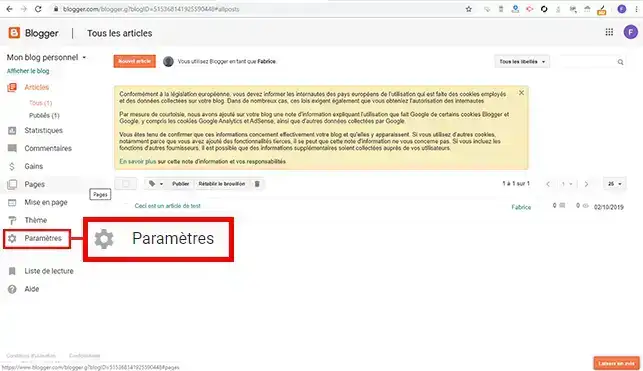
1. Log in to your Blogger interface and click on"Settings" in the menu on the right-hand side of the site.
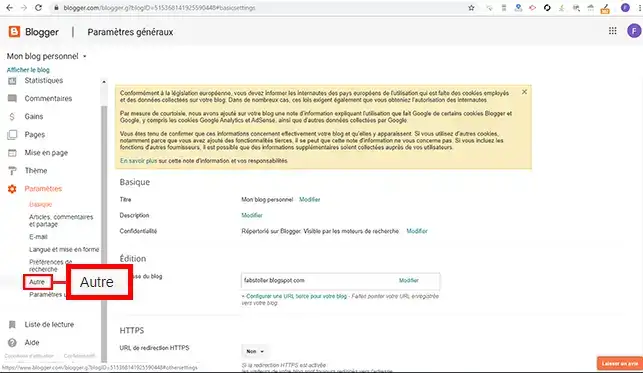
2. Click on the "Other" tab.
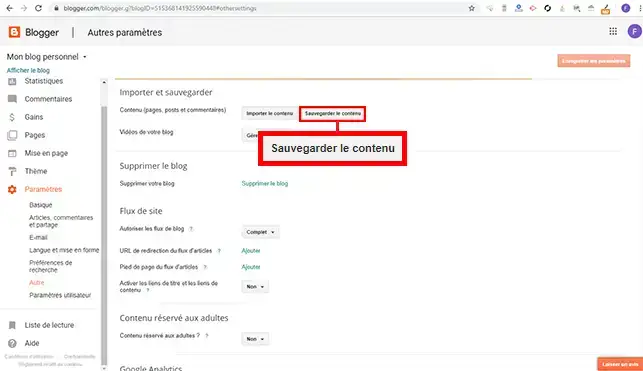
3. Click on the"Save content" button.
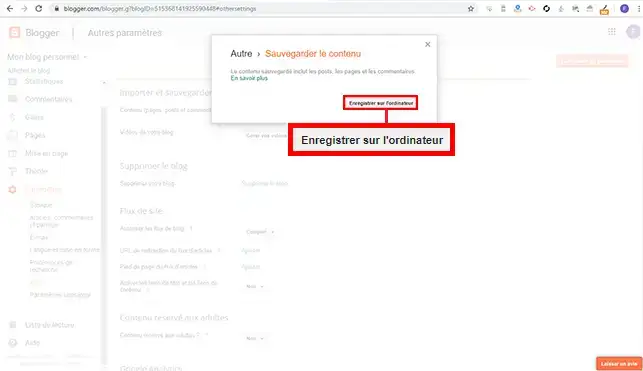
4. A new window will appear. Click on the"Save to computer" button to save the .XML file containing the articles.
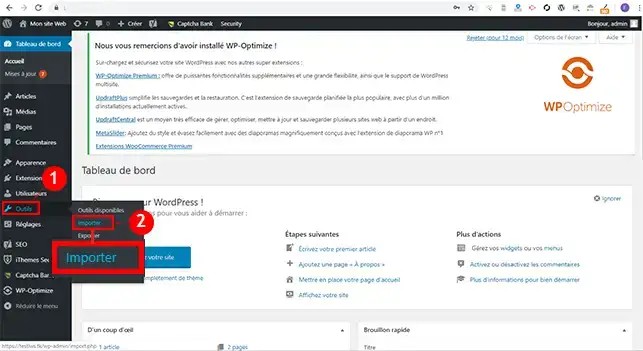
5. Connect to your Wordpress Dashboard, click on"Tools" and then on"Import".
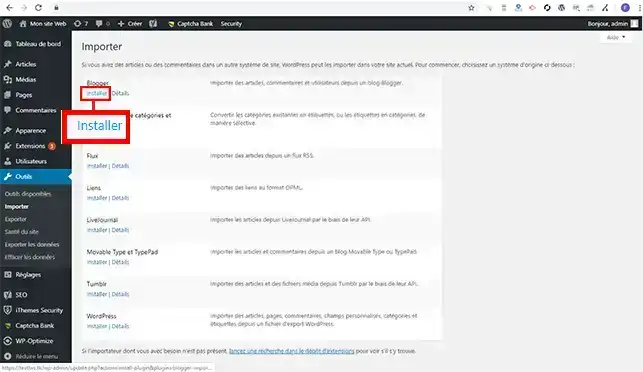
6. Click on the"Install" tab below blogger to install the Blogger import plugin.
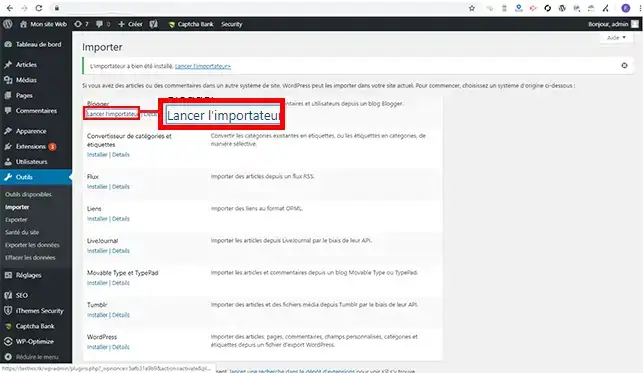
7. Once the plugin has been installed, click on"Launch Importer".
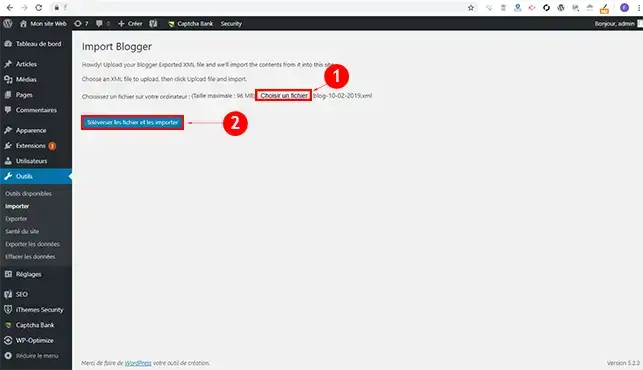
8. Choose the .XML file you downloaded earlier and click on the"Upload files and import them" button.
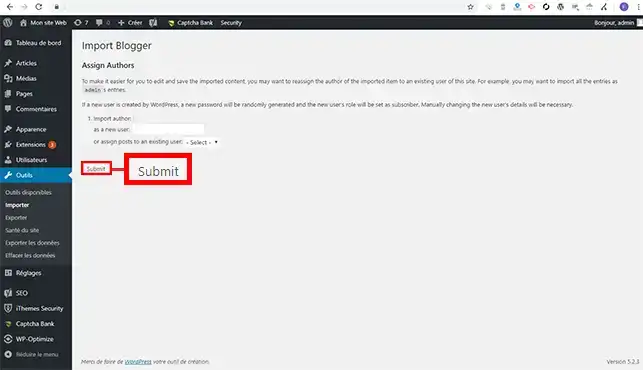
9. Choose a user on which to import your file and click on"Submit".
You are now able to transfer Blogger articles to your Wordpress hosting with LWS.
Don't hesitate to share your comments and questions.
Ask the LWS team and the community. Answers are published after moderation.
 About LWS :
LWS is a 100% French web hosting company that focuses on quality and innovation and offers a responsive and competent technical service at affordable prices.
About LWS :
LWS is a 100% French web hosting company that focuses on quality and innovation and offers a responsive and competent technical service at affordable prices.



 Yes
Yes No
No