
How to migrate a site with the All-in-One Migration extension

Procédure

Introduction:

This tutorial will explain how to migrate your website from a local installation to your LWS hosting, or from one server to another, using the All-In-One WP Migration plugin as an extension.
How to migrate a site using the All-In-One Migration extension

Step 1: Export your current site

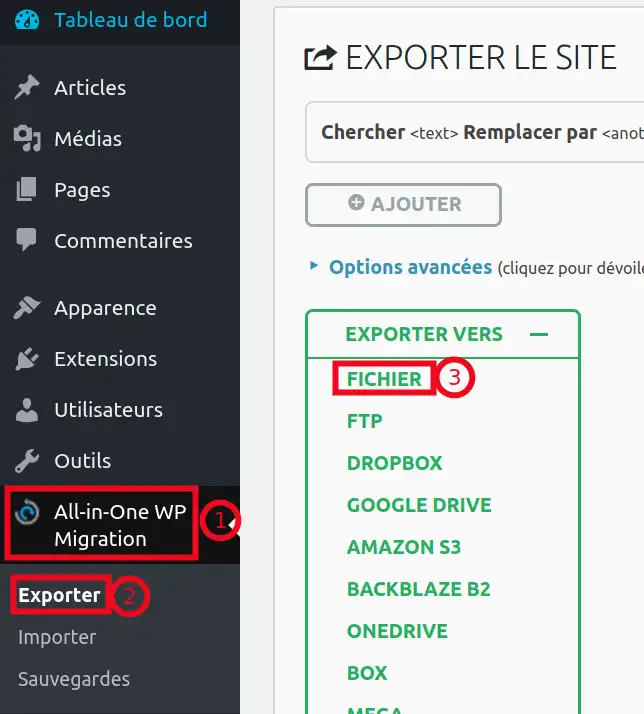
  1. Install the All-in-One Migration plugin from the "extensions" -> "Add" section of the Wordpress site you want to move
  2. Select All-in-One Migration from the Wordpress side menu and click Export
  3. In the Export to menu , choose: File

How to migrate a site with the All-in-One Migration extension

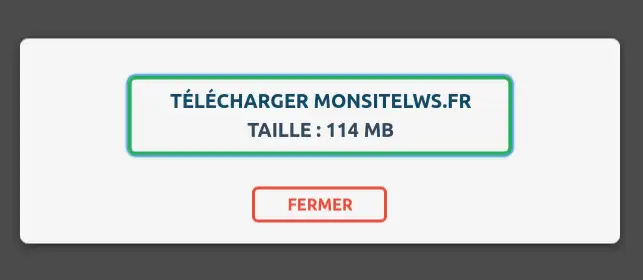
3 The backup of your site will be generated, click Download and save the file to your computer.
How to migrate a site with the All-in-One Migration extension

Step 2: Import the backup into your new Wordpress site

Install a blank Wordpress site on your hosting
- on LWS Standard Linux

- on formula cPanel

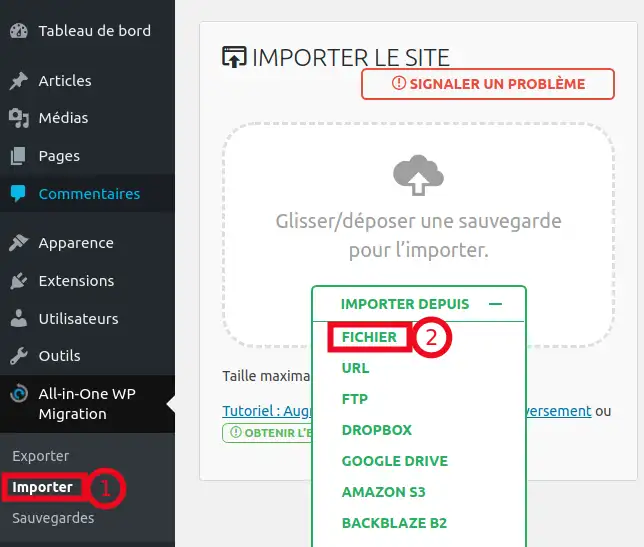
  1. Install the All-in-One Migration module from the "extensions" -> "Add" section of the Wordpress site
  2. Select All-in-One Migration from the Wordpress side menu and click Import
  3. In the Import From menu , choose File and select the file previously saved on your computer.

How to migrate a site with the All-in-One Migration extension

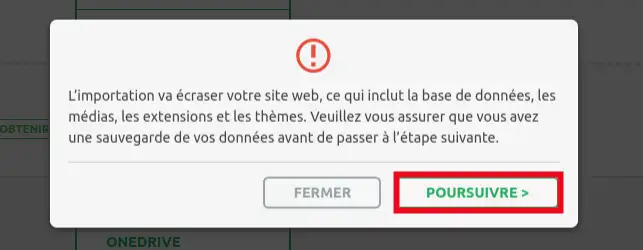
3. In the next window click on Continue
How to migrate a site with the All-in-One Migration extension

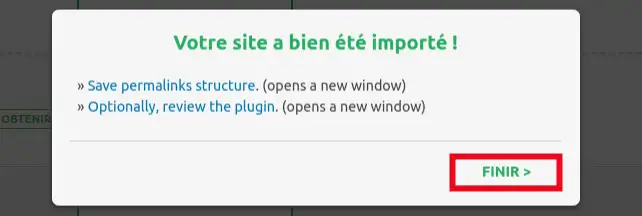
4. If all goes well, the confirmation message below will be displayed. Click Finish to close the dialogue box.
How to migrate a site with the All-in-One Migration extension

Conclusion

You now know how to move a website using the All-in-One Migration extension.

Note that this procedure may fail if your hosting has a Memory-Limit value that is too low and your site is too large. In this case, you will need to perform a manual migration by following this documentation

help.lws.net/a/1442
Was this article helpful?

Yes

No

Read 14 977 times

Thank you! Feel free to ask questions about our documentation if you would like more information, and help us improve it.

Similar articles

A question about this article?

Ask the LWS team and the community. Answers are published after moderation.

Ask the LWS team and its community a question

RGPD : Responsable LWS-Ligne Web Services. Finalité : modération et publication publique de votre question, notification éventuelle d'une réponse. Base légale : consentement (art. 6.1.a RGPD). Conservation des emails : 90 jours après notification, 12 mois maximum sans réponse. Vous pouvez exercer vos droits via notre nos CGV - section RGPD.

