
Online help
The web host accessible to all
Procédure
In this section, we will look at the management of group folders.
Group folders are folders that can be accessed by all users in a group, or even all users depending on the settings associated with the group. These folders make it easier to share files within Nextcloud.
To follow this documentation, you need :
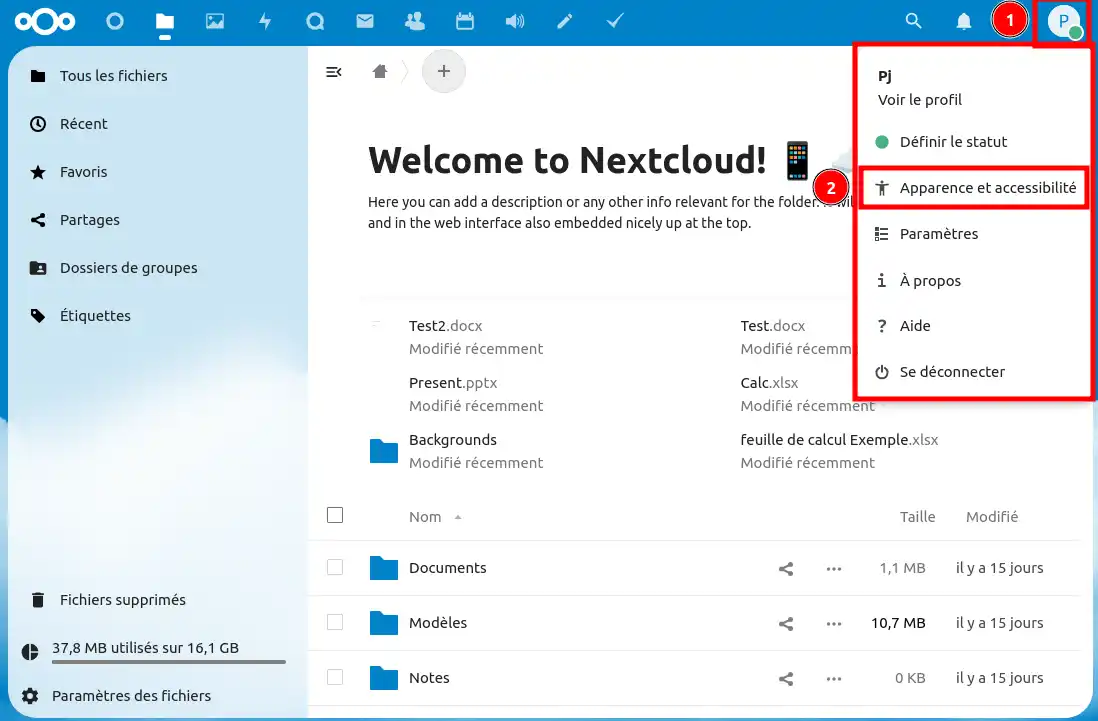
Step 1: Log in to the Nextcloud web application as the manager user and access the personalisation options:
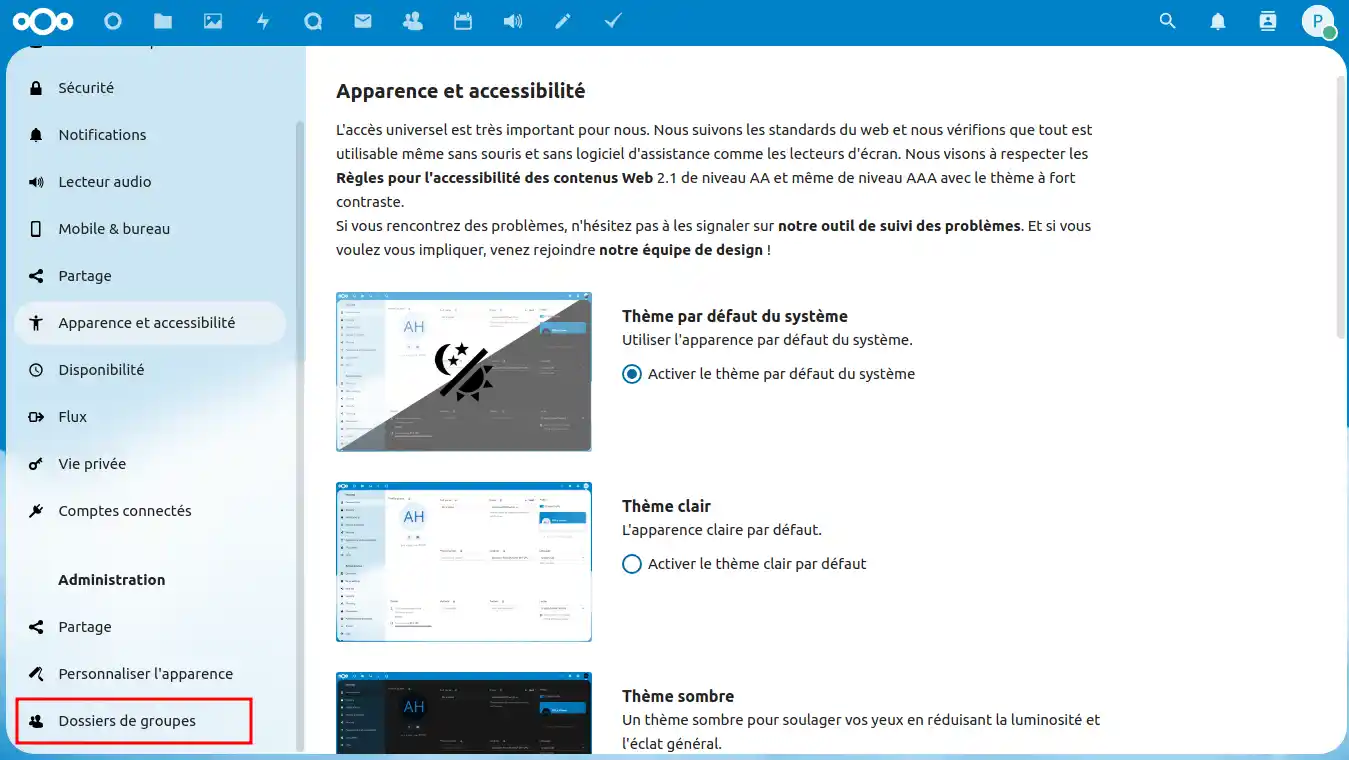
Step 2: Look for the customisation options in the "Administration" section under "Group folders".
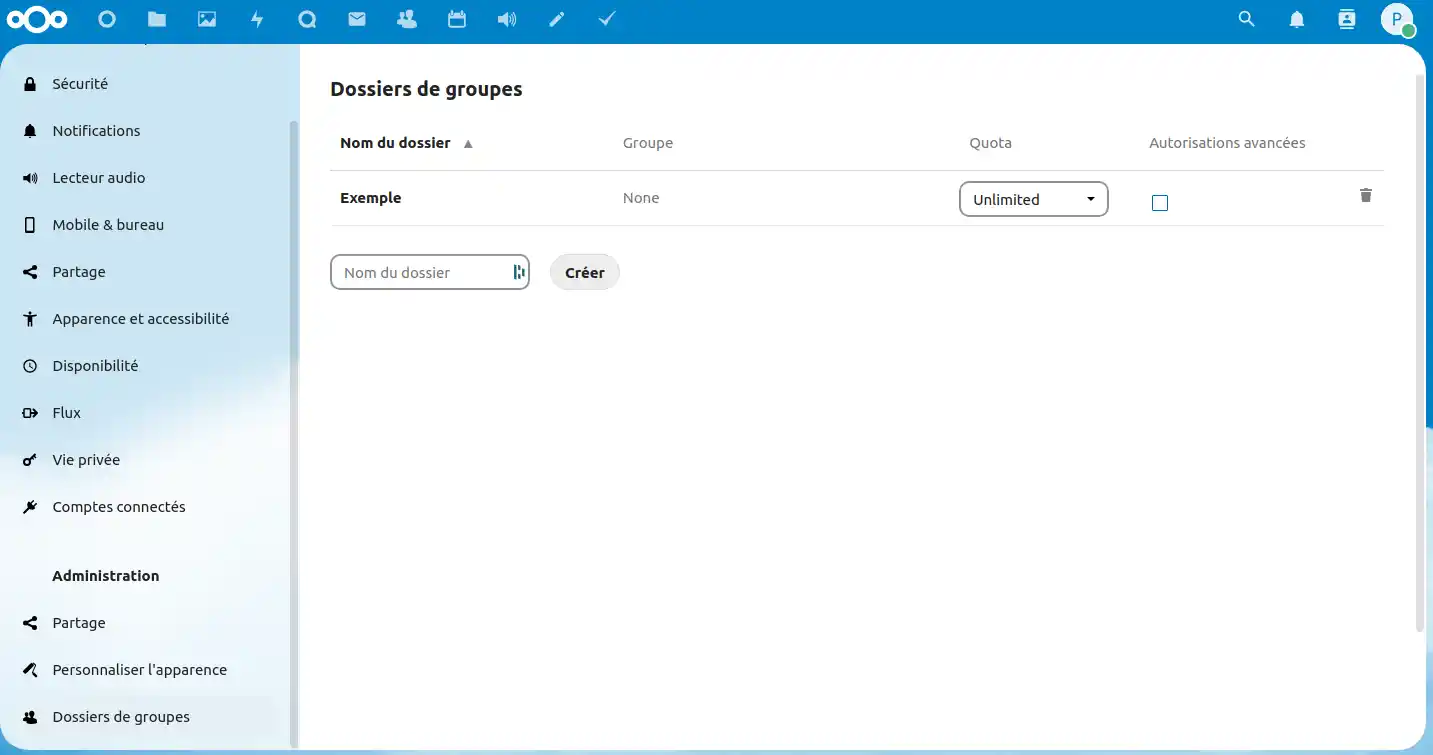
Step 3: You can now manage group folders. To create a group folder, enter a name in the box provided and click Create.
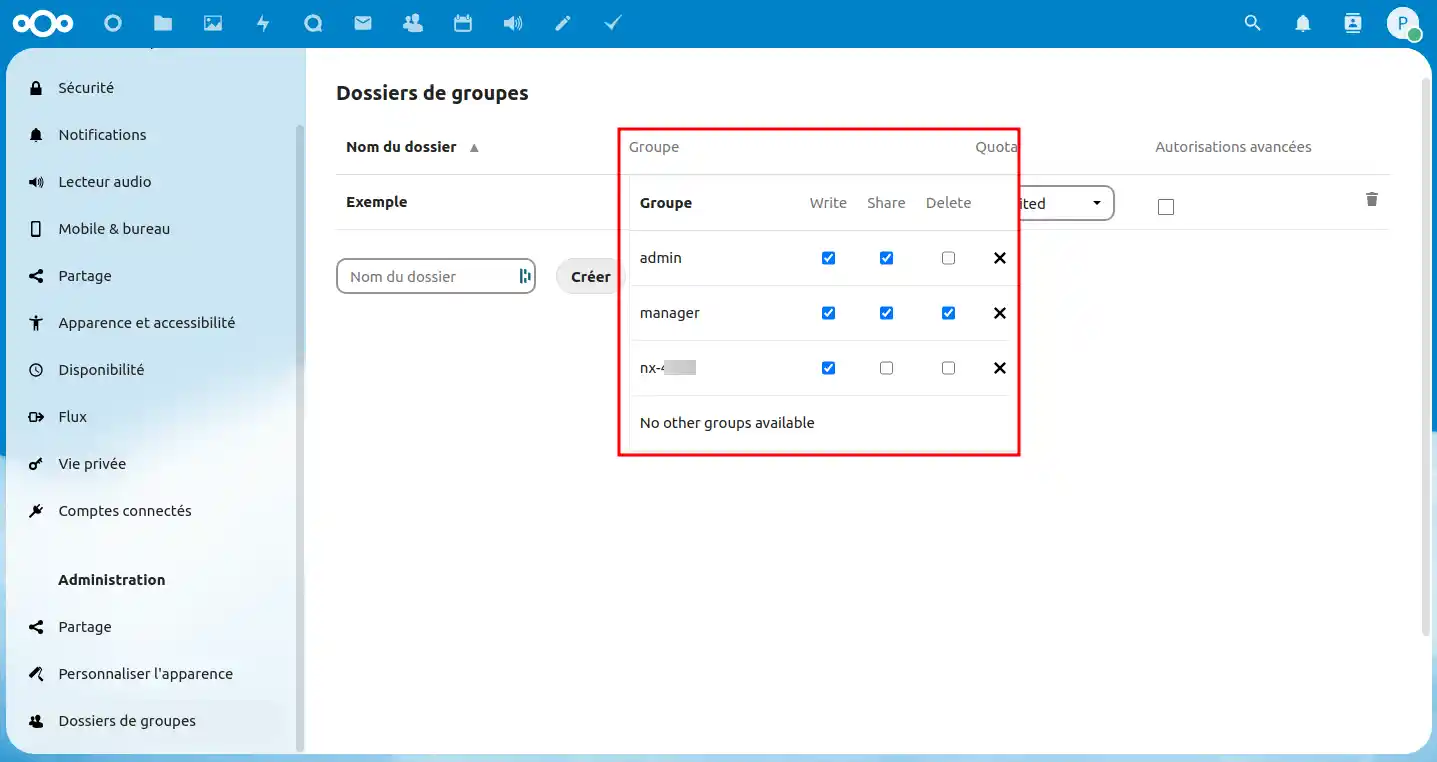
Step 4: Once a group folder has been created, such as the "Example " group folder, you can choose the actions that the different user groups can perform on the group folder, i.e. write to it, share it and delete it.
You can now create group folders and manage their permissions, particularly sharing by different groups. To manage sharing in more detail, consult the documentation on sharing. If you have any further questions or need assistance, don't hesitate to contact our support team, who will be happy to help. If you don't yet have an online storage package or would like to upgrade to a cloud storage package with advanced features, please consult this documentation to place your order, and find information about the Nextcloud and Nextcloud Pro packages here.
Ask the LWS team and the community. Answers are published after moderation.
 About LWS :
LWS is a 100% French web hosting company that focuses on quality and innovation and offers a responsive and competent technical service at affordable prices.
About LWS :
LWS is a 100% French web hosting company that focuses on quality and innovation and offers a responsive and competent technical service at affordable prices.



 Yes
Yes No
No