
Online help
The web host accessible to all
Procédure
Two-factor authentication allows you to secure access to any account with a second barrier other than the password. Among other things, this prevents malicious people from accessing your personal space, even if they have accidentally been in possession of your password.
On ISPConfig, the two-factor authentication method available is OTP (One-Time Password) by email. The OTP code is a small additional password, generated after confirmation of your main password, sent to your email inbox. Authentication to your ISPConfig interface will then require both the access password and access to your email inbox to retrieve the OTP code.
To activate two-factor authentication using an OTP code sent by email, you first need to configure ISPConfig to send system emails. System email is ISPConfig's internal mechanism for sending emails.
From your ISPConfig interface, click on System > Main config (in the Interface section) > E-mail tab :
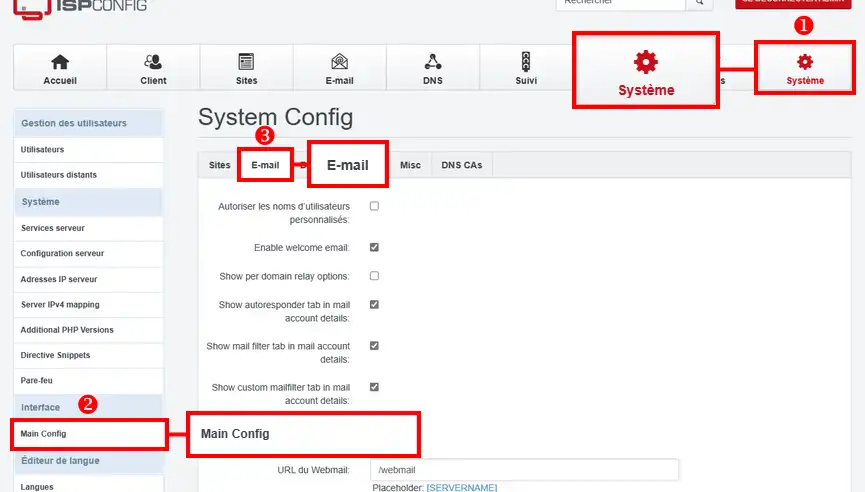
You will then need to configure the system email sending as follows:
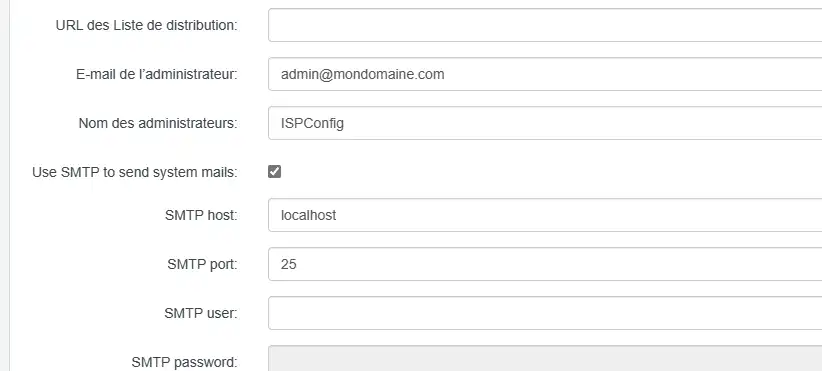
Once you have made the changes, click "Save" to save them.
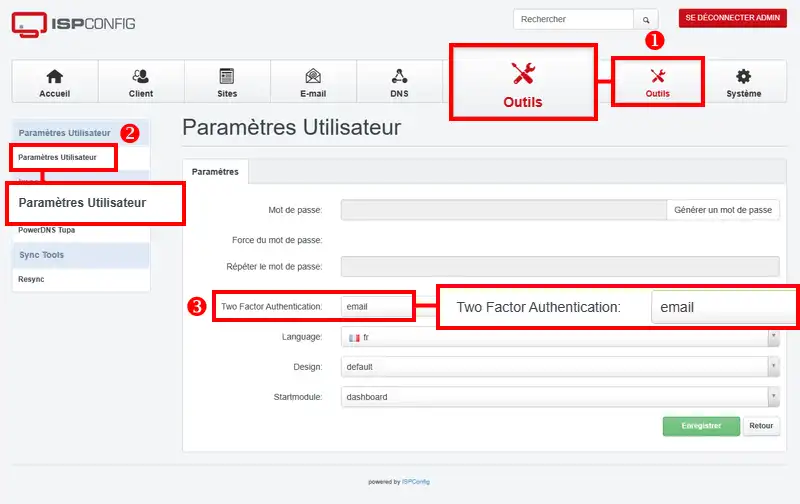
To enable two-factor authentication on a user, log in to the relevant user account and go to Tools then User Settings, and select"email" in the"Two Factor Authentication" field:
Note:
If you no longer have access to your ISPConfig account but wish to disable two-factor authentication for this account, go to your phpMyAdmin interface from the URL https://vpsXXXXX.serveur-vps.net:8080/phpmyadmin/ and connect as the "root" user (the MySQL root password is available in the delivery email for your VPS server).
From the dbispconfig database, click on SQL and execute the following SQL query:
UPDATE sys_user SET otp_type = 'none' WHERE username = 'admin';(replace admin with another username if you wish to disable for another user)
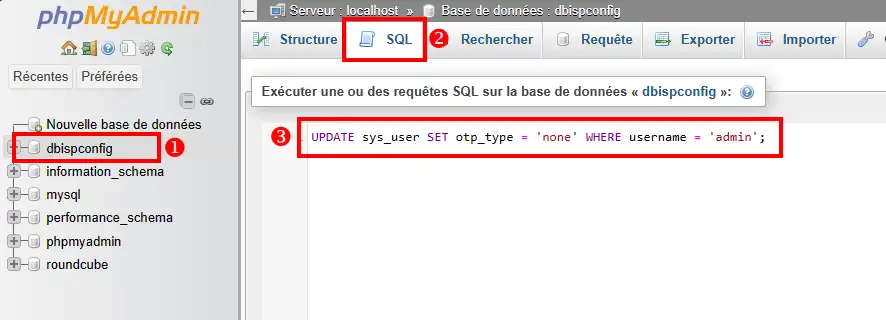
Then click Run. That's it, two-factor authentication is deactivated for this user.
Ask the LWS team and the community. Answers are published after moderation.
 About LWS :
LWS is a 100% French web hosting company that focuses on quality and innovation and offers a responsive and competent technical service at affordable prices.
About LWS :
LWS is a 100% French web hosting company that focuses on quality and innovation and offers a responsive and competent technical service at affordable prices.



 Yes
Yes No
No