
Online help
The web host accessible to all
Procédure
The WordPress Manager on cPanel offers a simple and effective solution for managing your WordPress site directly from the hosting control panel. This documentation provides a concise guide on how to access it.
First of all, connect to your web hosting's cPanel control panel.
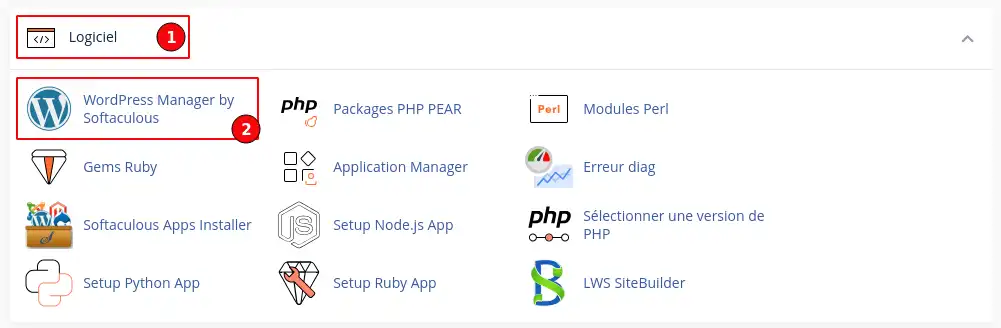
Then look for the"Software" section (1) and click on the"WordPress Manager by Softaculous" button (2).
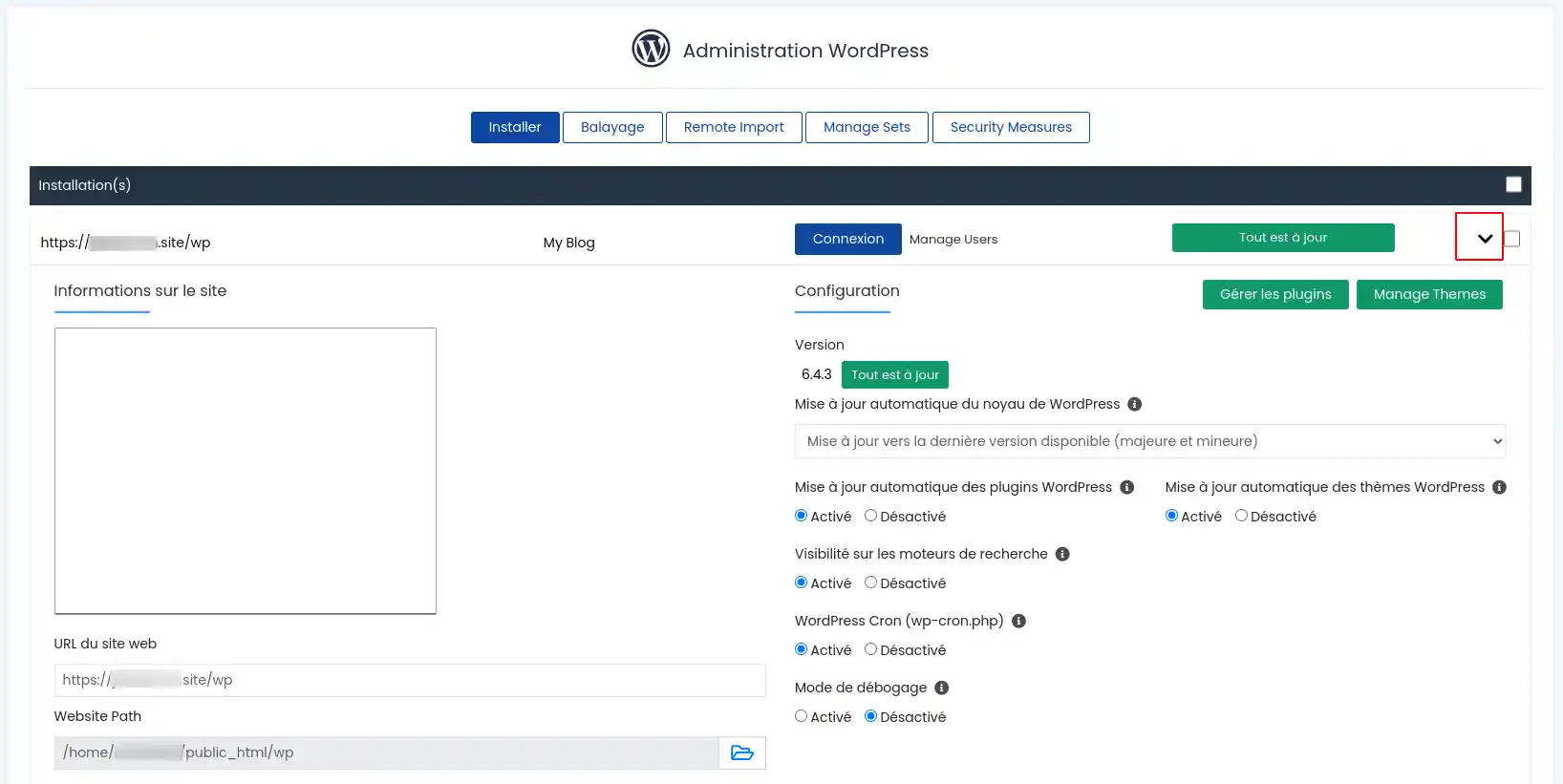
You will then be taken to a page listing the WordPress sites on your hosting.

You can also access advanced management by clicking on the chevron to the right of the site concerned.
You now know how to :
With this guide, managing your WordPress sites via cPanel should be a breeze 🎮! Feel free to explore other features to optimise your web hosting experience and boost your site's performance 😊.
Thank you for reading this article to the end! If you have any questions or would like to share your experience with WordPress Manager on cPanel, leave us a comment below. Your feedback is valuable and helps us to continually improve our service 👍!
Ask the LWS team and the community. Answers are published after moderation.
 About LWS :
LWS is a 100% French web hosting company that focuses on quality and innovation and offers a responsive and competent technical service at affordable prices.
About LWS :
LWS is a 100% French web hosting company that focuses on quality and innovation and offers a responsive and competent technical service at affordable prices.



 Yes
Yes No
No