
Online help
The web host accessible to all
Procédure
Have you or one of your users forgotten your password and can no longer connect to your Prestashop dashboard?
Here's a tricky situation that the PS Manager can get you out of easily. We'll show you how in this documentation.
First of all, you need to connect to your LWS account and access the shared hosting where the Prestashop site whose users you want to manage is hosted.
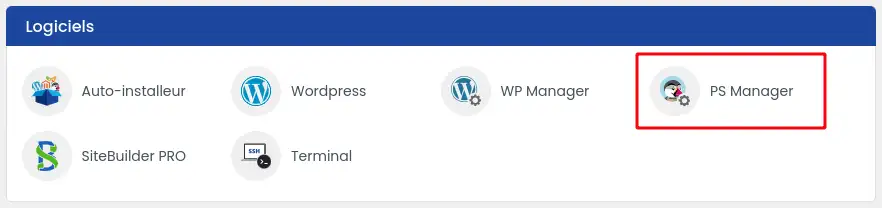
Then click on"PS Manager" in the"Software" section of your web hosting.
Then click on the three dots next to the site concerned (1) and select the"Change password" option (2).

A window will appear in which you must first select the user whose password you wish to change.

Then simply enter the new password and confirm. A tick box allows you to send the new password to the user if you wish.
Click on confirm to complete the operation. The new password is immediately functional.
You now know how to :
Thanks to these simple steps, managing user access on your Prestashop site becomes child's play! 🎮👾
Don't forget that the security of your site is paramount, and that a strong password is the first line of defence against unwanted intrusions. 🔐
We hope this guide has been helpful and helped you quickly resolve your login issue. Thanks for reading and feel free to share your experiences or ask any questions in the comments section below! ✍️🙂
See you soon for more handy tips!
Ask the LWS team and the community. Answers are published after moderation.
 About LWS :
LWS is a 100% French web hosting company that focuses on quality and innovation and offers a responsive and competent technical service at affordable prices.


 Yes
 No