
Online help
The web host accessible to all
Procédure
1. Connect to our LWS website, then click on Dedicated Server
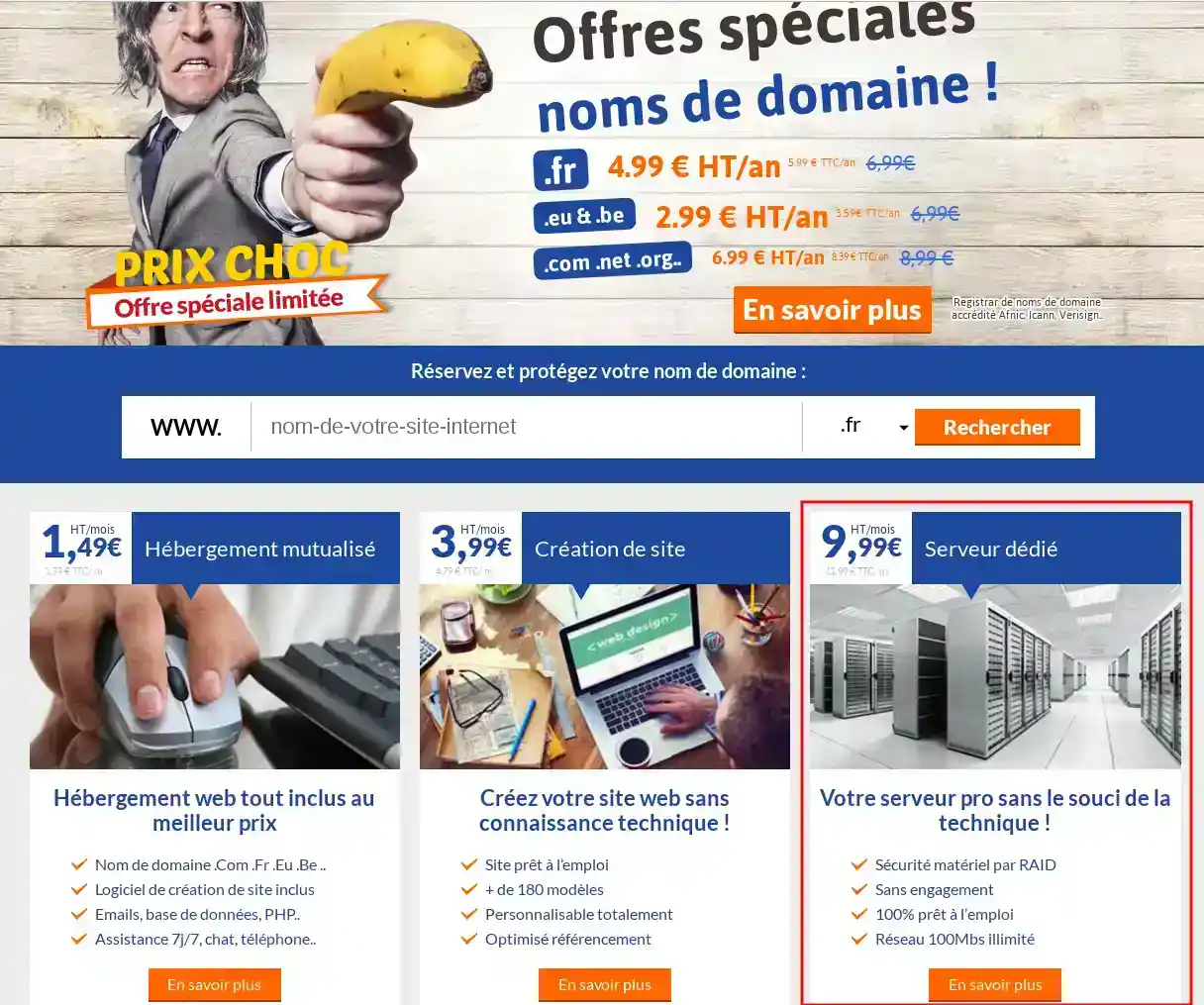
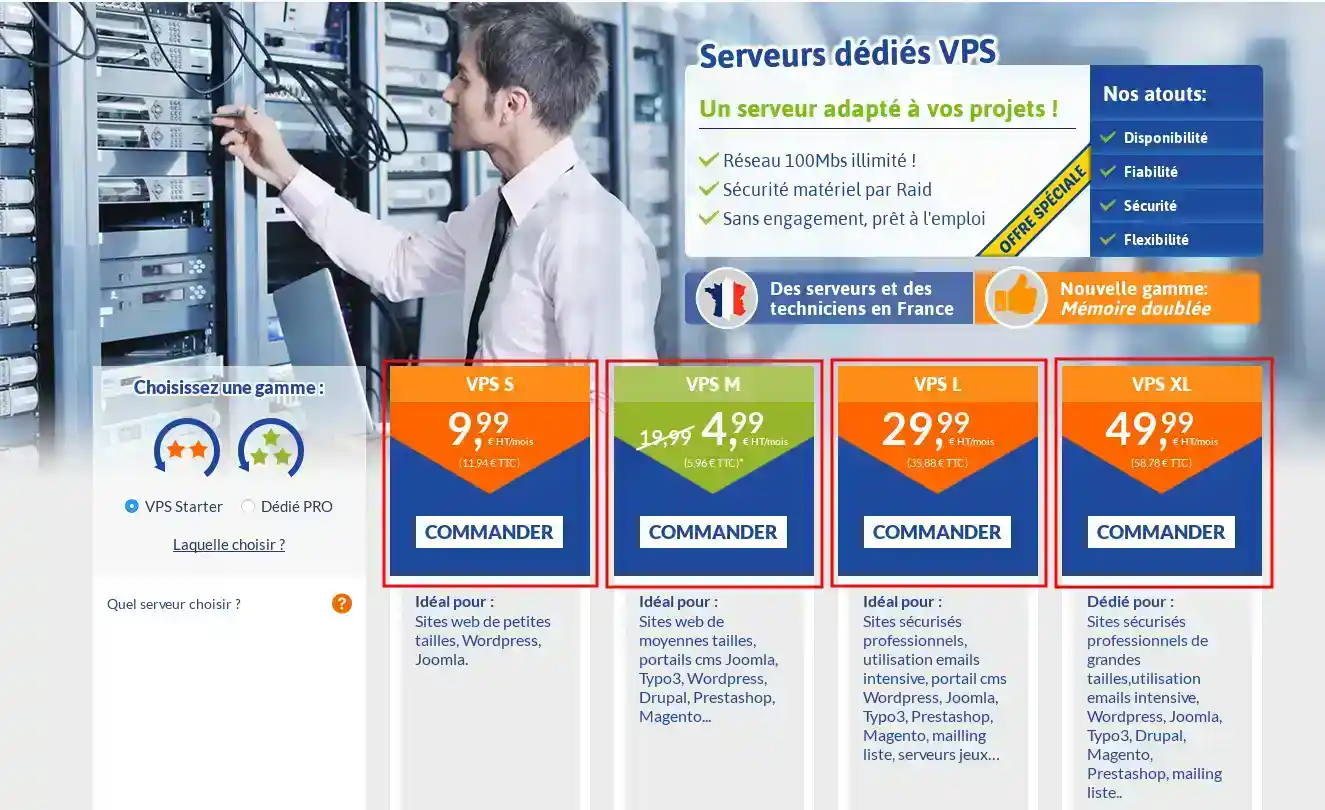
2. Select the dedicated VPS server of your choice by clicking on the Order button.
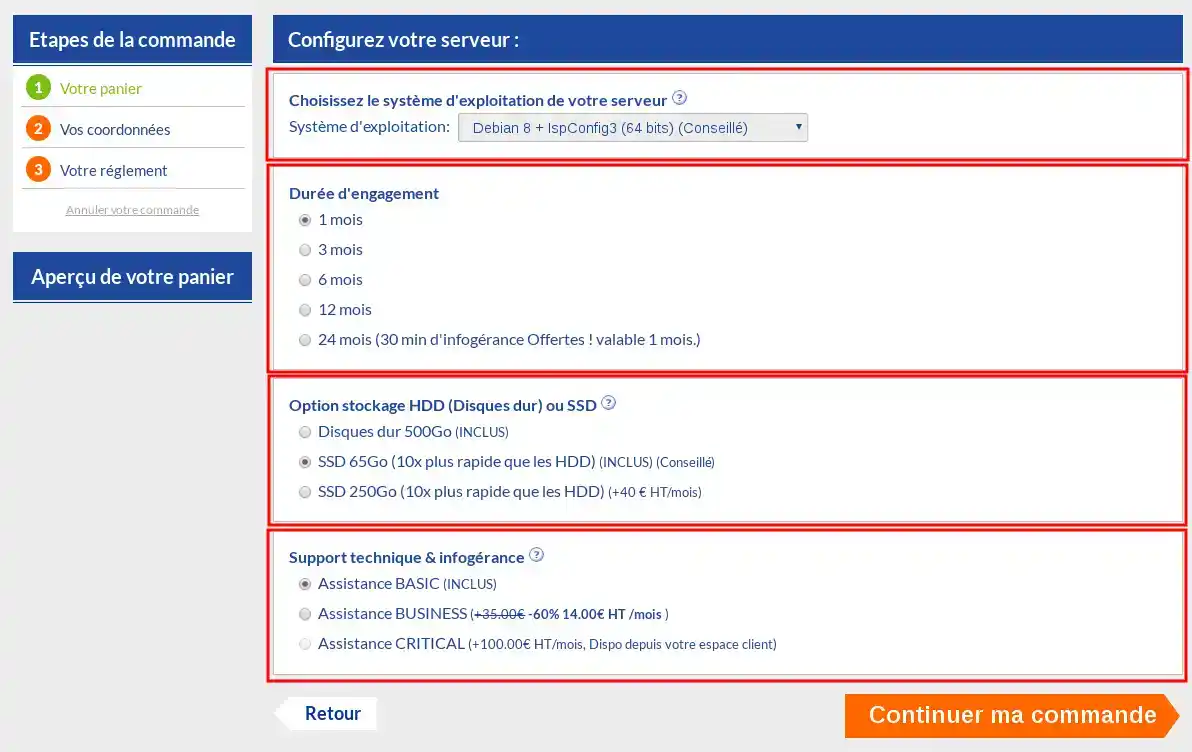
3. Choose the operating system (this can be changed in your LWS Panel customer area), the commitment period, whether or not to add an SSD disk, and the level of support.
Then click on the Continue my order button
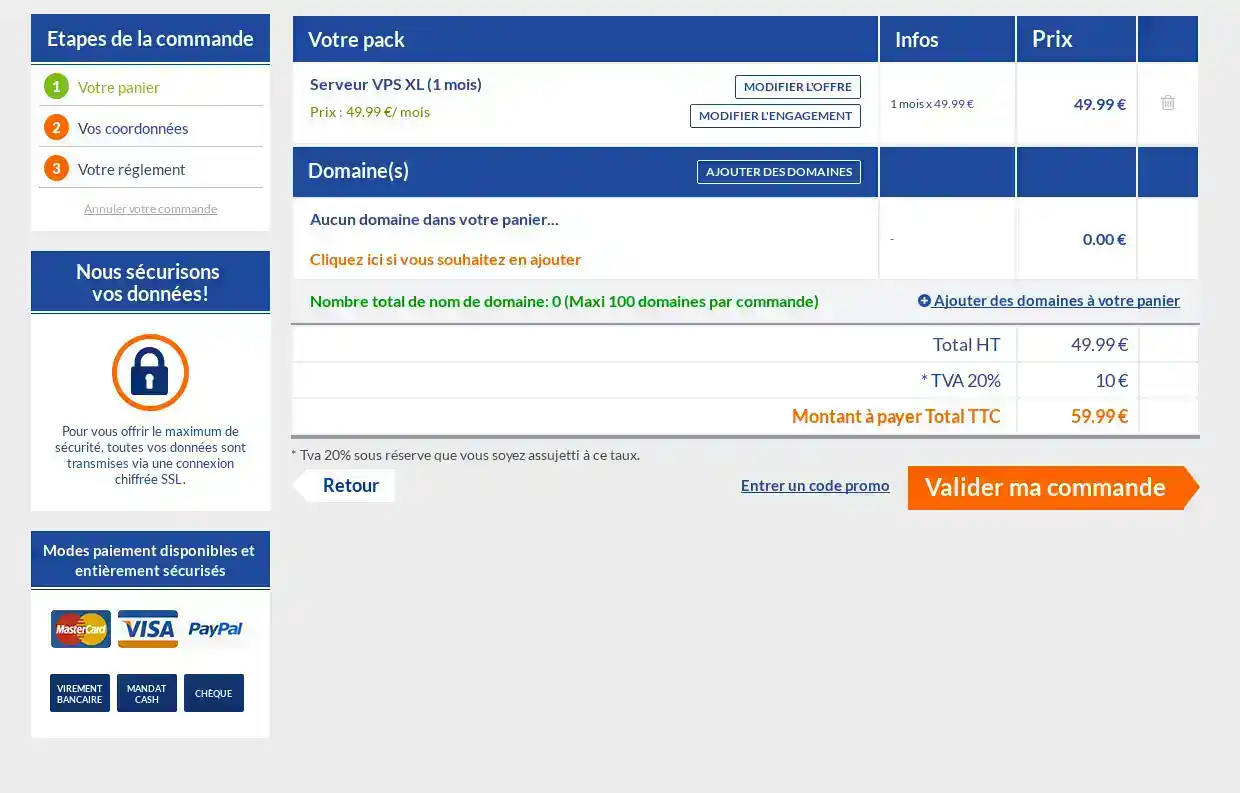
4. A summary of your basket is displayed. You can still modify your products or continue your order if you wish.
To do this, click on the Confirm my order button.
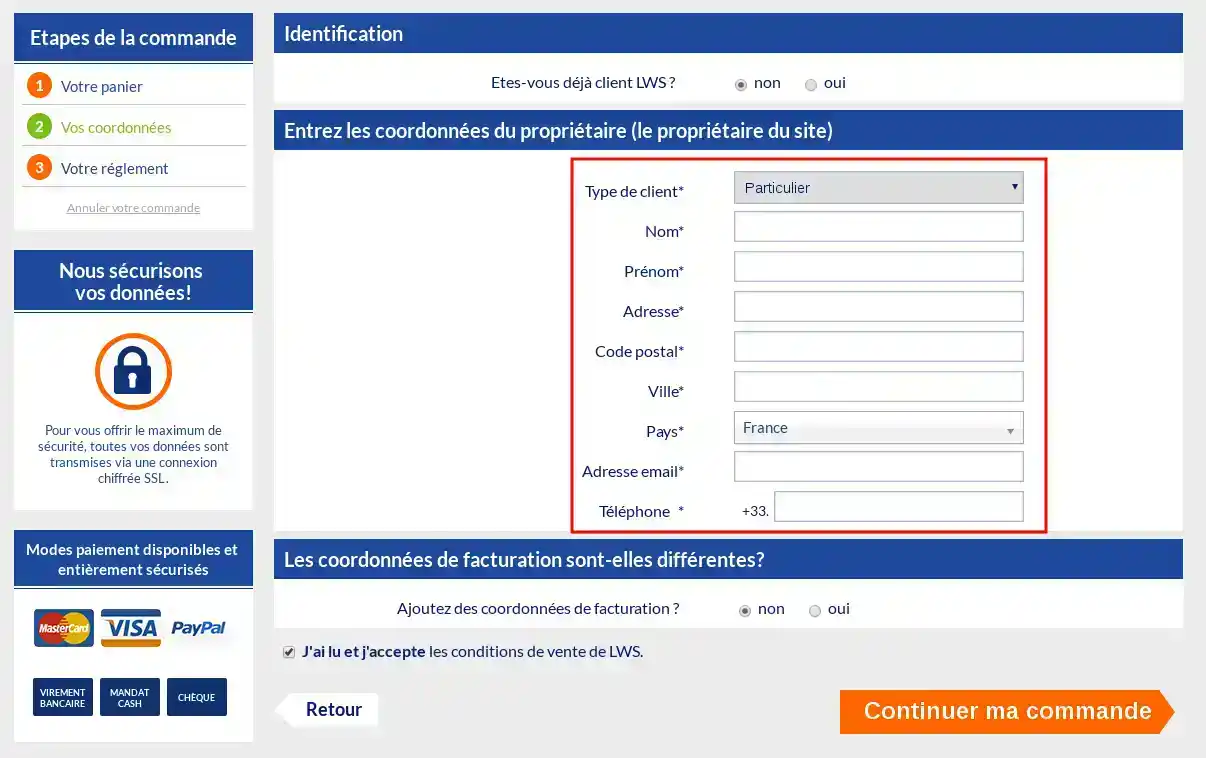
5. You must now enter your contact details and specify whether or not you are a customer.
If you are already a customer, this server will be added to your LWS panel.
If you are not a customer, this will create an LWS customer area once you have paid for your order.
Don't forget to accept the terms and conditions.
Finally click on continue my order
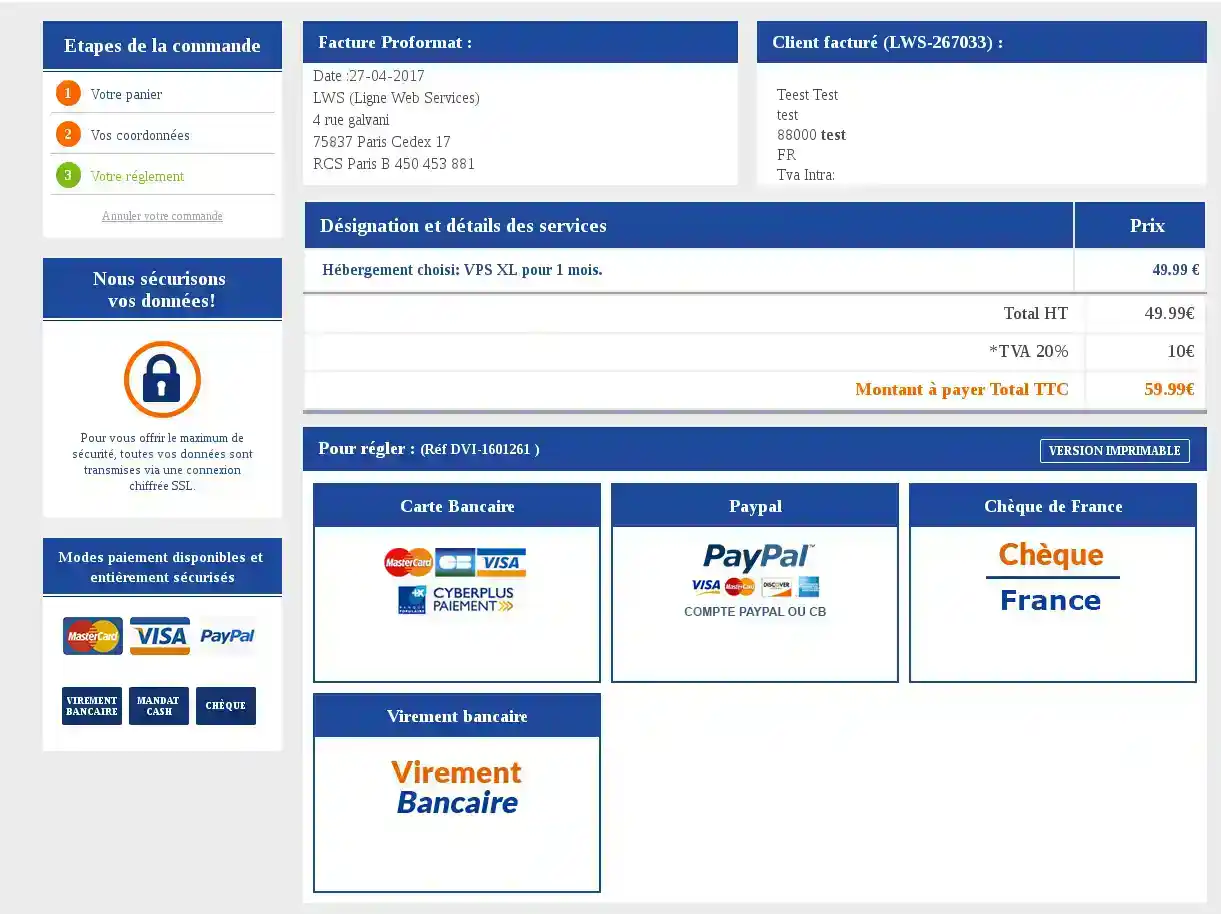
6. A proforma invoice will be issued. Simply choose your payment method to confirm your order.
7. You will receive your login details within 4 hours.
Ask the LWS team and the community. Answers are published after moderation.
 About LWS :
LWS is a 100% French web hosting company that focuses on quality and innovation and offers a responsive and competent technical service at affordable prices.


 Yes
 No