
Online help
The web host accessible to all
Procédure
Before recovering the IONOS transfer code, it is preferable to recover the data hosted with them. Like many hosting providers, the hosting service may be interrupted as soon as the domain has been transferred. It is therefore essential to recover the data before recovering the transfer code, to avoid any losses.
1. Log in to your IONOS customer area using your login details.
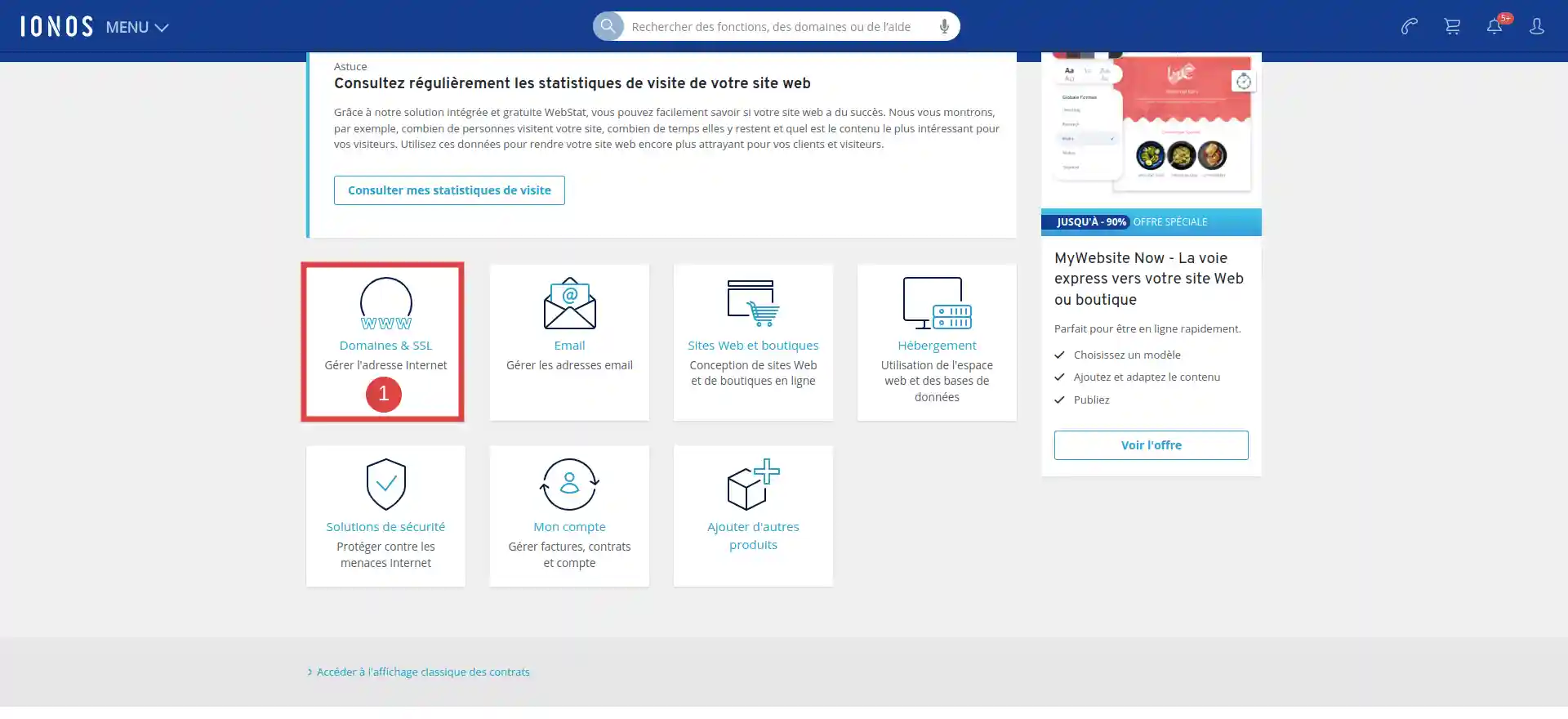
2. Once you are connected to the customer interface, click on the Domains & SSL icon (1)
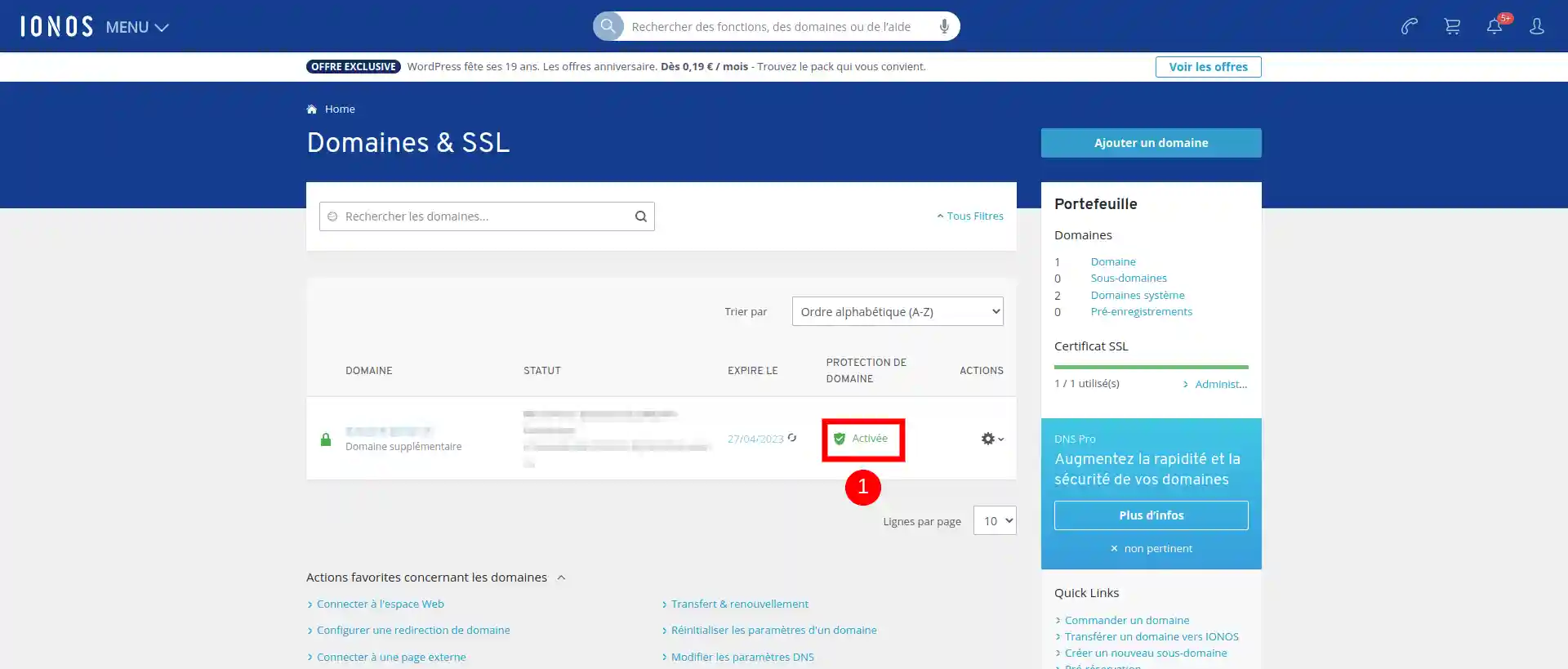
3. Finally click on Activated (1), if your window shows Inactivated then go directly to step 6.
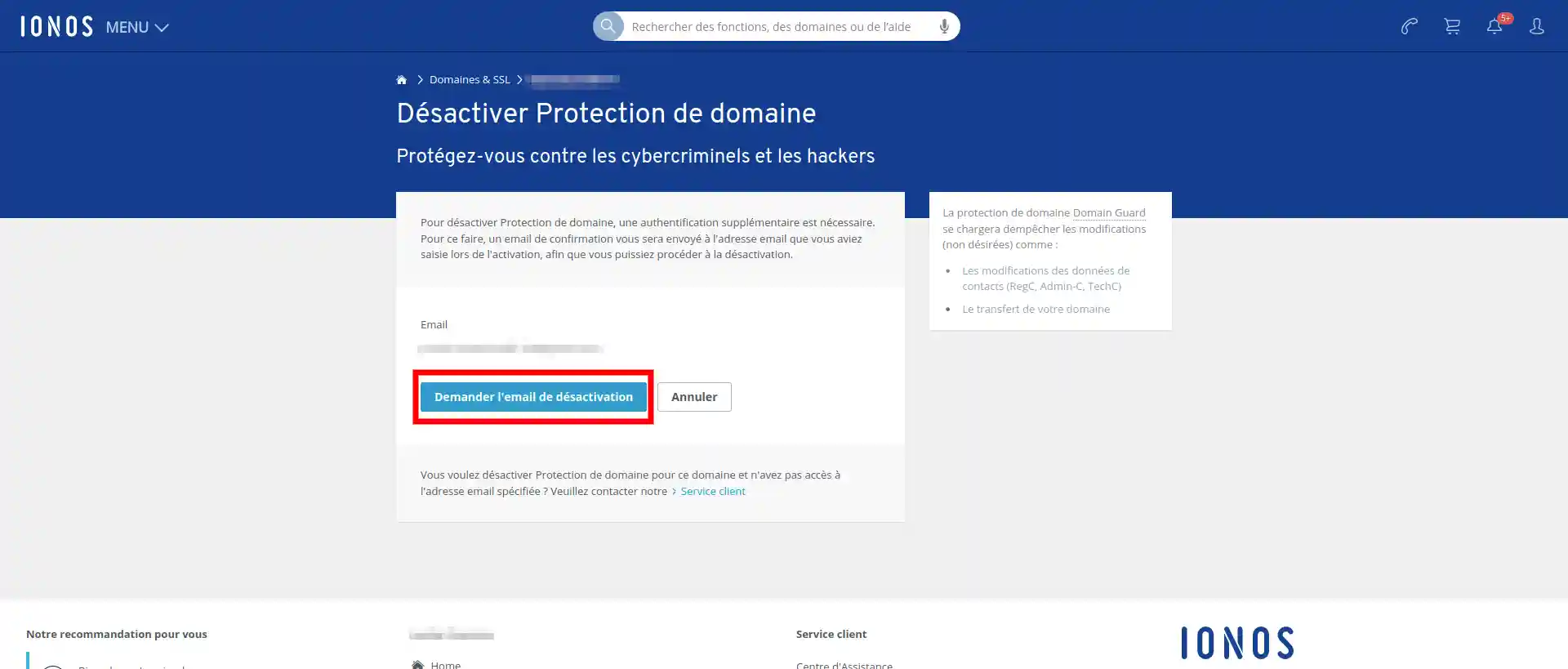
4. A new page will appear, so all you have to do is click Request deactivation email.
You can also "Request confirmation email again" if you have not received it (see step 5).
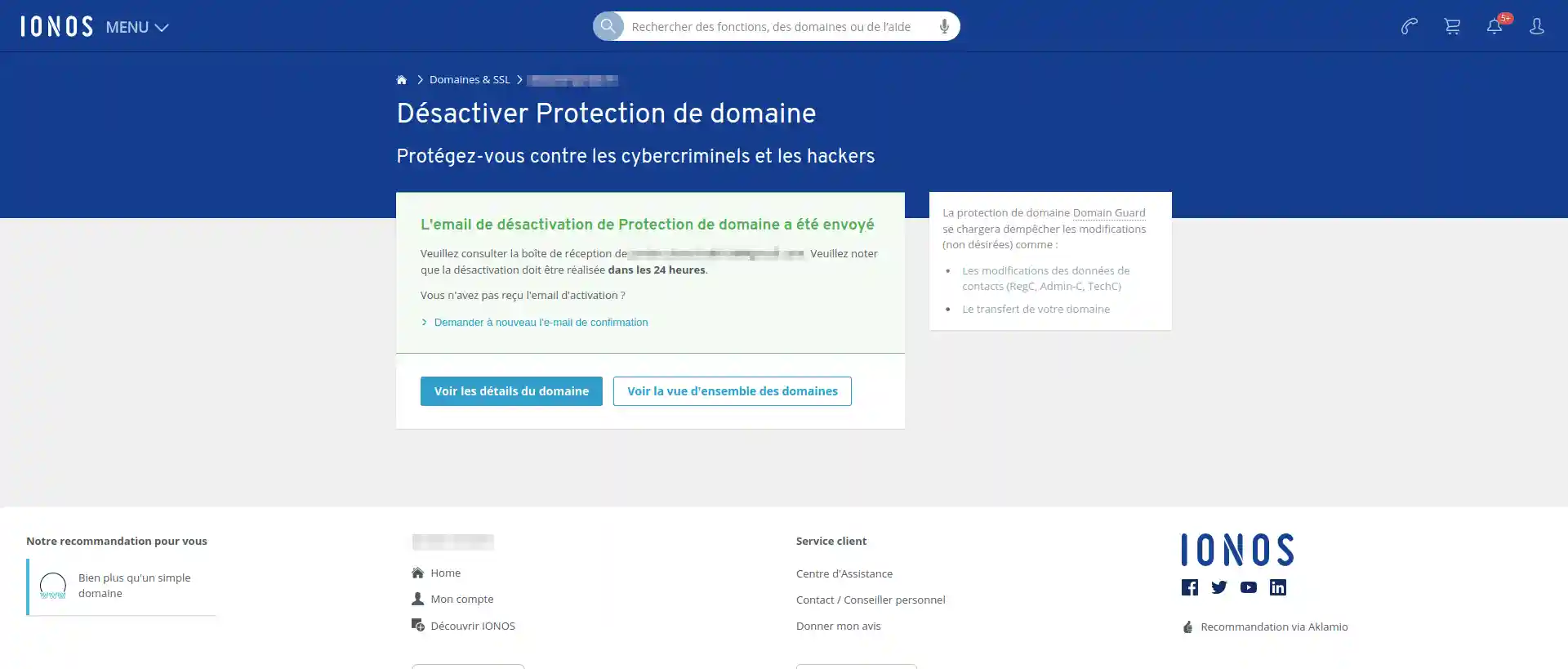
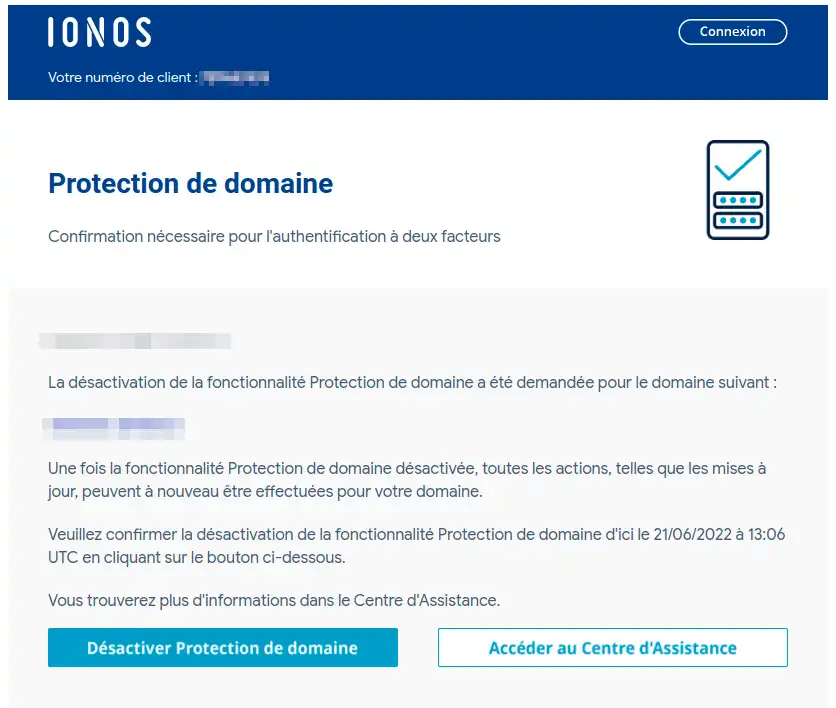
5. This time, go to your mailbox to confirm the last step. All you need to do is click on the Deactivate Domain Protection button.
Once you have clicked on the deactivation button, you will be redirected to a web page on which instructions will appear.
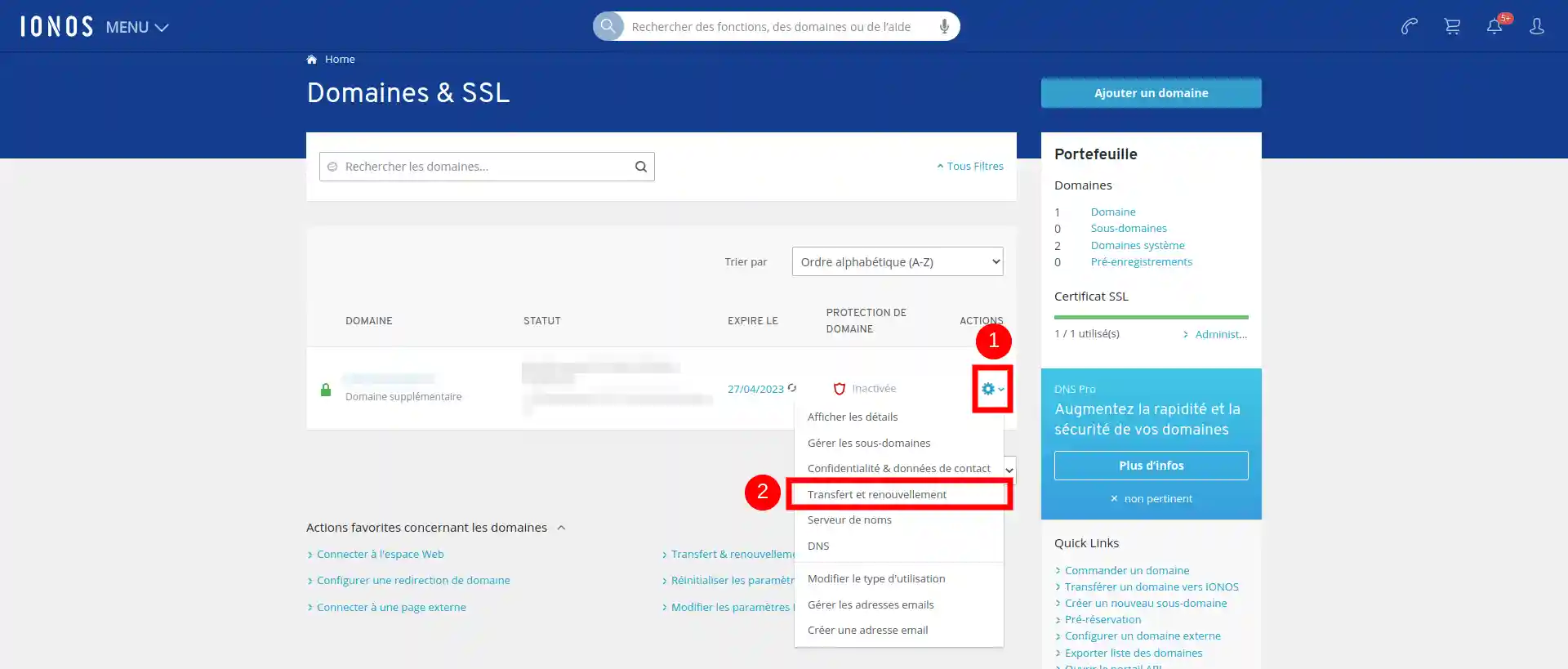
6. We are now going to go and get the transfer code, start by clicking on the gear (1) then on Transfer and renewal (2).
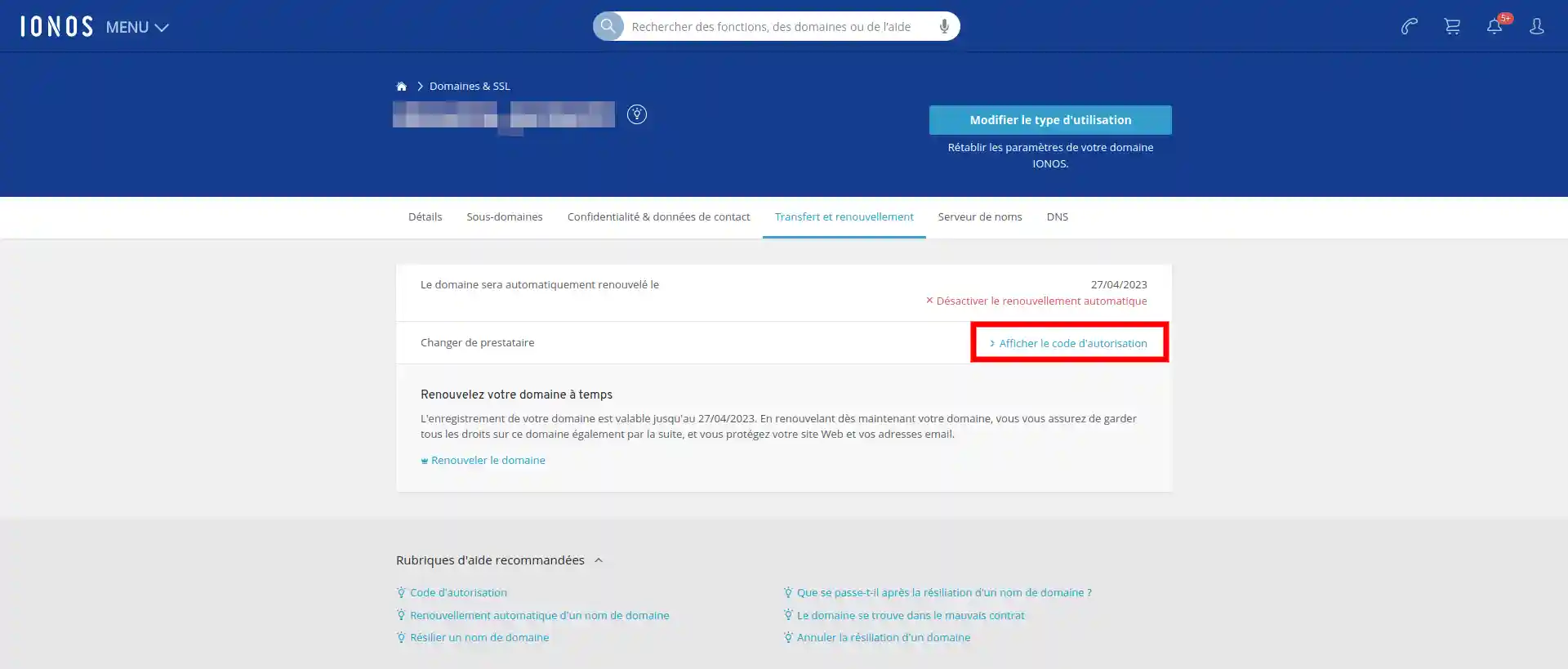
7. You are now on a new page, all you have to do is click on Display authorisation code and a new page will appear with the authorisation code for the transfer.
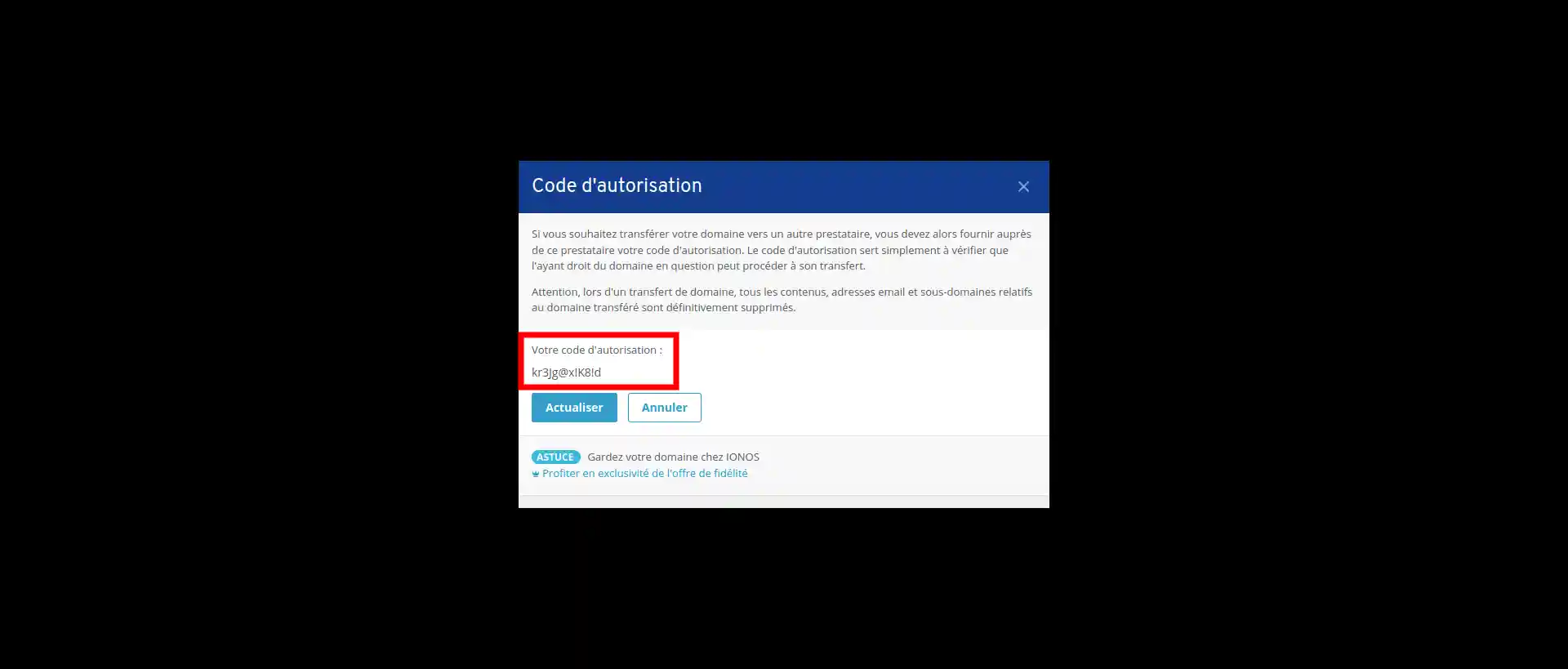
8. All you have to do is copy the code into the red box.
You can now send the IONOS transfer code by going to your LWS customer area, click on"Domains and Hosting" and then on"Admin". At the top of the page, click on the"Click here for more information" tab to send the transfer code.
For more information, you can follow the Guide to transferring a domain name.
You are now in a position to retrieve the transfer code for an IONOS domain in order to transfer it. Please note that it is advisable to make a backup of your data before transferring a domain to avoid any loss.
Don't hesitate to share your questions and comments with us.
Ask the LWS team and the community. Answers are published after moderation.
 About LWS :
LWS is a 100% French web hosting company that focuses on quality and innovation and offers a responsive and competent technical service at affordable prices.
About LWS :
LWS is a 100% French web hosting company that focuses on quality and innovation and offers a responsive and competent technical service at affordable prices.



 Yes
Yes No
No