
How to activate Prestashop's simplified URLs with my ISPconfig + Nginx package

Procédure

Presentation

We recently updated our VPS offerings to include an ISPconfig package running on the Nginx web server instead ofApache. The choice was based on the fact that it is light and fast.

However, once we had implemented it with a Prestashop shop, we came up against one of Nginx's limitations: the fact that it doesn't support .htaccess files.

As a result, you can't activate the"simplified URLs" function from your back office, as you could with Apache.

Let's take a look at how to remedy this problem.

Connect via SSH

The first thing to do is to get hold of your SSH identifiers(How to connect as root on a dedicated VPS server) and connect to your VPS.


Modify the Nginx configuration

Edit the file /etc/nginx/sites-available/my_site.com.vhost with the command :

nano /etc/nginx/sites-available/my_site.com.vhost

Then add the following lines between the"server {}" tags:

location / {
rewrite ^/api/?(.*)$ /webservice/dispatcher.php?url=$1 last;
rewrite ^/([0-9])(-[_a-zA-Z0-9-]*)?(-[0-9]+)?/.+\.jpg$ /img/p/$1/$1$2.jpg last;
rewrite ^/([0-9])([0-9])(-[_a-zA-Z0-9-]*)?(-[0-9]+)?/.+\.jpg$ /img/p/$1/$2/$1$2$3.jpg last;
rewrite ^/([0-9])([0-9])([0-9])(-[_a-zA-Z0-9-]*)?(-[0-9]+)?/.+\.jpg$ /img/p/$1/$2/$3/$1$2$3$4.jpg last;
rewrite ^/([0-9])([0-9])([0-9])([0-9])(-[_a-zA-Z0-9-]*)?(-[0-9]+)?/.+\.jpg$ /img/p/$1/$2/$3/$4/$1$2$3$4$5.jpg last;
rewrite ^/([0-9])([0-9])([0-9])([0-9])([0-9])(-[_a-zA-Z0-9-]*)?(-[0-9]+)?/.+\.jpg$ /img/p/$1/$2/$3/$4/$5/$1$2$3$4$5$6.jpg last;
rewrite ^/([0-9])([0-9])([0-9])([0-9])([0-9])([0-9])(-[_a-zA-Z0-9-]*)?(-[0-9]+)?/.+\.jpg$ /img/p/$1/$2/$3/$4/$5/$6/$1$2$3$4$5$6$7.jpg last;
rewrite ^/([0-9])([0-9])([0-9])([0-9])([0-9])([0-9])([0-9])(-[_a-zA-Z0-9-]*)?(-[0-9]+)?/.+\.jpg$ /img/p/$1/$2/$3/$4/$5/$6/$7/$1$2$3$4$5$6$7$8.jpg last;
rewrite ^/([0-9])([0-9])([0-9])([0-9])([0-9])([0-9])([0-9])([0-9])(-[_a-zA-Z0-9-]*)?(-[0-9]+)?/.+\.jpg$ /img/p/$1/$2/$3/$4/$5/$6/$7/$8/$1$2$3$4$5$6$7$8$9.jpg last;
rewrite ^/c/([0-9]+)(-[_a-zA-Z0-9-]*)(-[0-9]+)?/.+\.jpg$ /img/c/$1$2.jpg last;
rewrite ^/c/([a-zA-Z-]+)(-[0-9]+)?/.+\.jpg$ /img/c/$1.jpg last;
rewrite ^/([0-9]+)(-[_a-zA-Z0-9-]*)(-[0-9]+)?/.+\.jpg$ /img/c/$1$2.jpg last;
try_files $uri $uri/ /index.php?$args;
}


Restarting the Nginx service

To do this, simply use the command :

/etc/init.d/nginx restart

Test the "Simplified URLs" function

Activate the"Simplified URLs" function from your Prestaphop backoffice(Preferences => SEO & URLs):
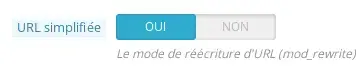
How to activate Prestashop's simplified URLs with my ISPconfig + Nginx package

In your browser the URL: http: //mon_site.com/index.php?id_product=4&controller=product

How to activate Prestashop's simplified URLs with my ISPconfig + Nginx package

becomes: http: //mon_site.com/robes-soiree/4-robe-imprimee.html

How to activate Prestashop's simplified URLs with my ISPconfig + Nginx package

URL rewriting works well.

help.lws.net/a/655
Was this article helpful?

Yes

No

Read 27 076 times

Thank you! Feel free to ask questions about our documentation if you would like more information, and help us improve it.

Similar articles

A question about this article?

Ask the LWS team and the community. Answers are published after moderation.

Ask the LWS team and its community a question

RGPD : Responsable LWS-Ligne Web Services. Finalité : modération et publication publique de votre question, notification éventuelle d'une réponse. Base légale : consentement (art. 6.1.a RGPD). Conservation des emails : 90 jours après notification, 12 mois maximum sans réponse. Vous pouvez exercer vos droits via notre nos CGV - section RGPD.

