
Online help
The web host accessible to all
Procédure
An auto-responder allows you to generate messages that are automatically sent when an e-mail is received. An auto-responder saves time by automating the sending of certain messages.
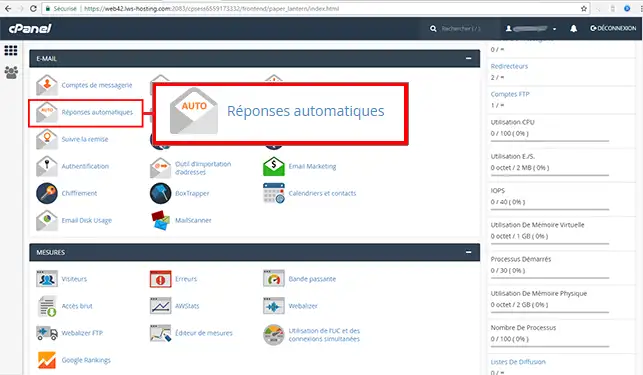
1. Log in to your cPanel account, scroll down the page and click on the"Autoresponders" icon.
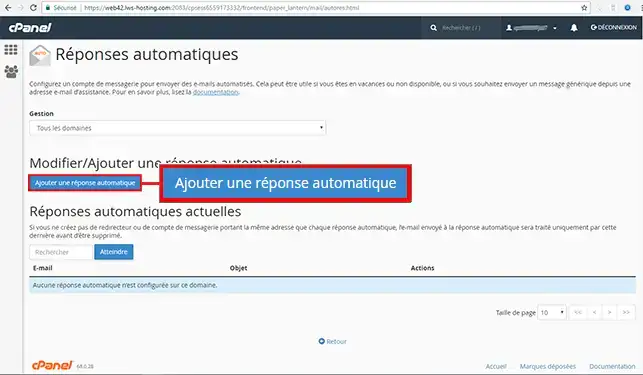
2. Click on the "Add an automatic reply" button
3. Fill in the required fields to set up your autoresponder:
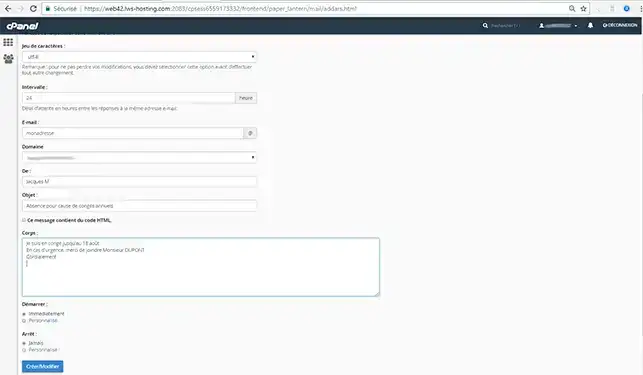
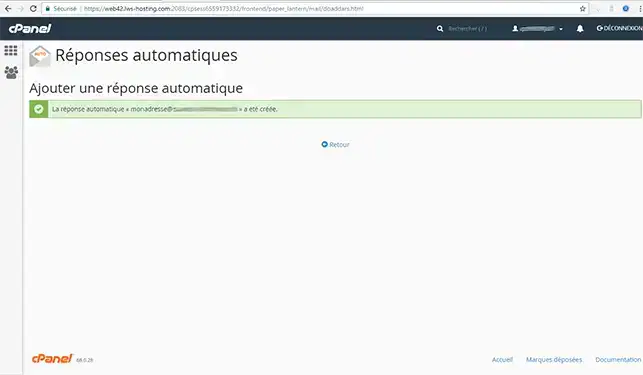
Your auto-responder is set up immediately and until the date you have specified: all messages sent to the address monadresse@votredomaine.com will automatically receive the auto-responder you have specified.
Need help using cPanel?
See all our cPanel training videos
You can now configure your email autoresponder using your cPanel web hosting with LWS. You can also delete the autoresponder whenever you want.
Don't hesitate to share your comments and questions!
Ask the LWS team and the community. Answers are published after moderation.
 About LWS :
LWS is a 100% French web hosting company that focuses on quality and innovation and offers a responsive and competent technical service at affordable prices.
About LWS :
LWS is a 100% French web hosting company that focuses on quality and innovation and offers a responsive and competent technical service at affordable prices.



 Yes
Yes No
No