
Online help
The web host accessible to all
Procédure
WHM is a powerful interface giving you administrative access to your customers' web hosting accounts. WHM allows you to manage web hosting reseller services. As a reseller, you will be able to :
1. Log in to your web hosting administration space and click on the "WHM" icon.
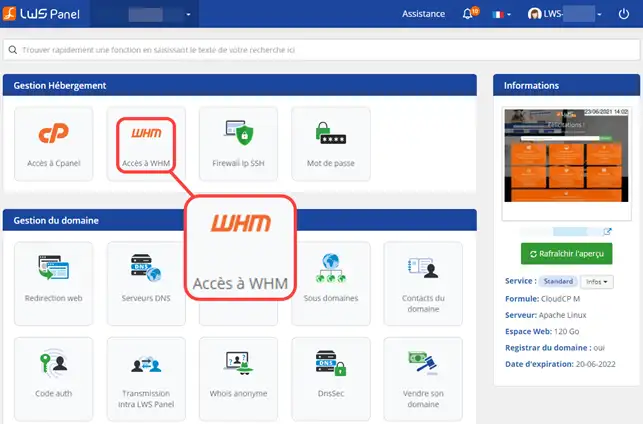
2. You are then automatically connected to your WHM control panel, you can now create your web hosting packages, your customer accounts, etc.
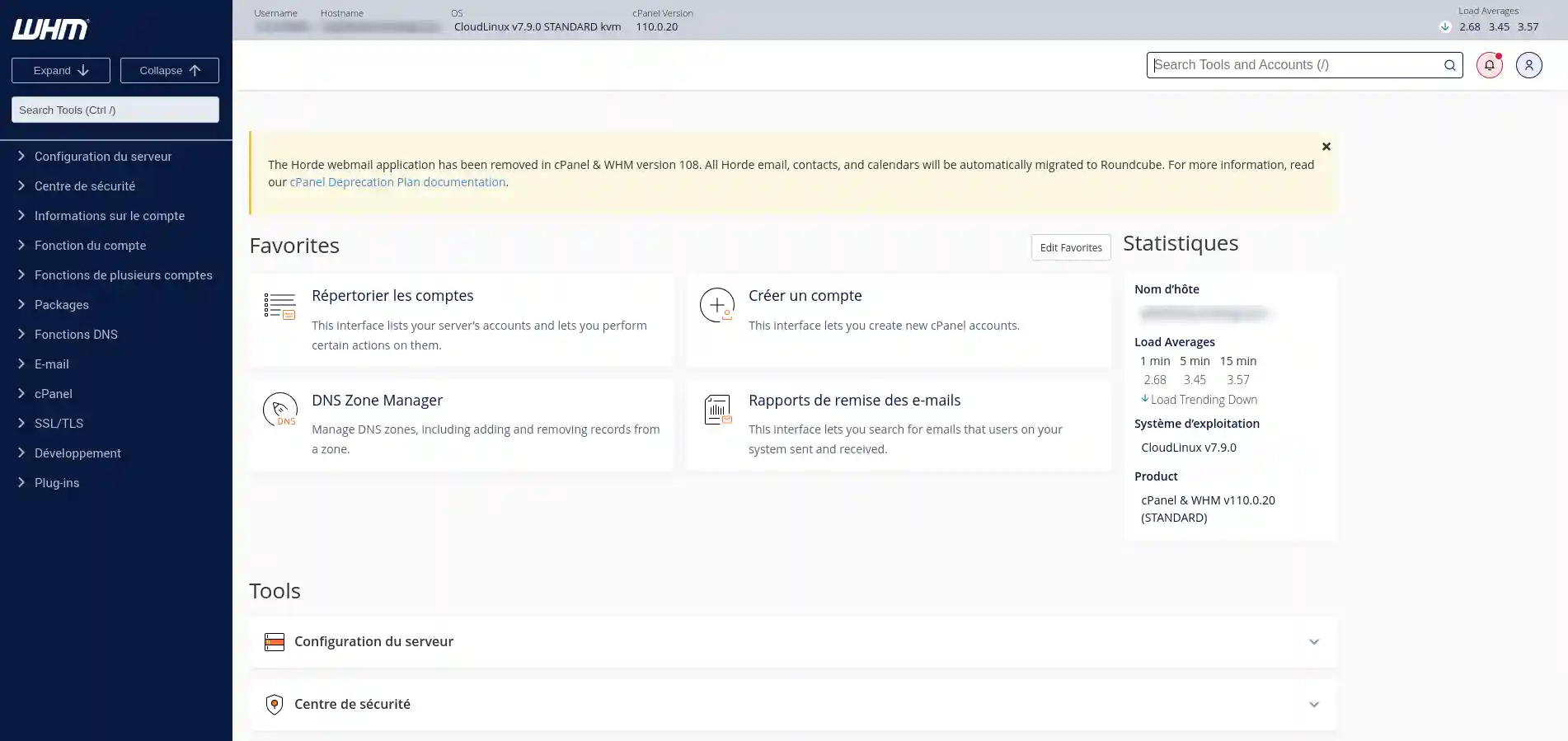
If you are not automatically connected, it is because you changed your connection password from the WHM software during a previous access. In this case, you will need to use the method below "How to connect to WHM from a URL" to connect.
1. To connect to your WHM interface, go to the connection URL of your cPanel Cloud Server. You were given the connection address and login details in your delivery email. You can also find it by entering the following URL in your browser: https: //domaine.com:2087 (domain.com should be replaced by your domain name). You can also access the WHM via the dedicated IP address of your cPanel Cloud server (https://ip:2087).
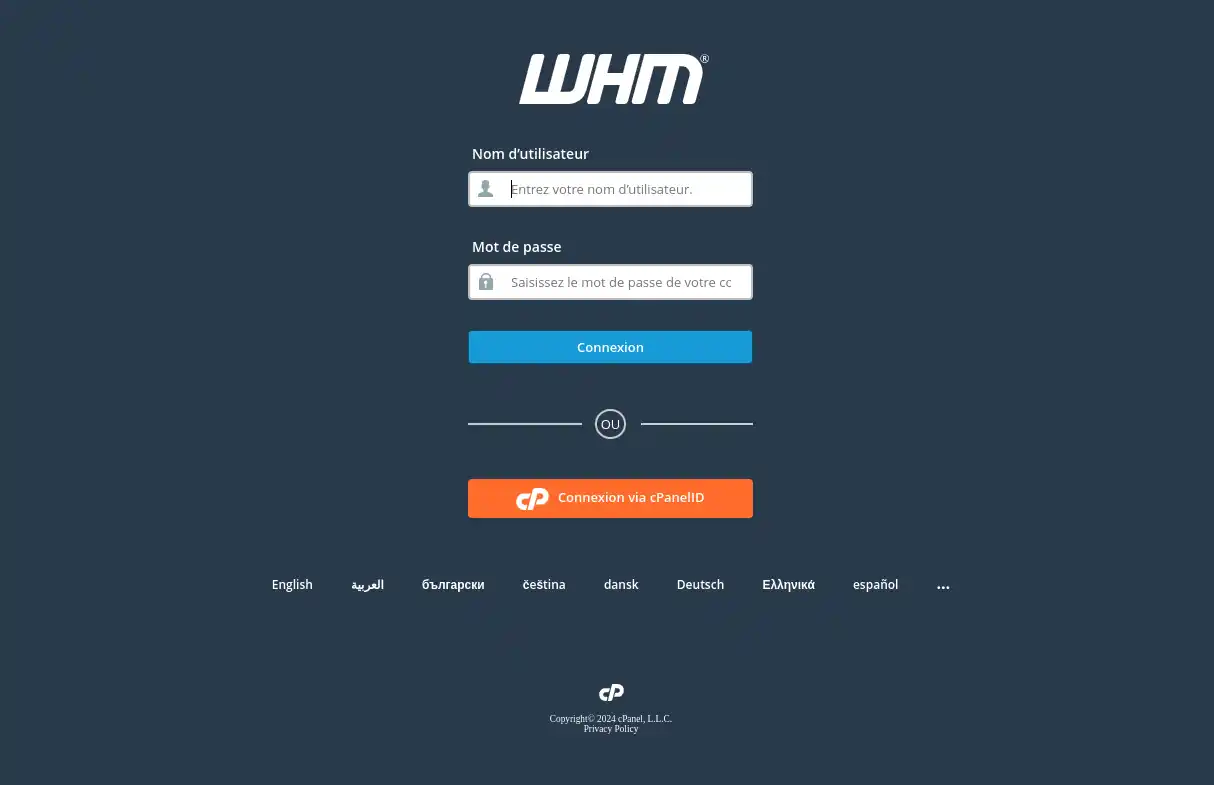
2. You must then enter the login details provided to you in your order delivery email. If you have changed your password and forgotten it, you can change it again from your LWS customer area by following this documentation. Once logged in, you will be redirected to your WHM management interface which will allow you to manage all your cPanel accounts.
Need help using WHM?
See all our WHM training videos
You are now able to connect to your WHM web space to manage all your websites and customers.
Don't hesitate to share your comments and questions!
Ask the LWS team and the community. Answers are published after moderation.
 About LWS :
LWS is a 100% French web hosting company that focuses on quality and innovation and offers a responsive and competent technical service at affordable prices.
About LWS :
LWS is a 100% French web hosting company that focuses on quality and innovation and offers a responsive and competent technical service at affordable prices.



 Yes
Yes No
No