
Online help
The web host accessible to all
Procédure
Exporting your database allows you to back it up so that you can restore it if necessary. You can export your database in the form of a .SQL file or a .ZIP file.
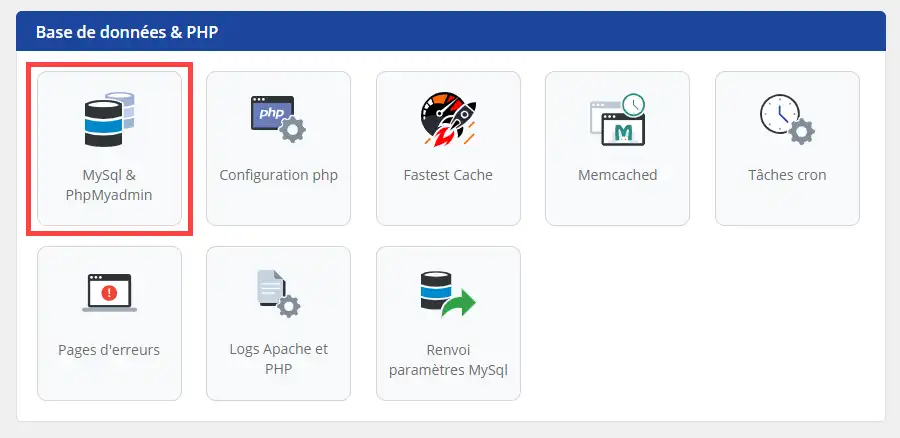
1. connect to the administration area of your web hosting, then go to database management by clicking on MySQL & PHPMyAdmin:
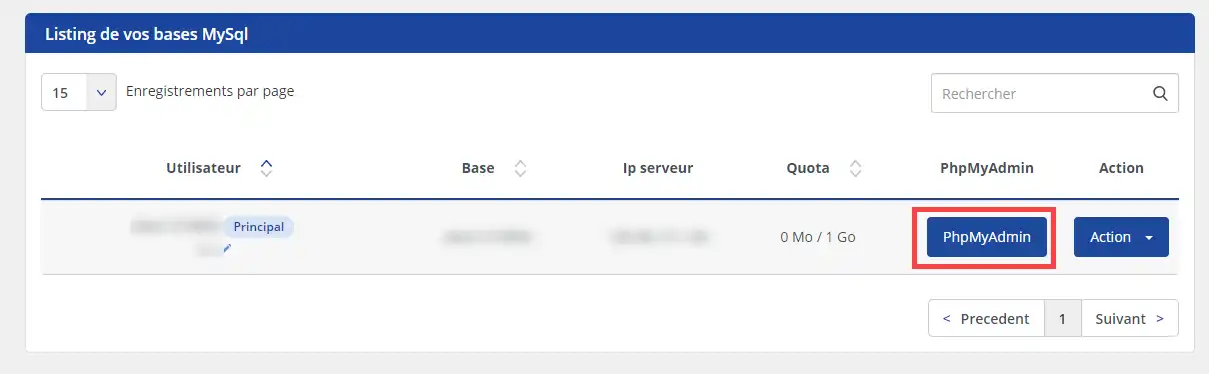
2. Click on the "PHPMyAdmin" button, which will open the PHPMyAdmin connection interface in a new tab.
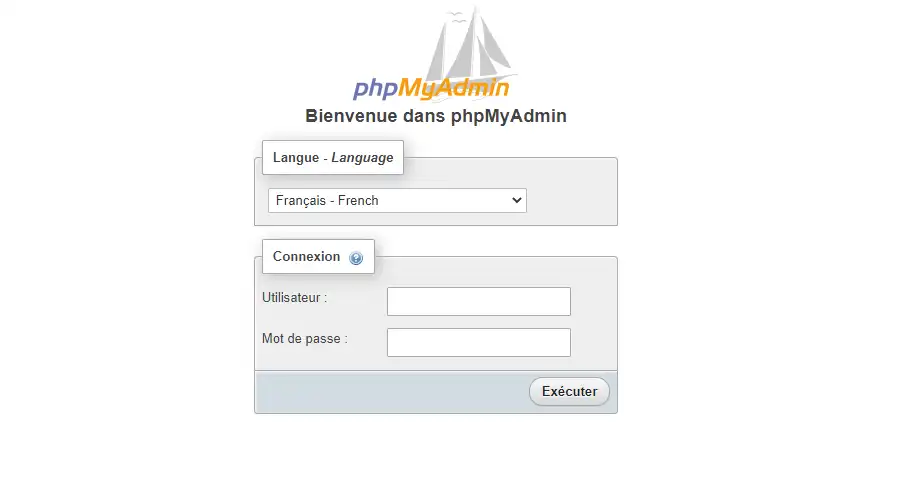
3. enter theusername and password for your MySQL database and click"Run" to access it.
4. Click on the database concerned (1) in the left-hand column of the page, then on the "Export" tab (2) and finally on the "Run " button (3).
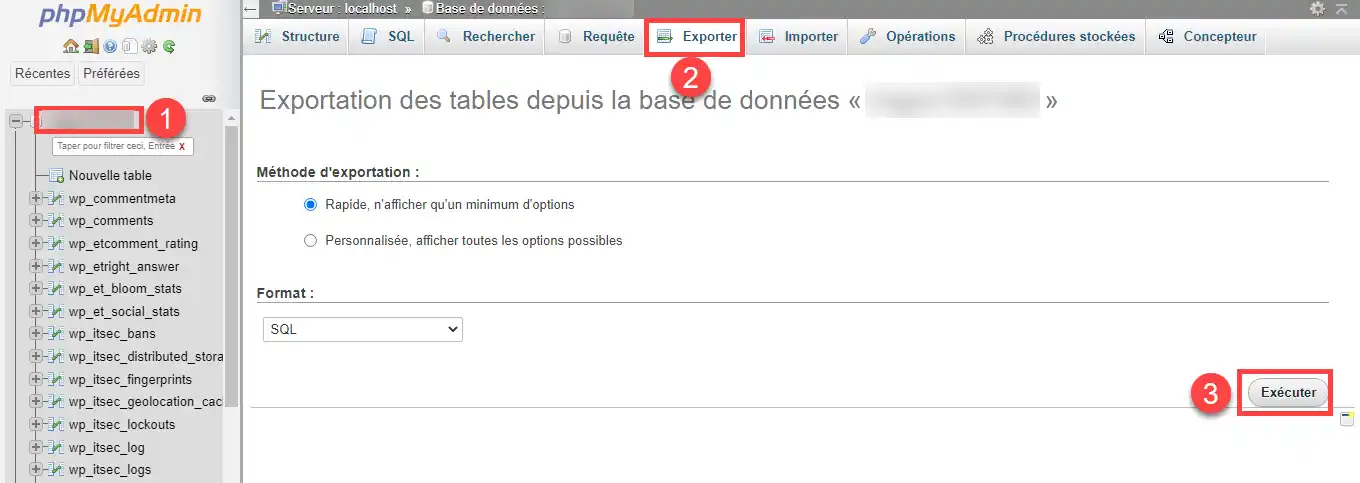
You can now export the database on your shared hosting with LWS. Exporting the database allows you to benefit from a database backup.
Don't hesitate to share your comments and questions!
Ask the LWS team and the community. Answers are published after moderation.
 About LWS :
LWS is a 100% French web hosting company that focuses on quality and innovation and offers a responsive and competent technical service at affordable prices.
About LWS :
LWS is a 100% French web hosting company that focuses on quality and innovation and offers a responsive and competent technical service at affordable prices.



 Yes
Yes No
No