
Online help
The web host accessible to all
Procédure
Adding an option to your Web package allows you to benefit from a backup of your website and database.
It also allows you to benefit from remote assistance so that the technical department can carry out certain tasks for you.
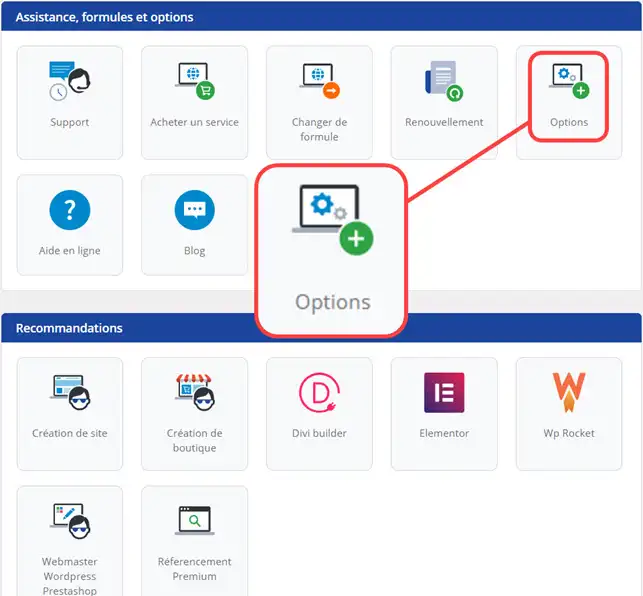
1. Log in to the administration area of your web hosting and click on"Options".
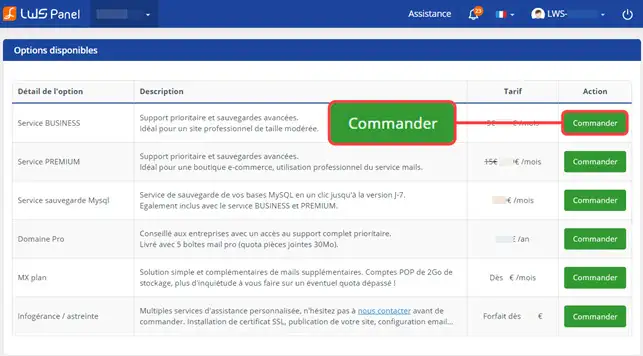
2. On the page that opens, you can choose the option you want and click "Order" to link it to your domain.
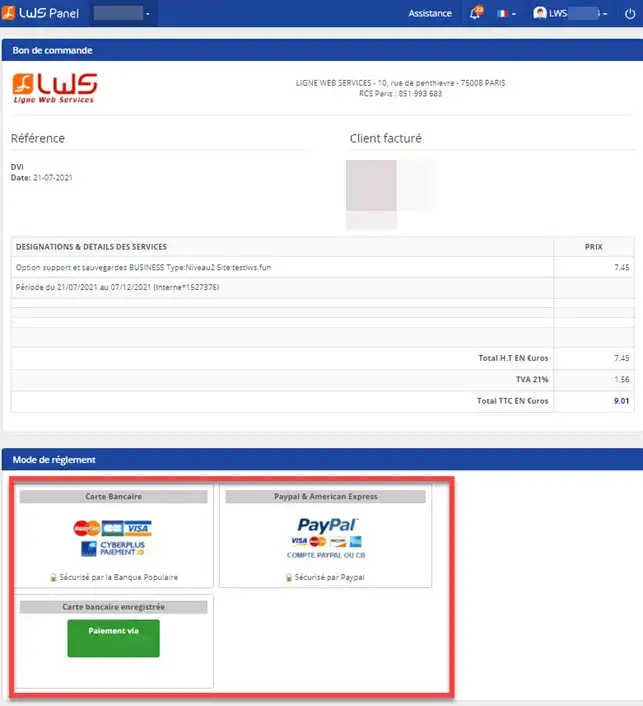
3. The quote will be displayed on your screen. Choose your payment method and proceed to checkout.
You can now add or remove an option from your customer account with LWS.
Don't hesitate to share your comments or questions!
Ask the LWS team and the community. Answers are published after moderation.
 About LWS :
LWS is a 100% French web hosting company that focuses on quality and innovation and offers a responsive and competent technical service at affordable prices.
About LWS :
LWS is a 100% French web hosting company that focuses on quality and innovation and offers a responsive and competent technical service at affordable prices.



 Yes
Yes No
No