


How to change the VPS/ISPCONFIG email password

Procédure

How to change the email password from IspConfig

1. Log in to your LWS Panel customer area and then log in to isp config

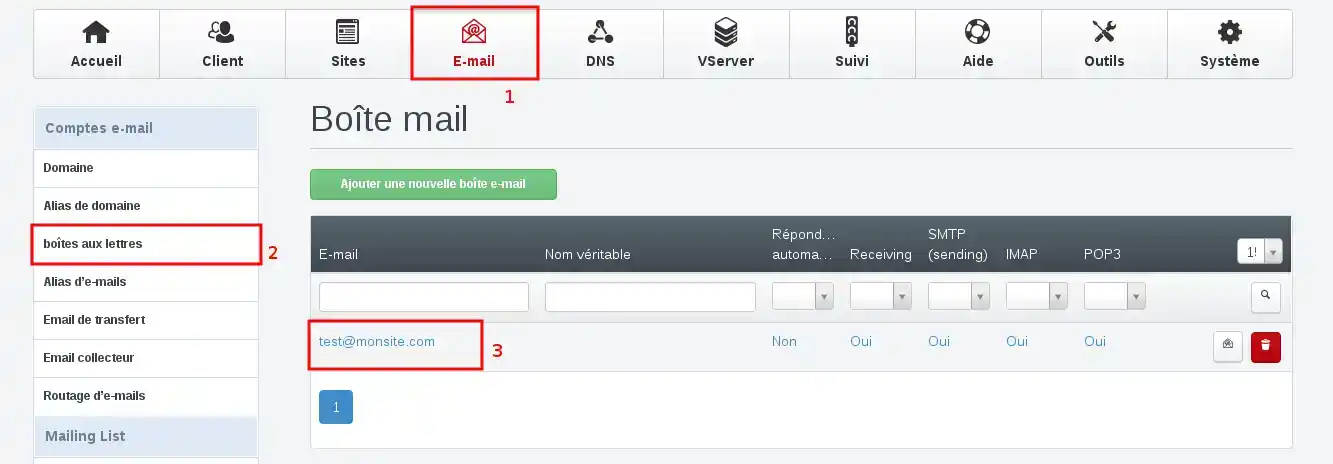
2. go to the"Email" tab, click on"mailbox" and select the mailbox concerned:

How to change the VPS/ISPCONFIG email password


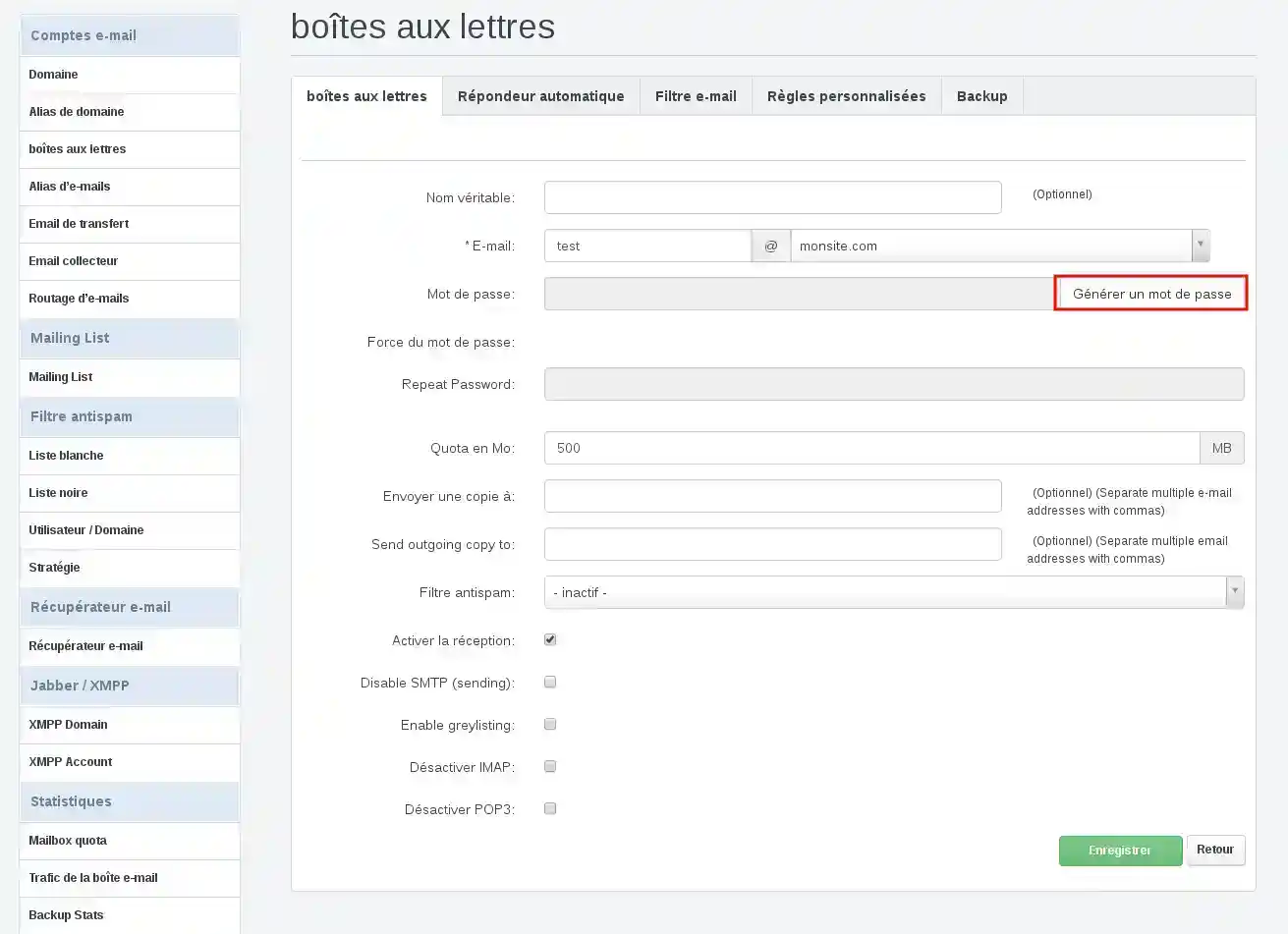
3. Generate a new password, remember to keep the password in a safe place.

How to change the VPS/ISPCONFIG email password


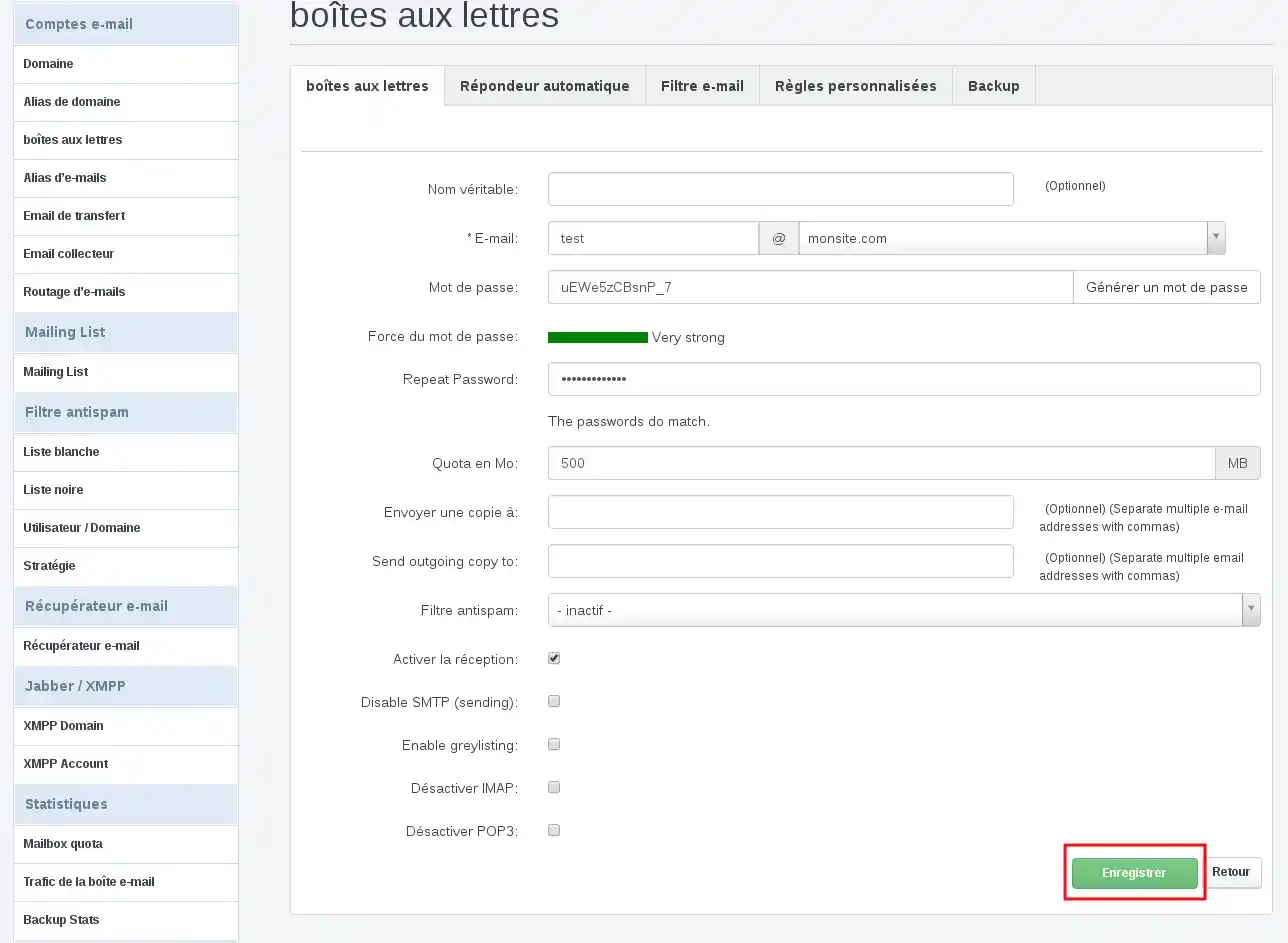
4. Finally, click on the"Save" button so that your password change takes effect.

How to change the VPS/ISPCONFIG email password

help.lws.net/a/812
Was this article helpful?

Yes

No

Read 18 050 times

Thank you! Feel free to ask questions about our documentation if you would like more information, and help us improve it.

Similar articles

Questions about the article 1

Ask a question
dominique
13 Sept 2022
Bonjour, https://mail50.lwspanel.com/roundcube14/ cette adresse est inaccessible car nous avons perdu le mot de passe. Comment faire pour la récupérer ? merci par avance de votre aide
fabrice-LWS Official answer
15 Sept 2022
Bonjour, vous avez la possibilité de modifier le mot de passe rattaché à votre adresse email en vous rendant sur votre espace client LWS, cliquez sur "Gérer" se trouvant derrière le nom de domaine puis sur "Administration Emails". Cliquez ensuite sur "Actions" se trouvant derrière l'adresse email concernée puis sur "Mot de passe" afin de pouvoir le modifier.
Was this answer helpful?

A question about this article?

Ask the LWS team and the community. Answers are published after moderation.

Ask the LWS team and its community a question

GDPR: Controller: LWS-Ligne Web Services. Purpose: moderation and public publication of your question, possible notification of an answer. Legal basis: consent (Art. 6(1)(a) GDPR). Email retention: 90 days after notification, 12 months maximum without an answer. To exercise your rights, see the GDPR section of our Terms and Conditions.