Procédure
Introduction
This documentation will introduce you to a few classic questions about Nextcloud. But first of all, what is Nextcloud?
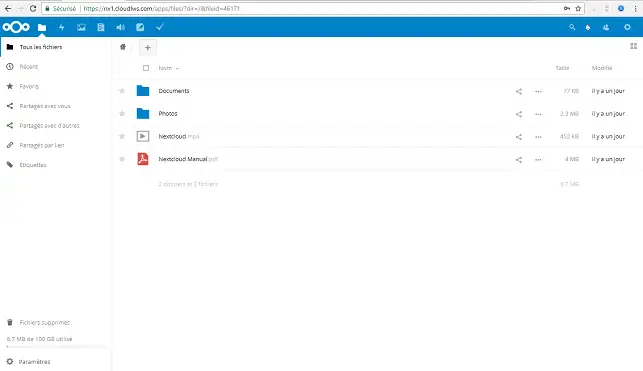
Nextcloud is a solution for storing your data online. This solution is provided on a turnkey basis by LWS.
Whether you want to store your photos, videos, music or administrative documents, Nextcloud gives you permanent access from any medium (smartphone, tablet or desktop computer). All you need is an internet connection.
So in the event of a breakdown, your data is not lost.
With Nextcloud, your data follows you, wherever you are. Are you using a desktop computer, a smartphone or a tablet? Each medium has its own software. Thanks to a web interface, you can consult your stored data from anywhere.
Nextcloud is easy to use, so you can share all your data with your colleagues or family. Once your data is stored on NextCloud, you can easily share your documents.
How do I order a Nextcloud package?
To order a Nextcloud package, please refer to our documentation on the ordering procedure.
Which Nextcloud storage package should I choose?
To choose the Nextcloud package best suited to your needs, please refer to our documentation on comparing the different packages.
How do I access the Nextcloud web application?
To choose the Nextcloud package best suited to your needs, please refer to our "How to access the Nextcloud web application" documentation.
What can I do from the web application?
To find out more about the features of the web application, see our FAQ on the web application.
How do I share files with Nextcloud? Who can I share them with?
To share your files and find out who you can share them with, please refer to our documentation on sharing documents with Nextcloud.
How do I synchronise Nextcloud and my device?
Synchronisation between the device you are using and the web application is set up in the client application. To find out more, please refer to our documentation on synchronisation.
How do I use Nextcloud on Windows?
To use Nextcloud on Windows and automate the synchronisation of your files, you need to install the client application. To find out how to do this, please refer to our section oninstalling the client application on Windows.
How do I use Nextcloud on a Mac?
To use Nextcloud on a Mac and automate the synchronisation of your files, you need to install the client application. To know the procedure, refer to our section on theinstallation of the client application on Mac.
How do I use Nextcloud on Linux?
To use Nextcloud on Linux and automate the synchronisation of your files, you need to install the client application. To find out how to do this, please refer to our section oninstalling the client application on Linux.
How do I use Nextcloud on Android?
To use Nextcloud on Android and automate the synchronisation of your files, you need to install the client application. To find out how to do this, please refer to our section oninstalling the client application on Android.
How do I use Nextcloud on my mobile and tablet?
To use Nextcloud on Mobile and Tablet and automate the synchronisation of your files, you need to install the client application. To find out how to do this, please refer to our section oninstalling the client application on Mobile and Tablets.
Conclusion
You should now have all the information you need to get started with Nextcloud. If you have any further questions or need assistance, please do not hesitate to contact our support team , who will be happy to help. If you don't yet have an online storage package or would like to upgrade to a cloud storage package with advanced features, please refer to this documentation to place your order, and find information about Nextcloud and Nextcloud Pro packages here.



 Yes
Yes No
No About
About 