Procédure
What is the Exchange service (Office 365)?
Exchange is a service offered by Microsoft. This service allows you to manage your email accounts. Exchange provides 25 GB of storage space for each registered email address. Users can send messages of up to 25 MB using this solution. Pricing for Exchange depends on the type of package you choose:
- 5 € / month and per user if you only want Exchange and Skype Business version
- 10 / month and per user if you want to subscribe to the whole Microsoft Office pack, including Word, Excel, PowerPoint, Access, Exchange and Skype.
How do you link your domain name to the Exchange service (Office 365)?
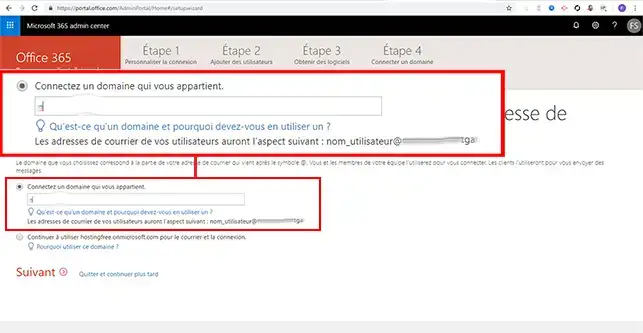
11. Once you have logged in to your Office portal, enter the domain name you want to link to your Exchange service in the"Connect a domain you own" section. Then click on the"Next" button to continue configuring your services.
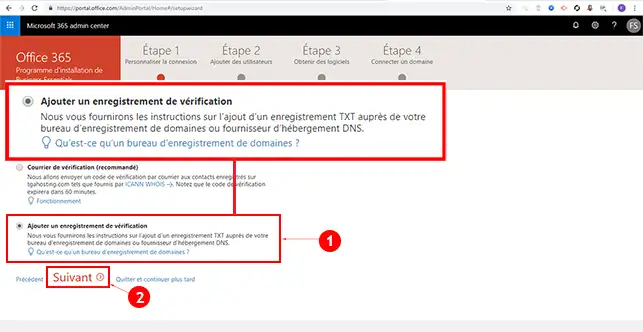
22. You will have two choices for verifying that the domain name belongs to you. Choose"Add a verification record" and click "Next". The record will allow you to verify your domain name by adding a TXT field to your DNS Zones.
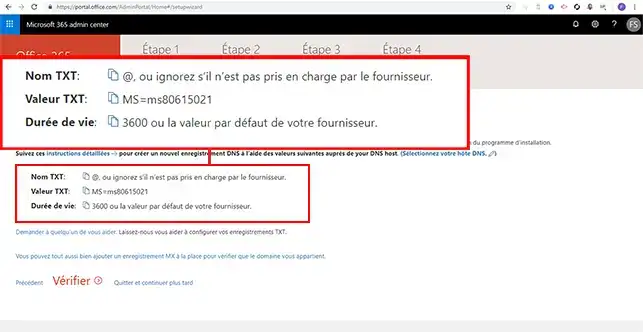
33. The Exchange service will send you a TXT field to add to your domain name.
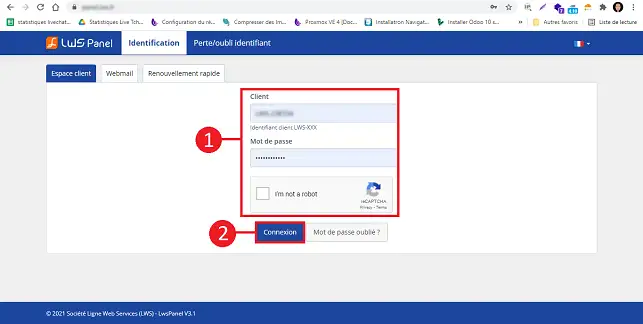
44. Connect to your customer area
55. Click on"Manage" behind the domain name you wish to link to Exchange.
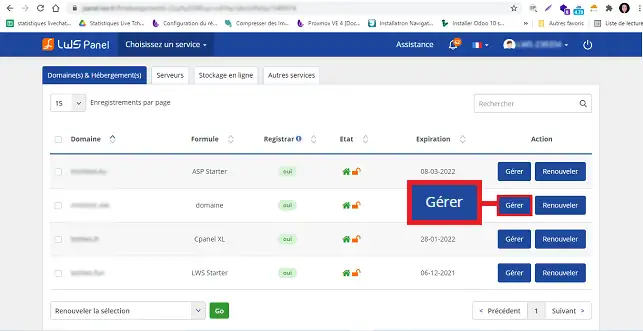
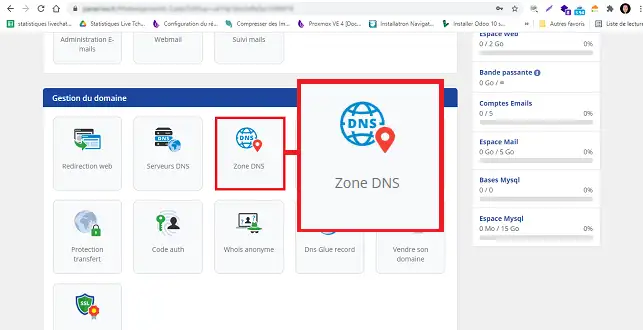
66. Click on the"DNS Zone" button in the "Domain Management" section to configure the TXT entry for your domain name.
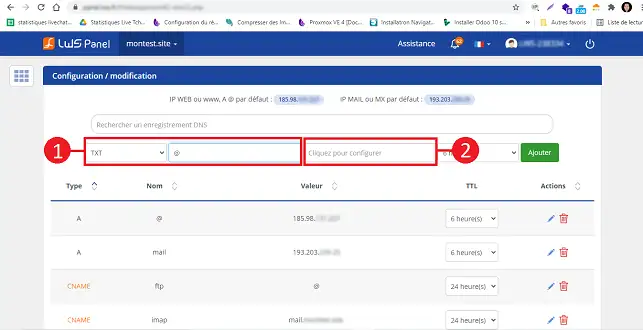
77. Choose"TXT" as the type, enter the value @ in"Name". Then click on"Click to configure" to open a new window in which you can enter the TXT value.
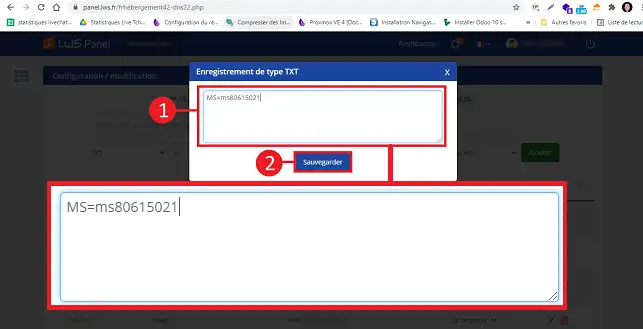
8 Enter the value and click on the"Save" button to validate your request.
99. Finally, click on the "Add" button.
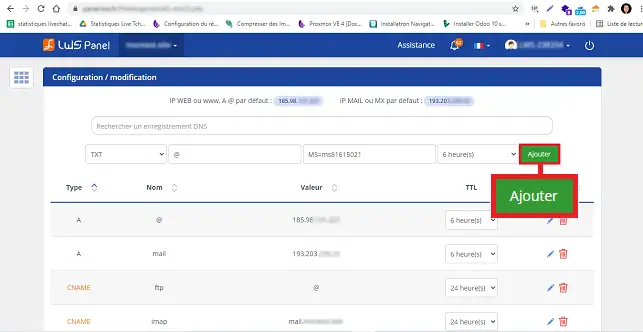
1010. Return to Office administration and click on the "Verify" button. Verification ensures that the domain name belongs to you and that you have access to its configuration.
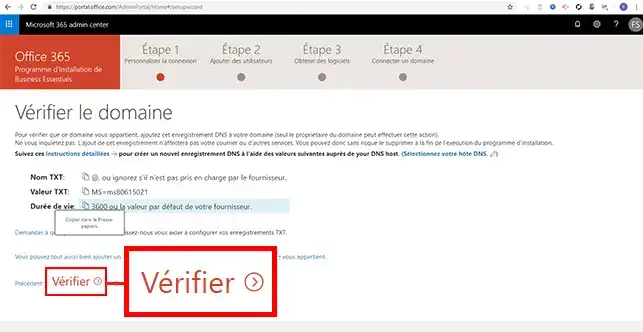
1111. Finally, click on the"Ok, Thank you" button to move on to step two of the configuration.
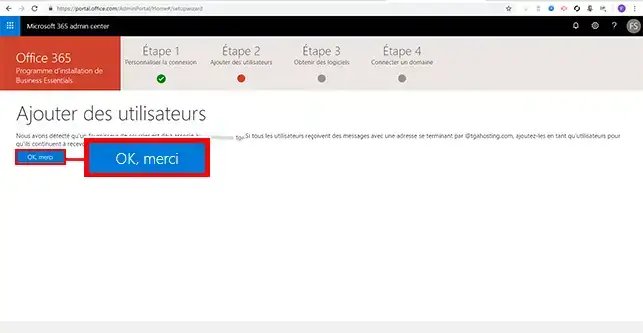
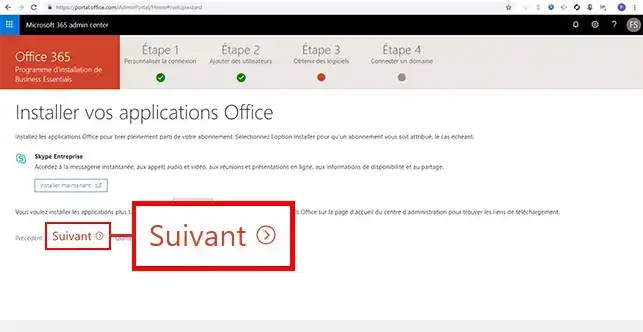
1212. Click"Next" twice in succession.
1313. Office 365 will ask you if you want to"Migrate the mail" existing in your various mailboxes. If you are requesting the migration of mail to Exchange, you will need to provide the following information:
- Current IMAP server
- Email address of the emails to be migrated
- Password for the email address concerned
Once you have made your choice, click on the"Next" button.
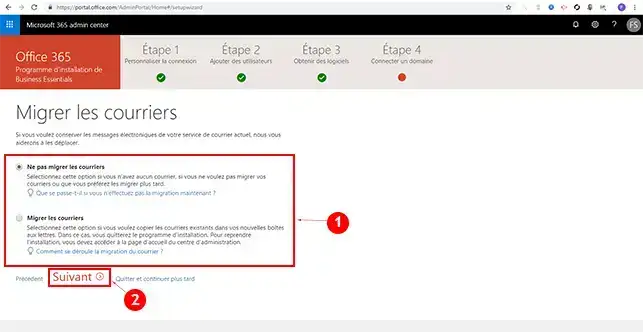
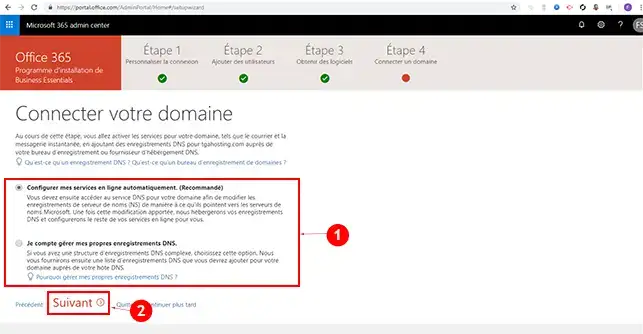
1414. To connect your domain name to your Office 365 services, choose"Configure my online services automatically" and click"Next".
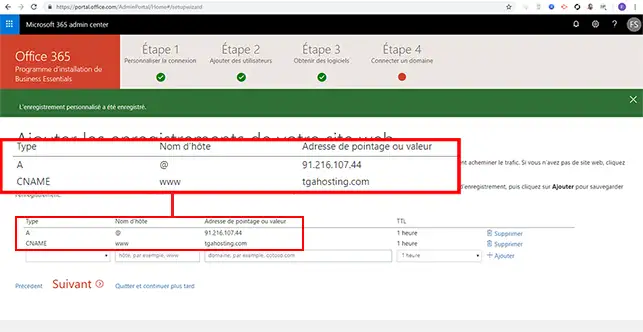
1515. Add the records for your domain name. You will need to add the type A records and the CNAME records located in the DNS Zones of your domain name. These records can be found in the"Domain Management" section of your LWS customer area. It is essential to add these records in order to avoid any interruptions to your website. Then click"Next".
1616. Office 365 services will provide you with 4 DNS servers. You will need to modify these DNS servers in your LWS customer area.
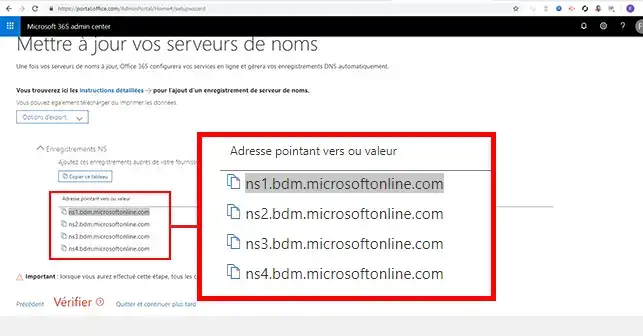
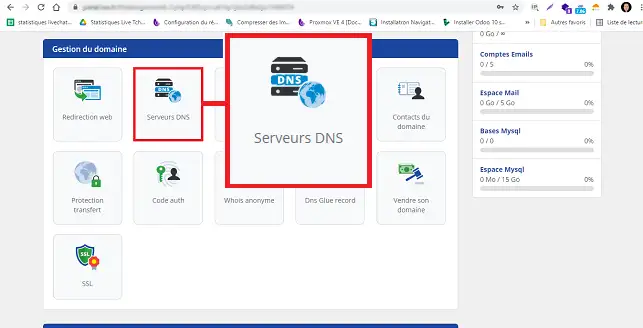
1717. To change the DNS servers for your domain name, click on"DNS Servers" in the"Domain Management" section.
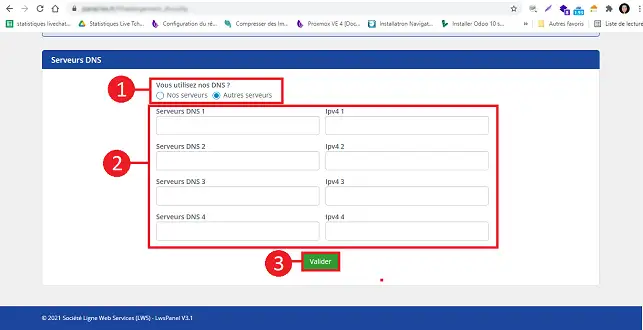
1818. Choose"Other servers" and enter the servers provided in step 17. Click on"Confirm" to save your changes. Once you have made your changes, you will need to wait a few minutes before you can move on to the next step in Office 365.
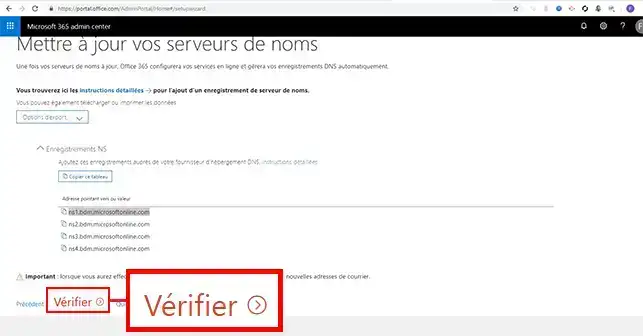
1919. On your Office 365 panel, click on the"Verify" button.
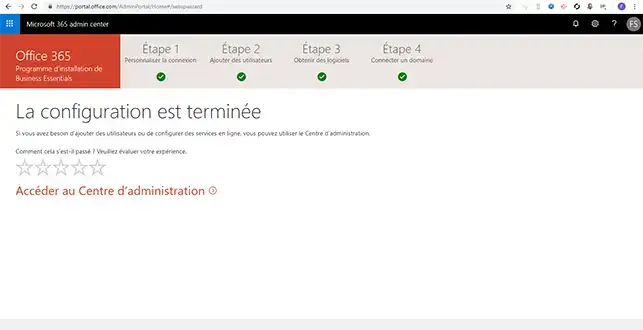
2020. Once verified, you can go to the Office 365 administration centre.
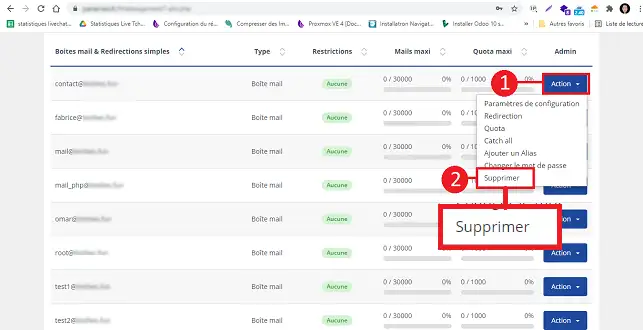
2121. Now that your domain is configured so that the mail service points to your Office 365 Exchange service, you need to make sure that no email address is configured on the LWS customer space. To do this, click on the Email Administration section shown in the screenshot in step 1.
66. At the bottom of this page, all you have to do is delete all your email addresses. If these still contain emails that you wish to keep, I suggest that you copy their contents to your new email addresses before deleting them using our IMAPCOPY tool, the operating procedure for which can be found at this link: https: //help.lws-hosting.com/en/How-to-use-ImapCopy
Conclusion
You can now link your domain name to your Exchange account with your LWS web hosting. Exchange allows you to manage several email addresses with a disk space quota of 25 GB per email address.
Don't hesitate to share your comments and questions!



 Yes
Yes No
No About
About 