Procédure
What is a DKIM key and how does it work?
A DKIM key, or DomainKeys Identified Mail, is a method of validating the authenticity of emails sent from a specific domain. When you use DKIM, a pair of cryptographic keys is generated: a private key and a public key. The private key is used to digitally sign outgoing emails, while the public key is published in your domain's DNS records.
When a mail server receives a DKIM-signed email, it can verify the authenticity of the signature using the public key of the sending domain. If the signature is valid, this indicates that the email has not been altered in transit and that it comes from the specified domain.
The main purpose of DKIM is to reduce the risk of email spoofing and to guarantee that emails sent from your domain are legitimate. This increases recipient confidence and helps combat phishing and spam.
By activating DKIM, you strengthen the security of your outgoing emails and help maintain a good reputation for your domain.
How to generate a DKIM key from ISPCONFIG
11. Connect to the ISPCONFIG control panel associated with your VPS
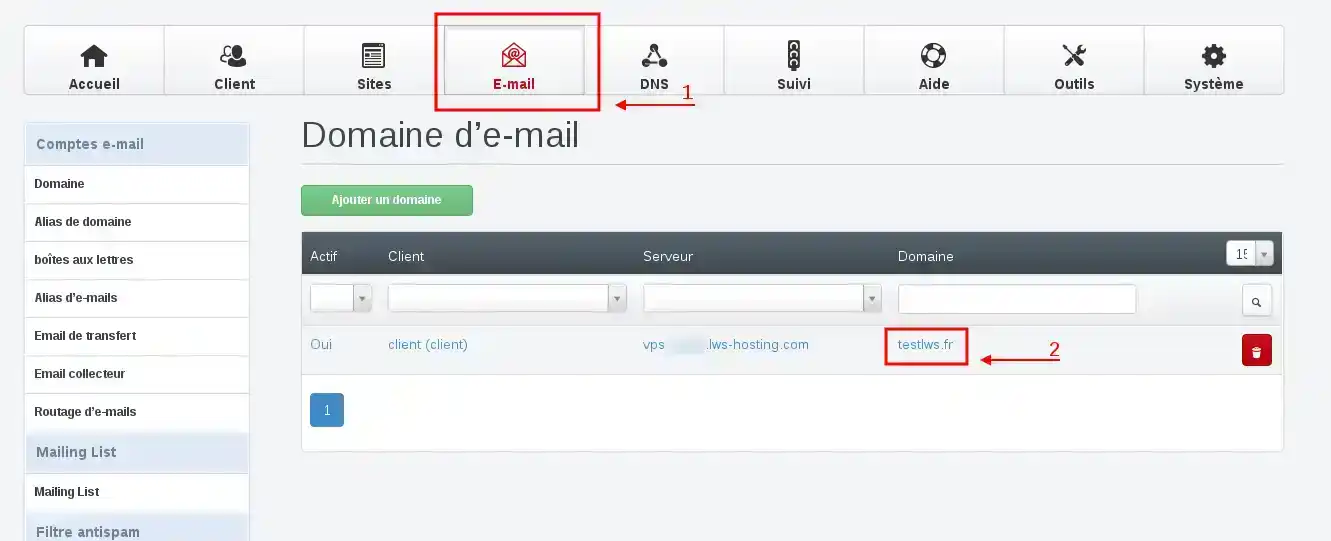
22. Go to the "E-mails" section and click on the domain on which you wish to perform this operation
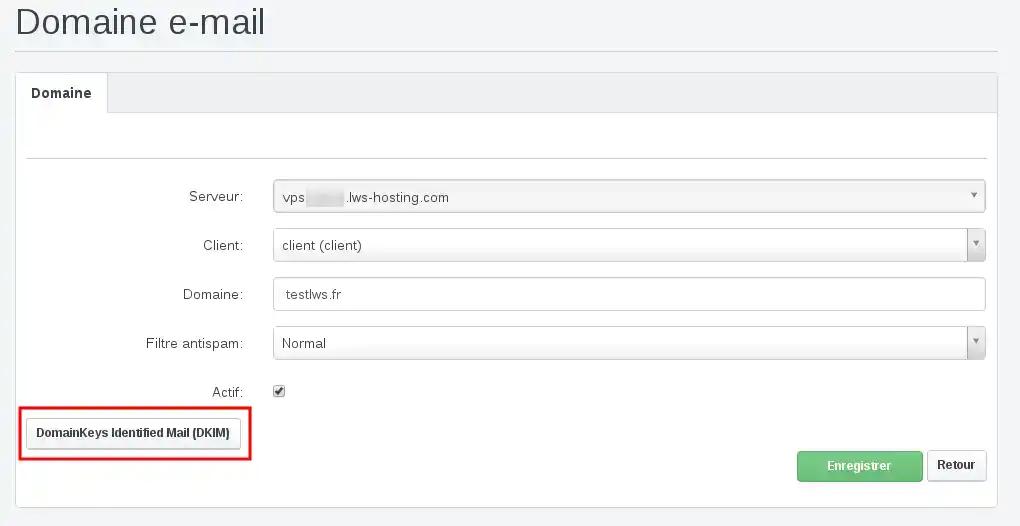
3. To start generating this key, click on the"DomainKeys Identified Mail (DKIM)" button.
4. Tick the"enable DKIM" field then click on the"Generate DKIM Private-Key" button to generate it.
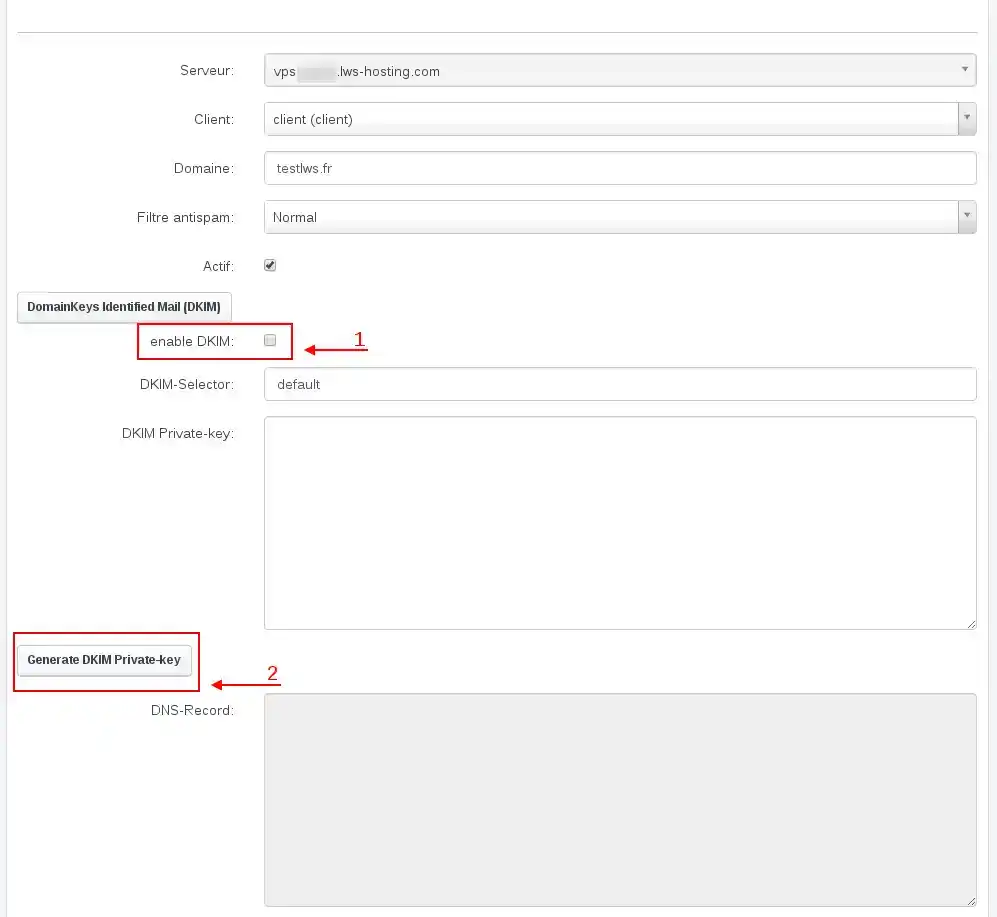
Clicking on the "Generate DKIM Private-key" button will automatically fill in the"DKIM Private-Key" and"DNS-Records" fields.
- The information in the"DKIM Private-Key" section will be automatically installed on your VPS.
- The information in the"DNS-Records" section must be copied to insert it in the DNS zone of your domain on the LWS Panel or on the VPS if your domain uses the VPS's DNS.
To confirm the creation of this DKIM key, click on the green "Save" button.
Procedure in video



 Yes
Yes No
No About
About 