
Online help
The web host accessible to all
Procédure
The procedure for disabling mod security on a VPS using the ISPConfig panel is simple.
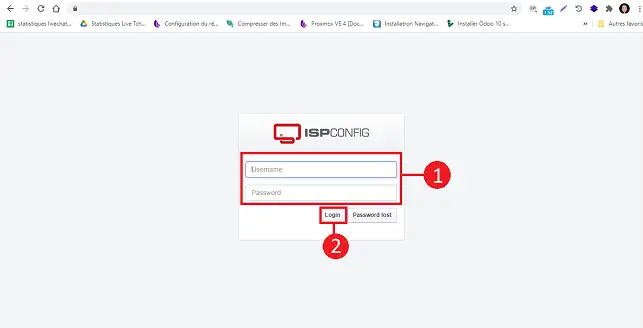
1. Connect to ISPCONG.
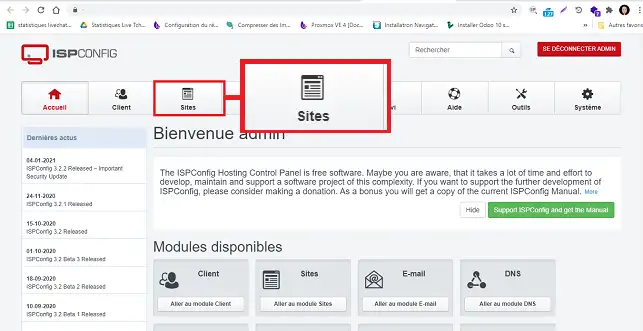
2. Go to Sites
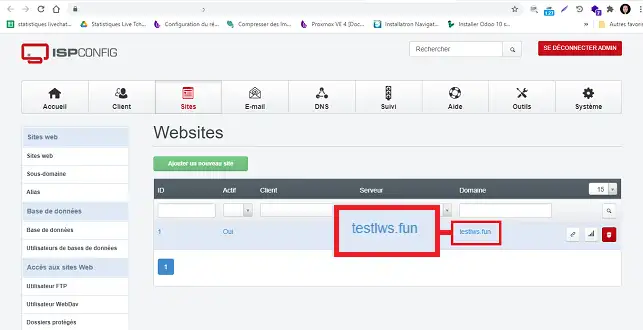
3. Click on the site where you want to deactivate Mod security
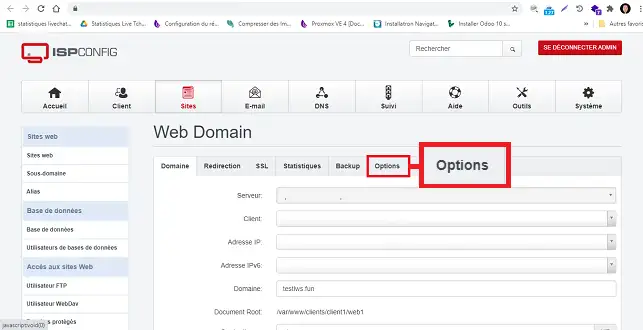
4. Click on the Option tab:
5. Add this code to the "Apache Directives" section:
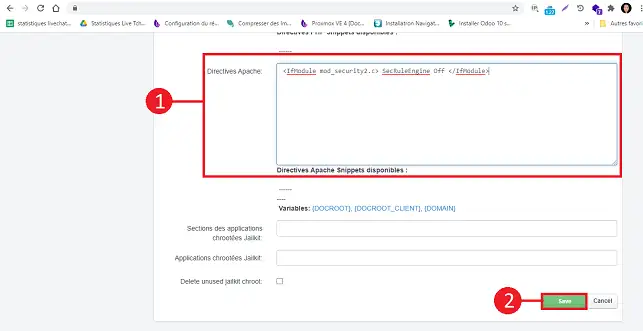
5. Confirm and wait one minute.
After that, mod security will be deactivated for the site you have selected.
Repeat the operation on all the sites where you wish to deactivate mod_security.
Ask the LWS team and the community. Answers are published after moderation.
 About LWS :
LWS is a 100% French web hosting company that focuses on quality and innovation and offers a responsive and competent technical service at affordable prices.
About LWS :
LWS is a 100% French web hosting company that focuses on quality and innovation and offers a responsive and competent technical service at affordable prices.



 Yes
Yes No
No