
Online help
The web host accessible to all
Procédure
If you decide to completely redesign your website, you will almost certainly need to initialise your entire shared hosting account. In order to successfully reset your shared hosting account, you'll need to complete several steps so that you can put it back to the way it was on the first day. The steps are as follows:
As each part is completely independent of the other, you will need to carry out each step in order to remove everything from your customer account.
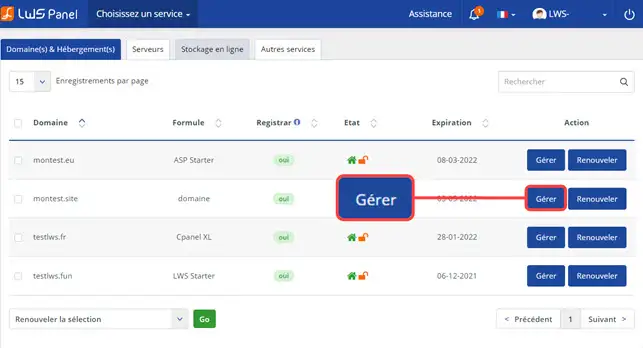
1. Log on to your LWS customer space at https://panel.lws.fr, click on"Manage" behind the Web hosting in question.
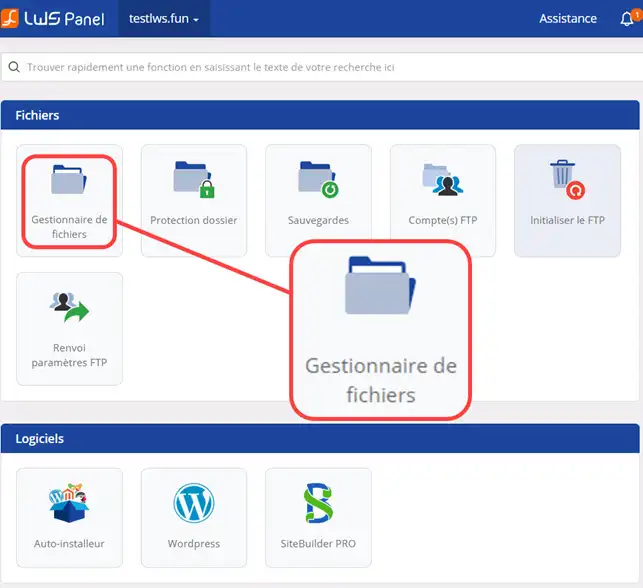
2. In the"Publish Files" section, click on the"File Manager" button.
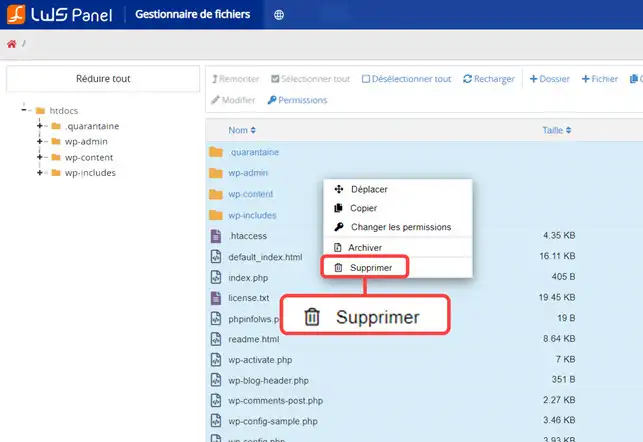
3. Select all the files and click on"Delete".
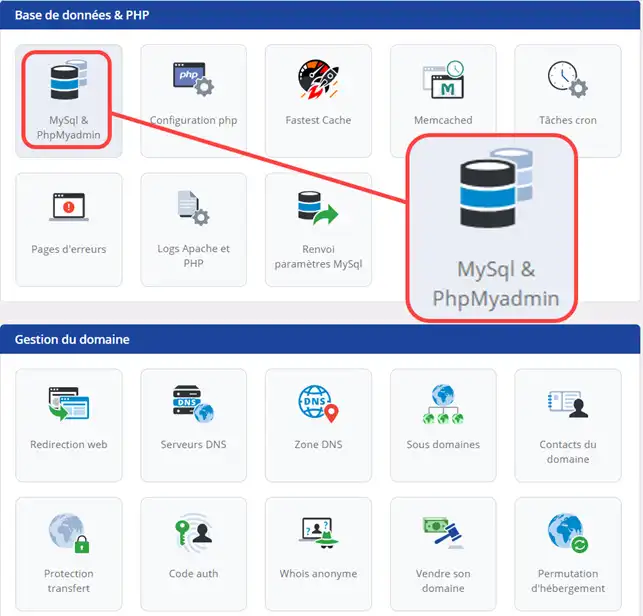
1. To initialise your database, go to"Database & PHP" and click on"MySQL & PHPMyAdmin".
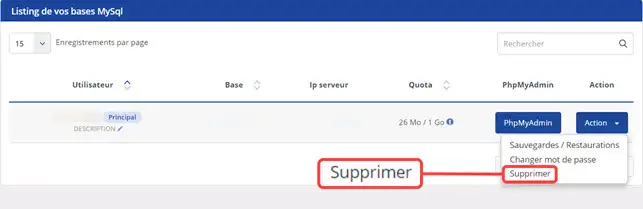
2. Click on the"Action" button behind the database concerned and then on"Delete".
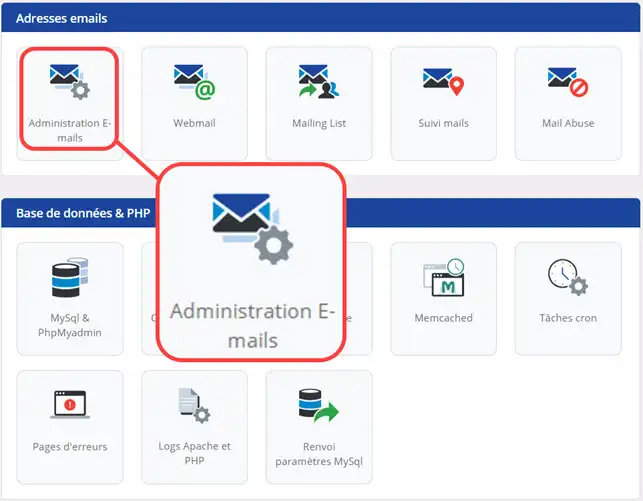
1. To initialise your emails, go to the "Email addresses" section and click on the"Email Administration" button.
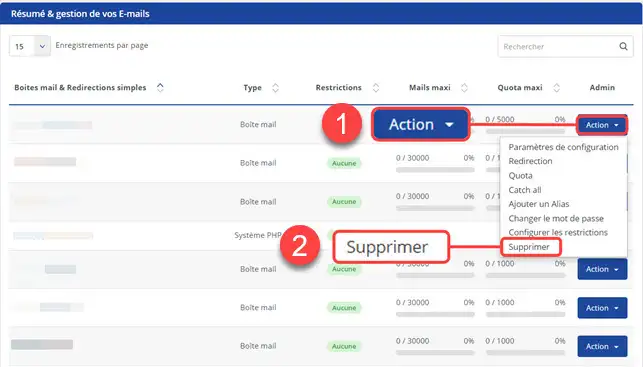
2. Click on the "Action" button behind the email address concerned, then"Delete".
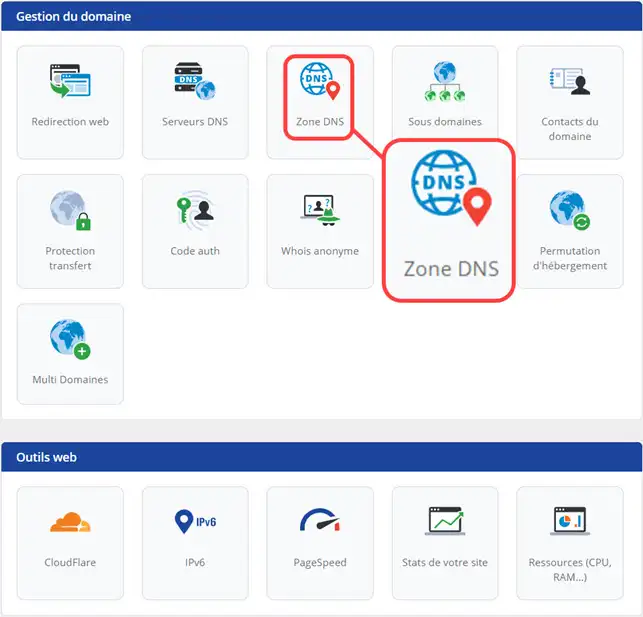
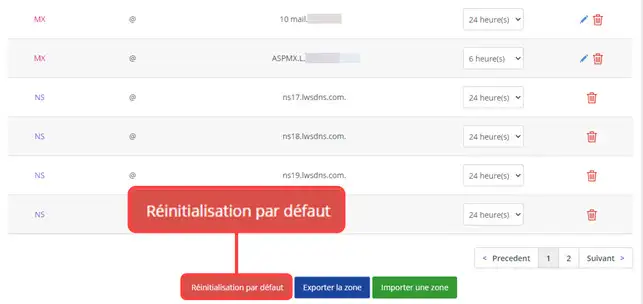
1. Click on the"DNS Zone" button
2. Click on the"Reset to default" button to reset the default DNS Zones for your domain name.
You are now able to initialise your shared hosting account(FTP space, MySQL database, E-mails, DNS Zones) with LWS. Initializing your account will delete all the data relating to your hosting.
Don't hesitate to share your comments or questions!
Ask the LWS team and the community. Answers are published after moderation.
 About LWS :
LWS is a 100% French web hosting company that focuses on quality and innovation and offers a responsive and competent technical service at affordable prices.
About LWS :
LWS is a 100% French web hosting company that focuses on quality and innovation and offers a responsive and competent technical service at affordable prices.



 Yes
Yes No
No