Procédure
Service concerned : any LWS hosting with WordPress installed
Panel concerned : WordPress
Level : beginner
Monarch is a WordPress plugin developed by Elegant Themes. It notably allows you to add social sharing buttons and links to your social profiles.
You can install Monarch on a WordPress site hosted by LWS just like any other plugin downloaded in ZIP format.
LWS does not provide an Elegant Themes license with its hosting offers. To download Monarch, receive updates, and benefit from the publisher's support, you must have your own Elegant Themes account granting access to Monarch.
Before you begin
You must have the Monarch installation file provided by Elegant Themes.
Log in to your Elegant Themes member area, then download Monarch to your computer. The file obtained must be in ZIP format, for example Monarch.zip.
Do not unzip the ZIP file before uploading it to WordPress. Some browsers may automatically decompress downloaded files. In that case, download the file again or re-compress the Monarch folder in ZIP format before continuing.
Install Monarch in WordPress
Log in to the administration dashboard of your WordPress site.
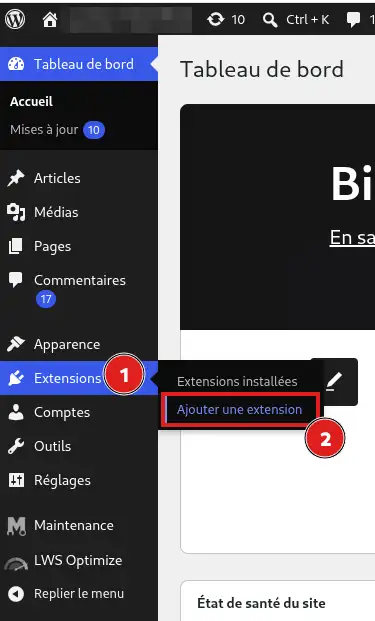
In the left menu, click Plugins, then Add Plugin.
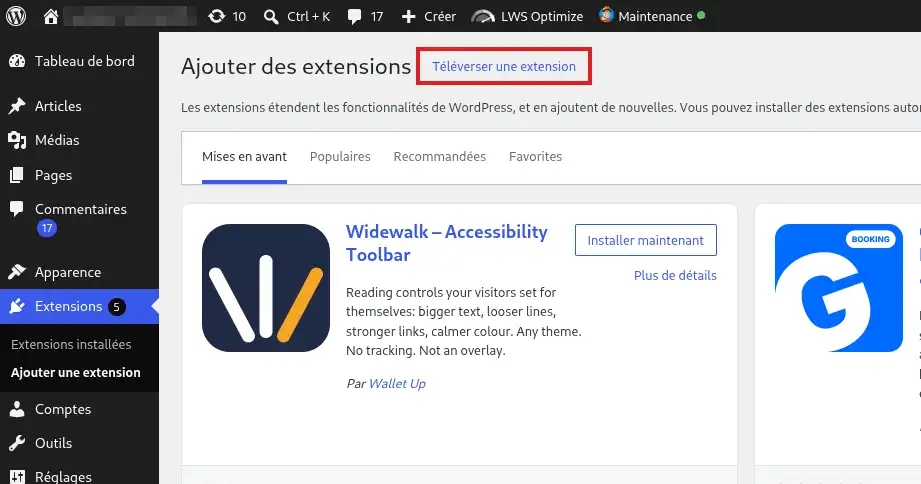
Then click Upload Plugin at the top of the page.
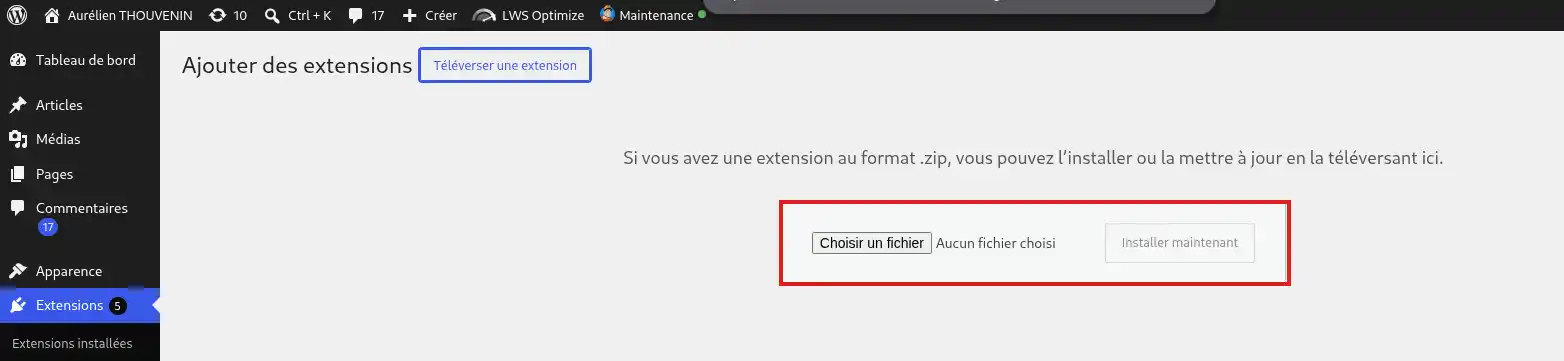
Click Choose File.
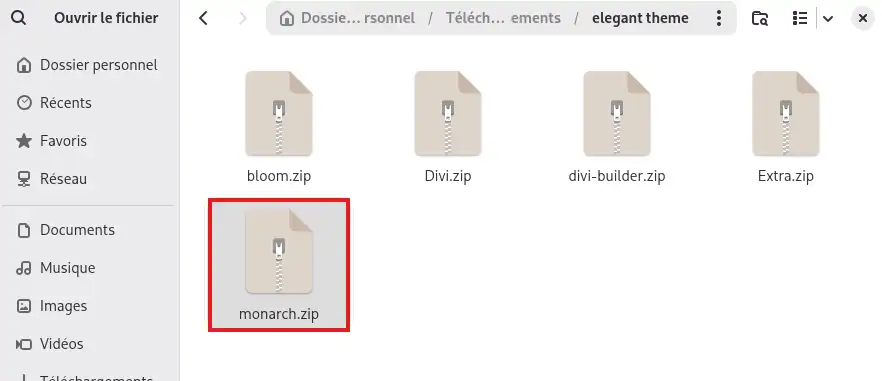
Then select the Monarch ZIP file downloaded previously.
Click Install Now.
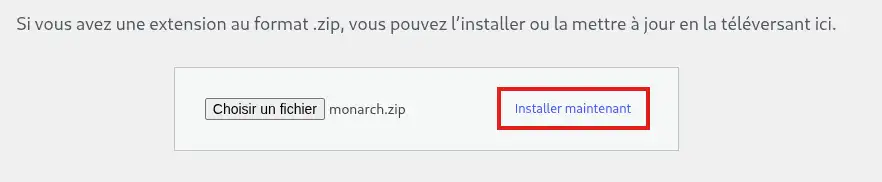
WordPress then transfers the Monarch files to your hosting account and automatically installs it.
When the message confirming installation appears, click Activate Plugin.
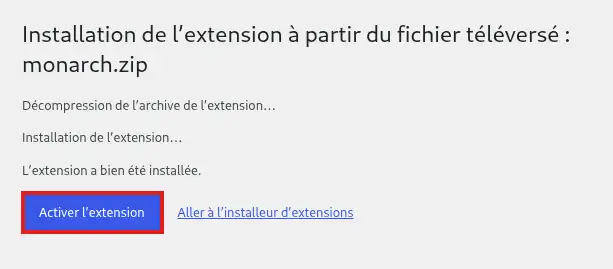
Monarch is now installed and activated on your WordPress site. The plugin configuration menu is accessible from Tools > Monarch Settings.
Activate Monarch updates
To receive new versions of Monarch directly from WordPress, you must authenticate your Elegant Themes account.
From your WordPress dashboard, open Tools > Monarch Settings.
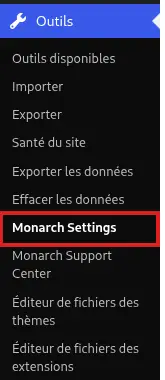
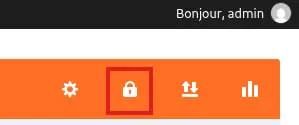
Click the icon representing a padlock in the Monarch interface.
Then enter:
- your Elegant Themes username;
- your Elegant Themes API key.
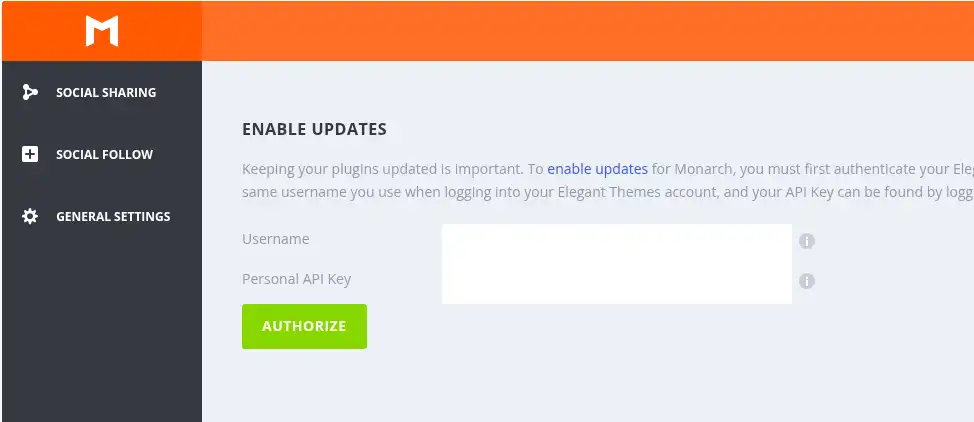
You can find or create this key from your Elegant Themes member area, in the section dedicated to usernames and API keys.
Then save the configuration. Elegant Themes uses this information to authorize Monarch updates on your site.
Your Elegant Themes API key is different from your account password. Do not enter your Elegant Themes password in the field reserved for the API key.
Check that Monarch is working
In the WordPress dashboard, open Tools > Monarch Settings.
If the Monarch configuration page appears, the plugin is correctly installed and activated.
You can then configure the social networks and choose the location of the sharing or follow buttons from Monarch settings.
Future updates may also appear in Dashboard > Updates when your Elegant Themes account is properly authenticated.
Common issues
I don't see “Monarch Settings” in the Tools menu
Check in Plugins > Installed Plugins that Monarch is present and that its status is Active.
If it is deactivated, click Activate, then return to Tools > Monarch Settings.
WordPress refuses the file I am trying to install
Make sure you have selected the original Monarch ZIP file.
If your browser automatically decompressed the download, you need to have a .zip file again before you can use WordPress's Upload Plugin function.
An error appears when I try to activate updates
Make sure the username used matches your Elegant Themes account and that the API key entered is still active.
You can check your API keys from your Elegant Themes member area. A deactivated or deleted key can no longer be used to authenticate updates.
I don't have a Monarch file to install
Monarch is not available in the free WordPress plugin directory.
You must obtain the installation file from an Elegant Themes account that provides access to Monarch. The purchase, license management, and product download are handled directly by Elegant Themes.
I am not receiving Monarch automatic updates
Monarch updates are provided by Elegant Themes. To receive them automatically in WordPress, you must have a valid Elegant Themes subscription or license and authenticate your site with your Elegant Themes account and API key.
If you do not yet have a license, you must purchase one directly from Elegant Themes.
If you already have a license but updates are still not offered, check Monarch authentication. For any issue related to the license, Elegant Themes account, or update distribution, contact Elegant Themes support.
Monarch is not working properly or I am encountering a bug
If Monarch is correctly installed and activated but a feature does not work as expected, consult the Monarch documentation or contact Elegant Themes support.
Since Monarch is developed and maintained by Elegant Themes, their support can help you with using the plugin, its settings, and any plugin bugs.
LWS support can help you when an issue concerns your hosting, WordPress, PHP, or server resources. For Monarch's internal operation, its features, license, or updates, support is provided by Elegant Themes.



 Yes
Yes No
No About
About 