
Online help
The web host accessible to all
Procédure
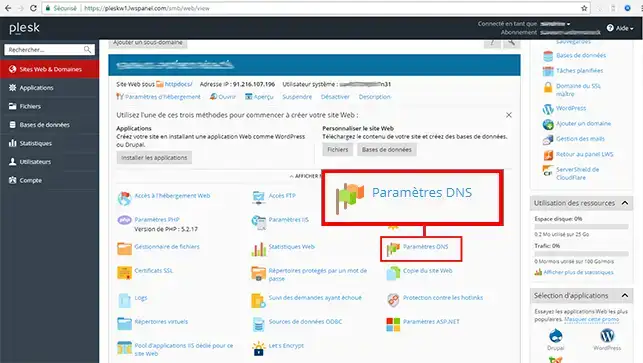
1. Connect to Plesk and click on the"DNS Settings" icon.
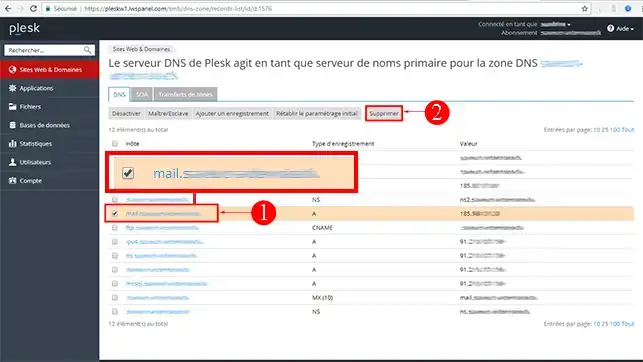
2. Delete the"mail.yourdomain.ext" entry.
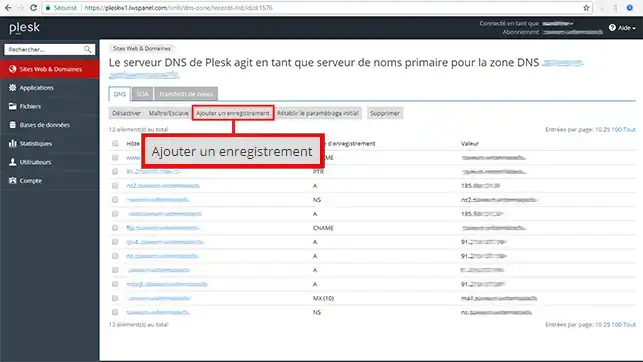
4. Recreate a mail record by clicking on the"Add a record" button.
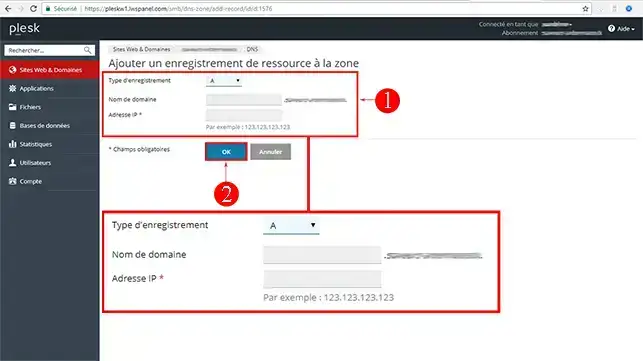
5. Enter the IP address of your mail service in the"IP address" field and click "OK".
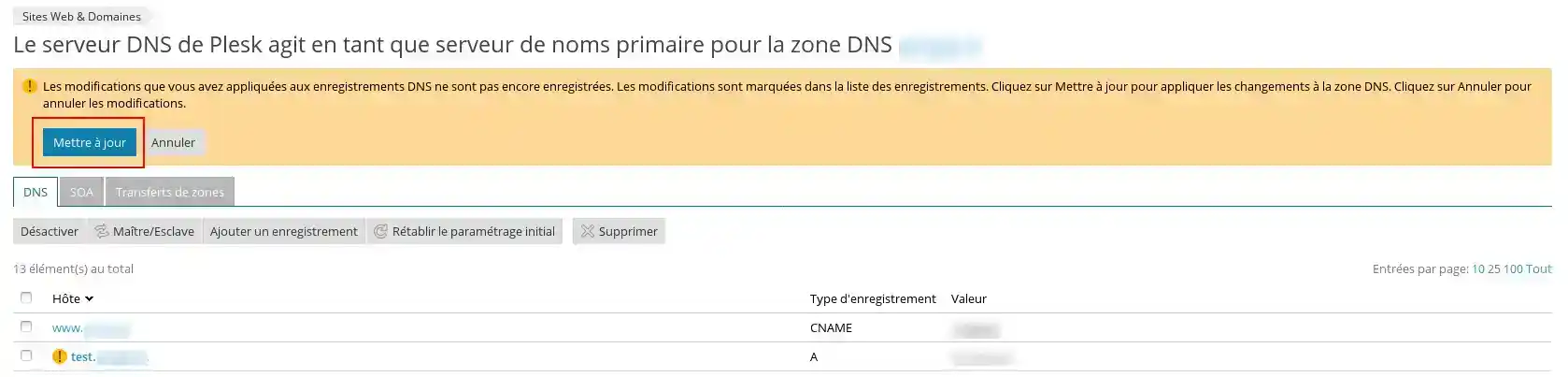
6. Confirm that this change has been taken into account by clicking on "Update".
Ask the LWS team and the community. Answers are published after moderation.
 About LWS :
LWS is a 100% French web hosting company that focuses on quality and innovation and offers a responsive and competent technical service at affordable prices.
About LWS :
LWS is a 100% French web hosting company that focuses on quality and innovation and offers a responsive and competent technical service at affordable prices.



 Yes
Yes No
No