Wordpress CMS24 April 2024By Aurélien T. 2 min read
How do I unblock a blocked IP on Wordpress?
Procédure
Why can your IP address be blacklisted by Wordpress?
When Wordpress is automatically installed on your web hosting, the iTheme Security extension is installed on Wordpress as a security measure. This security plugin has the following functions:
Ban an IP address: You can ban a specific IP address at any time.
Database backup: You can set up a cron job to perform a backup of your database at regular intervals.
Limit connections: Define the number of connection attempts before being banned
SSL: You can force the SSL protocol to be used for user connections
Connection log: You can access connection logs to check connection attempts and errors encountered.
iTheme Security is available under a free licence. You can upgrade to a paid licence at any time to take advantage of more features.
How do I unblacklist the IP address in the database?
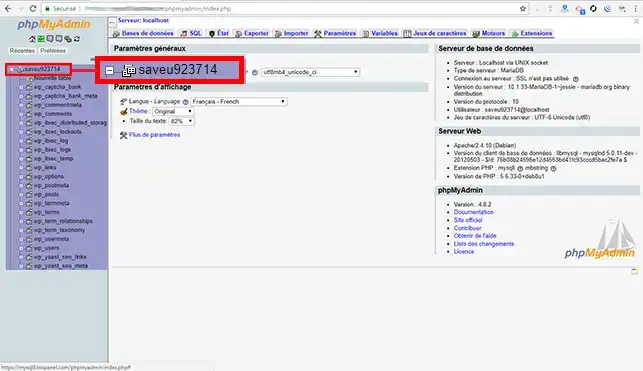
22. Click on the"+" in front of the name of your database to access all the Wordpress tables present.
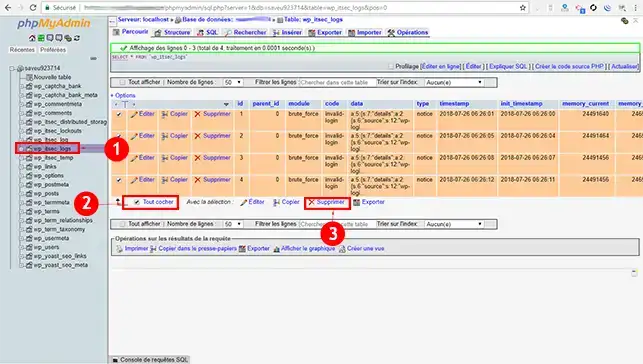
33. Click on the"wp_itsec_logs" table to access all the entries in the table. Click on the"check all" box and then on"Delete".
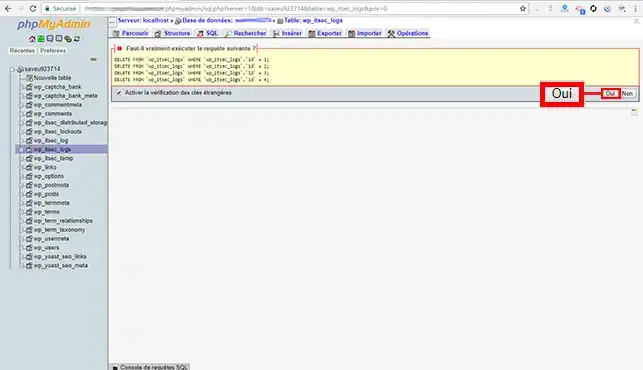
44. Click on the"Yes" button to confirm the deletion of the entries in the table concerned.
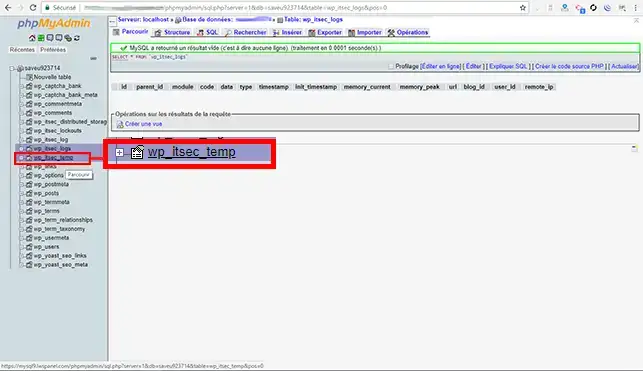
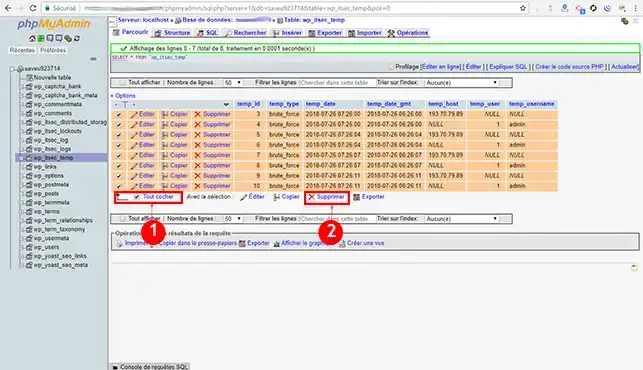
55. Now click on the"wp_itsec_temp" table.
66. As with the previous table, check the"check all" box and then click on the"Delete" tab.
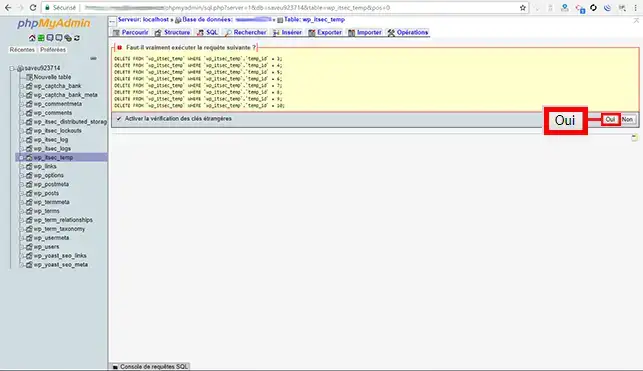
77. Click the"Yes" button to delete the entries in the"wp "itsec_temp" table.
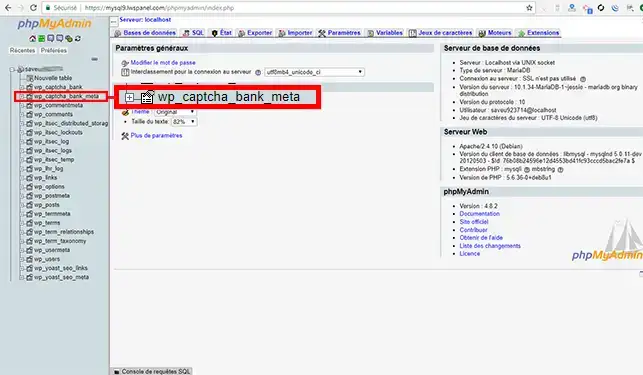
88. Go to the"wp_captchat_bank_meta" table.
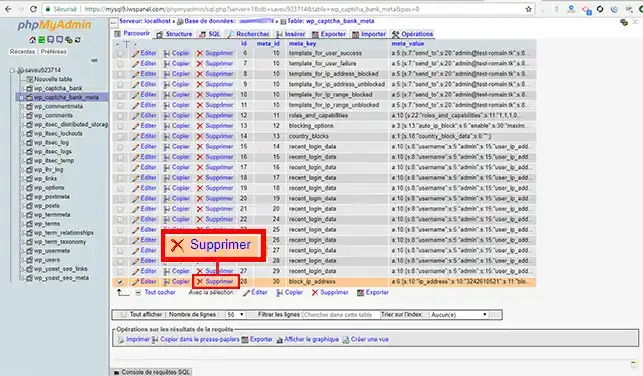
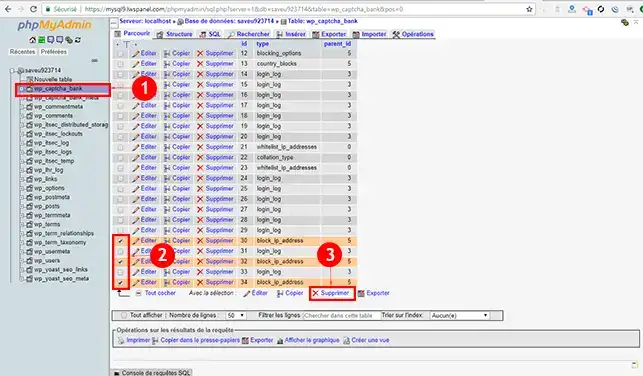
99. In the"meta_key" column, find the value"block_ip_adress" and click on the"Delete" tab in front of this column.
10 Now go to the"wp_captcha_bank" table and delete all the"block_ip_adress" entries.
How do you disable Blacklisting on your Wordpress Dashboard?
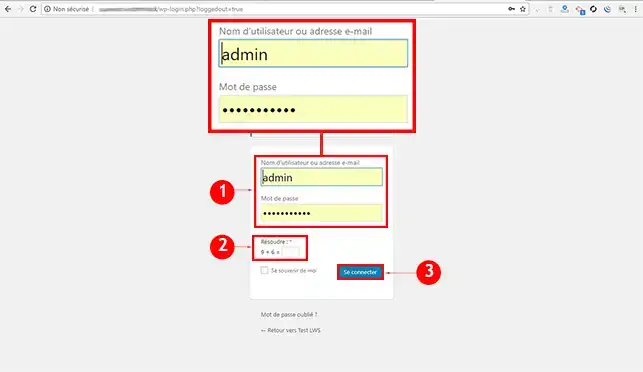
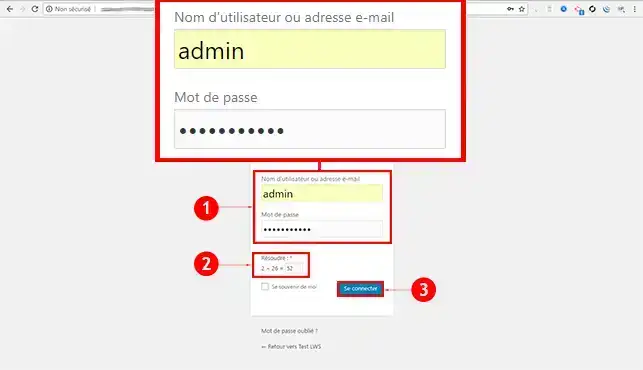
11. Log in to your Wordpress dashboard.
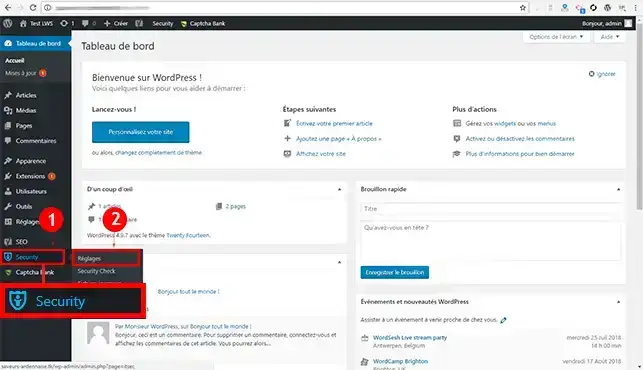
22. Go to"Security" and then to"Settings" in the main menu of your dashboard.
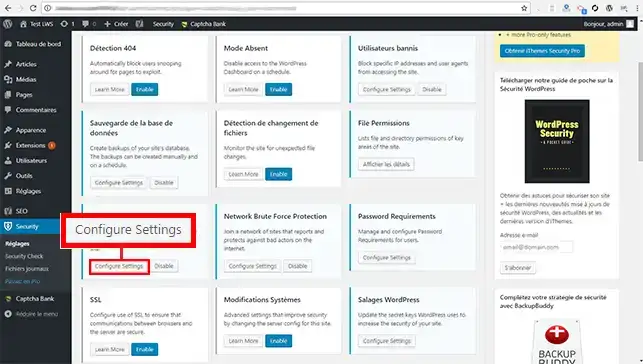
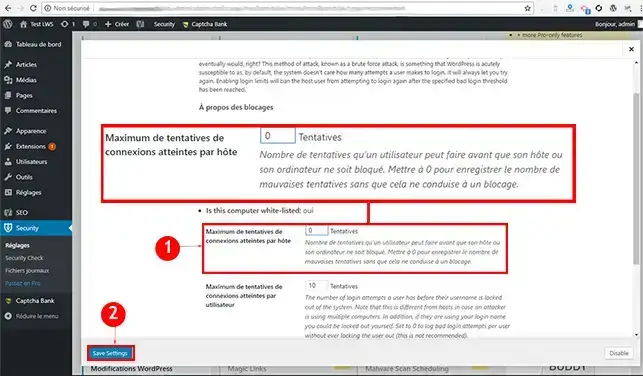
33. Go to"Local Brute Force Protection" and click on the"Configure Settings" button.
44. Change the number of connection attempts reached to"0" to deactivate blacklisting. Click on"Save Setting" to confirm your request.
How do I unblacklist an IP address with Captcha_Bank?
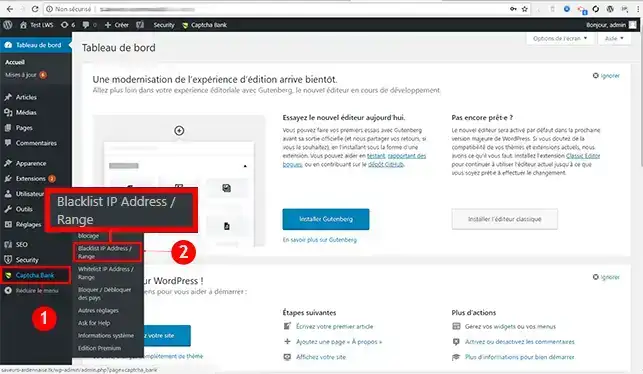
11. Connect to your Wordpress Dashboard
22. Click on"Blacklist IP Address / Range" in the"Captcha Bank" section of your menu
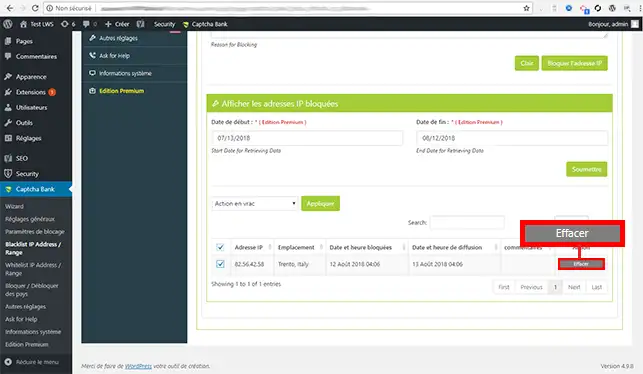
33. Click on the"Delete" button behind the IP address in question.
Conclusion
You can now delete a blacklisted IP address from your Wordpress site via your database, and also disable brute force on your dashboard with your LWS web hosting package. When you install your Wordpress site using auto-install, the iTheme Security plugin is automatically installed as a security measure.
Don't hesitate to share your comments and questions!
vous faites des formations de wordpress ? si oui le coût et la durée de formation
y-a-t-il un certificat?
F✓
fabrice-LWS Official answer
26 Aug 2022
Hello, I'm sorry, but we don't offer Wordpress courses. This is not our core business, which is web hosting. For this, you can turn to platforms such as Openclassroom, which offers this type of training.
Was this answer helpful?
N
Nando
22 Sept 2022
Je me suis fais bloquer sur https://[domaine masqué], comment je peux faire pour être désactivé ??? merci
F✓
fabrice-LWS Official answer
26 Sept 2022
Hello, after checking, your domain name and your site seem to be currently on an OVH IP since 2013. I invite you to contact OVH regarding your request.
Was this answer helpful?
A question about this article?
Ask the LWS team and the community. Answers are published after moderation.
Ask the LWS team and its community a question
!
To enable this form, please tick the two consent boxes below.



 Yes
Yes No
No About
About 