
Online help
The web host accessible to all
Procédure
Git is a powerful tool for managing the versions of your application files in a decentralised way. It makes it easy to store and switch between several versions without having to manually manage the location of each version of each file.
Git introduces the notion of a repository, which is a location where your entire project is stored. This can be a local location (a folder on your PC) or a remote location (hosted on your cPanel account or on github.com, for example).
If your Git repository is on your PC, you can use Git's "push" command to deploy your application to your cPanel formula. To do this
1. Make sure that your SSH connection between your PC and your cPanel account is working. Refer to the documentation concerning the SSH connection on cPanel for all the details.
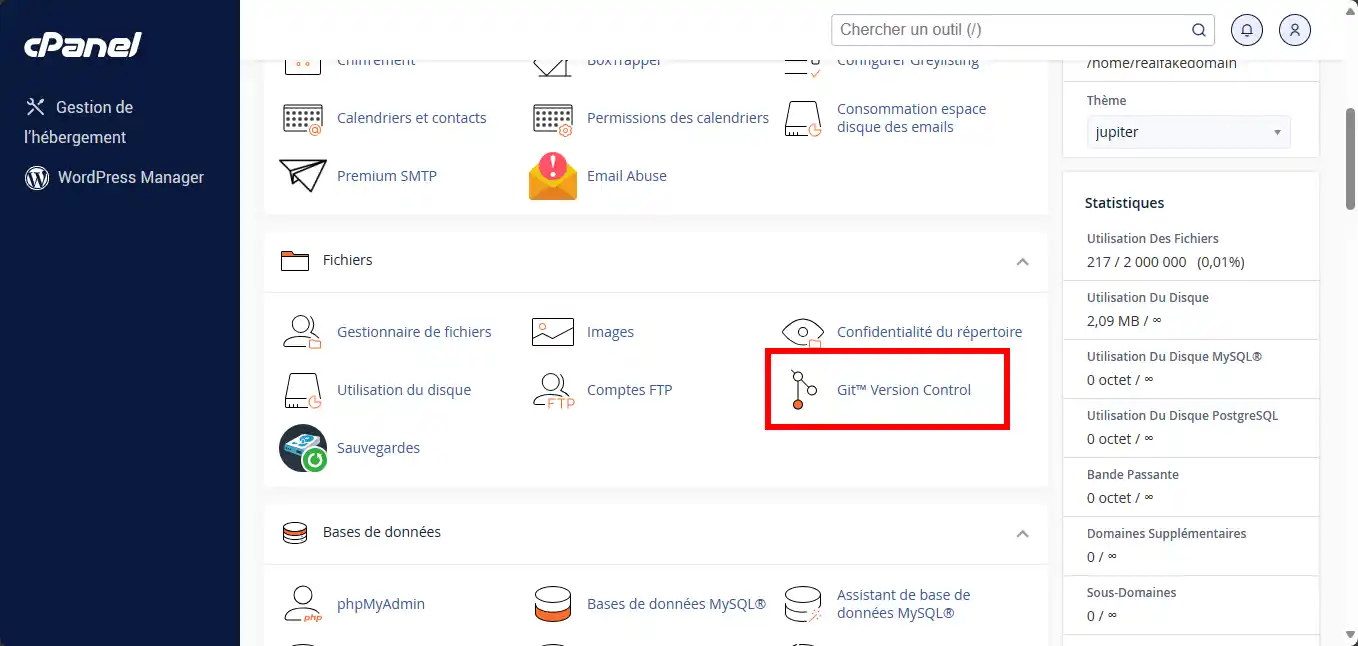
2. Log into your cPanel account and go to the " Git™ Version Control " icon.
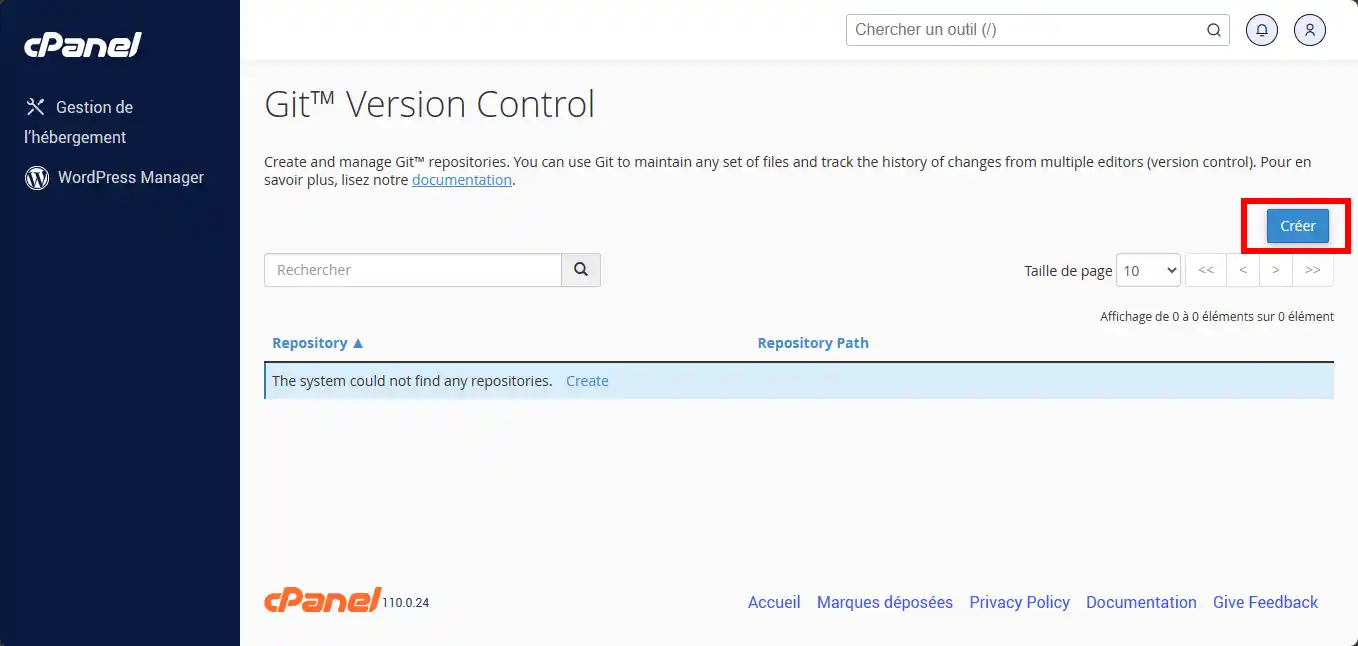
3. Click the " Create " button to create a new Git repository on your cPanel account.
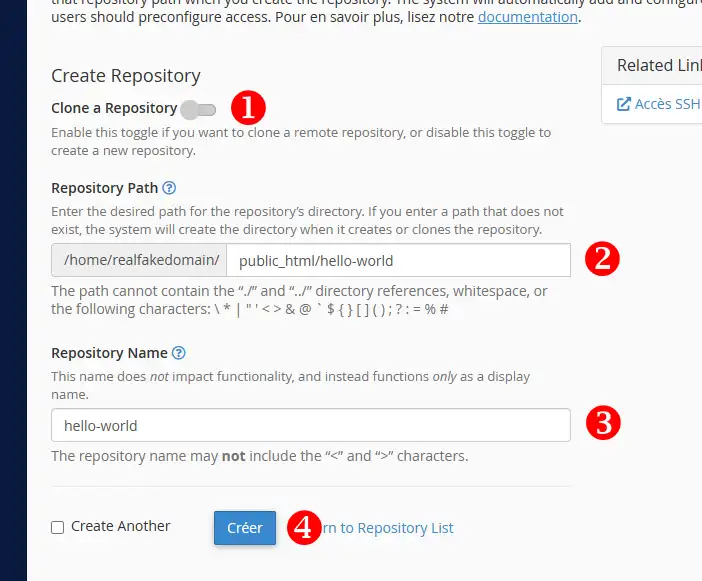
3. Complete the form as follows:
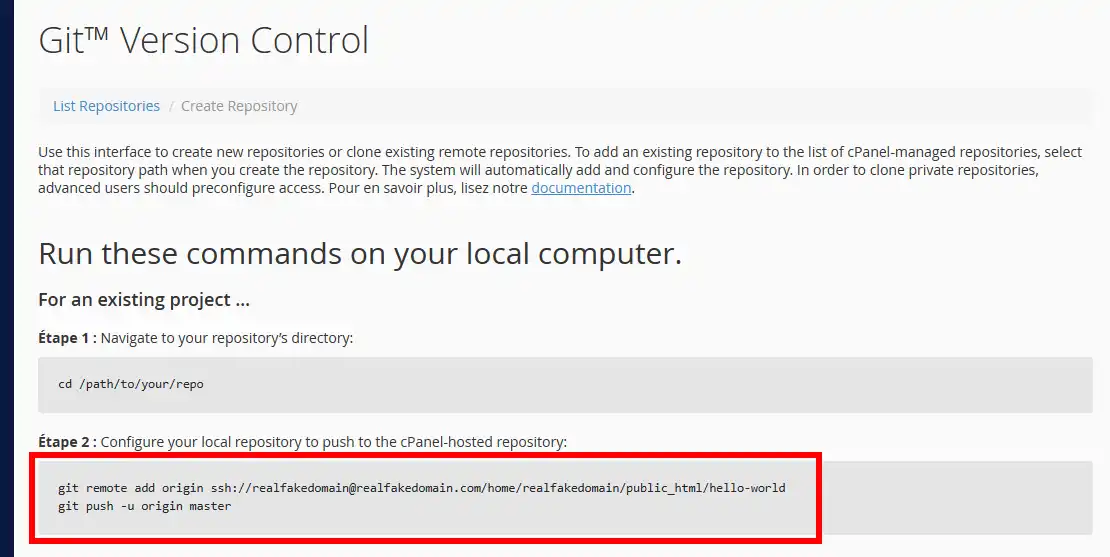
5. You will then be provided with the details of your Git repository in your cPanel account.
6. On your PC, open your terminal and go to your Git project folder.

7. Add your Git repository on cPanel as a remote mirror of your local repository with the " git remote add origin " command.

Notes:
8. Send the "master" branch of your local Git repository to your remote Git repository using the " git push origin master " command:
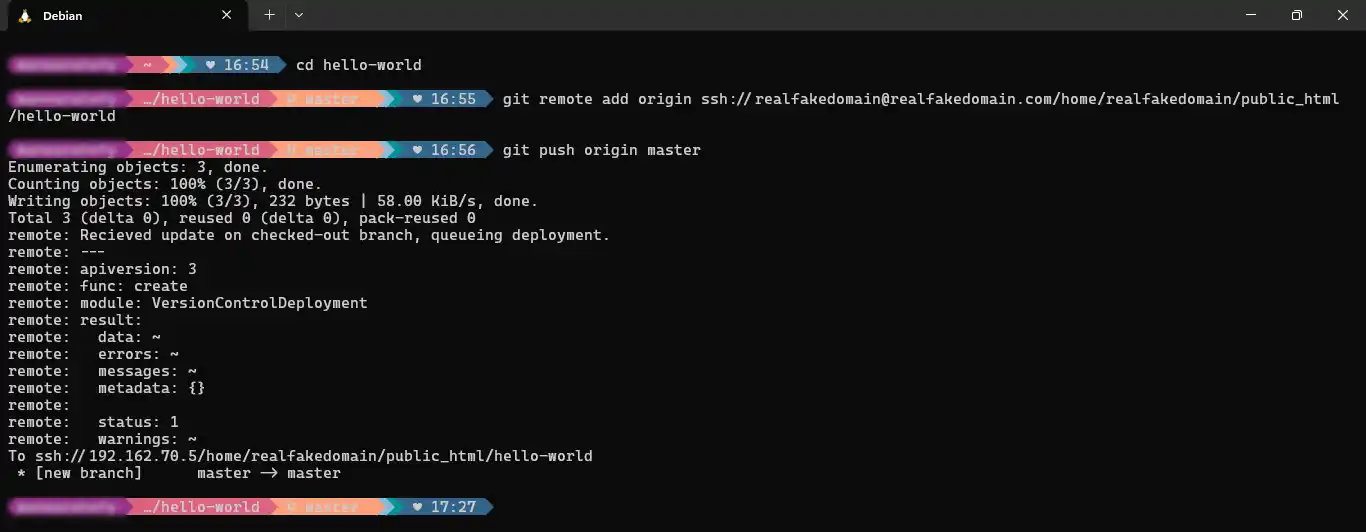
And that's it, your local Git repository is now published on your cPanel account.
However, it is possible that your Git repository is not located on your PC. This is the case, for example, if you work in a team and each developer contributes to a Git repository located on a Gitlab server or on Github.com.
1. Log in to your cPanel account and go to the " Git™ Version Control " icon.
2. Click the " Create " button to create a new Git repository on your cPanel account.
3. Complete the form as follows:
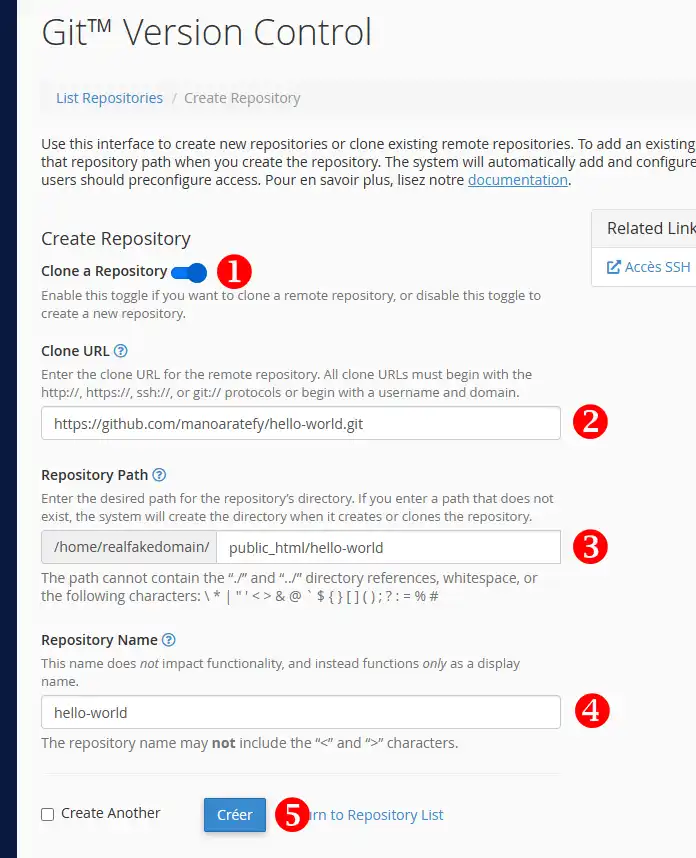
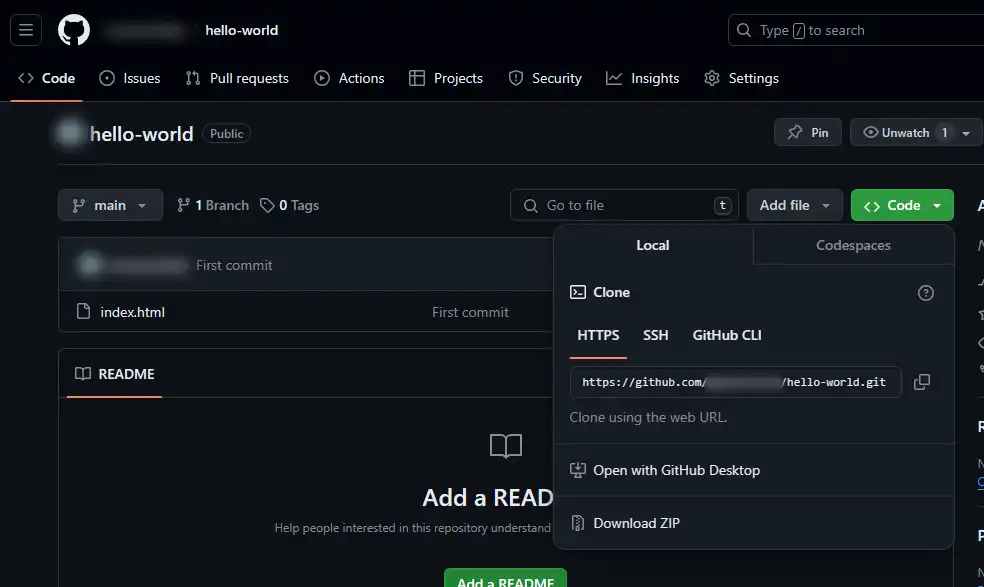
You can also use the terminal associated with your cPanel account to deploy a Git repository.
To do this, from your SSH console or the cPanel web terminal, move to the folder in which you want to place your Git repository:
cd ~/public_html/Next, download your remote repository using the git clone command:
git clone ssh://git@github.com/moncompte/hello-world.gitIf your repository requires the use of a specific private key, you can generate one with the following command:
ssh-keygen -t rsaYou can then display the associated public key using the following command:
cat ~/.ssh/id_rsa.pubYou can then add this key to the deployment keys of your remote repository. Example on Github :
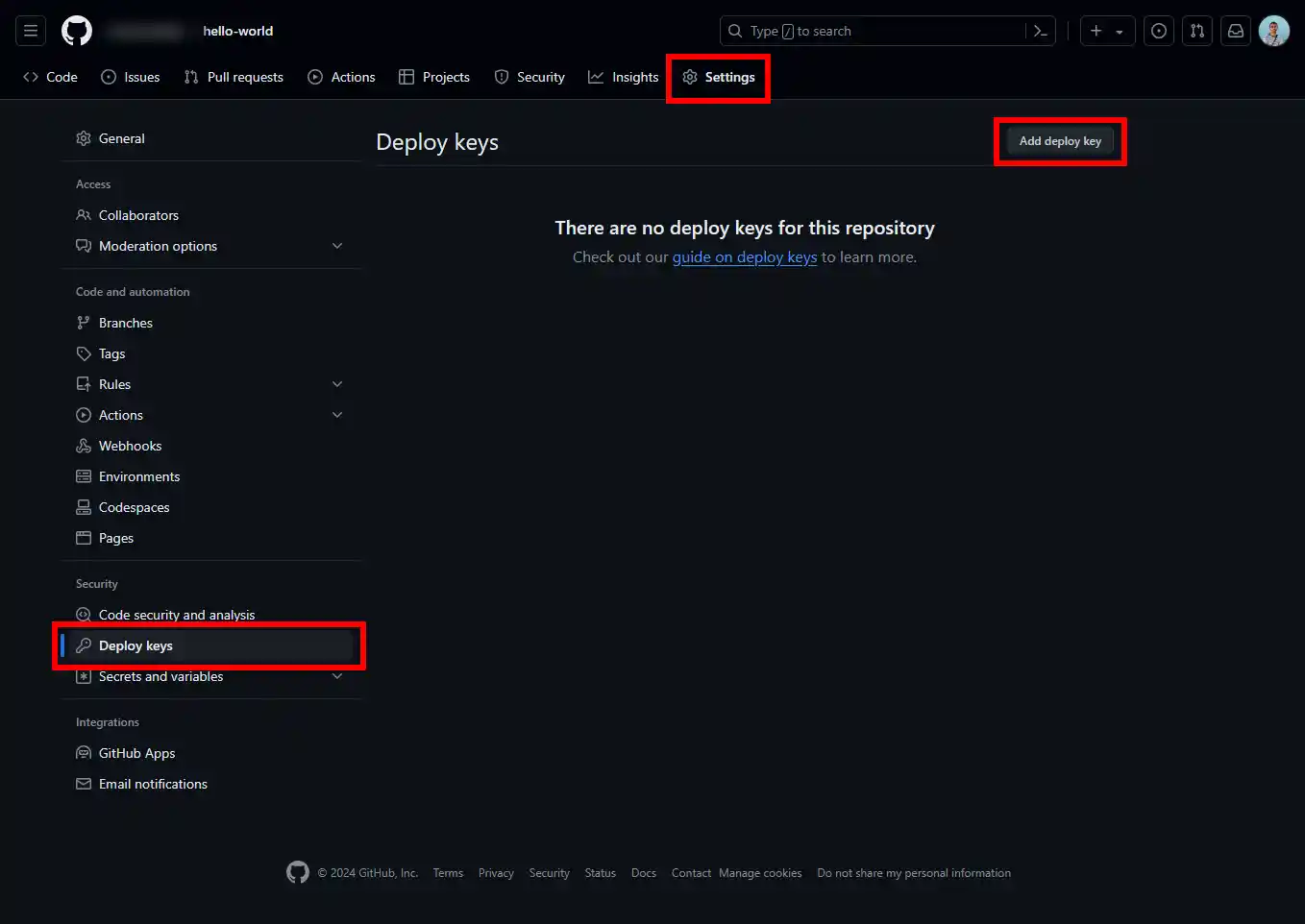
You can nowuse Git Version Control to clone or create a new repository on your cPanel web hosting. You also know how to clone a cPanel repository using your SSH Terminal or Putty software.
Don't hesitate to share your questions and comments!
Ask the LWS team and the community. Answers are published after moderation.
 About LWS :
LWS is a 100% French web hosting company that focuses on quality and innovation and offers a responsive and competent technical service at affordable prices.
About LWS :
LWS is a 100% French web hosting company that focuses on quality and innovation and offers a responsive and competent technical service at affordable prices.



 Yes
Yes No
No