Contact us
 Customer Area
 Visit LWS
Rate this article :
5/5 | 1 opinion
This article was useful to you ?
 Yes
Yes
 No
No
 Article read
20171 once
Article read
20171 once Merci ! N'hésitez pas à
poser des questions sur nos documentations si vous souhaitez plus d'informations et nous aider à les
améliorer.
Merci ! N'hésitez pas à
poser des questions sur nos documentations si vous souhaitez plus d'informations et nous aider à les
améliorer.Vous avez noté 0 étoile(s)



Sommaire
Procédure
To manage your LWS hosting efficiently, it is important to know the IP addresses of your services. This information is useful for configuring your site, resolving problems, modifying DNS zones, etc. Through this documentation, you will learn how to easily find these IP addresses in the various environments of your LWS account.
First you need to log in to your LWS customer area to access your hosting management.
Once in your hosting management, go to "Domain Management" and click on "DNS Zone".
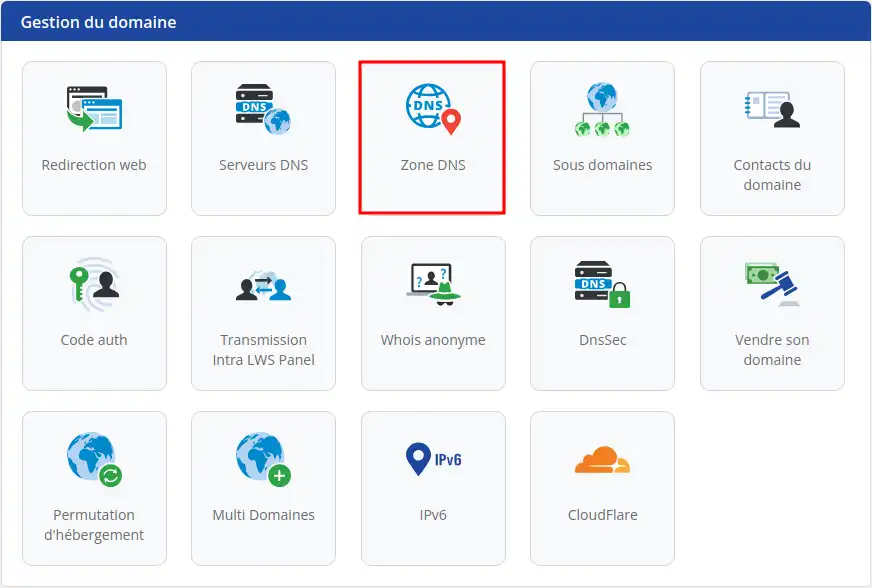
Here we are on the DNS zone management page for our domain, but what interests us is the line at the very top of the DNS zone, with the IPs of our Web server and our Mail server.
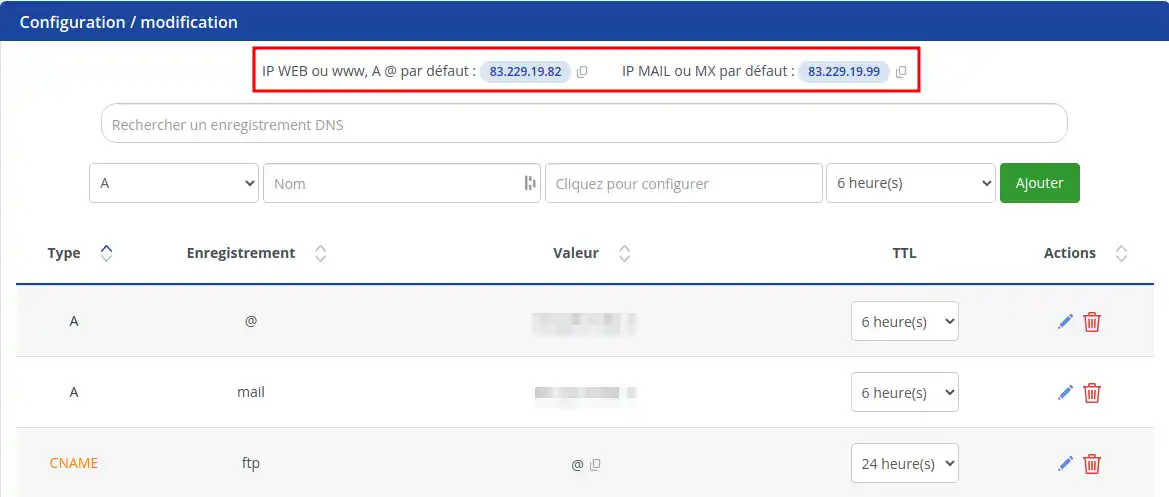
You can click on the little "copy" button next to the IP addresses to copy them.
First you need to access your cPanel.
As soon as you are on your cPanel, you will find on the right of the main page, a menu called "General Information" and in this menu, you will find "Shared IP Address".
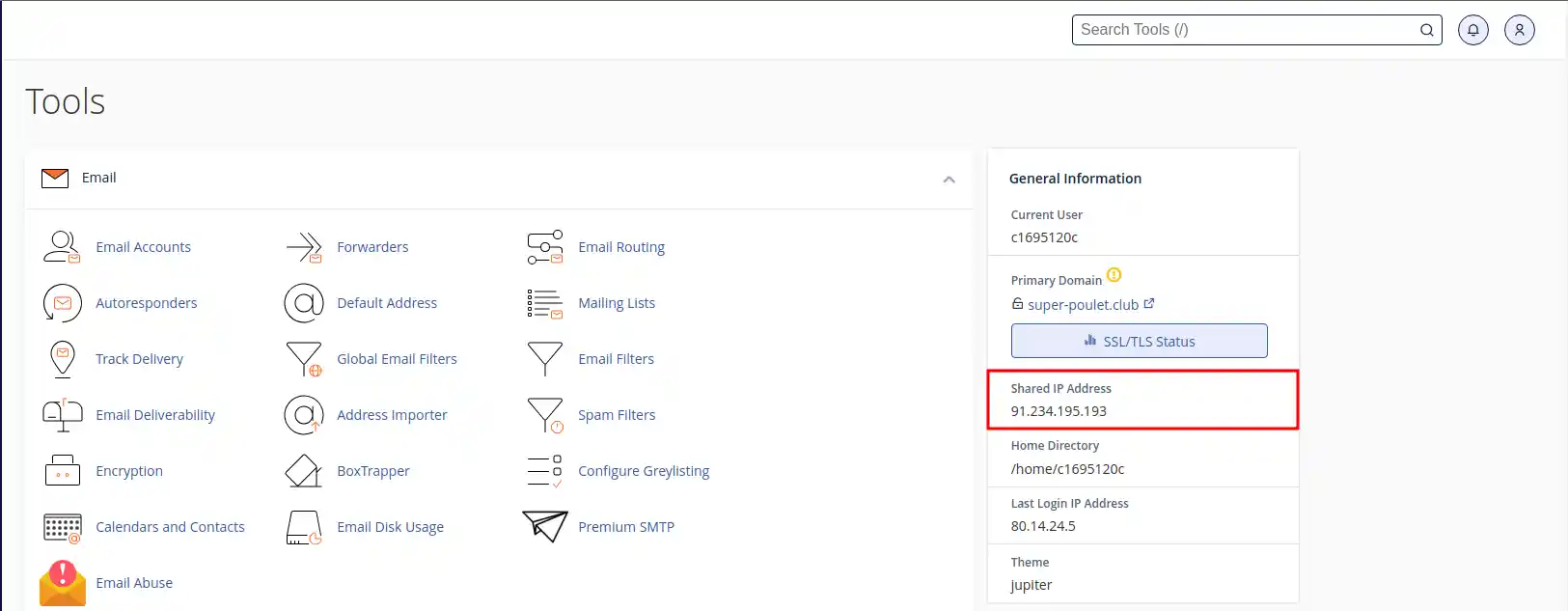
First of all, you need to connect to your LWS customer space to access your hosting management.
Once on your hosting management page, access your Plesk hosting.
Once you are on your Plesk panel, you will see the list of domains attached to Plesk. Choose your domain and click on "Hosting and DNS" (1) then click on "DNS Settings" (2).
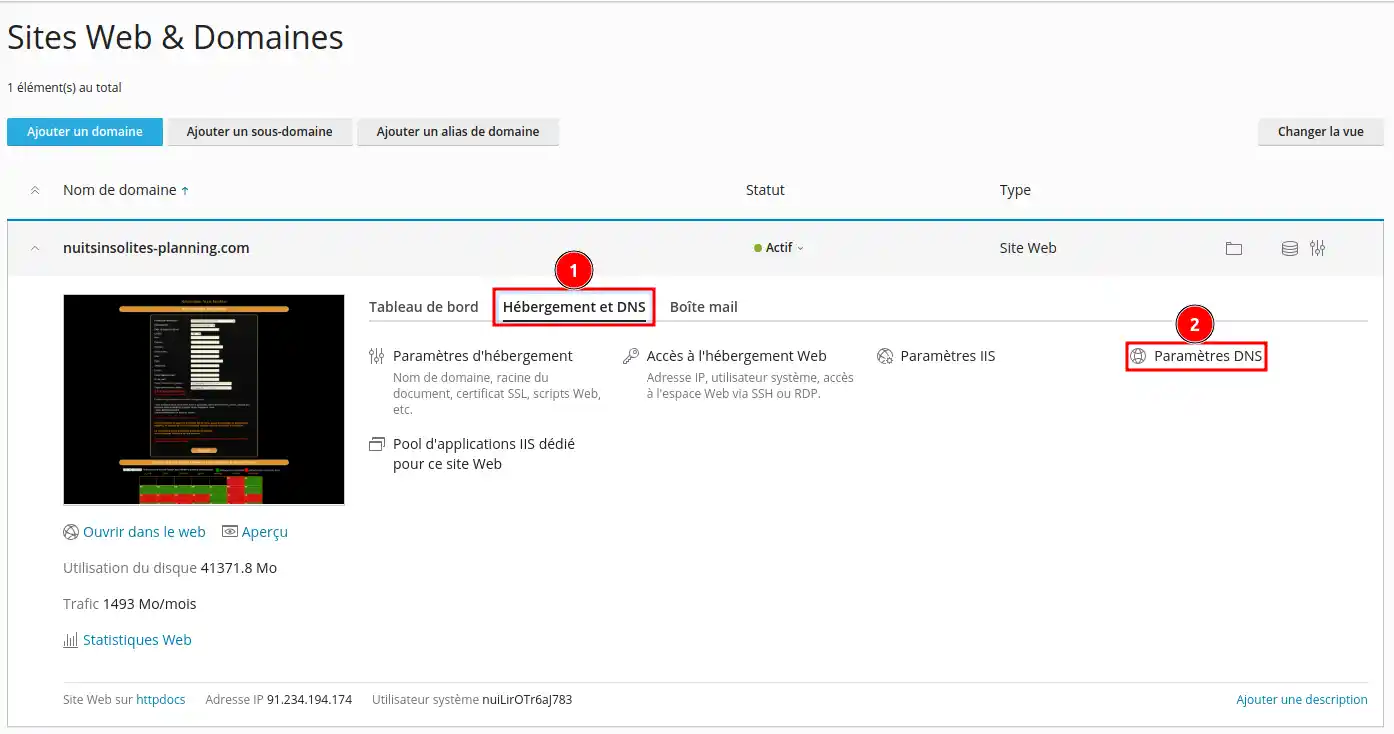
Once you have reached the DNS zone management page, you will need to locate the two A records for mail and web, and you will find the IP addresses associated with these two services.
(mail.demo.... = Ip of the mail server) (demo21....= Ip of the web server)
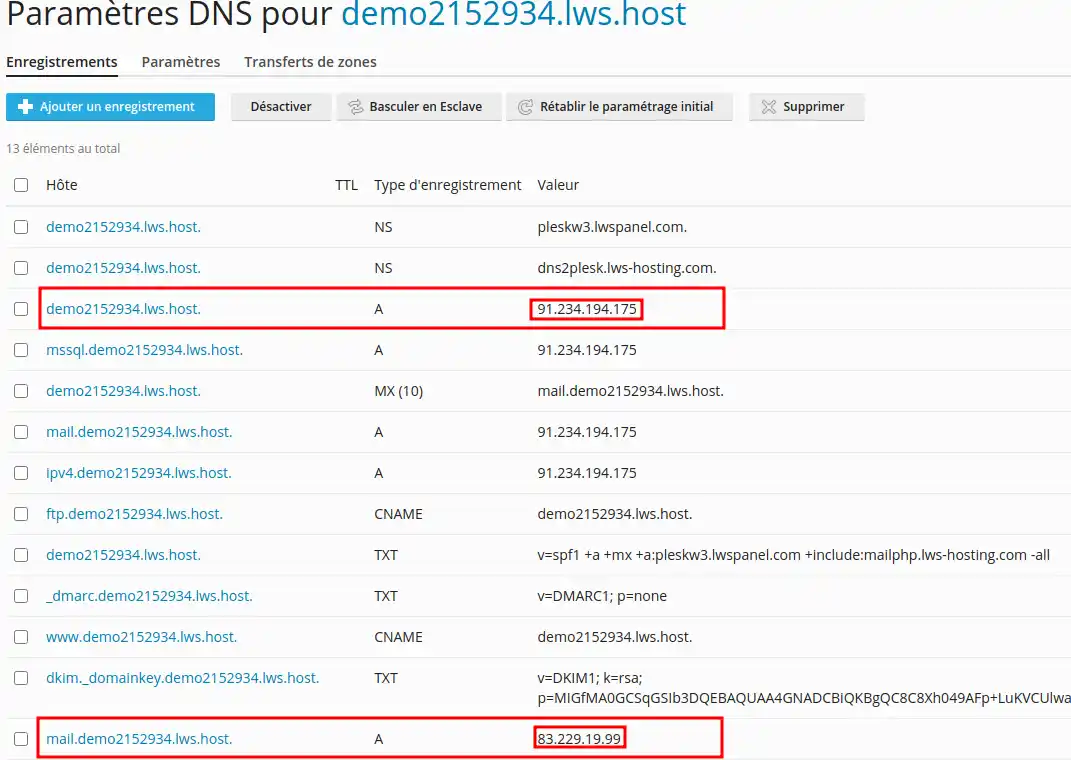
If you have modified the DNS zone at this level, you will need to contact LWS support to recover the IP addresses.
First of all, you need to connect to your LWS customer area to access the management of your VPS hosting.
Once on the management page of your VPS hosting, you will find Account Information on the right of your screen and you will find the IP address of your VPS server.
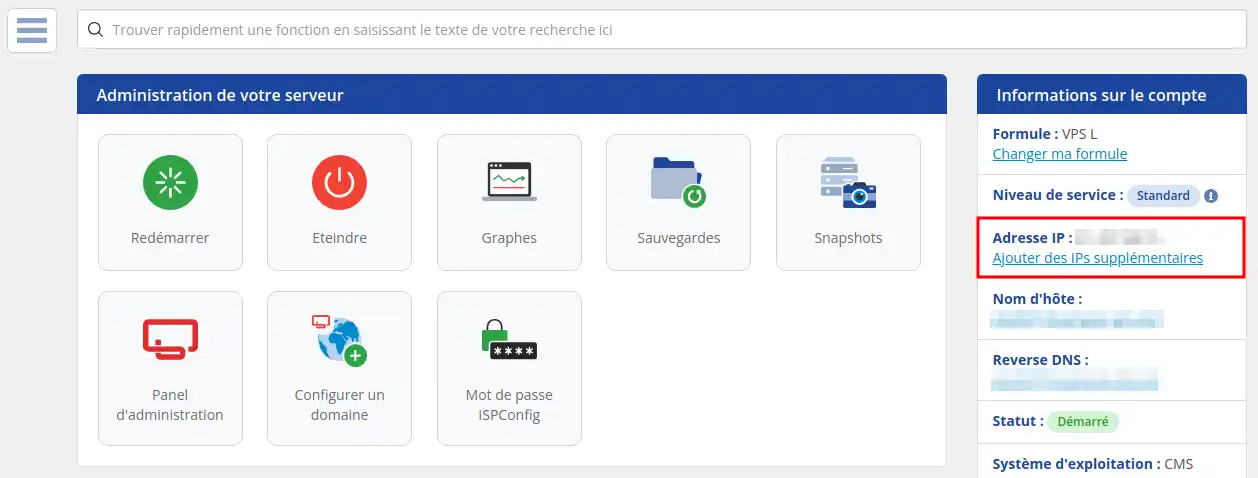
On a VPS, the server IP corresponds to the IP that will be used by all your services: Mail, Web, MySQL and others.
Congratulations, you now know how to retrieve the IP addresses of your LWS services, whether you're using cPanel, PLESK or a VPS. The information is easily accessible from your LWS panel. With this knowledge, you'll be better equipped to manage your LWS hosting efficiently. Don't forget, LWS customer service is always available if you run into problems or have additional questions.
Rate this article :
5/5 | 1 opinion
This article was useful to you ?
Yes
No
1mn reading
2mn reading
What types of domain can I buy?
3mn reading
Complete guide: Managing domain names
0mn reading
How can I find and manage my FTP access on LWS Panel hosting?
Bonjour,
Je vous remercie pour votre message.
Je comprends que vous souhaitez lier à votre nom de domaine à l'hébergement chez votre prestataire et pour cela plusieurs possibilités sont à prévoir, majoritairement un enregistrement dans la zone DNS de type A vers l'adresse IP de votre serveur chez le prestataire est suffisant, néanmoins il est également possible d'utiliser leurs serveurs DNS afin de gérer la zone chez eux.
Pour lier votre service web, vous devrez ajouter ou modifier un enregistrement A dans la zone DNS de votre domaine. Cet enregistrement doit pointer vers l'adresse IP de votre hébergement.
Voici un exemple de comment vous pourriez configurer cet enregistrement :
Voici une documentation à propos des enregistrements DNS, mais également concernant le changement de serveur DNS :
Je vous remercie pour votre attention et reste à votre disposition pour toute autre question ou complément d'information. Vous pouvez pareillement contacter notre support technique pour obtenir de l'aide.
Cordialement, L'équipe LWS
 About LWS :
LWS is a 100% French web hosting company that focuses on quality and innovation and offers a responsive and competent technical service at affordable prices.
About LWS :
LWS is a 100% French web hosting company that focuses on quality and innovation and offers a responsive and competent technical service at affordable prices.