
Online help
The web host accessible to all
Procédure
SPIP is free software developed under the GNU/GPL3 licence. Used as a content publication system - its primary purpose - it is also a development platform for creating maintainable and extensible interfaces, whatever the structure of the data managed.
The advantages of SPIP are :
SPIP is included in all Linux hosting packages.
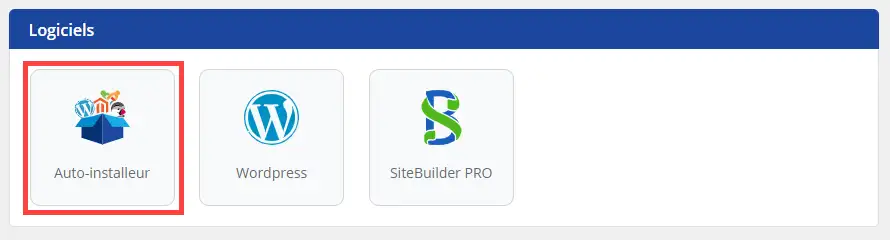
1. Connect to the administration area of your web hosting and click on "Auto-installer".
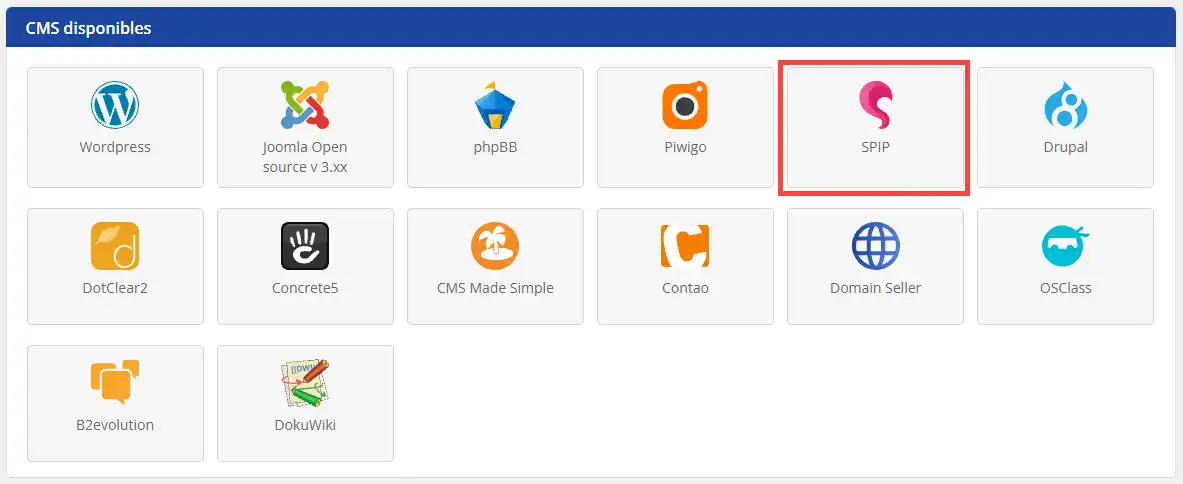
2. Choose SPIP (Before proceeding with the installation, you need to create a MySQL database, which is necessary for it to work properly).
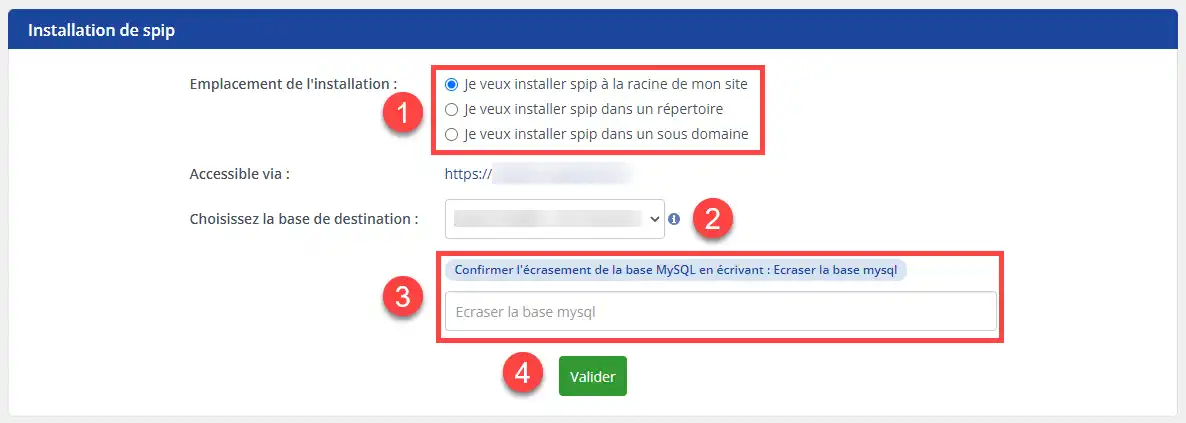
3. Indicate whether you want SPIP to be installed at the root of your site (at the base of your site), in a directory or in a sub-domain, then select the database you want to use, confirm that you want to overwrite the database and confirm.
The site administration connection parameters will be automatically sent to your contact email address.
1. Click on Connect
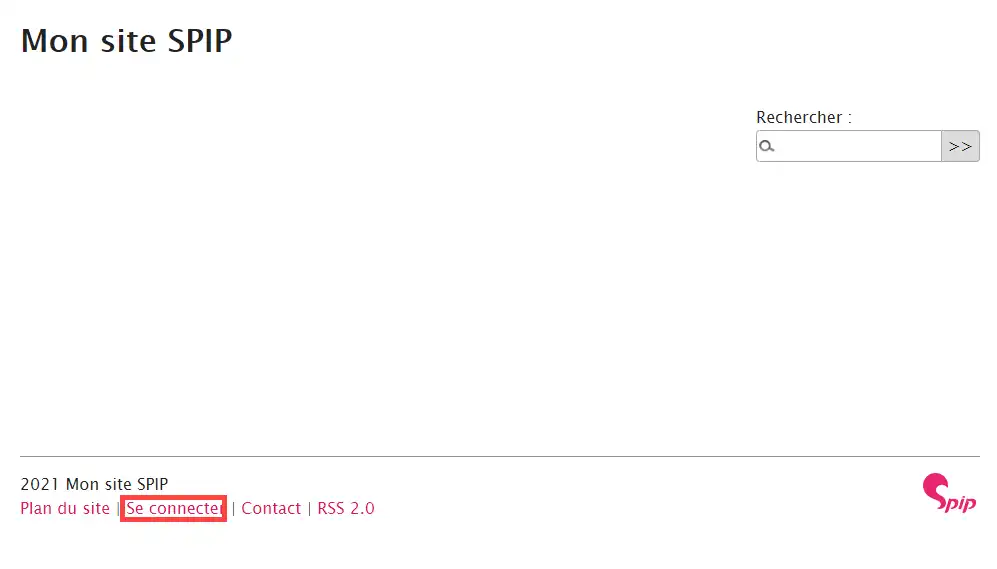
2. Enter your access details to connect to the site administration.
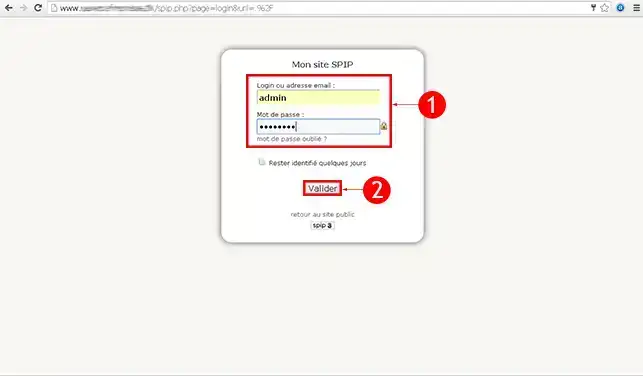
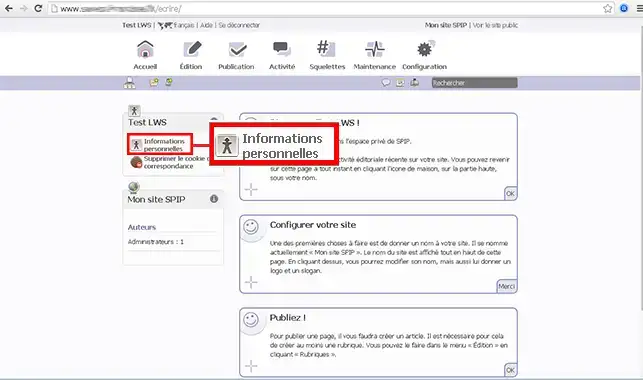
3. Click on Personal Information in the menu on the left of your screen.
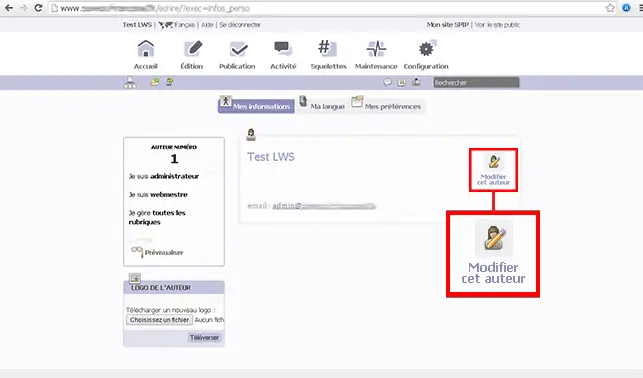
4. Click on Modify this author
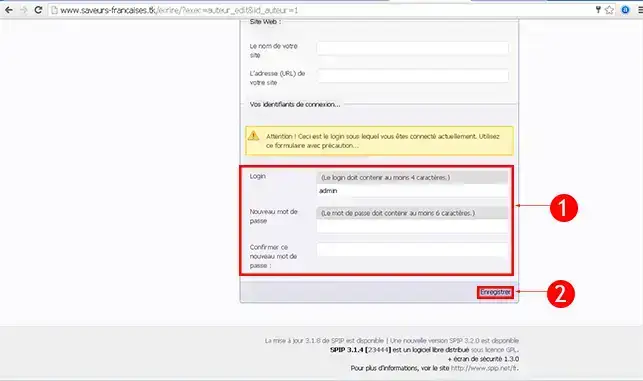
5. Enter your new Login and Password then click on Save
1. Click on Connect
2. Enter your access details to connect to the site administration.
3. Click on Configuration then on Plugin management
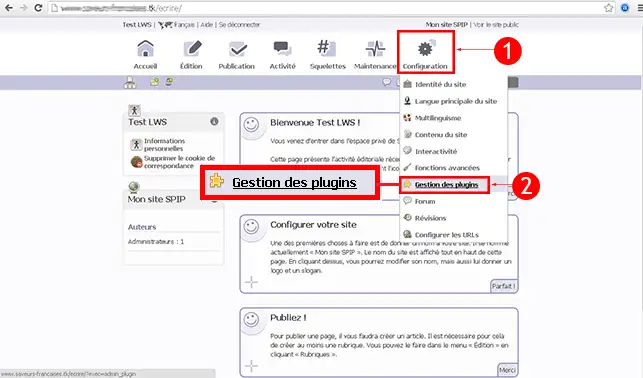
4. Click on Add plugins
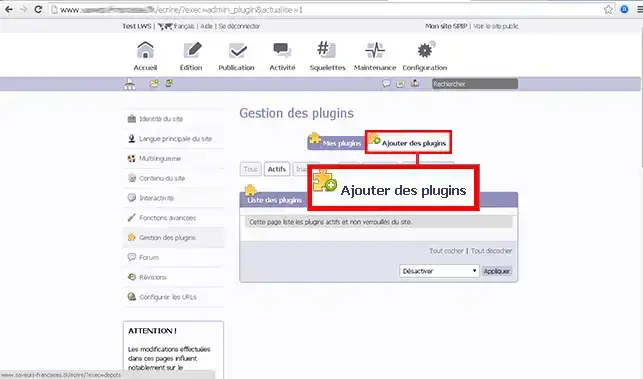
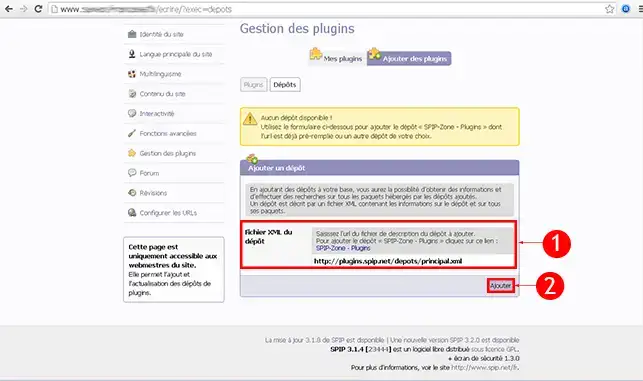
5. Enter the XML file for the repository then click on Add
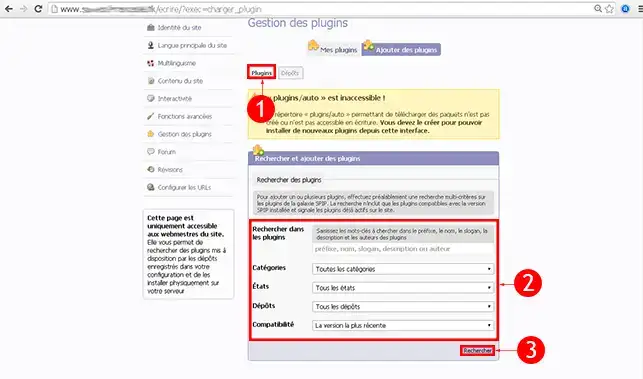
6. You can now search the SPIP database to find your theme or plugin.
1. Click on Connect
2. Enter your access details to connect to the site administration.
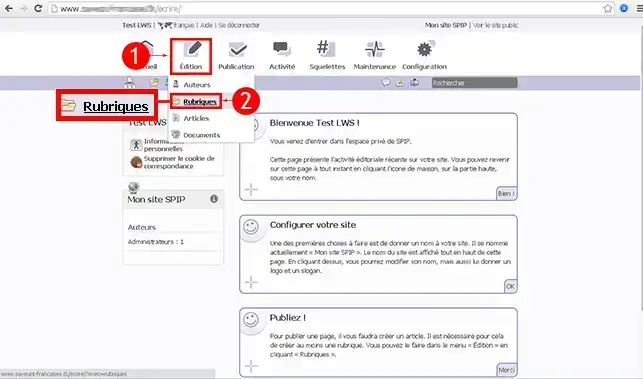
3. Click on Edit and then on Headings
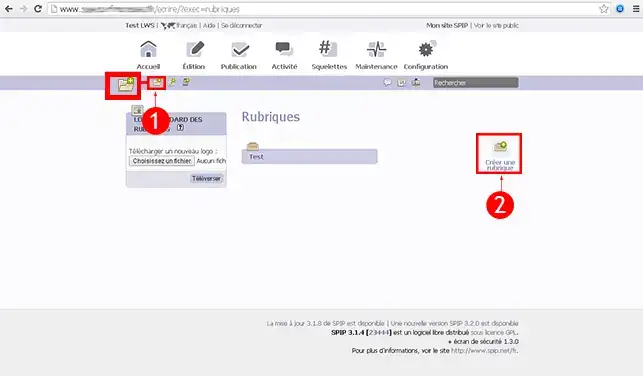
4. Click on Create a heading
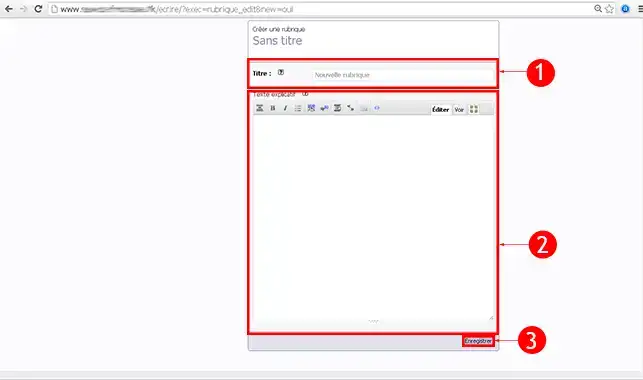
5. Enter the Title of your section and the Explanatory text , then click on Save.
1. Click on Connect
2. Enter your access details to connect to the site administration.
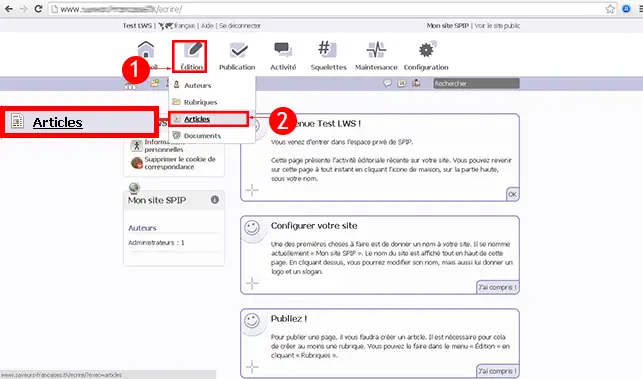
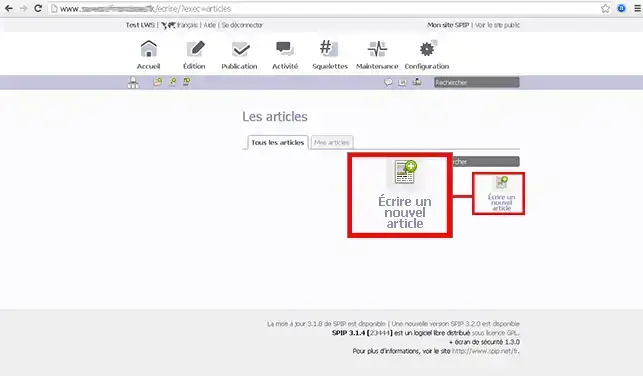
3. Click on Edit and then on Articles
4. Click on Write a new article
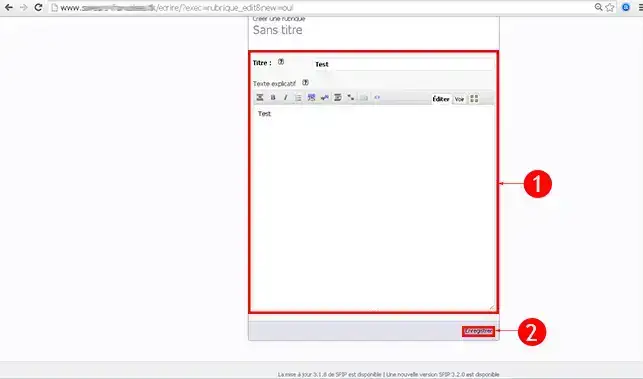
5. Enter the title of your article and the text , then click on Save.
To find out more about SPIP, you can consult the official resources:
You can now create your SPIP website in just a few clicks with LWS. SPIP is specially designed to create a journalistic or magazine site.
Don't hesitate to share your comments and questions!
Ask the LWS team and the community. Answers are published after moderation.
 About LWS :
LWS is a 100% French web hosting company that focuses on quality and innovation and offers a responsive and competent technical service at affordable prices.
About LWS :
LWS is a 100% French web hosting company that focuses on quality and innovation and offers a responsive and competent technical service at affordable prices.



 Yes
Yes No
No