Procédure
The procedure differs slightly depending on the graphical theme used in Roundcube. This documentation explains the two procedures depending on the theme you are using.
Procedure with the Larry theme
11. Connect to the webmail of the e-mail account for which you want to export an address book
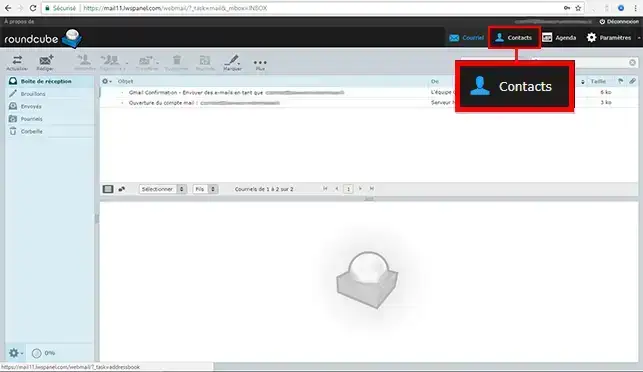
22. Go to the"Contact" section
3. Click on the"Export" icon
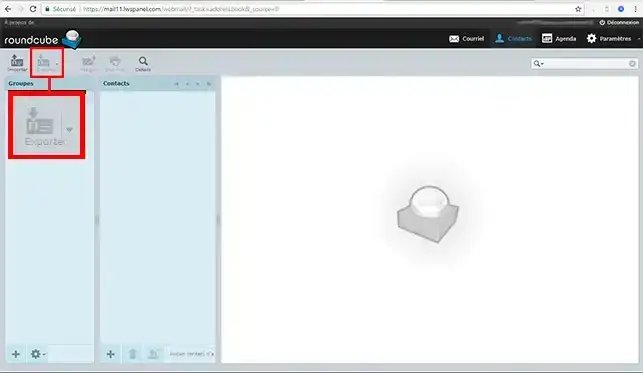
This will download and save the complete list of your contacts on your computer in .vcf format.
You can then later reimport your address book into your Roundcube webmail if you need to, or into any other email client software.
This type of file can also be opened using a simple notepad.
Procedure with the Elastic theme
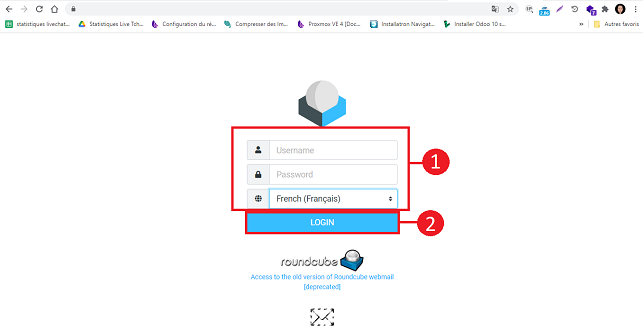
Connect to the webmail linked to the email address for which you want to export your address book.
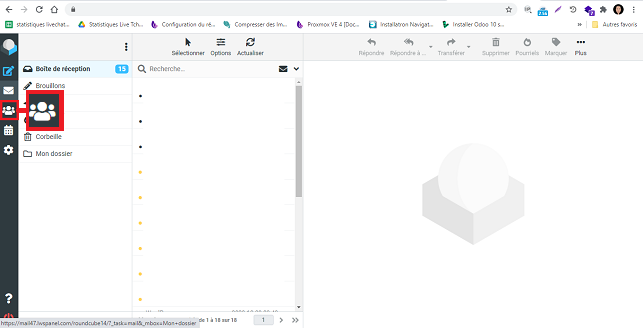
Click on the"Contacts" icon on the left-hand side of your Webmail.
Choose the address book you want to export in the"Group" section and click on the"Export" button.
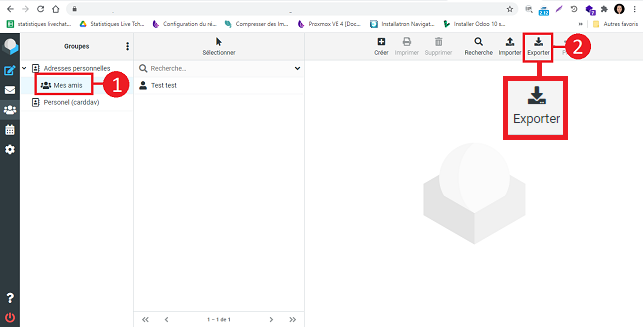
This will allow you to download and save on your computer the complete list of your contacts in .VCF format. If necessary, you can then re-import the list to your Roundcube Webmail or any other Webmail application.
You can also open this file with a notepad such as Notepad.
Roundcube Video Tutorial: How do I export an address book in Roundcube?
Need help using Roundcube?
See all our Roundcube training videos
Conclusion
You can nowexport your Roundcube Webmail contacts with your LWS shared hosting package. You can also import contacts into your Webmail at any time.
Don't hesitate to share your comments and questions!



 Yes
Yes No
No About
About 